Category Archives: Primii Pasi

Incepe-ti cariera de model cu succes, invatand tot ce trebuie sa stii despre setarile contului tau, despre fereastra de transmisiune si despre jetoanele CAM4.

DMCA

Este conținutul tău partajat fără permisiune? Trimite o reclamație DMCA direct prin CAM4 și lasă echipa noastră să se ocupe de asta pentru tine.

Trimite o reclamație DMCA: Protejează-ți conținutul

Îți vezi videoclipul sau fotografia undeva fără permisiune? Raportează-l prin formularul DMCA CAM4 — vom contacta părțile implicate și vom lucra la eliminare.

Sfat: Platformele și gazdele majore iau în serios solicitările DMCA. Raportarea rapidă = offline mai rapid.

Ce este o reclamație DMCA?

Cu o notificare DMCA, solicitați gazdei sau platformei să elimine conținutul partajat ilegal. CAM4 vă ajută prin transmiterea notificării și urmărirea cu partea corectă.

Cum să trimiți o notificare DMCA

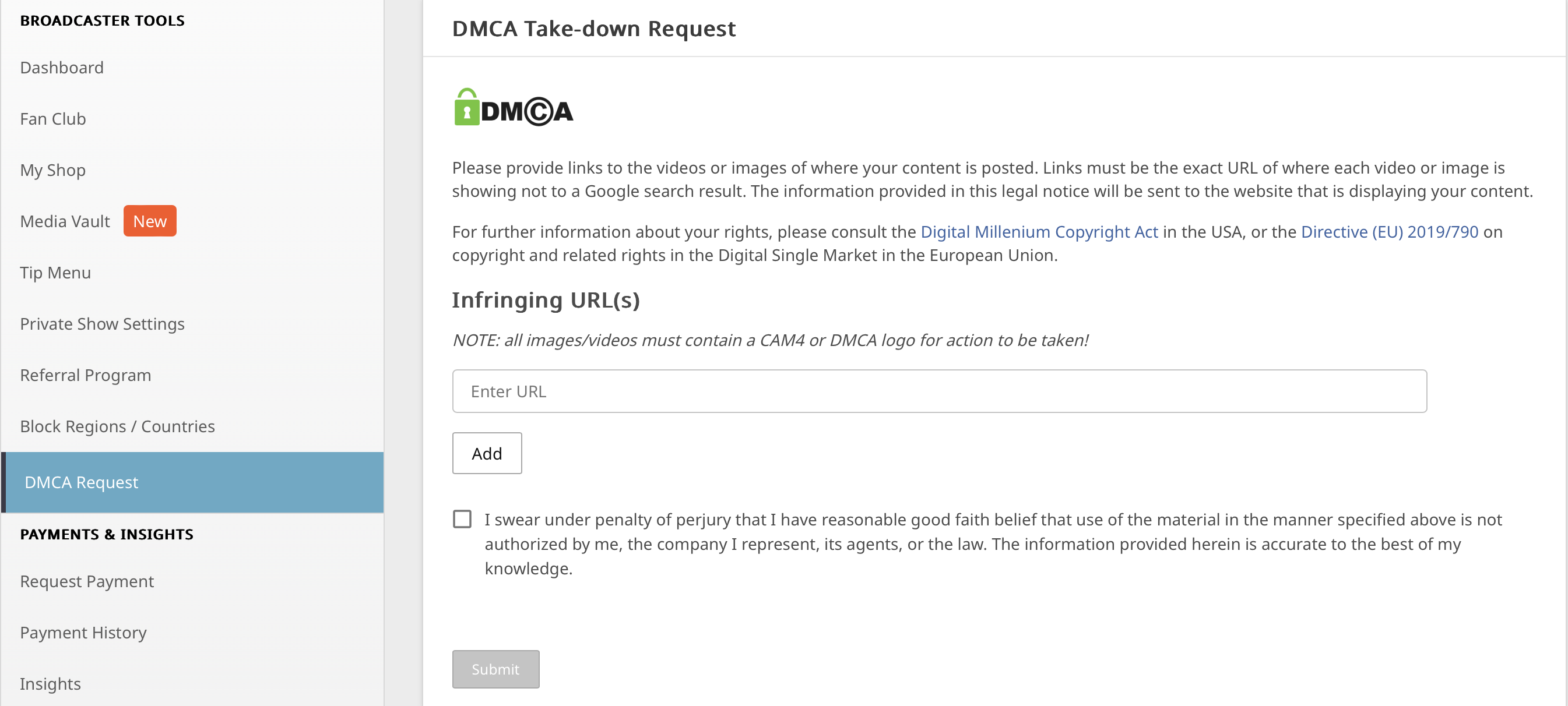
  1. Accesați formularul DMCA de pe CAM4 (prin secțiunea de ajutor/asistență sau confidențialitate/securitate).
  2. Completează-ți datele și lipește adresele URL exacte ale paginilor cu conținutul tău.
  3. Oferă o scurtă descriere (ce este online și că nu ai dat permisiunea).
  4. Adaugă dovezi acolo unde este posibil (de exemplu, capturi de ecran, data/ora conținutului original).
  5. Trimite — echipa noastră va prelua și va comunica cu gazda sau administratorul site-ului.

De obicei, nu trebuie să urmărești fiecare site singur. Sprijinim procesul și urmărim notificarea ta.

Ce se întâmplă după notificarea ta?

Confirmare

Veți primi o confirmare de primire și orice întrebări de urmărire dacă lipsește ceva.

Contact cu gazda

CAM4 contactează gazda/site-ul web și solicită eliminarea pe baza DMCA.

Eliminare/Manipulare

Conținutul ilegal este de obicei scos rapid offline. Veți fi informat despre actualizările importante.

Sfaturi pentru a te proteja

  • Ai îndoieli cu privire la confidențialitate? Luați în considerare o mască sau nu vă arătați întotdeauna fața complet în imagine.
  • Salvează fișierele originale sau capturile de ecran (cu data/ora) ca dovadă pentru reclamația ta.
  • Notează unde și când ai văzut încălcarea (adrese URL, data, orice nume de utilizator de pe acel site).

O reclamație DMCA este o modalitate puternică de a menține controlul asupra muncii tale. Tu ai drepturile — te ajutăm să le protejezi.

Întrebări sau ai nevoie de ajutor?

Nu-ți dai seama sau îți lipsesc informații? Contactează Asistența prin support@cam4.com. Vom gândi împreună și te vom ajuta să-ți completezi notificarea.

Profile & Bio

Ieși în evidență cu o pagină de profil puternică: design curat, informații clare și rețele sociale vizibile = mai multe vizualizări, tips și fani fideli.

Creează o pagină de profil irezistibilă pe CAM4

Profilul tău este cartea ta de vizită: îngrijit, vizual și clar = mai multe vizualizări, tips și fani fideli.

Sfat: proiectează cu o lățime de minimum 1200px pentru un aspect clar pe desktop.

Bază: live în 3 pași

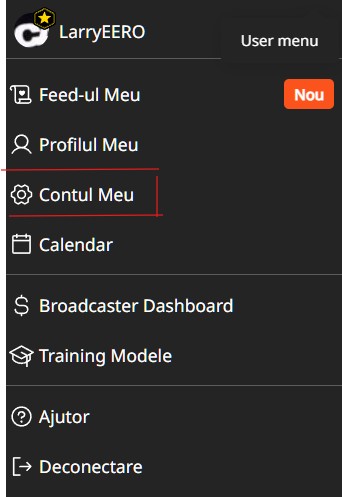
  1. Mergi în meniul tău la „Contul meu”.
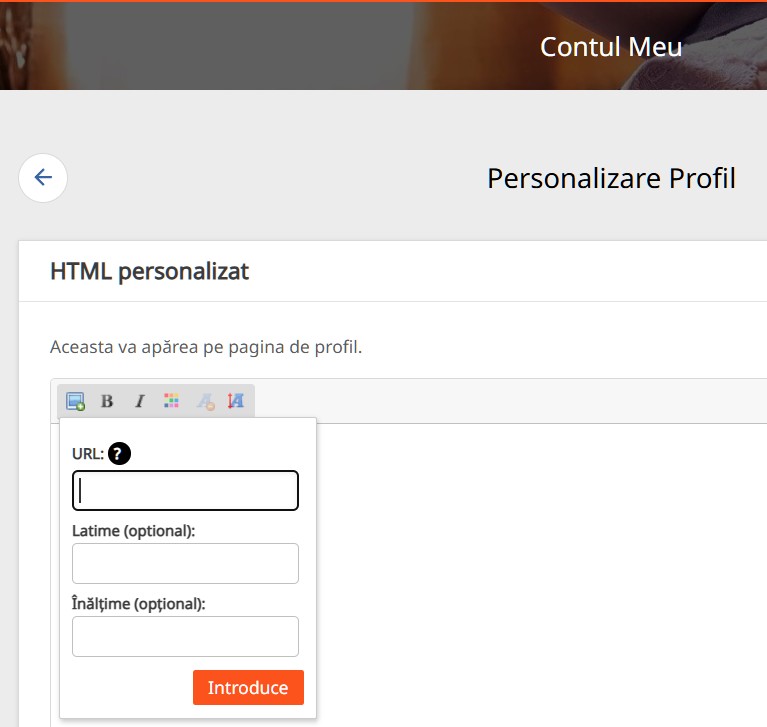
  2. Încarcă-ți imaginile prin pictograma foto (de exemplu, găzduiește prin ImageShack).
  3. Adaugă un text scurt, culori și linkuri care se potrivesc cu vibe-ul tău.

Design rapid și frumos

Creează ceva cu Canva sau devino pro cu Photoshop. Așa vei ieși imediat în evidență.

Despre mine

Spune pe scurt cine ești, stilul tău și la ce se pot aștepta telespectatorii. Jucăuș și autentic funcționează cel mai bine.

Meniu de tips

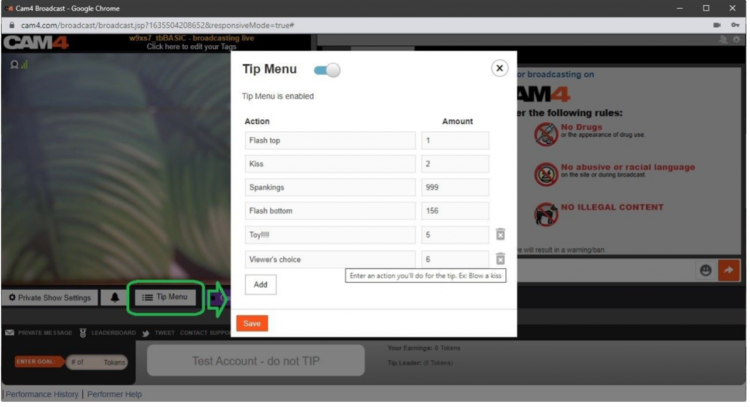
Stabilește clar acțiunile și prețurile. Mai puține întrebări, mai multe tips, mai mult flow în show-ul tău.

Arată ce oferi

Nu ești online? Nicio problemă! Cu Activity Feed, fanii pot da like, pot comenta și pot da tips — astfel câștigi și offline.

Postează actualizări, teasere sau fotografii și amintește-le telespectatorilor că pot da tips și acolo.

Rețele sociale vizibile

Leagă X/Twitter și alte rețele sociale îngrijit. Fanii vor să te urmărească și în afara CAM4 — astfel construiești mai repede o comunitate stabilă.

O impresie bună contează

Exemplu bio/design CAM4

Un design puternic atrage telespectatorii potriviți și adesea generează mai multe tokens. Te distrezi transmițând și câștigând? Atunci poți fi eligibil pentru un design de profil gratuit. Vrei unul imediat (sau unul nou)? Se poate și pentru 250 de tokens, contactează designerul nostru de profil.

Checklist: header clar, imagini proaspete, scurt „despre mine”, Meniu de tips vizibil, rețele sociale conectate și feed-ul tău activ. Actualizează-ți profilul lunar.

UK DAC7 – Important Information on Data Collection for Payments

Although the UK is not subject to DAC7, we are updating our processes to align with global standards, including similar European regulations like DAC7. These changes mean we need to collect additional information from broadcasters/creators to process payments. Providing accurate information is essential to avoid issues with payouts.

Why are we collecting this information?

To comply with international transparency standards, we are required to gather specific details from our users. These regulations aim to prevent tax fraud and ensure payments are processed correctly. While DAC7 applies to the EU, aligning with these standards allows us to maintain a consistent and secure platform for all users, including those in the UK.

What information do we collect?

We may request details such as:

  • Your full name
  • Your address
  • Your National Insurance Number (NIN)

These details are necessary for compliance with tax regulations and transparency standards. Your information will only be used for these purposes and shared with tax authorities as legally required.

What is a National Insurance Number, and where can you find it?

Your National Insurance Number (NIN) is a unique identifier issued by the UK government for tax and social security purposes.

You can find it on:

  • Payslips
  • Tax return documents
  • Your personal tax account on the HMRC website
  • National Insurance card (if issued)
  • Official letters about tax, pensions, or benefits

What if you don’t have a fixed address?

If you’re traveling or don’t have a permanent residence, determining your tax residency can be more complex. Generally, your tax residency is the country where you spend more than six months (183 days) in a year. We recommend reviewing the tax laws of the countries where you’ve stayed to identify your tax residency.

Does this mean authorities will know what you do on the platform?

No. We only report payment transactions based on the information you provide. The nature of your activities on the platform will not be disclosed.

What happens if you don’t provide the required information?

Starting January 2025, providing this information will be mandatory to continue receiving payments. If the required details aren’t submitted, we won’t be able to process your payouts. Submit your information on time to avoid any interruptions.

When and how do you submit your information?

We will begin collecting this information in December. Once you log in, you’ll receive instructions on how to securely submit your details.

What happens to your information?

Your information will be used exclusively to comply with regulations like DAC7 and similar global standards. It will be shared with relevant tax authorities as required by law and handled in accordance with applicable privacy laws.

Questions?

If you have any questions or need assistance, contact our support team at payments@cam4.com or consult the UK government.

Navigating Direct Messaging

We have heard your feedback and elevated your DM experience.

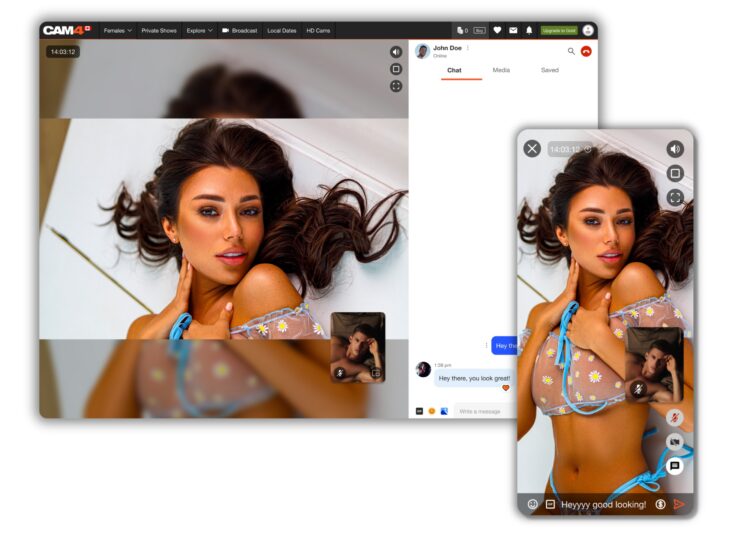
To support you as you become familiar with messenger’s great features, we have provided you with an easy to follow guide to all of the Chat and Media functionality, and so much more!
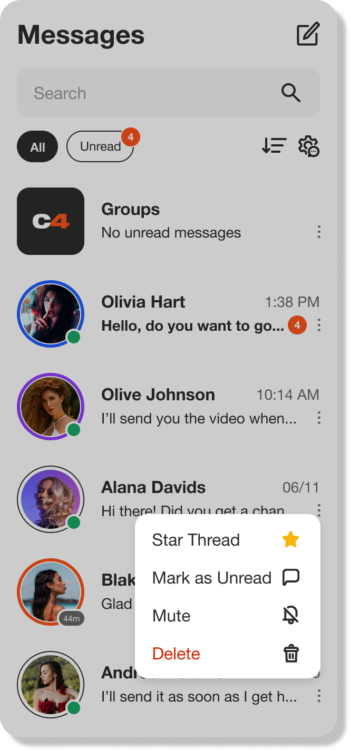
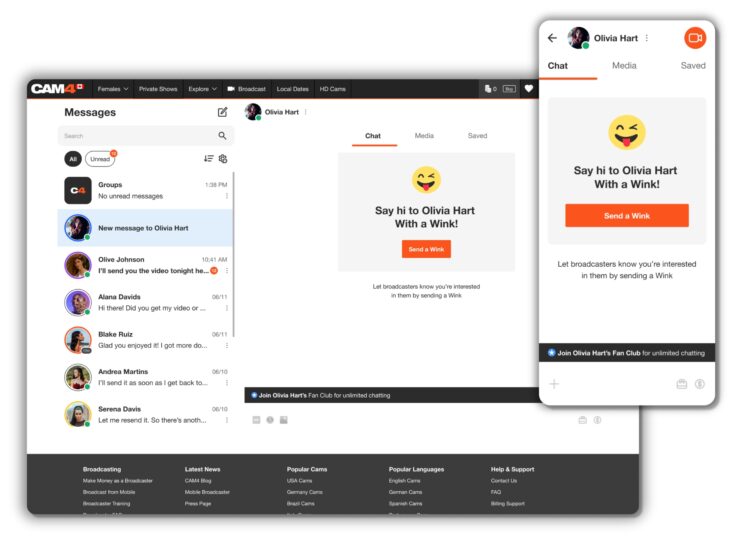
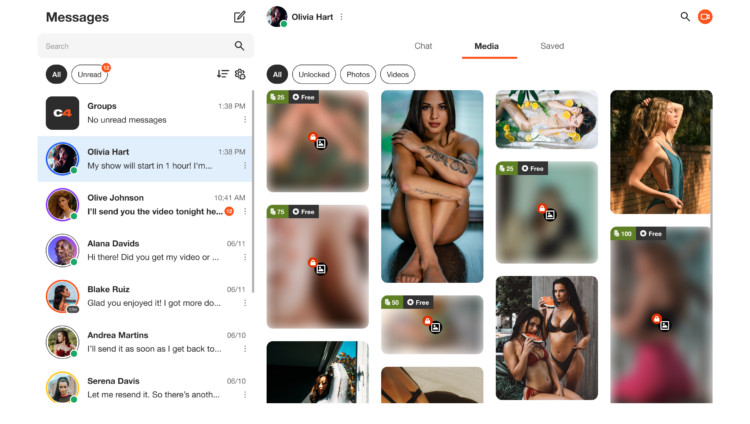
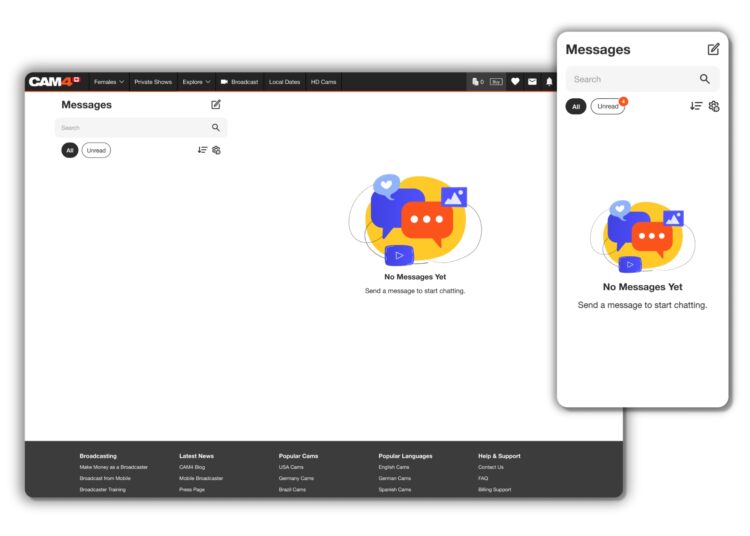
The first thing you’ll notice about this new communication tool is how much easier it is to use, as well as it providing far more than just the ability to chat!

BENEFITS OF USING CAM4 MESSENGER

  • Increased Privacy – Create connections with only the users that you choose though chat and Private shows.
  • Filtering Options – Easy access to important information and content.
  • MonetizationEarn tokens while chatting through tipping, selling content, gifting, and Private shows.
  • Mobile Friendly – Now it’s easy to use our new Messenger tool on the go!

CHAT UPGRADES

As well as the common features, such as saving, replying, deleting, adding Gifs, and Emojis,  you now have additional tools to make messages stand out and have control over who messages you. Let’s break down a few of them for you.

WINKS
Wink’s are sent from Non-gold users who would like to chat with you. The ability to type in the chat will only be enabled once you reply to their wink.

Gold users can message anyone they want – No winks needed!

SELL CONTENT

With this feature within the Media functionality of Messenger, you can add content from your ‘Media’ directly into the chat, allowing the user to purchase and enjoy.

FAN CLUBS
You can share your Fan Club Content via the chat. This will allow you to promote your ‘Fan Club’, and the user can simply click on the link to view it. They will then be prompted to join, and once they have, the content will be visible to them in the chat.

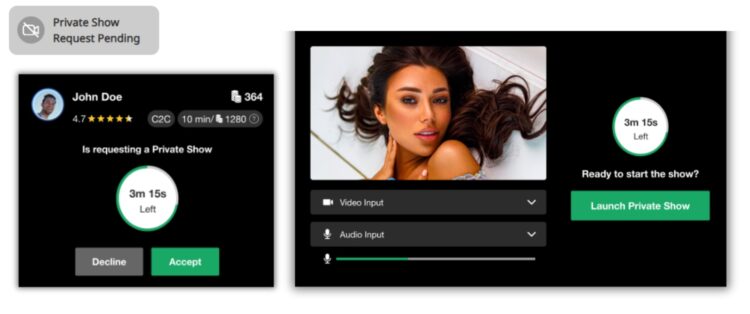
HOST A PRIVATE SHOW

Offer Private Shows at any time through Messenger!

Don’t worry about going live on your profile, your users can now request a Private Show directly with you from Messenger! 

This super function allows both creators and users to enjoy some alone time, without the possibility of others spying. Turn on Cam2Cam or keep it a 1-way private show – whichever you both want to explore.

You can start the Private Show yourself by simply clicking on the camera icon at the top right of the chat window – another great feature to make the process quick and easy.

Remember – once the show has ended, the user can rate the show, a great way to gain feedback. Also, the earnings gained from the show will appear in the chat, giving you instant insight without having to review your account.

SAFETY AND INFORMATION

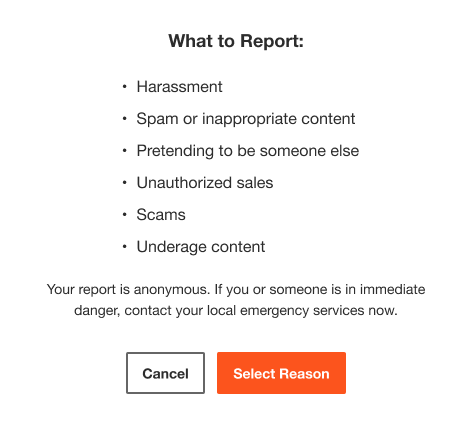
REPORTING USERS
Fill out and submit a report form to our support team to investigate. Note: this will not remove the user’s ability to contact you.

BAN USERS
This facility will mean that the user will be removed from your chat and also banned from your shows. The user will still be able to see the chat, as well as any media they have purchased from you, but they won’t be able to contact you. Additionally, your username will no longer appear in any searches by the user.

CHAT BOT “SPARK”
Receive answers right away to questions you have about messenger, your shows, the site, and rules right from your chat window!


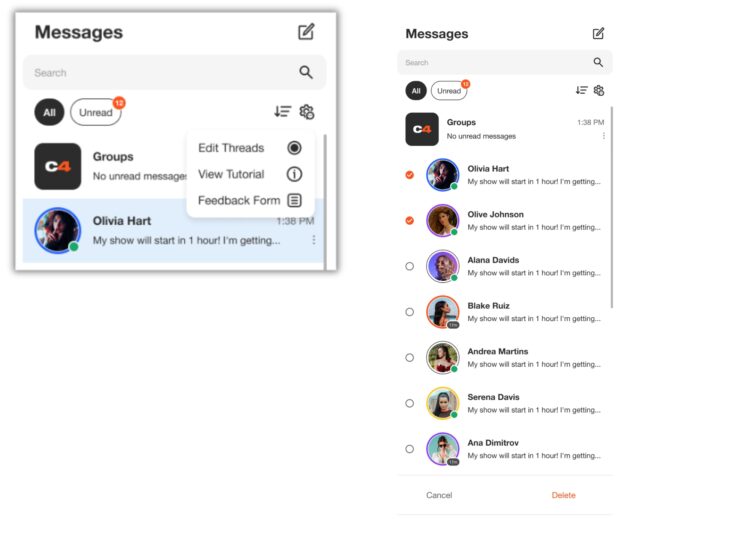
ORGANIZING WITH FILTERS

Use filtering to keep your messenger nice and organized. Grouping and saving important messages is a breeze and you can also select and delete multiple messages to manage your inbox!

EDIT THREADS
Remove unwanted chat session in bulk so your inbox isn’t cluttered with old DMs. 

MEDIA
All of the media you send or receive in the chat will appear in the Media Tab. The content can be sorted by ‘Unlocked’, ‘Photos’ and ‘Videos’, making it super easy to find! 

SAVING
You fans send you important information that you may want to easily find later. While in your chat with them, click on the “Saved” tab to see all messages you saved from that user. Messages and content that you save, will appear chronologically.


We think the new CAM4 Messenger is the perfect way to enhance the interface between creators and users, making it easier for everyone to stay in touch.

👉 If you have any questions, feel free to ask the Coaching Bot 👈

NEED MORE HELP?

Read our FAQ’s or join one of our regular Coaching Sessions every Tuesday & Thursday at 10am EST for useful insights and to meet other creators.


~That’s all for this lesson!

Happy Camming!

Love, Your Coaching Team!

Start-Up Program (USA & CAN Only)

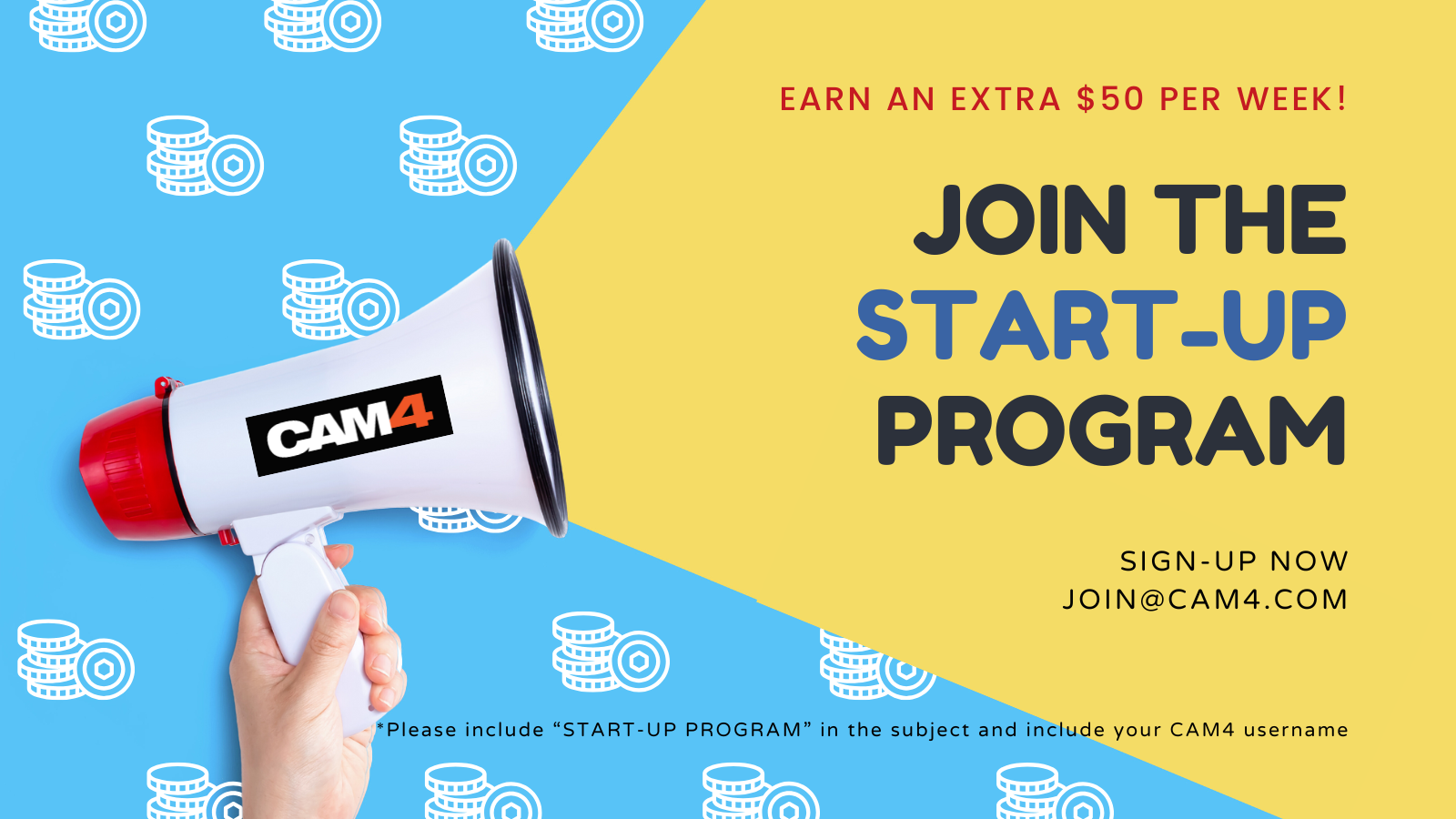
Earn an additional $400 in the first 8 weeks on Cam4 – Signing up NOW for our Start-up Program.

We are making it easier for you to get started on CAM4.  This bonus is only available to NEW CREATORS in their first 8 weeks to help your earn more, while you build up your fan base. 

HOW DOES IT WORK? It’s super easy!
We will match your tips up to a max of $50 each week, that’s it!

Here’s how you can take part:
Step 1: Send an email to join@cam4.com, include “START-UP PROGRAM in the subject your CAM4 Username.

Step 2: CAM4 staff will confirm your start date and add you to the program will be supporting you through your 8 weeks.

Important! Requirements for participation:

  1. Your ID on file with is is North American
  2. New to CAM4 in the last 60 days. Having multiple accounts will disqualify you.
  3. You have not blocked Canada or the USA (you can block your own province/state)
  4. You acknowledge that attempted fraud can lead to immediate exclusion from the this program and possibly even from CAM4 as a whole.
  5. Moving tokens back and forth between accounts to achieve your bonus is not allowed and you will be removed from the program if you are caught doing it.
  6. Only tips earned from viewers will be counted towards the weekly total that we will match.
  7. You can only be a part of one incentive program at a time.

Bonuses will be credited to accounts no later then end-of-day Tuesday the following week. 

PRO TIP
CAM4  offers FREE live coaching in North Americia every Tuesday & Thursday at 12pm EST. Join one of our classes with Coach Vanna Faye so she can teach you how to make the most of our platform and answer any questions you may have.

Getting Approved

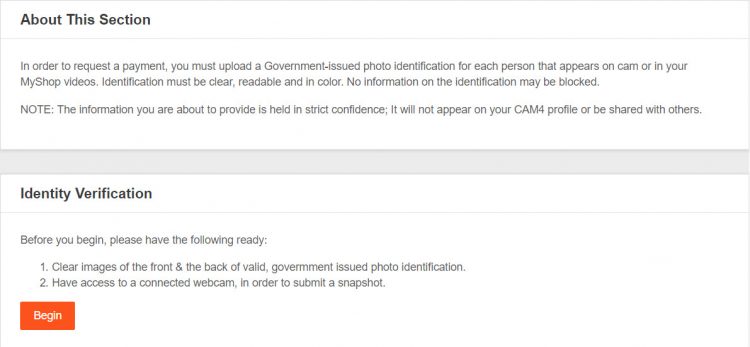
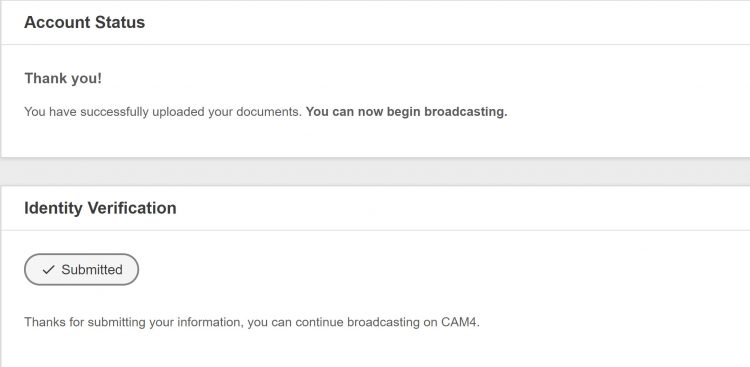
Before you can start broadcasting and earn money, you’ll need to submit your ID and go through the approval process in your Broadcaster Dashboard.


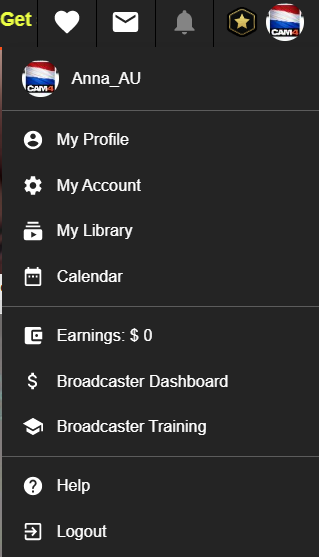
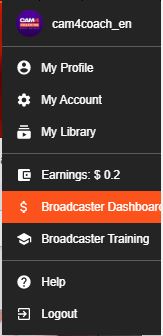
*You can also access your dashboard in ‘My Account’. It’s listed under ‘Broadcater tools’ on the lower left side of your screen.


Finding where to upload your ID is easy with this helpful notification you’ll see on your dashboards main page.


ID requirements:

• Valid Government-issue PHOTO ID (expired ID will not be accepted)
• ID must be in decent, readable condition with no tampering or visible damage that could block information.

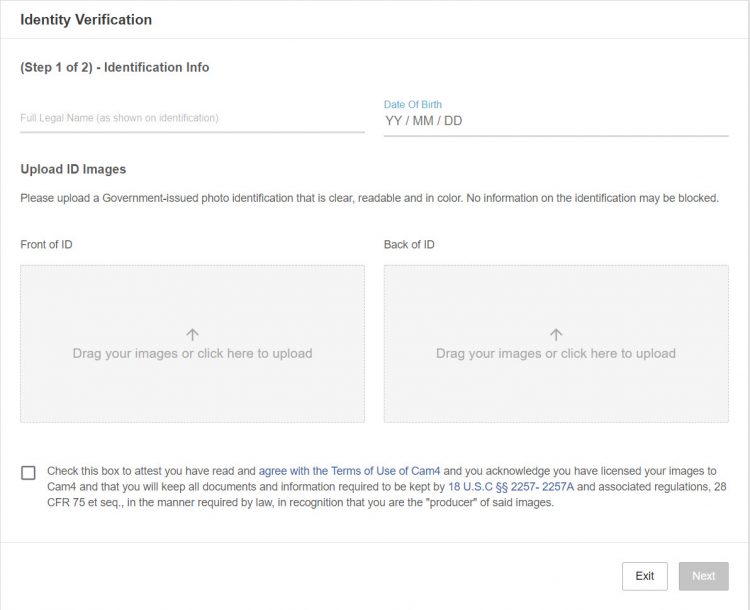
Upload requirements:

• Clear, high quality, colour image. *recommended resolution 240dpi 
• No part of the ID can be blocked, covered, or cut out of the photo. 

Next, we require that you check the box at the bottom of the page that means you agree to the following: 

• You’ve read, and understand the CAM4 site rules.
• You’re allowing CAM4 to show your image live on the site.
• You’re the sole owner/creator of all content you share on CAM4. 
• You will collect and maintain records of ALL performers’ identification information that are seen on your live broadcast or content you sell on CAM4. You also swear to have them readily accessible if you’re ever asked to produce them. 

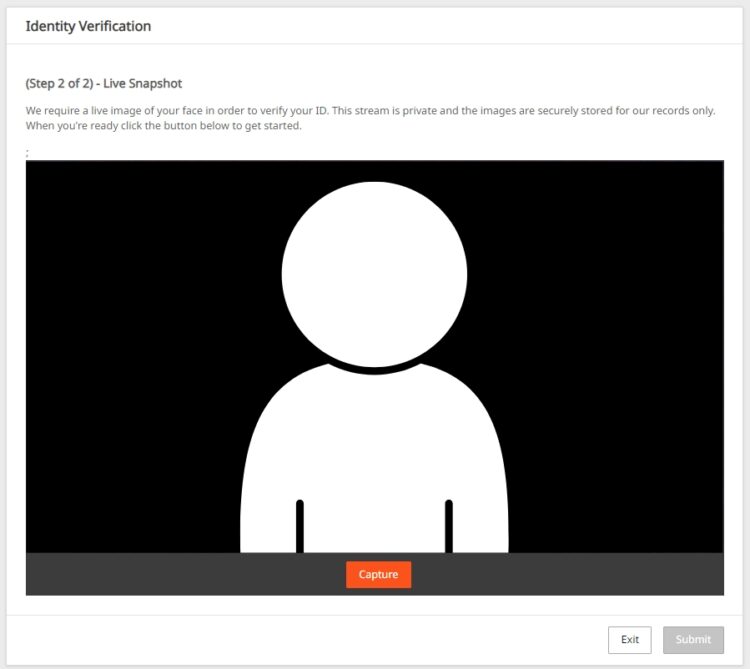
For added protection, we ask for a live snapshot of your face to verify your ID. Please make sure you are in a well lit room with all scarves, hats, toques, and hairstyles removed that block your full face from being seen. 


~That’s all for this lesson!

Happy Camming!
Love, Your Coaching Team!


What is Chat Bot?

NEED A HAND ?
CAM4 is excited to introduce a brand-new function within your CAM4 broadcasts. With our NEW ChatBot tool you will be able to multitask while giving your viewers that special chat room experience unique from other broadcasters.


WHAT IS A CHAT BOT ?
A ChatBot is a conversational tool that can assist your LIVE chat with ease and free up those busy hands of yours… think of it as your very own personalized moderator. By utilizing the ChatBot function during your CAM4 broadcast it will help automate messaging so you can remain focused and give your audience your undivided attention.

A few examples and benefits of what a ChatBot can be helpful with include :

WELCOME BOT
Generate a specific “Welcome Message” visible to NEW viewers who join your room. Note, this message has a 5 second delay when someone comes in.


TIPPING BOT
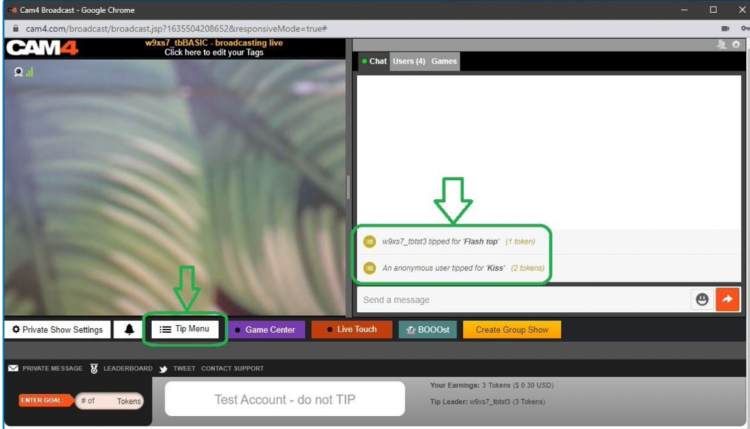
Send out aThank You” message when a certain tip amount has been received or a token goal achieved. Including different chat responses for different token thresholds

TIMED / AUTO NOTIFICATION BOT  
Create a set of predefined messages that will be displayed in your Public Chat at predetermined time increments. Note, atleast 3 messages from viewers must be sent in the chat for these messages to begain.

Examples
Updates on Room Goals
Tip Menu changes
Fan Club / My Shop offerings and discounts
Notifying your audience of Room Rules
Promoting Social Media handles
Promoting Wishlists (CAM4 Swag Store, Amazon, Stock Room, etc)
Upcoming shows and cam Schedule

With an endless list of customizable options and 3 unique bot commands, CAM4’s NEW ChatBot feature is a sure way to keep your show flowing, all while doing the work for you and keeping your viewers in the loop and their tokens tipped.

~That’s all for this lesson!

Happy Camming!
Love, Your Coaching Team!

How To Start Your Broadcast

All the basics to start your broadcast: from launching the broadcast window, to how to put all the settings in place!

Step 1: Launch the Broadcast Window

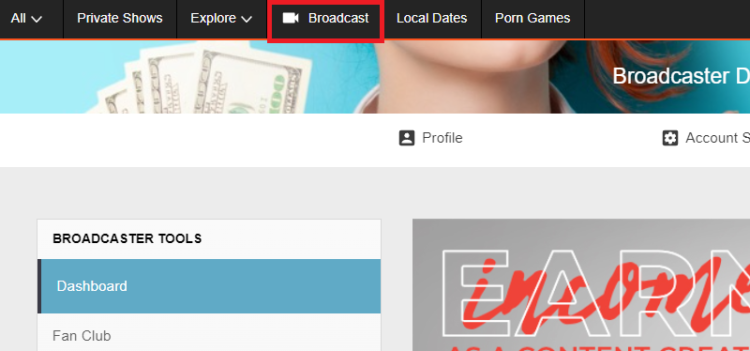
Start your show by hitting ‘Broadcast’ on the CAM4 header bar (at the top of your screen) in your Dashboard or any other page on CAM4.

Please note: only ID verified broadcasters can live stream. If you are not ID verified yet you will be asked to go through this process first. 

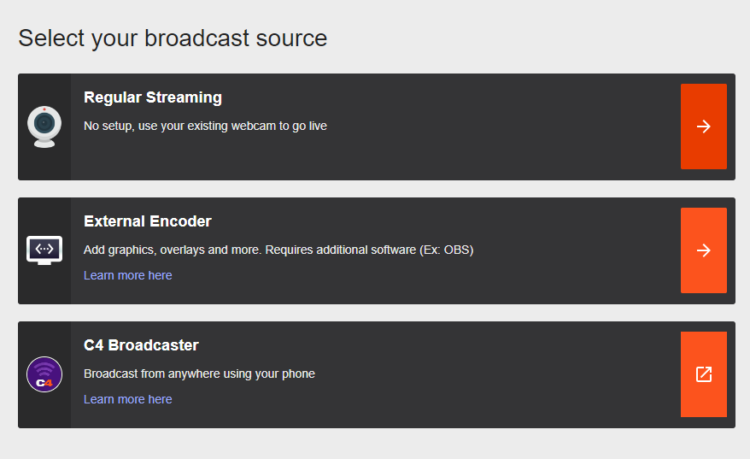
Step 2: Select Broadcast Type 

Regular Broadcast – This is the default broadcast type for CAM4. 

External Encoder – If you have experience with external encoding software, you can use this tab to connect your external stream to CAM4. 

Learn more about External Encoding here.

Let’s have a look at what it will look like when you start Regular Streaming:

Step 3: Video / Audio Settings

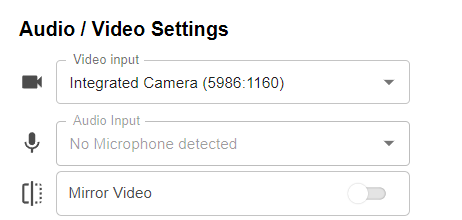
It is important that you give permissions for CAM4 to use your video and your microphone. Once you give these permissions, CAM4 will detect your video and audio devices: 

You don’t have to worry about the aspect ratio of your video. This will be chosen automatically, based on the ideal proportions for your hardware.

Usually you don’t have to tinker with these settings and CAM4 will detect the right devices automatically. But here you can select your preferred video and audio input if you wish, or choose to use an external encoder like OBS. 

You can flip your image horizontally by toggling Mirror video.

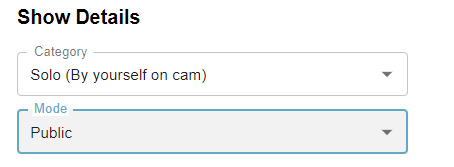
Step 4: Show Details

Underneath your audio and video  settings, you will find your show details:

Category

Here you can select whether you will broadcast by yourself (Solo) or with another, verified user. Depending on your gender, you’ll be shown the options (Male-Female, Male-Male, or Female-Female). 

Select the appropriate category. 

Mode

By default this is set to public. If you are an approved CAM4 broadcaster (2257/ID approved) then you can choose to have a password protected room. 

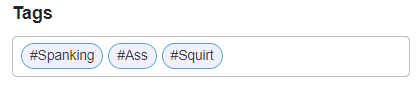
Step 5: Set your tags

Tags are a great way to communicate to potential viewers what to expect from your show. 

Choose tags that are appropriate to what your show is all about. This will make sure viewers will get to see what they want, and you get viewers that want to see what you want to show!

We recommend picking about 3 tags.

Step 6: Check your stream quality

Below the area where your video is shown, you’ll see information about your stream quality and FPS:

It’s useful to give these a quick glance before you start your broadcast, just to make sure that your video quality is to your viewers satisfaction.

Stream Quality
Indicates any stream issues so you can fix them before you start your broadcast. The light bulb shows troubleshooting suggestions.

FPS – Your cameras frames per second (FPS). 25-30 FPS is ideal.

When you see a low Stream quality and/or FPS, it may be worthwhile to do a speedtest and/or a reset of your router. 

Step 7: Go Live!

Once your settings are correct you can go live and start your show!


~That’s all for this lesson!

Happy Camming!

Love, Your Coaching Team!


Your Broadcaster Dashboard

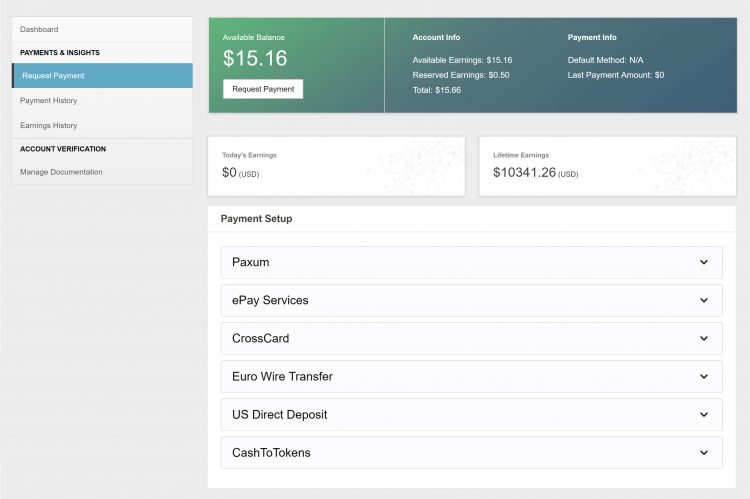
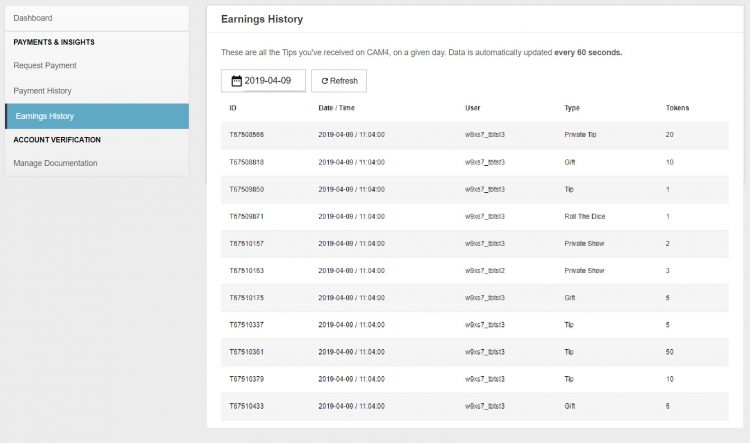
From your Broadcaster Dashboard you can cash out, view your payment & earnings history, upload ID or add additional performers to your account.

 
*You can also access your dashboard in ‘My Account’. It’s listed under ‘Performer tools’ on the lower left side of your screen.

Request Payment

Here you can select and setup your method of payment and cash out your earnings right from the same page!

Look here for more info on your Payment Options

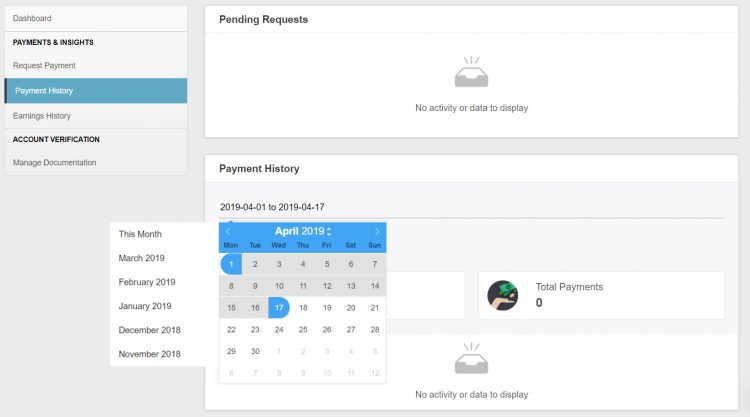
Payment History

♥Up to date status of your most recent payment request
♥Custom payment history look-ups & stats. 
♥Have access to all your performer payout information in a simple easy to read data.
♥Super helpful when tax season cums bb 😉

Earnings History

♥Detailed view of where every single token you earned came from. 
♥Up to the minute view of your earnings. 
♥Custom earnings history look-ups & stats. 

Manage Documentation

For new  broadcasters this is where you will upload your ID and go through the approval process!

More info on adding additional broadcaster to your account.


~That’s all for this lesson!

Happy Camming!
Love, Your Coaching Team!


Payment Options

We offer TEN payment options but not all options are available to every broadcaster due to your location.

Click here to find out which one works in your country!

Yoursafe 

  • Minimum payment: $50 USD
  • Processed: Daily (Mon – Fri)
  • Information required: Yoursafe Full Beneficiary Name

Link To FAQ for more details.

Paxum

  • Minimum payment: $50 USD
  • Delivery: Daily (Mon – Fri)
  • Information required: Paxum Account ID
  • Pre-paid Paxum Mastercard – CURRENTLY NOT AVAILABLE

Link To FAQ for more details.

Register for an Paxum account: https://www.paxum.com/

Sociale

  • Minimum payment: $50 USD
  • Delivery: Daily (Mon – Fri)
  • Information required: Setup on Sociale App
What payment methods does Sociale offer?
  • Local Bank Transfer (South America, Africa, Asia)
  • Crypto (USDT Tether)
 Need Help?
Click here to contact Sociale’s Customer Service team
Euro Wires (EUR Only – Including UK) –> click here for Australia
  • Minimum payment: $100 USD
  • Processed: Daily (Mon – Fri)
  • Delivery: 5-7 business days
  • Bank account has to be in the same name as the main account holder of the verified CAM4 account.

Link To FAQ for more details.

NOTE:  When filling out your banking/account information, please do not use special characters (comma, periods, dashes, etc.). Make sure to use your FULL NAME  (including all first names – no initials are allowed). Your name MUST match the name listed on your bank account.

Direct Deposits (US Only)

  • Minimum payment: $100 USD
  • Payments must be requested by TUESDAY 11:59pm EST to be included for payment on FRIDAY.
  • Once payment request is sent to the bank on Friday, please expect an additional 3 – 5 business days for the funds to settle in your account.
  • Payment will show on your bank statement as: TLE OPPORTUNITIES DIR DEP

CAN Direct Deposits (CAN Only)

  • Minimum payment: $100 USD
  • Processed: Daily (Mon – Fri)
  • Funds will be sent to your bank account in CAD
  • Expect an additional 3 – 5 business days for the funds to settle in your account.
  • Payment will show up on your bank statement as GRANITY MEDIA INC.

Link To FAQ for more details. 

Convert to Tokens: (100 tokens = $10 USD)

  • Cost: FREE
  • Minimum payment: None
  • Payment: Immediate

NOTE: Registration and approval are still required for this method of payment, as tokens have a cash value.

Daily Pay (UK Only)

 We offer a few other methods of payment that maybe local to your region as well. Simply add your Account ID to get setup!

Click here to find out which one works in your country!

If you have any issues setting up one of these payment options please email payments@cam4.com. Our friendly CS team are happy to help walk you through setup or work through any issues that may come up.


~That’s all for this lesson!

Happy Camming!
Love, Your Coaching Team!