Su CAM4 ti potrà capitare di inviare dei token ad altri utenti. Molti performer ad esempio, inviano regali ai propri migliori tippatori o ai propri moderatori in segno di ringraziamento, altri decidono di tippare altri performer in segno di amicizia.
Come tenere traccia dei token che invii ad altri utenti e performer?
Non tutti sanno che su CAM4 esiste un sezione appositamente creata. Vediamo come puoi raggiungerla:
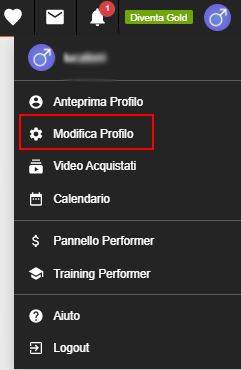
1) Dalla homepage di CAM4.COM clicca su “Modifica Profilo” dal menu in alto a destra
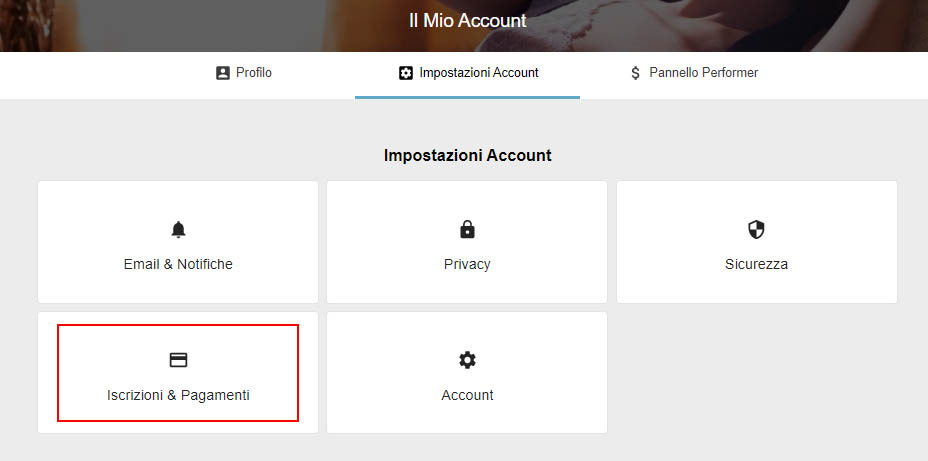
2) dalla pagina che si aprirà dovrai cliccare sula voce “Impostazioni Account” e poi su su “Iscrizioni e Pagamenti”
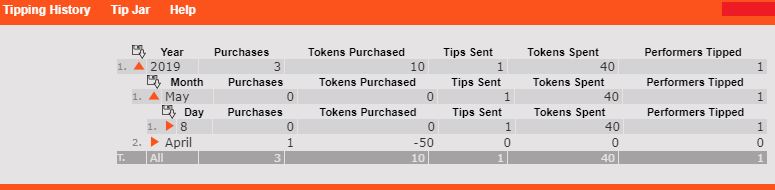
3) A questo punto e successivamente su “Storico Tipping”
Ti apparirà un nuovo report a espansione, che ti permetterà di visualizzare per ogni singolo giorno: il nome dell’utente a cui hai inviato token e la somma inviata. (Per farlo dovrai cliccare sulle freccette arancioni poste accanto all’anno, mese e giorno)
Nella stessa area troverai anche lo “Storico Regali” con la lista dei gift inviati da te ad altri utenti.
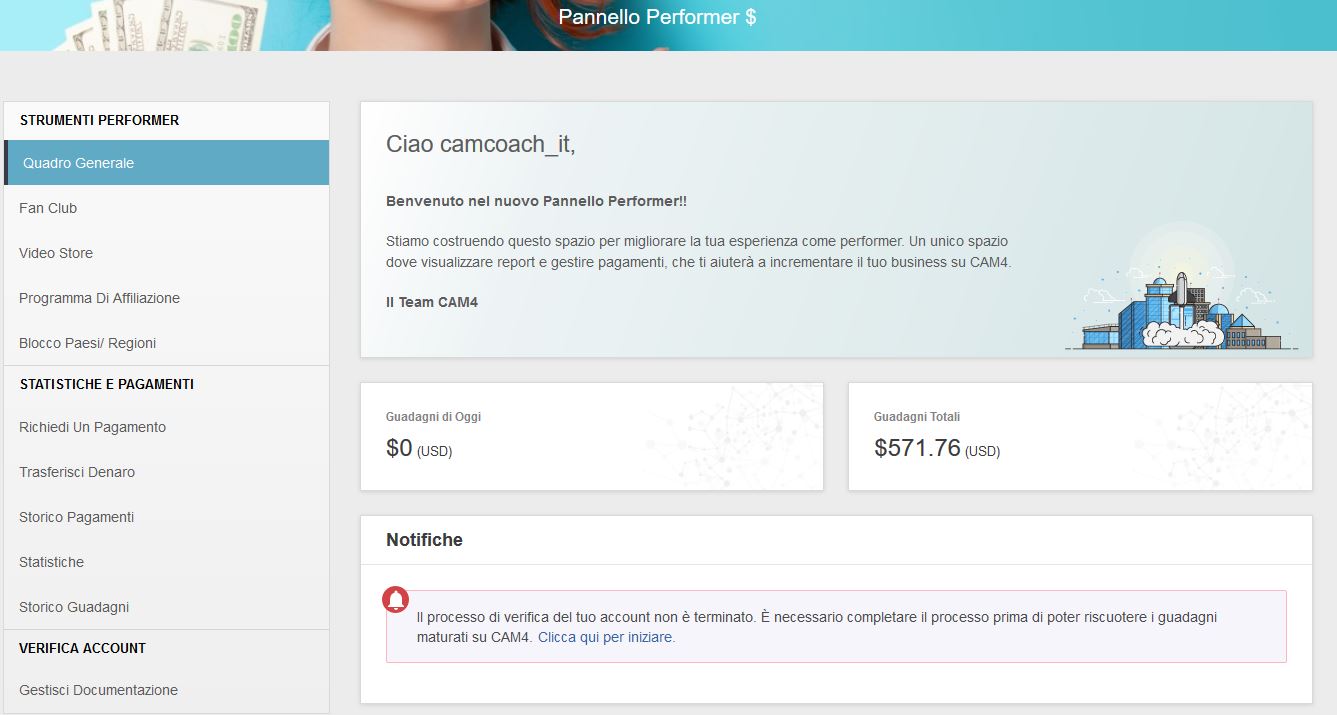
In questa sezione potrai verificare il profilo, aggiungere nuovi performer al tuo account CAM4 e configurare e richiedere dei pagamenti. Trovarai i report di tutti i tuoi guadagni, gestire il tuo Fan Club, Video Store, Link di Affiliazione e i Paesi/ Regioni da bloccare!
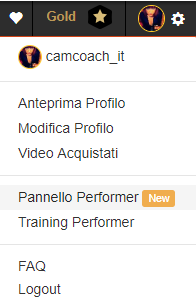
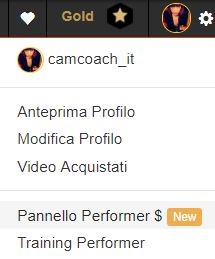
Clicca su ‘Pannello Performer” dal menu a comparsa in alto a destra.
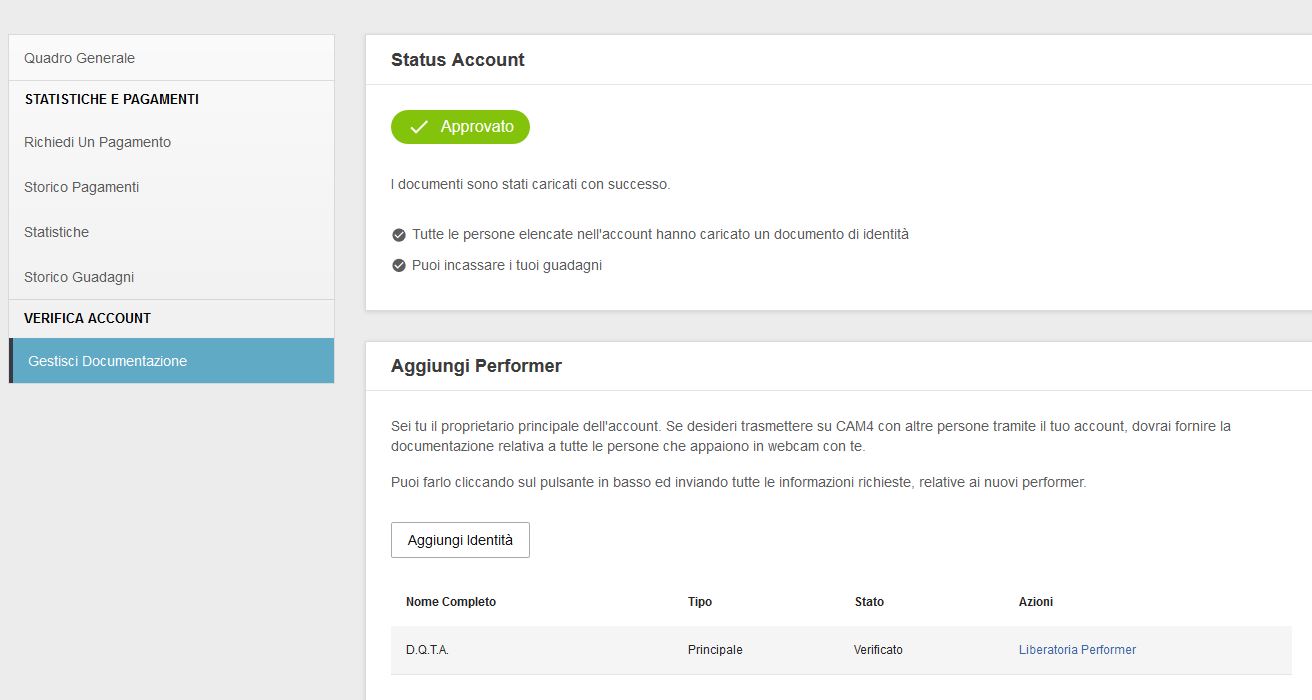
Gestisci documentazione
Qui potrai verificare il tuo profilo per iniziare a trasmettere. caricando i tuoi documenti (o i documenti di altri performer che trasmetteranno con te) e firmare il consenso alla Liberatoria Performer
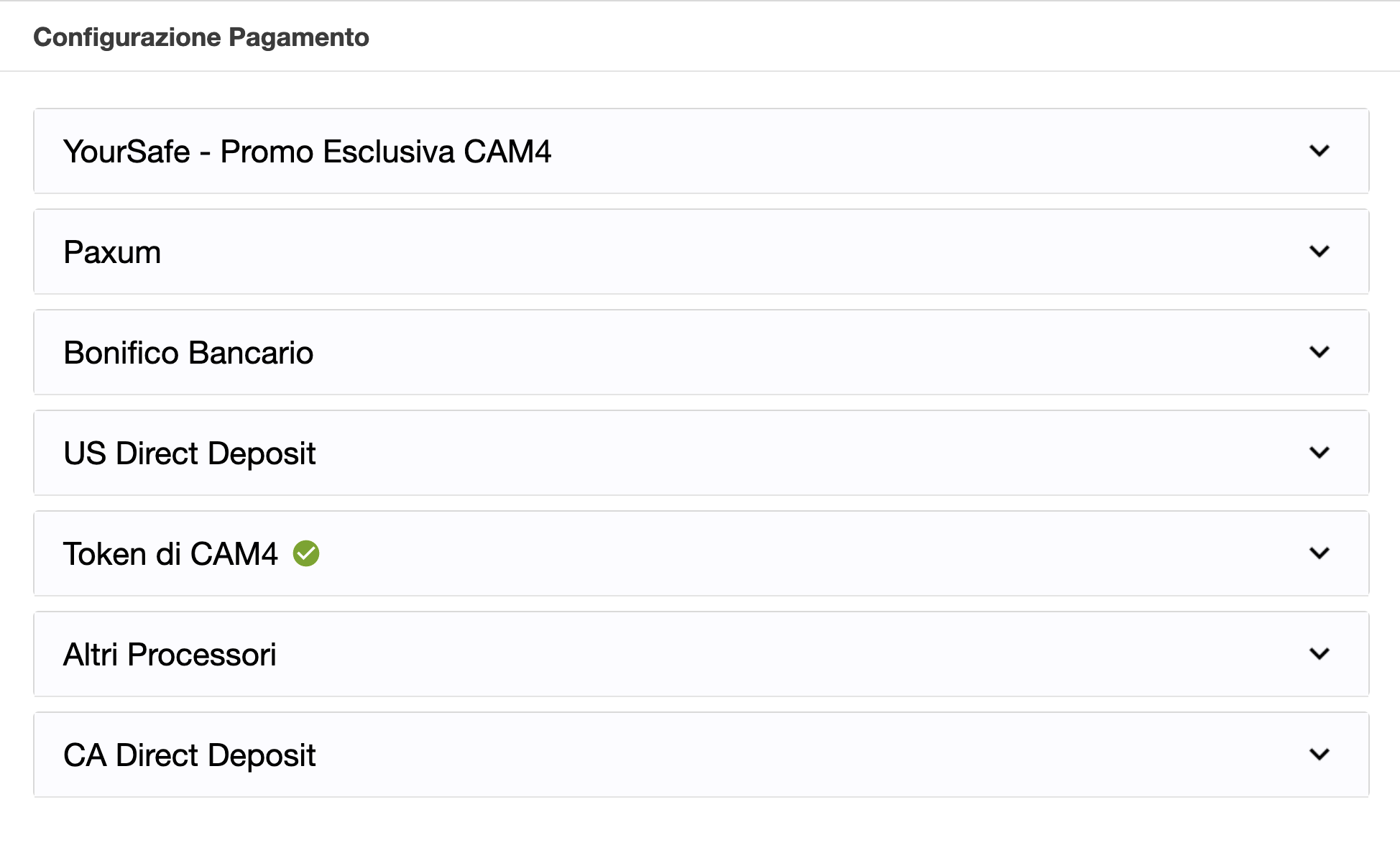
Una volta verificata la tua idendità potrai scegliere (e configurare) il tuo metodo di pagamento preferito e richiedere un pagamento direttamente dalla stessa pagina in Richiedi un Pagamento.
Potrai sempre controllare in Gestisci Documentazione il processo di verifica dei Pagamenti e le azioni richieste per completare la verifica.
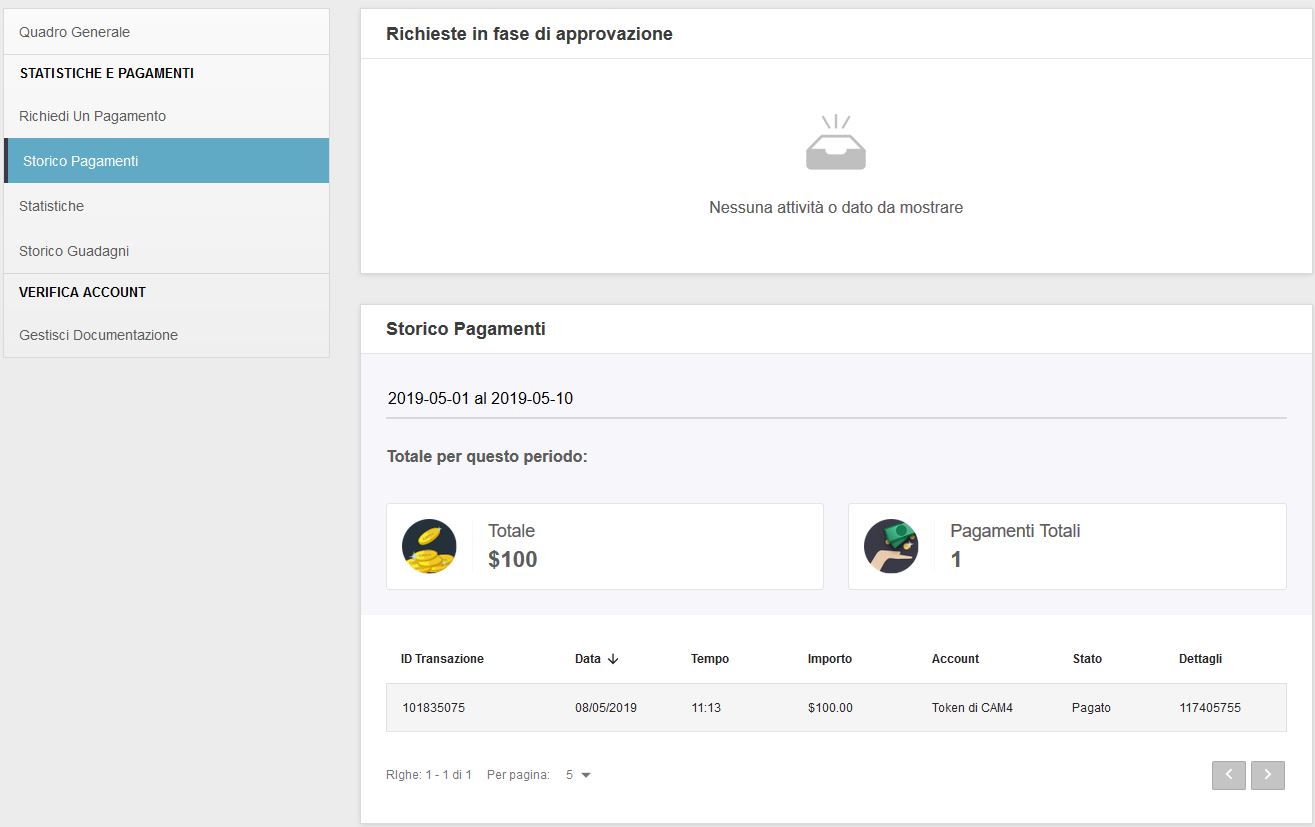
In questa sezione troverai tutte le informazioni sullo stato delle ultime richieste di pagamento e uno storico di quelle passate.
Statistiche
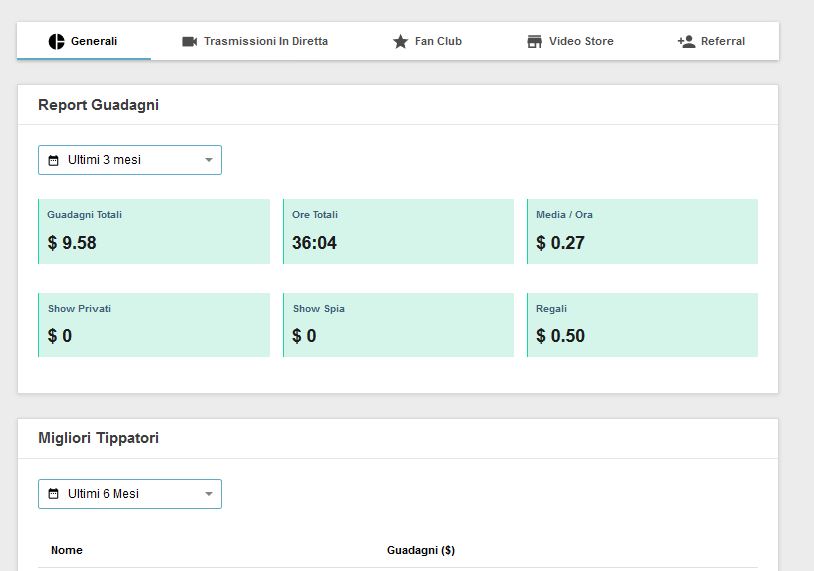
Qui trovi le Statistiche dei tuoi guadagni, dei tuoi Best Tipper e dei grafici basati sulle tue entrate in un determinato periodo di riferimento. Nella sezione “Generali” puoi effetuare un’analisi dei tuoi guadagni, numero di ore di trasmissione, di show privati, spie e gift e della media dei guadagni orari ($/h) in un determinato periodo scelto.
Nella sezione Trasmissioni in Diretta puoi trovare un’analisi degli ultimi tuoi show con dettagli su guadagni, ore totali e picco di spettatori raggiunti, divisi per singolo giorno.
Nella sezione Fan Club troverai i guadagni derivanti dal tuo fanclub, e la lista dei tuoi fan con le nuove iscrizioni.
Video Store e Referrals troverai i tuoi guadagni derivanti rispettivamente dagli acquisti dei tuoi Video e dalle nuove regitrazioni tramite il tuo link di affiliazione CAM4.
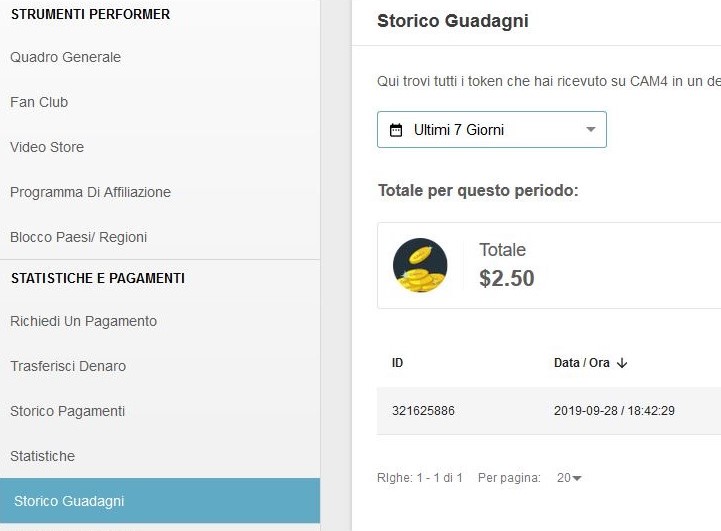
Storico Guadagni
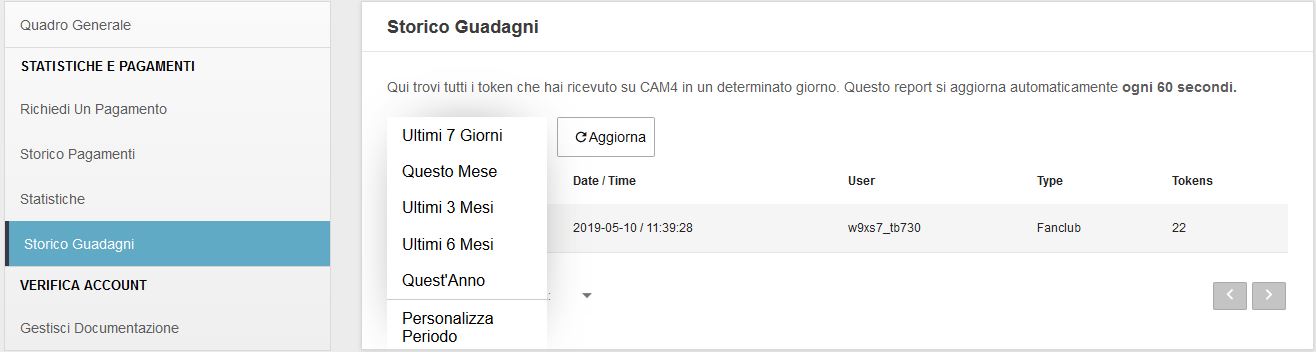
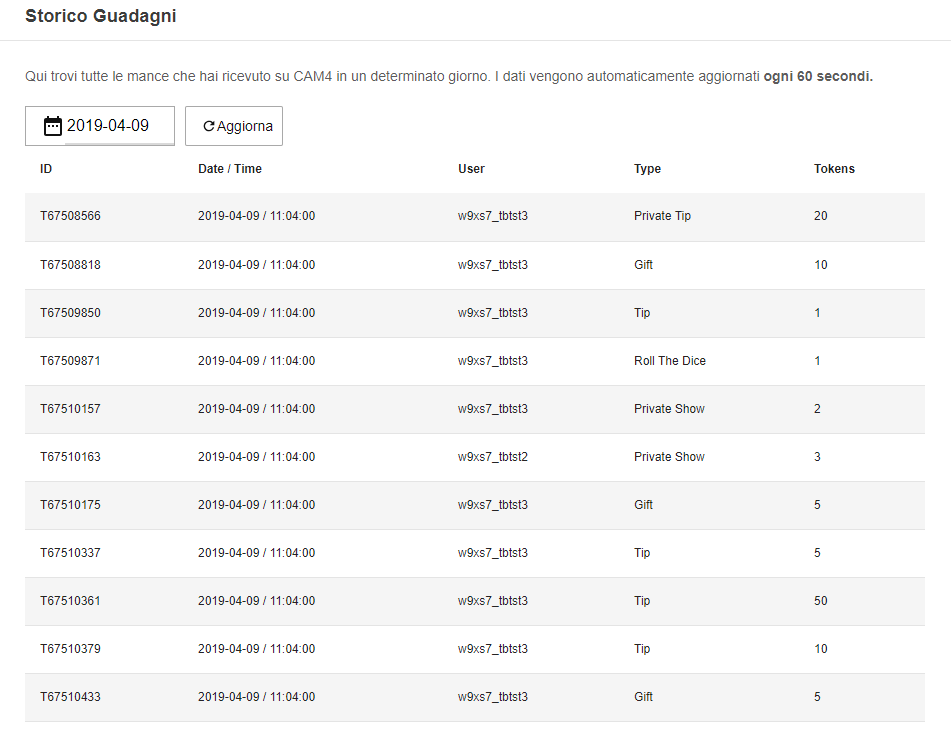
Qui trovi tutti il totale dei tuoi guadagni in Dollari e info sui tip ricevuti in un determinato giorno o periodo di tempo.
Seleziona il periodo di tempo per visualizzare tutte le informazioni sul tipper (nome utente), tipo di tip o evento, e l’importo in token.
Come performer verificato, hai la possibilità di acquistare la Gold Membership di CAM4 con i Token ad un prezzo ridotto! In questo articolo ti spiegheremo come convertire i guadagni maturati durante i tuoi show in token, e come utilizzarli per acquistare la Gold Membership di CAM4.
Utilizzare Token per diventare Membro Gold
Prima di tutto, apri il Pannello Performer, e imposta come metodo di pagamento “Converti in Token“. Potrai reimpostare il tuo metodo di pagamento preferito una volta terminata la procedura.
A questo punto, richiedi un pagamento in Token per un valore di 12.50$.
Una volta avvenuta la conversione, visualizzerai questi token (125) nella homepage di CAM4.
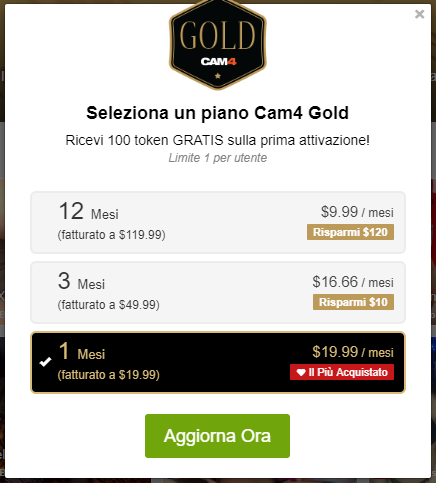
Una volta cliccato il pulsante “Diventa Gold”, sarai reindirizzata alla pagina dei pagamenti. Seleziona l’abbonamento base (1 mese) e procedi cliccando su “Aggiorna Ora”.
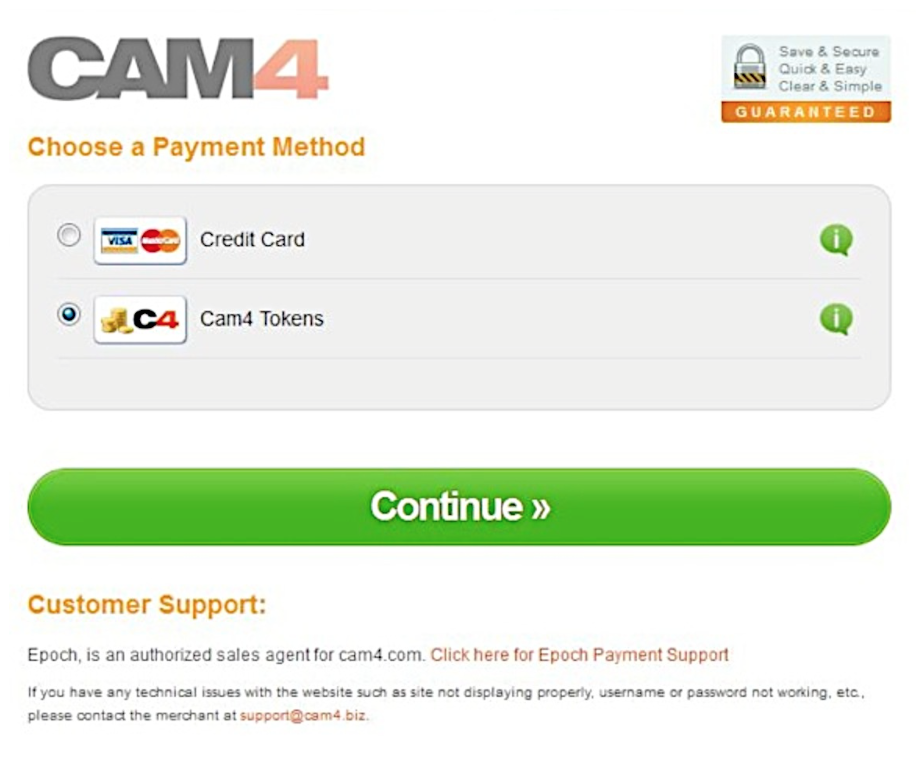
È qui che vedrai l’opzione “Paga con token CAM4” fra i metodi di pagamento utilizzabili. Seleziona l’opzione e clicca su “Continua”
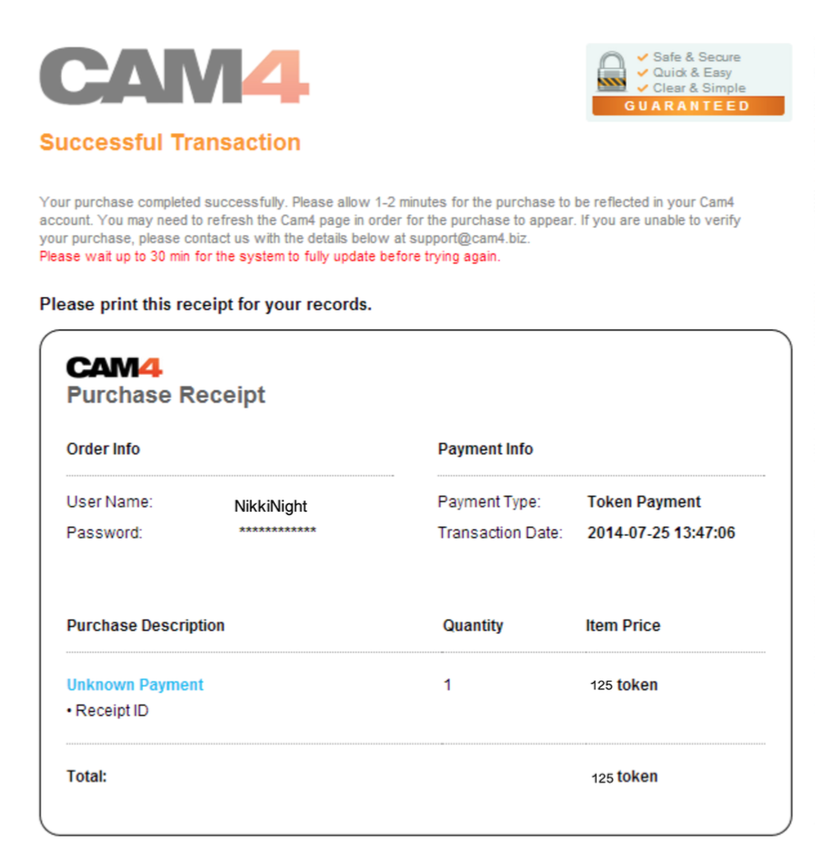
Fatto! Riceverai una conferma di pagamento, e in pochi minuti il tuo account CAM4 diventerà Gold.
A differenza degli altri siti di webcam, su CAM4 i pagamenti potranno essere richiesti in qualunque momento lo desideri (eccetto nei giorni festivi in USA e Canada).
Quando ricevi dei token dai tuoi spettatori questi vengono automaticamente convertiti in dollari (USD) all’interno del tuo Pannello Performer e finiscono nei “Guadagni Riservati”. Dopo circa 3 giorni, una volta verificati e completata la conversione, i tuoi guadagni diventano “Guadagni disponibili” e potrai richiederne il pagamento secondo la modalità che preferisci. Sul pagamento non ci sarà alcun riferimento a CAM4!
Solo gli account verificati potranno effettuare una richiesta di pagamento dal proprio Pannello Performer. Per verificare l’account carica una foto chiara dei tuoi documenti nel tuo Pannello Performer in Gestisci Documentazione. (clicca qui per info).Ricorda che NON è consentito dal regolamento richiedere un pagamento per conto di altri performer o ricevere token da un performer con il fine di incassare il denaro per suo conto. Pena la chiusura e ban degli account interessati.
Selezionare un Metodo di Pagamento
Puoi configurare una modalità di pagamento direttamente dal tuo Pannello Performer.
Accedi al tuo Pannello Performer dal tuo Profilo CAM4
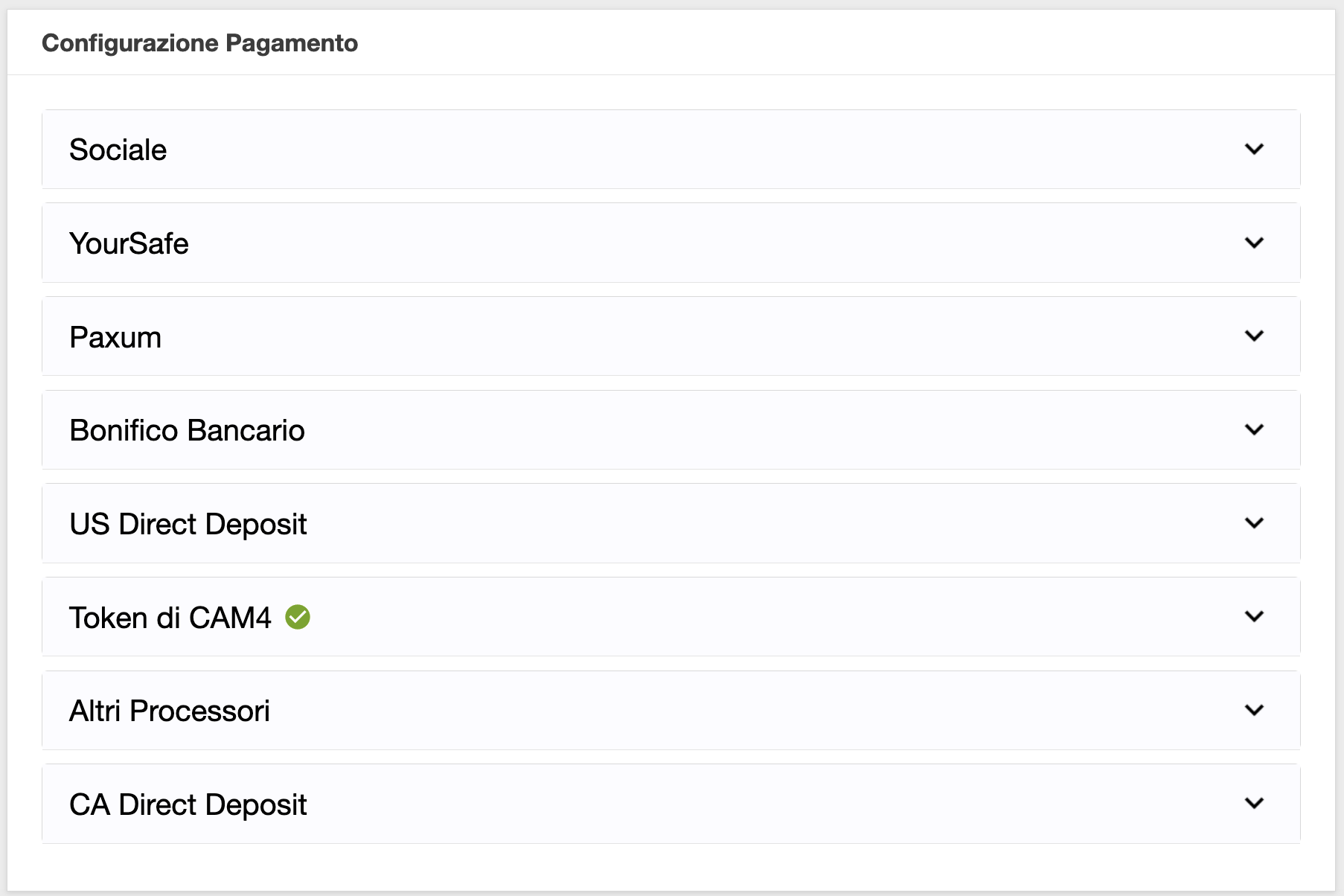
Quindi seleziona dal menu a sinista l’opzione Richiedi un Pagamento e troverai le seguenti opzioni di pagamento disponibili:
1. Converti in TokenCAM4
Converti la quantità desiderata di dollari disponibili così da poter tippare gli altri performer oppure utilizzarli come pagamento per diventare un membro Gold.
2. Bonifico Gratuito in Euro
Selezionando questo metodo di pagamento nel tuo Pannello Performer riceverai un bonifico in Euro direttamente sul tuo conto bancario. Le richieste di pagamento tramite bonifico bancario sono approvate il giorno (lavorativo) successivo GRATUITAMENTE!
– Costo: Gratuito
– Pagamento minimo: 50$
– Tempo di trasferimento del denaro sul tuo conto: 7-10 giorni lavorativi
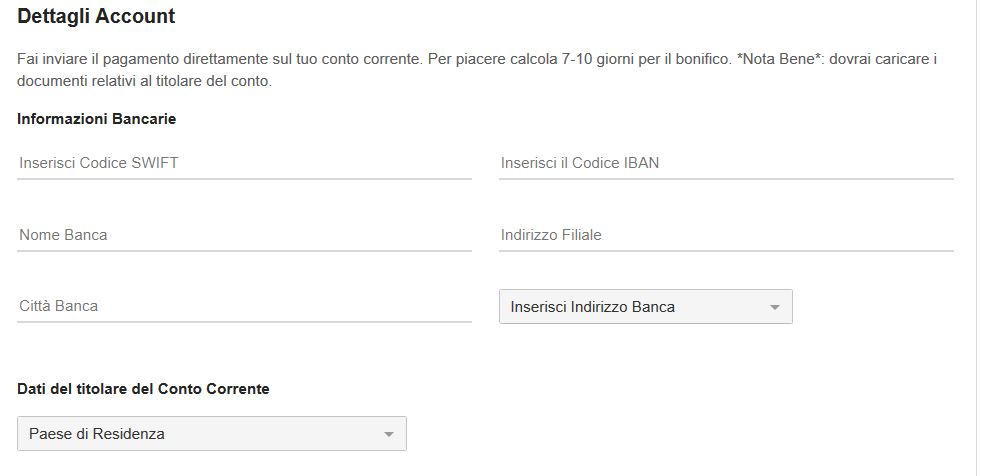
– Cosa ti occorre: numero IBAN, codice SWIFT e il nome dell’intestatario* (i documenti dell’intestatario dovranno esser stati caricati nel Pannello Performer.
Per configurare il Bonifico in €uro come pagamento
Accedi al tuo Pannello Performer dal Mio Profilo CAM4.
Quindi seleziona dal menu a sinista l’opzione Richiedi un Pagamento e clicca su l’opzione Bonifico in Euro.
Inserisci il tuo IBAN, il codice SWIFT della tua banca (se non lo consosci chiedi alla tua banca), nome intestatario, Paese del conto e il tuo numero di cellulare comprensivo di prefisso internazione (+39 per i numeri italiani). Un volta inserite tutte le info clicca su Invia.
3. YourSafe
YourSafe (precedentemente BitSafe) è un metodo di pagamento che offre un E-wallet ed una carta MASTERCARD di debito ricaricabile utilizzabile presso gli ATM (prelievo di contanti) e POS (acquisti nei negozi).
Importo minimo per le richieste di pagamento:$50
Giorni per l’invio dei Pagamenti: Quotidianamente
Costi per ricevere i pagamenti sull’account YourSafe da CAM4: nessuno
In seguito, il costo di mantenimento della carta YourSafe sara’ di 29.5€annuali.
Costi per il prelievo di contante da qualsiasi ATM in EURO: €2
Costi per trasferimento da Yoursafe ad un conto corrente bancario europeo (EUR SEPA):€0.75
NOTA: Per usufruire della Promo CAM4 inserisci il nome e cognome dell’intestatario del nuovo account YourSafe (l’intestario dovrà aver caricato i suoi documenti nel pannello performer) quindi clicca in basso per richiedere una nuova carta e creare il tuo account. Completa la registrazione sul sito YourSafe.com per completare la creazione del tuo account.
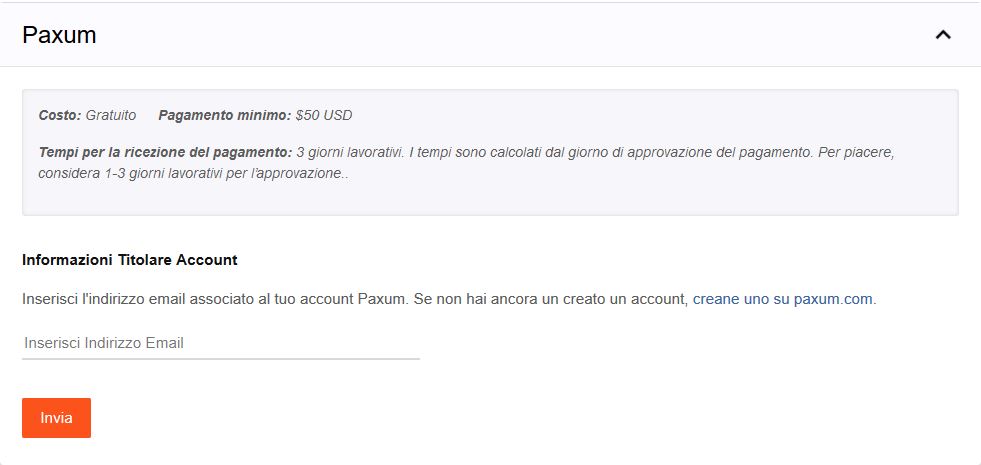
Tramite un account Paxum puoi richiedere un pagamento sul tuo account Paxum, un bonifico sul tuo conto o su una tua carta di credito o debito (incluse carte del circuito VISA).
Costo richiesta pagamento: Gratuito
Pagamento minimo: $ 50
Tempi di ricezione del pagamento: dall’invio della richiesta alla banca, saranno necessari da 3 a 5 giorni lavorativi.Vantaggi PAXUM:
– Il pagamento una volta approvato nel tuo Pannello Performer sarà disponibile sul tuo account Paxum in meno di 24 ore (rapido e gratuito). -Potrai inviare dal tuo account Paxum denaro su carte di credito, debito o prepagate (trasferimento rapido) – Potrai richiedere una carta prepagata Paxum in dollari su cui versare i tuoi fondi (trasferimento molto rapido).
Per utilizzare questo metodo di pagamento ti basterà collegare il tuo account Paxum, se ne possiedi già uno, inseriendo il tuo indirizzo email associato a paxum e cliccare su Invia.
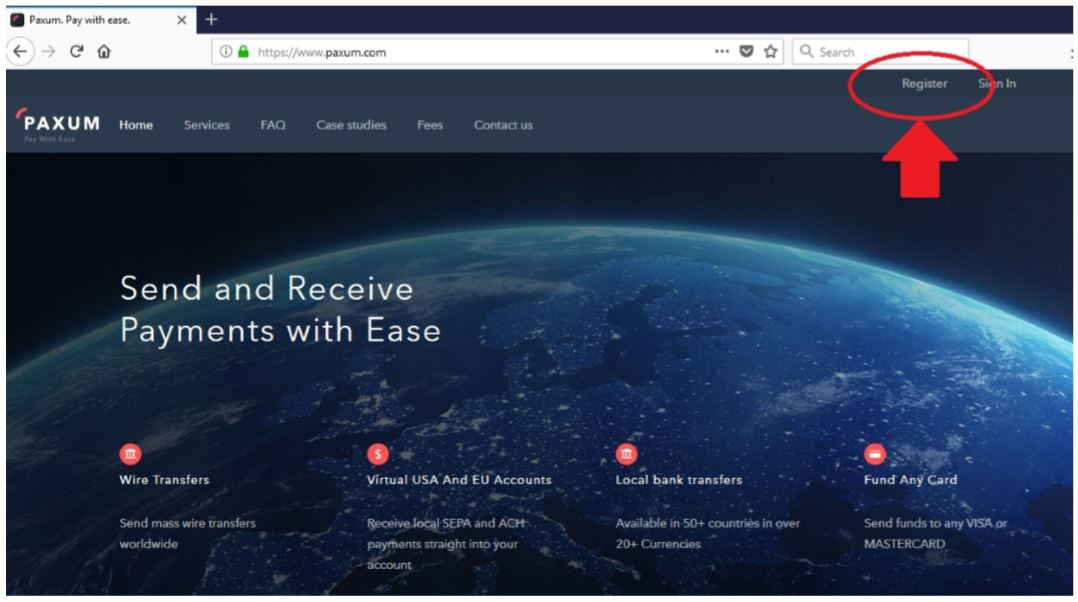
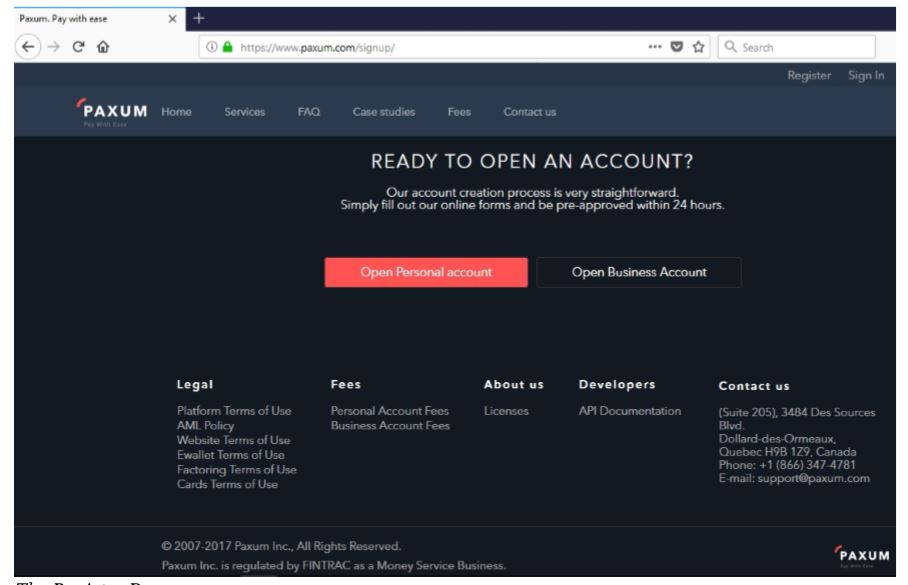
Inserisci quindi i tuoi dati, partendo dalla tua email da associare allo username Paxum. Quindi imposta una password euna domanda & risposta di sicurezza. Dovrai successivamente inserire delle informazioni, come nome, indirizzo, ecc.
Inserisci tutte le informazioni richieste per la registrazione. Al ternine ti sarà chiesto di verificare il tuo numero di telefono e il tuo indirizzo email.
Dopo aver fatto clic sul link di conferma, verrai reindirizzato al tuo account Paxum dove potrai caricare i tuoi documenti necessari per la revisione da parte del team di verifica Paxum.
Avrai bisogno di una foto chiara in buona risoluzione di un documento d’identità valido e una prova di verifica di indirizzo.
Una volta che avrai ricevuto conferma dell’attivazione del tuo account Paxum (può richiedere fino a una settimana)potrai collegarlo al CAM4.
Non appena la tua richiesta di pagamento sarà accettata da CAM4 e inviata a Paxum, l’importo sarà disponibile e visibile sul account online di Paxum. Potrai sempre accedere al tuo account Paxum online, il tuo controllare il tuo saldo e i pagamenti ricevuti . Potrai quindi trasferire l’importo che desideri dal tuo account Paxum a un tuo conto bancario (tramite bonifico sepa) oppure versarlo su una tua carta visa o mastercard.
Potrai anche inviare direttamente del denaro a un altro utente di Paxum.
Paxum supporta pagamenti su carte del circuito MasterCard. Ti consigliamo di richiedere pagamenti di importi non elevati su carte prepagate, per evitare che le banche/ poste blocchino il pagamento richiesto.
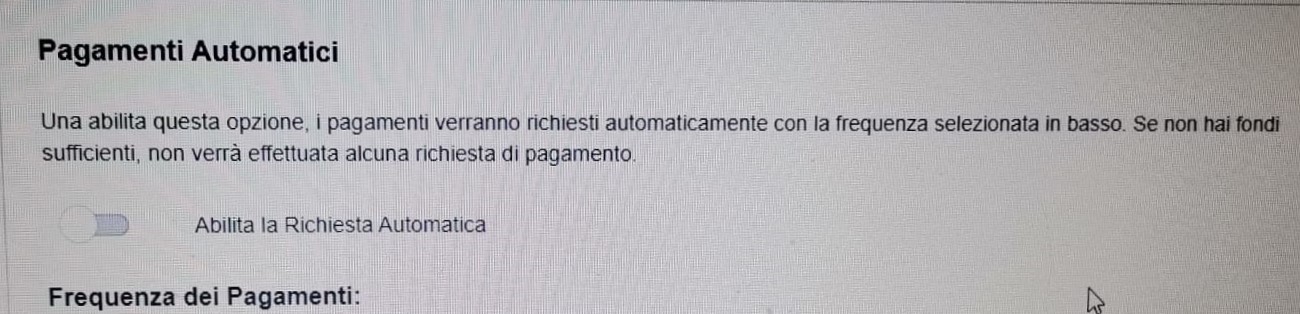
Scegli il metodo più adatto alle tue esigenze e comincia a guadagnare con CAM4! Puoi anche impostare un pagamento automatico che con la frequenza indicata sara’ inviato nel caso disponi di fondi necessari. Se desideri usufruire di questa modalita’ di pagamento ricorrente ti basta abilitare la richiesta e inserire la frequenza di invio dei pagamenti.
Tutti i performer di CAM4 hanno la possibilità di tutelare la propria privacy bloccando gli spettatori delle Nazioni o Regioni desiderate. Questo significa che nessuno della Nazione/Regione bloccata avrà la possibilità di vederti quando sei live in webcam.
Potrai aggiungere o rimuovere le Nazioni e Regioni bloccate in qualsiasi momento tu deisderi. Vediamo come…
1.Fare clic su “Pannello Performer $”dal menu in alto a destra.
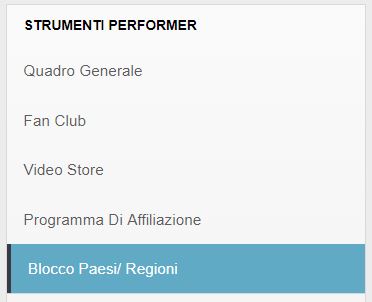
2. Dal menu a sinistra del pannello, nella sezione “Strumenti Performer” selezionare “Blocco Paesi/Regioni”.
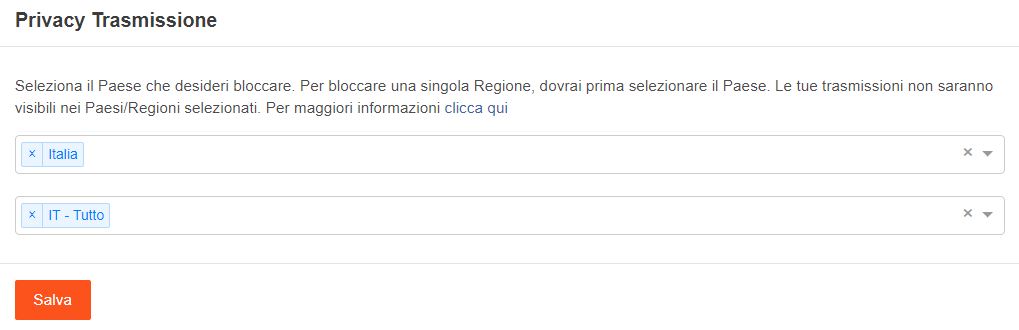
3. Selezionarele nazioni o le regioni dai menu a tendina, oppure digita il nome della nazione che desideri bloccare. Successivamente, nella seconda riga, seleziona le regioni che desideri bloccare, oppure seleziona “tutto” per bloccare l’intera Nazione.
Nota Bene: solo dopo aver selezionato una Nazione avrai la possibilità di bloccare le regioni di quella nazione. Ad esempio, per bloccare la Regione “Lazio”, dovrai prima selezionare “Italia” nella prima riga.
4. Fare clicsu Salva
NB. Il blocco nazioni bloccherà le persone di specifici Paesi – tuttavia, gli utenti che utilizzano un Proxy/VPN per connettersi virtualmente da un altro Paese, saranno in grado di bypassare il blocco.
Per gli utenti connessi su rete dati, 3G o 4G, il blocco regionale potrebbe non funzionare al 100%.
Muro Commenti e informazioni profilo.
Inoltre, è possibile sceglierese rendere visibili icommenti ricevuti sul proprio Muro Commenti.
1. Fare clic su[Modifica Profilo] dal menu in alto. 2. Selezionare l’opzione“Perzonalizza Profilo” 3. In basso, quindi, seleziona la tua preferenza: Mostra i commenti degli utenti sul mio Profilo
Se desideri non mostrare determinate informazioni sul tuo profilo, come i tuoi social media ad esempio, ti basterà rimuovere queste informazioni dal tuo Account.
Sei un nuovo cam model e non sai cosa fare per iniziare da subito a guadagnare su CAM4? Non andare nel panico, ti aiutiamo noi!
1. Le Basi:Quanto richiedere $$ e impostare i tuoi prezzi. 2. Guadagna con gli Show Privati. 3. Guadagna con i Messaggi privati che ricevi.
4. Guadagna con i Giochi in chat.
5. Guadagna con il tuo profilo CAM4: vendi contenuti e Fanclub.
1. Le basi per inziare:
Ricorda che per poter trasmettere come cam model e guadagnare denaro, come prima cosa è necessario caricare i tuoi documenti nel Pannello Performer. Solo dopo aver caricato i tuoi documenti di identità potrai trasmettere e successivamente richiedere un pagamento.Cliccaqui per sapere come fare.
– Quanto $$ richiedere? I token sono la moneta virtuale utilizzata su CAM4. Quando ricevi dei token dai tuoi spettatori, questi sono automaticamente convertiti in dollari US ($) e potrai usarli per richiedere un pagamento.
1 Token equivale a 0,1$, 10 Token corrispondono a 1$, mentre 50 token a 5$,ecc..
Piccolo trucco:ti basta togliere uno 0 dal valore in token per sapere a quanto corrisponodo in dollari (es. 20 Token = 2 $).
NOTA: Non sono ammesse altre forme di pagamento al di fuori dei token CAM4 (ad es. NO Paypal). Utilizzare altre forme di pagamento, fuori da CAM4, porterà alla chiusura del tuo account e potresti non poter aprire dei nuovi account CAM4 in futuro!
–Imposta un Goal e il tuo Listino Prezzi. Fondamentale per chi vuole guadagnare in cam è l’impostazione del traguardo (o Goal) e del tuo listino prezzi personale (Tip menu).
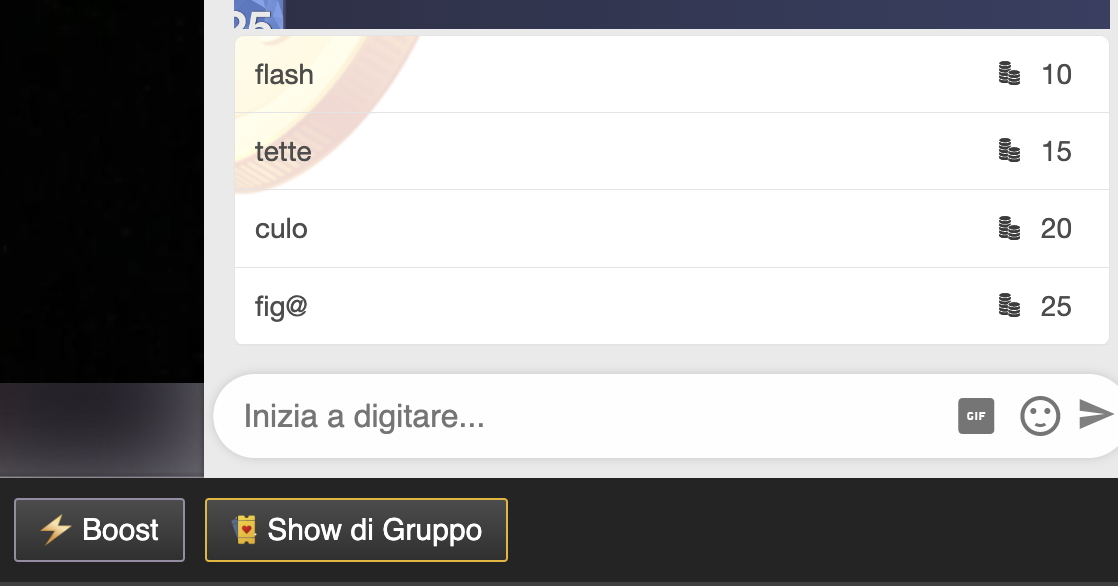
Quando stai trasmettendo, abilita il Tip Menu dalla barra in basso alla finestra di trasmissione (i 3 punti in basso a destra).
Inserisci una descrizione delle azioni e il costo per ciascuna in token. Un’azione potrebbe esser un Flash, ovvero mostrare una parte del tuo corpo per pochi instanti, in cambio di un tip (una mancia).
Il tuo Tip Menu, una volta impostato e salvato, fornirà comodamente il tuo listino prezzi ogni volta che lo abiliti, anche nelle trasmissioni future. Crea un tuo listino prezzi vario e abbastanza dettagliato per evitare domande comuni mentre sei in azione!
Invece, un goal della trasmissione potrebbe esser la conclusione col botto dello show, ad esempio un orgasmo o un rapporto anale. Puoi anche dividere la tua trasmissione in piccoli goal, come ad esempio “completamente nuda“. Una volta raggiunto questo goal, potrai impostarne un altro.
2. Guadagna con gli Show Privati:
Lo Show Privato è la funzione che ti permette di connetterti in privato con uno spettatore che richiede con te un momento più intimo.
Durante lo show privato lo spettatore ti paga per ogni secondo di trasmissione. Lo show privato è quindi la funzione con la quale puoi guadagnare di più in poco tempo… quando vedi una richiesta di privato ti conviene accettarla!
Puoi impostare il costo dei tuoi privati cliccando sull’icona a forma di ingranaggio delle Impostazioni nella finestra di trasmissione. Oppure quando sei offline, dal tuo Pannello Performer.
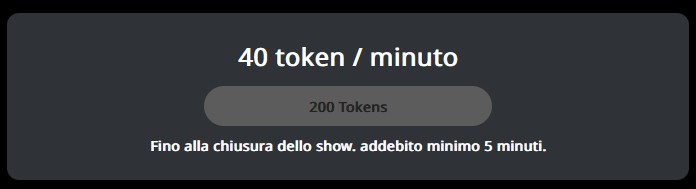
Potrai inoltre permettere ad altri utenti di spiare il tuo privato, pagando un costo al minuto per accedere anche loro. Oltre al privato ordinario, puoi abilitare le richieste di un privato CAM2CAM, in cui lo spettatore può mostrarsi in video anche lui. In questi show, le spie non potranno accedere, regalando un momento ancora più intimo al tuo spettatore. I CAM2CAM hanno per questo generalmente una tariffa superiore. Clicca qui per scoprire tutto sugli show privati di CAM4!
– Quale costo impostare per i Privati?
Il costo di uno show privato è sicuramente personale e varia in base a ciò che un cam model offre a un unico spettatore rispetto alla trasmissione pubblica e al tipo di privato (costo al minuto o costo per un pacchetto di minuti).
Sei alle prime armi o non sai quale prezzo impostare? Il costo medio più scelto dai cam model è di 12-18 Token al minuto.
Ricorda che l’utente, alla richiesta di un privato, visualizzerà l’anteprima del costo per minuto.
Scegli il costo al minuto che valorizza il tuo privato, tenendo conto che per l’utente i token hanno un costo più alto. Ad esempio, uno show di 10 token al minuto avrà un costo finale per l’utente di circa 2€ al minuto
3. Guadagna coniMessaggi privati che ricevi.
Puoi ricevere dei token per ogni messaggio privato o contenuto media (foto o video) inviato da un utente CAM4.
Ti consigliamo di impostare un prezzo fra 2 e 10 token per messaggoi di testo in modo da da invogliare gli utenti a messaggiarti. Non esagerare, ricorda che gli utenti pagano per ogni singolo messaggio, anche un “ciao”!
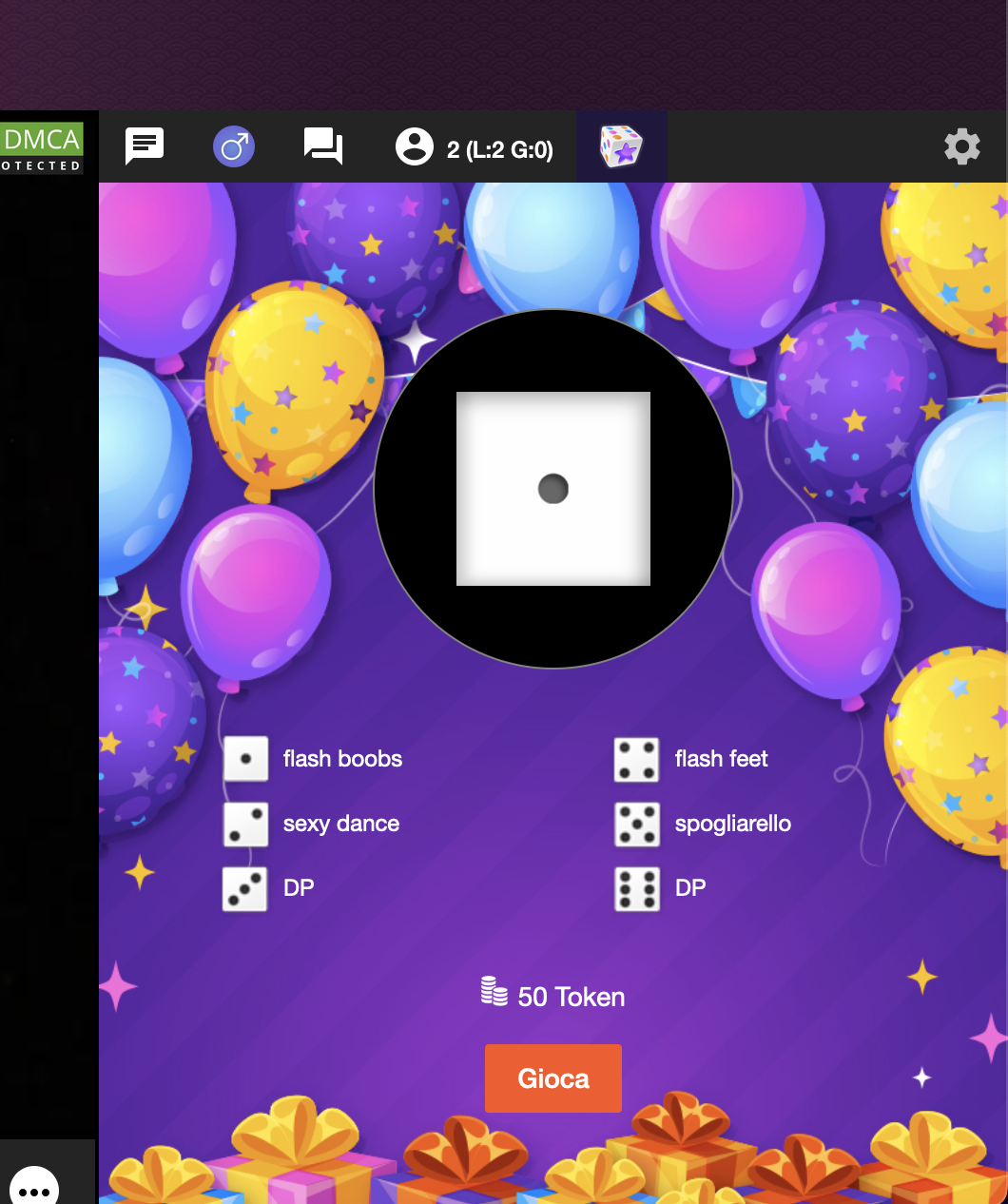
Il Lancio dei dadiè un nostro grande classico: scegli sei azioni o premi per ogni numero.. I tuoi spettatori, per poter tentare la fortuna, dovranno pagare un lancio.
5. Guadagna con il tuo profilo CAM4: vendi contenuti e Fan Club.
Il tuo profilo è la prima impressione di un visitatore. Un profilo visivamente curato aiuta a trasformare i visitatori occasionali in fan fedeli. Ricorda di aggiungere sempre un’immagine del profilo soft (SFW) accattivante e un’immagine di copertina soft.
Alcuni Paesi bloccano cam e profili con foto esplicite. Aggiungendo almeno una foto SFW (senza nudità) manterrai il tuo profilo visibile in tutti i Paesi.
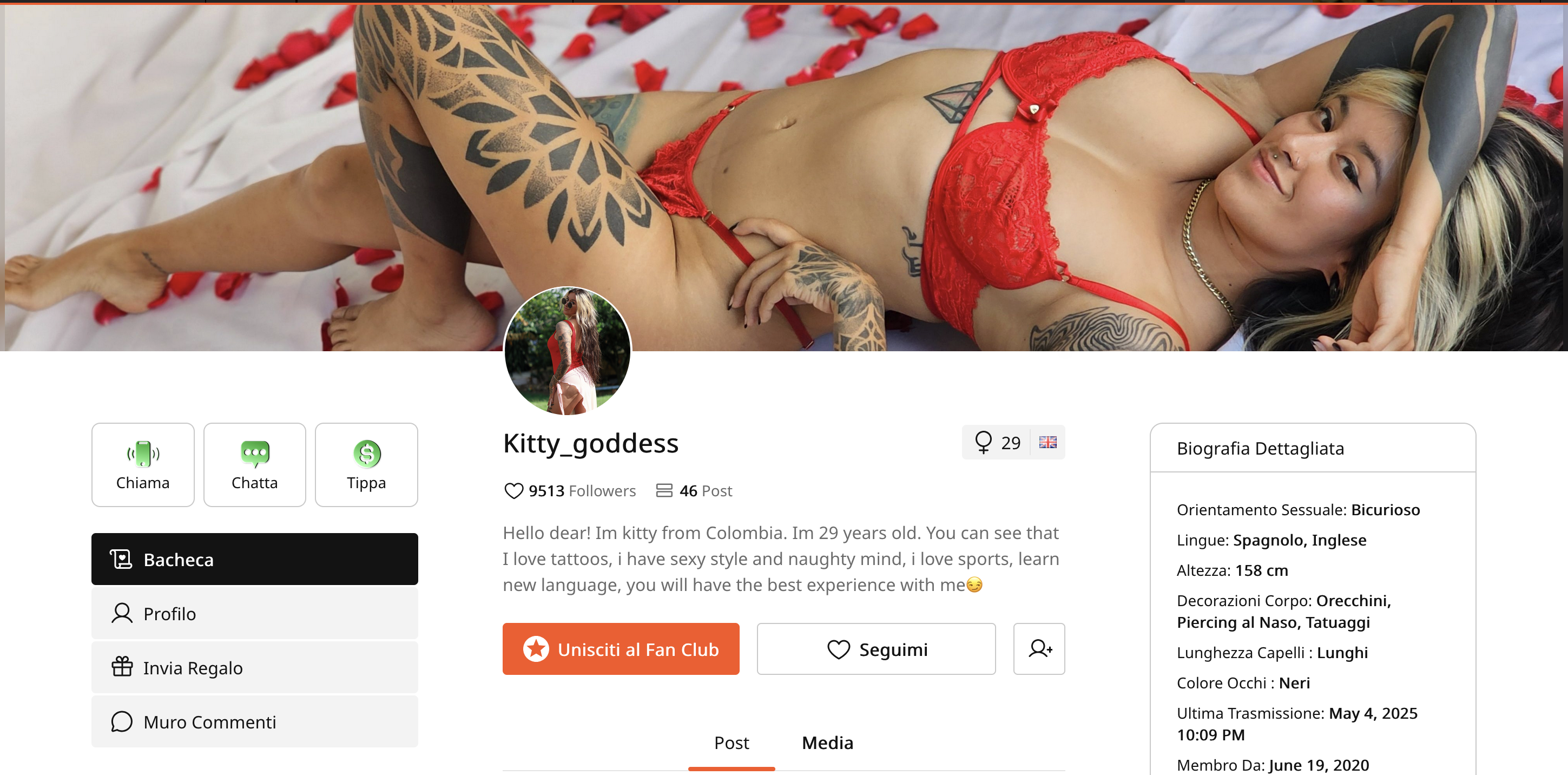
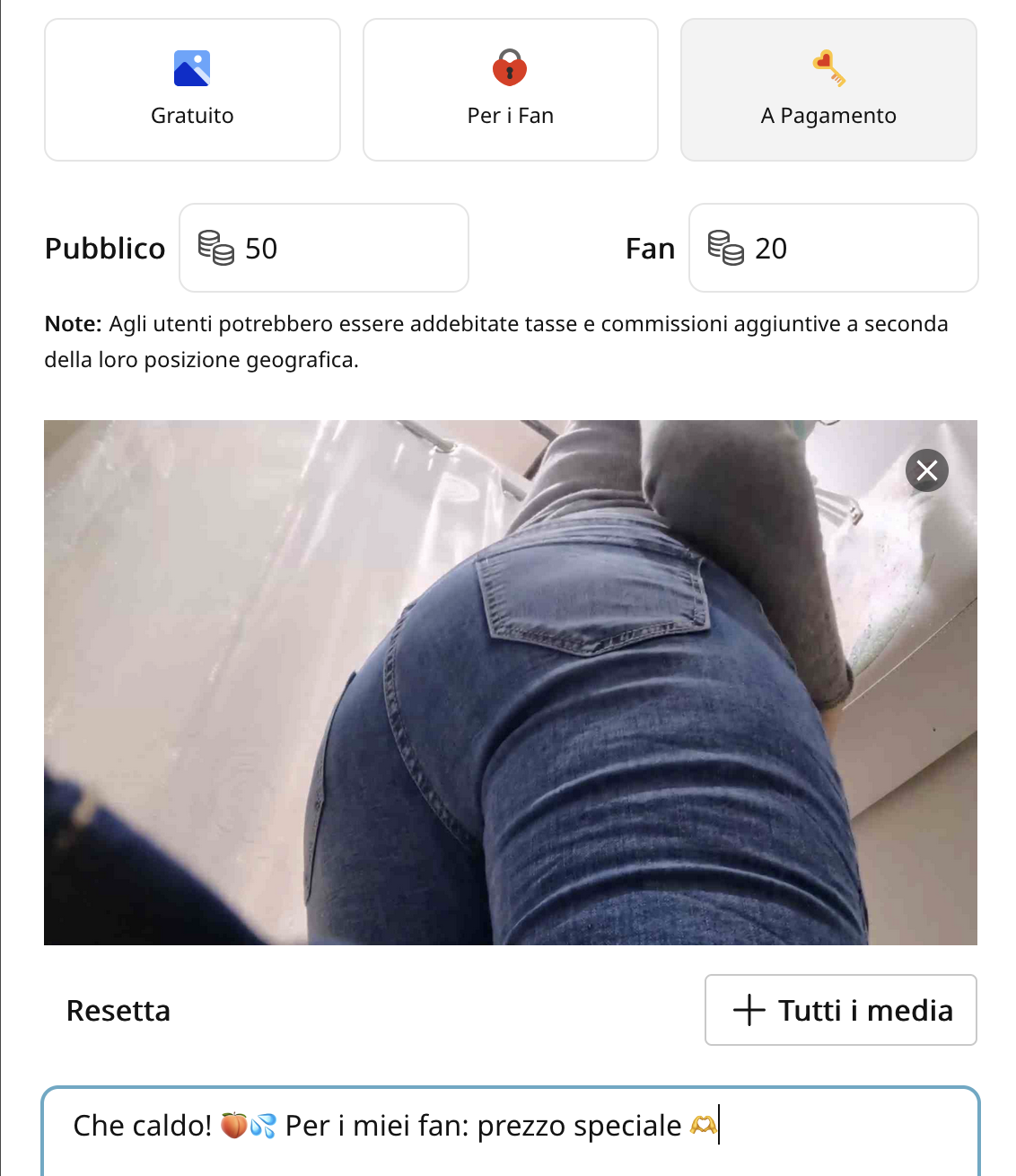
Arricchisci il tuo profilo con post, video e foto. Potrai metterli in vendità sulla tua bacheca profilo CAM4 e impostare il prezzo che desideri.Puoi anche creare un Fanclub con un costo in dollari mensile per riservare contenuti esclusivi agli abbonati.
Clicca qui per la guida su come caricare contenuti sulla tua Bacheca CAM4 e aprire un fanclub!
La tua connessione internet è la prima cosa importante che devi avere per essere una personaggio di successo di internet quindi assicurati di averne una ad alta velocità.
I 2 fattori da considerare durante la scelta di una connessione internet sono:
Banda Downstream – Questa è la velocità di banda che arriva da internet al tuo pc. Non è importante quando trasmetti con la tua webcam.
Banda Upstream – Questa è la quantità di banda che va dal tuo pc ad internet. È molto importante durante la trasmissione!
– Una trasmissione di bassa qualità può essere fatta con una velocità di upload tra 600 – 800kbps.
– Per una trasmissione di media qualità è necessaria una velocità di upload pari a 1.5Mbps
– Per una trasmissione HD, occorrono almeno 4Mbps o superiore
Questo significa che dovresti utilizzare una webcam che è compatibile con il tuo pc e con la banda a tua disposizione
Segui questi step per trovare la giusta combinazione:
1. Controlla le caratteristiche del tuo computer (RAM, Hard Disk, CPU e Sistema Operativo)
2. Controlla la tua banda di upload su www.speedtest.net
3. Cerca delle webcam con dei requisiti base che siano in linea con il tuo pc e la tua connessione internet.
4. Installa il driver appropriato per la tua webcam.
5. Trasmetti!
Latenza – Questa è la quantità di tempo che ci impiega la tua trasmissione a raggiungere la destinazione. Problemi di latenza sono spesso causati da congestione della rete. Se avessi problemi a partire con la trasmissione, prova a seguire i seguenti step:
– Cancella la cronologia, cookies e cache del tuo browser.
– Cancella tutte le richieste di amicizia in sospeso su CAM4.
– Chiudi tutte le applicazione in esecuzione che fanno uso della connessione internet e risorse del pc.
– Aggiorna la pagina web e fai ripartire la trasmissione.
Risoluzione Dei Problemi Della Connessione
Se utilizzi un notebook per trasmettere, è comune utilizzare una connessione Wi-Fi. È meglio utilizzare la connessione tramite cavo ethernet per evitare interruzioni e interferenze della linea e della trasmissione in atto.
Cambiare la password del tuo router/modem è un modo per evitare che qualcuno utilizzi la tua rete WI-FI a tua insaputa causandoti rallentamenti.
Controlla che il tuo antivirus non stia scannerizzando il tuo hard disk. La scansione antivirus occupa molte risorse e potrebbe causare rallentamenti sul tuo pc e sulla tua trasmissione.
Le Basi Delle Webcam
Come performers ti dovrai confrontare con molti nuovi strumenti e termini. Che tu utilizzi una webcam IP, USB o integrata, ti consigliamo di famigliarizzare con questi termini.
Driver Webcam è il software che permette al tuo pc di parlare con la tua Webcam.
Frame Rate(fps) sono i frame al secondo che la tua webcam trasmette. Più i frame al secondo sono alti e più fluida sarà la tua trasmissione. Potresti notare che webcam con qualità 1080p, hanno in realtà una minor qualità video perchè la webcam e il tuo pc hanno molte più informazioni da processare per ottenere quella qualità.
Rapporto di Aspetto delle Webcams
Risoluzione – La qualità dell’immagine delle webcam è determinata dalla quantità di pixel per frame. Le webcam HD 720p e 1080p sono ad alta qualità per la loro “p” (progressive scanning), scansionano progressivamente un alto numero di pixel sullo schermo ogni 1/60 al secondo. Le webcam che hanno questo aspect ration hanno una visibilità widescreen. 720p = 1Mp
Megapixels (Mp) – Mentre i MP sono sempre associati alla qualità dell’immagine, nelle webcam è più riferito al rapporto di aspetto. Questo significa che un’immagine è alta come è larga. Le webcam con alti MP potrebbero non essere necessarie, infatti tutti i MP sopra i 2 sono sprecati durante la trasmissione in webcam.
Puoi utilizzare la tua Fotocamera Digitale o Videocamera come Webcam
Una cosa già conosciuta è che puoi utilizzare la tua video camera, ed alcune macchine digitali come webcam. L’FPS elevato e i colori dinamici di questi dispositivi ti faranno apparire in modo dettagliato, inoltre, alcuni di questi hanno a disposizione un telecomando per avere un maggior controllo da distante.
Dovrai fare uno speed test e verificare che il tuo pc soddisfi i requisiti richiesti per l’uso come webcam.
Illuminazione per la tua Webcam
L’illuminazione può drammaticamente affliggere la tua risoluzione, chiarezza, colore e il frame rate della tua trasmissione. La maggior parte dei problemi con la tua webcam derivano da una poca illuminazione e possono essere risolti facilmente.
Una bassa illuminazione può causare i seguenti problemi:
– Immagine diminuita – avere una luce luminosa posizionata dietro di te, come una lampada o una finestra, può causare una sparizione della tua immagine. Posiziona la webcam affinchè le luci siano dietro la webcam.
– Colori distorti – le webcam utilizzano un basso numero pizel colorati per frame, quindi hanno bisogno di essere bilanciati con il bianco per produrre una immagine corretta. Usando il bianco nella tua stanza, aiuti questo processo in modo ottimale. Puoi anche farle calibrare i colori mettendo un foglio bianco davanti per vari secondi.
– Background Scuro – avere la luminosità del tuo monitor impostata al massimo, aggiunge luce alla tua immagine portando ad avere lo sfondo molto scuro. Diminuisci la luminosità per migliorare la qualità dell’immagine.
– VideoSgranato – questo è solitamente causato da una poca illuminazione nella tua stanza; le webcam compensano la luce aggiustando la loro sensitività, portando ad avere una immagine sgranata e di bassa qualità. Basta aggiugere un po’ di luce alla stanza per risolvere il problema.
– Videoincostante/rovinato– i pixel della tua webcam catturano la luce tramite la lente ed inviano le informazioni al pc sotto forma di immagine – la quantità di luce può influenzare la quantità di informazioni inviate. Se la tua luce risulta avere poche informazioni (poca luce), troppe informazioni (troppa luce) o informazioni inconsistenti (luce fluttuante) allora avviene una variazione di FPS causando un effetto rovinato.
– Immagine sovraesposta – luce direzionale ti farà sembrare più pallida. Questo può anche creare grandi ombre scure nella tua immagine. Una buona regola da seguire è no lampadine chiare e forti su pelle chiara. Accendi le luci intorno oppure usa qualcosa per rendere più soffusa la tua luce.
Per i performer di CAM4 è molto importante conoscere il lessico di base utilizzato dagli utenti del sito.
CAM4 è una piattaforma internazionale e quindi, comprendere alcune richieste può fare la differenza.
Per tutti coloro che non masticano la lingua di Shakespeare, abbiamo deciso di elencare alcune delle richieste più frequensti:
Naked = Nudo/a Pussy = Fica Ass = Culo Anal = Sesso Anale Dick/Cock = Cazzo Feet = Piedi
Spank = Sculacciata Footjob = Masturbazione con i piedi Cum = Sperma Flash = Scopertura rapida di una parte del corpo Squirting = Eiaculazione Femminile Wanking/masturbating = Masturbazione Tits/boobs = Tette Dildo/sextoy = Dildo PVT/Private = Privato (Messaggio o show privato) Bra = Reggiseno Tokens = Gettoni (la moneta di CAM4) Tips = Mancia (in gettoni) Goal = Traguardo Deepthroat = Gola Profonda DP = Doppia Penetrazione Peeing/Watersports = Pissing Fisting = Fist BDSM = Bondage & Slave Master Enema = inserimento ed espulsione di liquidi all’interno dell’ano Public Sex = Sesso Pubblico
Outdoor = Show all’aperto
CBT = Tortura di pene e testicoli
Bareback = Penetrazione senza preservativo Doggy Style = A pecorina
Frasi che potrebbe capitare di leggere in chat:
Thanks BB = Grazie Baby Tip if you like = Inviami una mancia se ti piace il mio show Show boobs/ass/pussy = Mostra tette/culo/fica Finger pussy = Ditalino Suck dick = Pompino
Questa è una lista non esaustiva di quello che potrebbe capitarti di leggere durante i tuoi webcam show.
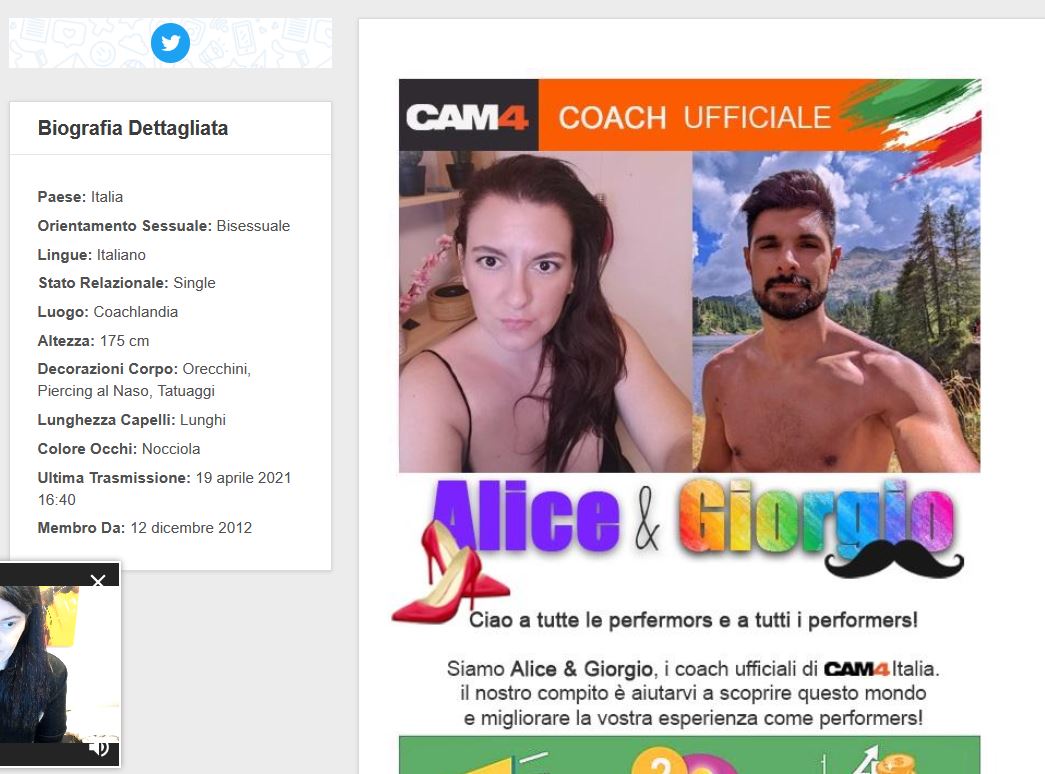
Avere una pagina profilo accattivante è importantissimo per avere successo su CAM4: puoi utilizzarla per promuoverti, vendere video, pubblicizzare il menu dei tip e così via. Ecco allora una guida che ti spiegherà come ottenere il massimo dalla tua Pagina profilo e dalla tua bio… e cosa inserire!
L’Importanza delle Informazioni Profilo
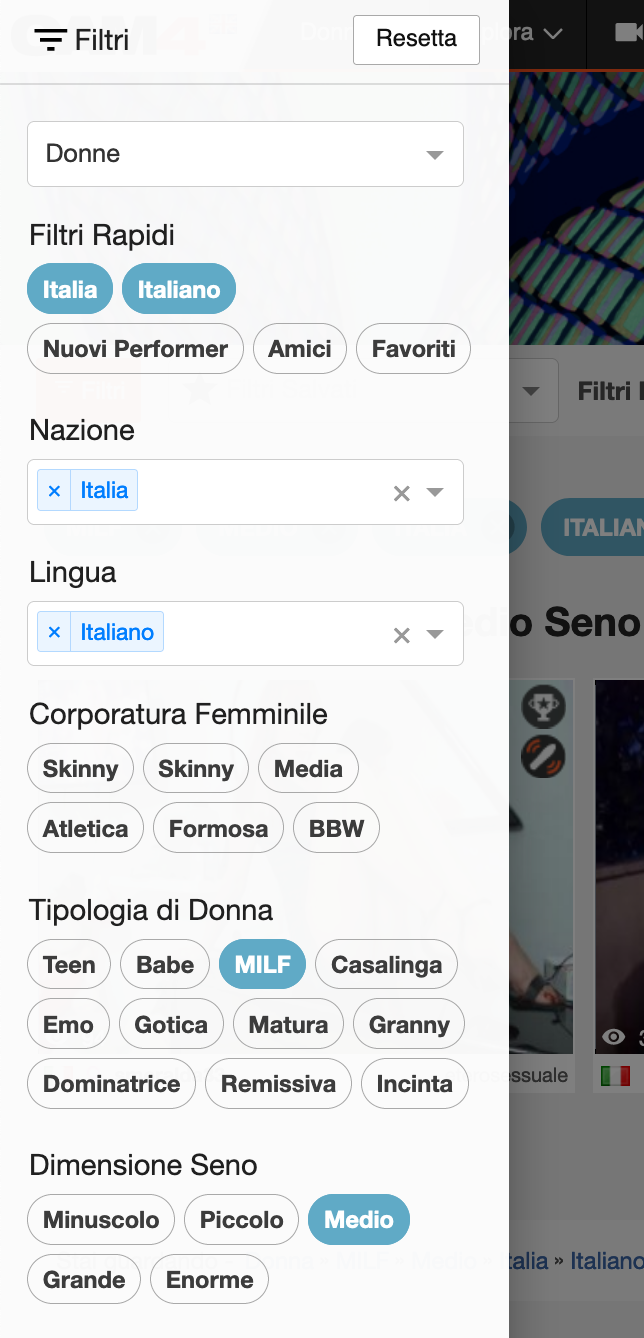
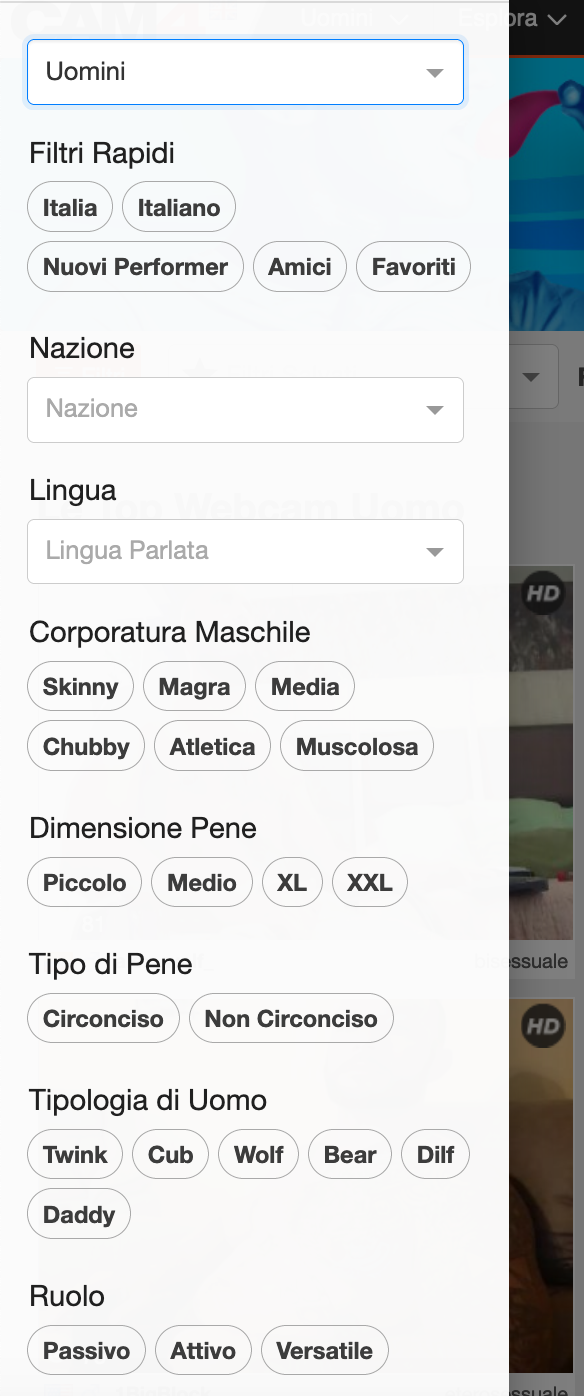
Le informazioni che inserisci nella tua pagina profilo aiutano gli spettatori a capire cosa possono trovare nei tuoi show e, ancora più importante, sono uno strumento importante per la ricerca personalizzata attraverso i Filtri in Home Page che effetuano gli utenti quando cercano un tipo di show.
In altre parole, le informazioni che inserisci sul tuo aspetto fisico, categorie e orientamento sessuale, possono far incremenatre il numero dei tuoi spettatori. Quindi inserisci tutte le info che ti descrivono al meglio!
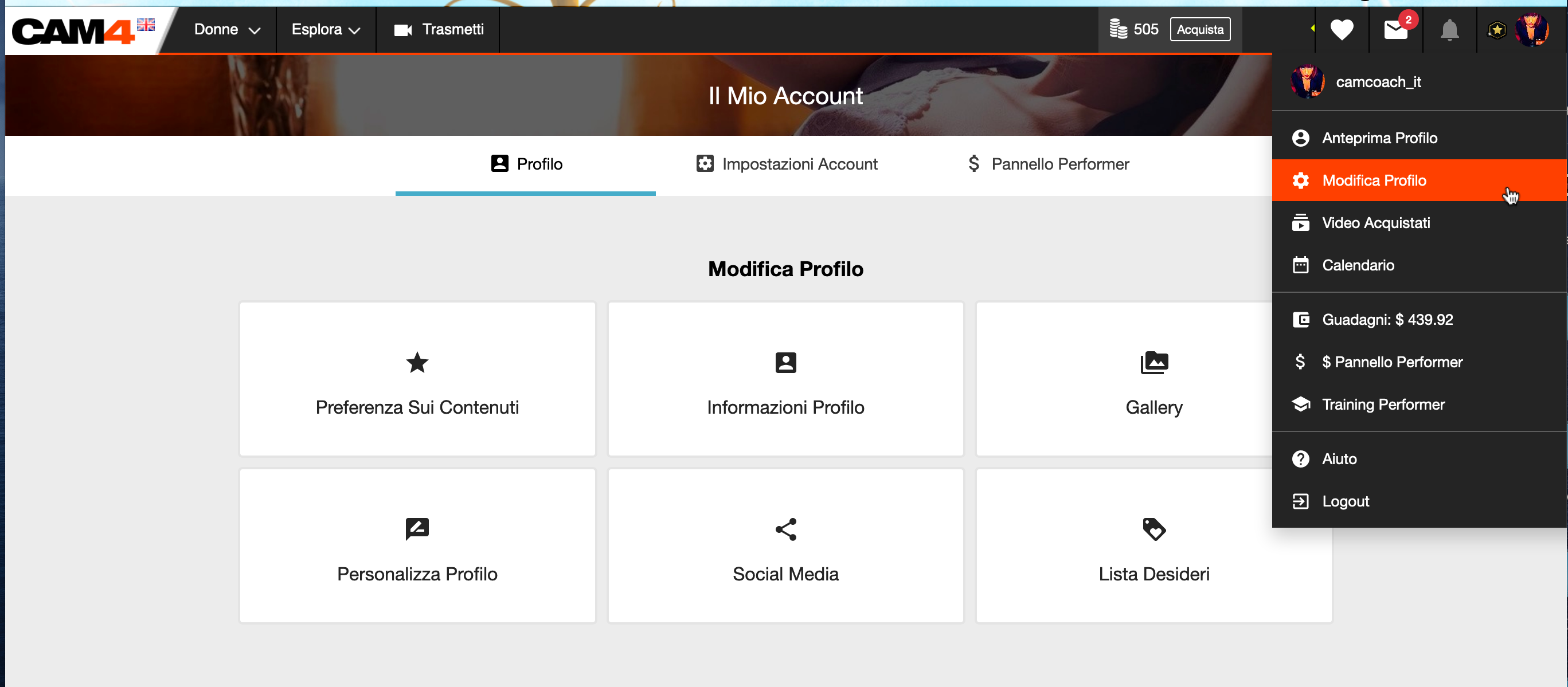
Per modificare le informazioni, o inserirne aggiuntive, ti basta andare nella sezione Modifica Profilo (trascina il cursore in alto a destra sull’icona del tuo profilo CAM4 e clicca su Modifica Profilo). Visualizzerai quindi la schermata con le opzioni di modifica. Clicca quinidi su Informazioni Profilo.
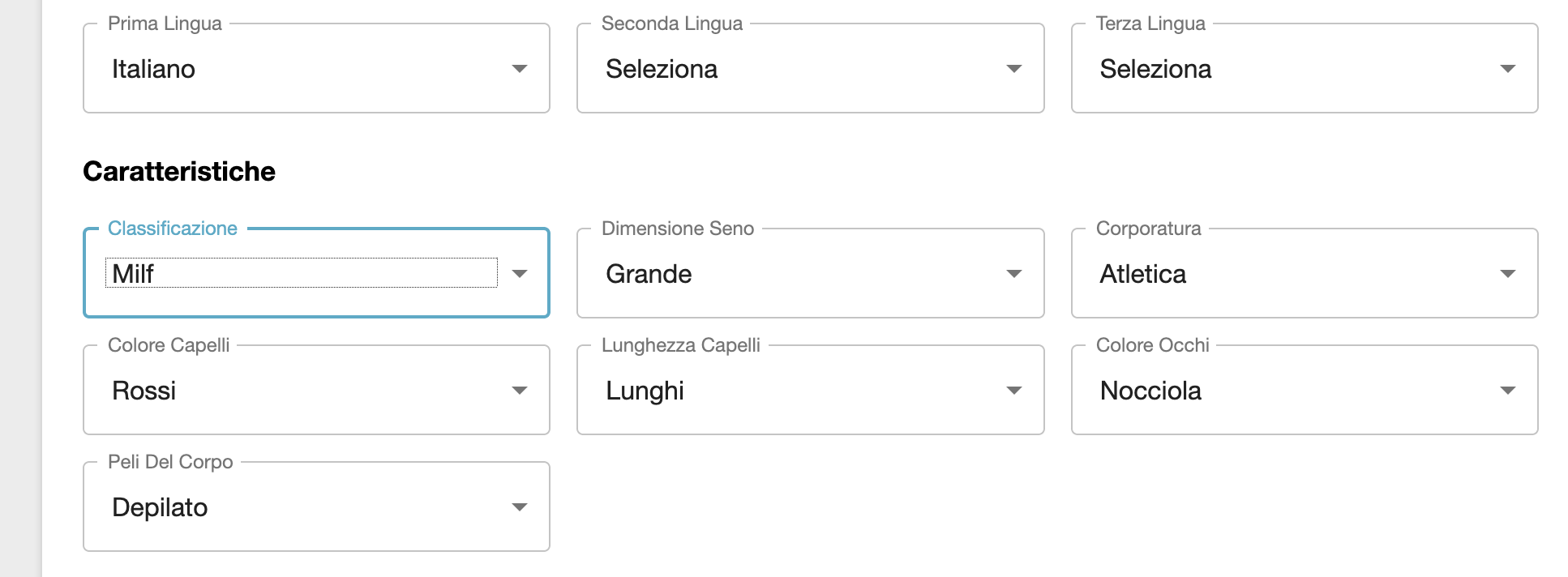
Selezionato l’orientamento sessuale, l’etnia e il tuo stato relazionale(voci determinanti per la ricerca dei profili), ricorda sempre di acconsentire (SI) al trattamento dei dati per non perdere le informazioni del tuo account. In basso troverai le informazioni sul Fuso Orario, Nazione e le Lingue parlate. Ricorda sempre di inserire piu’ lingue per avere maggiori risultati… anche se non le mastichi bene abbiamo un traduttore incorporato nella chat!
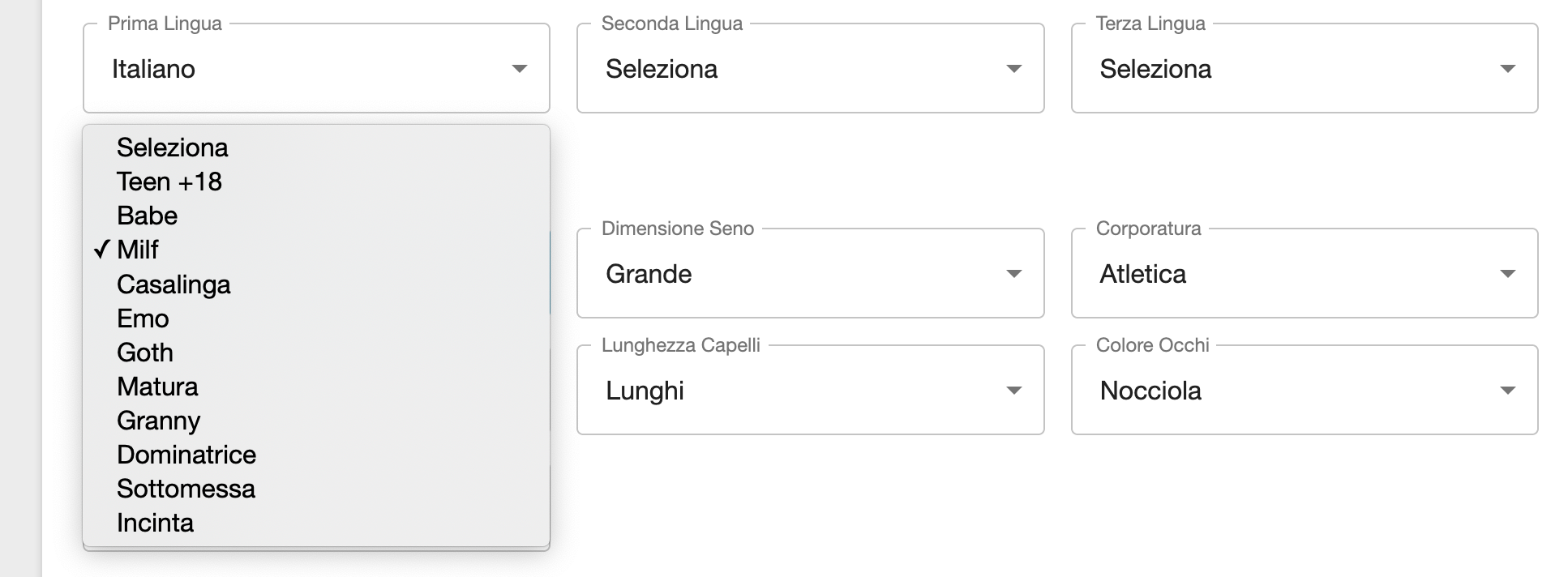
Nelle caratteristiche troverai maggiori informazioni sulla tua Classificazione, Seno, Corporatura, Capelli, Occhi e Peli.
La Classificazione è molto importante perché permette allo spettatore di capire che tipo di show offri e che tipologia di performer sei! Scegli in base alla tua età o al tuo stile personale:
– Teen o Babe: se sei sulla ventina… o se ti senti ancora molto giovane!
– Milf (una mamma che tutti vorrebero trombare), Matura o Granny (una sexy nonna): se invece ti senti con una Donna in carriera, indipendente o con tanta esperienza da sfoggiare!
– Casalinga, Emo, Goth… a ognuno il syo stile, c’è un fetish anche per quello!
– Dominatrice o Sottomessa: oggi come ti senti di trattare i tuo spettatori?
Anche i maschietti e le trans hanno delle categorie differenti, molto importanti da compilare, che aiutano gli utenti nella ricerca in home:
– Skinny (magro), chubby (qualche sexy chiletto in piu’)
– Twink o giovane sbarbatello
– Chub, Wolf, Bear: evoluzione rispettivamente dal piu’ giovane e glabro al piu’ grosso e peloso.
– Passivo / Vers / Attivo( a ognuno il suo)
– Pre – Op o Post – Op Transgender: non ha effetuato l’operazione al sesso maschile (Pre) o ha efftuato l’operazione (Post).
Creare una Biografia accattivante
Una Biografia che si rispetti deve contenere un numero discreto di informazioni essenziali, che permette al visitatore del tuo profilo di comprendere che tipologia di performer sei, cosa offri nei tuoi show… e perché dovrebbero guardare i tuoi spettacoli!
Ecco un vademecum di Informazioni da inserire nella tua Bio CAM4:
Inserisci una sexy descrizione su di te
Racconta in breve la tua esperienza su CAM4
Descrivi cosa possono offrire tuoi show
(ein cosa sono diversi o migliori degli altri)
Spiega i tuoi Goal e le tue ambizioni come performer
(eperché dovrebbero aiutarti a raggiungerli…)
Che tipo di utenti cerchi o con cui preferisci interagire
(es. educato, generoso, remissivo, dominante)
Le tue preferenze, fantasie sessuali e i tuoi feticisimi (a letto e in cam…es. bondage, anal sex, threesome, lesbian, bisex)
Descrivi le tue posizioni sessuali preferite
Cosa pensi ecciti di più del tuo corpo e del tuo modo di fare
Che tipo di outfit indossi nei tuoi show (es. leather, tacchi a spillo, lingerie, calze a rete)
Racconta in breve un aneddoto divertente (o arrapante) su una delle tue avventure sessuali
Inserisci un TIP Menu per i tuoi show/ flash e goal
Info su Show Privati e richieste private
Spiega quali sono i Vantaggi di esser membro del tuo Fan Club
(es. Gallery e Show esclusivi, estrazioni e video a prezzo ridotto per i fan).
Che tipo di regali vorresti o descrivi la tua piccante Lista dei Desideri
Specifica sempre le regole da seguire nella tua Room e il comportamento che che dovrebbero mantenere i tuoi spettatori!
Collega o inserisci i social media i cui possono seguirti e sapere quando stai per trasmettere!
1. Clicca in alto a destra sulla voce “Modifica Profilo”.
Quindi nell’elenco clicca sulla sezione “Personalizza Profilo”.
Potrai modificare la sezione Biografia personalizzandola con immagini, descrizioni con font e colori diversi.
“Milf Italia con show webcam xxx su richiesta”
Per inserire le immagini o le GIF (immagini animate) che desideri nella tua biografia attraverso un link associato all’immagine. Per ottenere il link della tua immagine carica l’immagine su uno dei seguenti siti che offrono questo servizio:
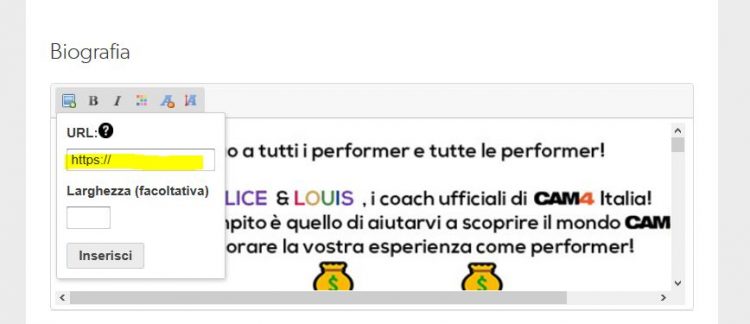
Una volta ottenuto il link della tua immagine, inserisci tale link nella tua bio cliccando sull’icona con la foto.
SCARICA i nostri MODELLI di Biografie:
Aggiungi o edita il testo con colori, font o simboli!
Se non ti senti creativo, puoi utilizzare dei modelli già pronti! Scegli e scarica il template che ti piace di più e personalizzalo!
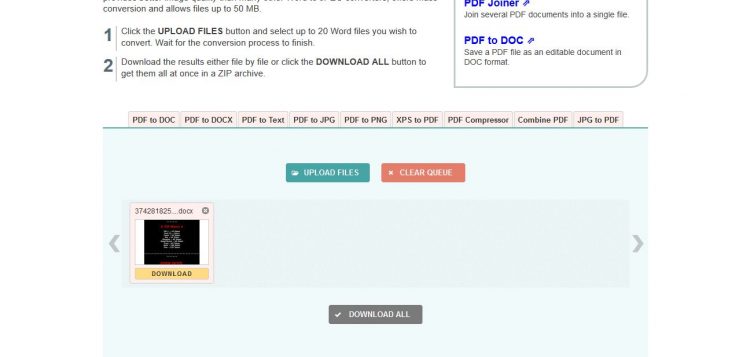
Clicca sui link per scegliere quello che ti piace di più e quindi clicca su Download e scegli DOCX!
Personalizza il documento word as es. inserendo in cima il tuo nome utente, cambiando il menu tip con le tue tariffe e altre informazioni.
Puoi rimuovere le immagini presenti e inserirne altre (copiandole o trascinandole) e cambiare il font, la grandezza del carattere e i colori 🙂 Un volta terminata la personalizzazione salva il doc come PDF!
A questo punto dovrai convertire il PDF in un’immagine per la tua bio.
Una volta convertito il file in un’immagine jpeg salvala.
Ora sei pronto per l’ultimo passo: caricare la tua immagine per la bio su https://postimages.org per ottenre il link da inserire nella bio cam4!
Ecco fatto! È semplicissimo 🙂
_____________________________________
Come avere una Biografia Favolosa!
Ecco alcuni consigli top che rendaranno la tua bio migliore!
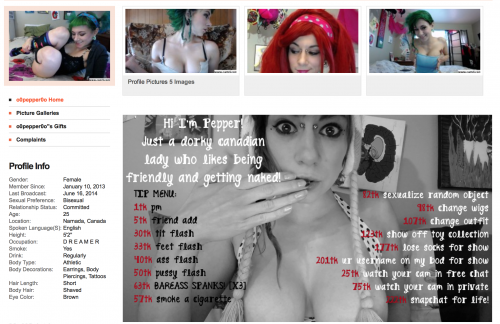
1. Mostra il tuo arsenale. Mostra ai tuoi visitatori un piccolo assaggio di cosa si stanno perdendo e falli iscrivere alla tua pagina per farli tornare ogni volta che ti colleghi.
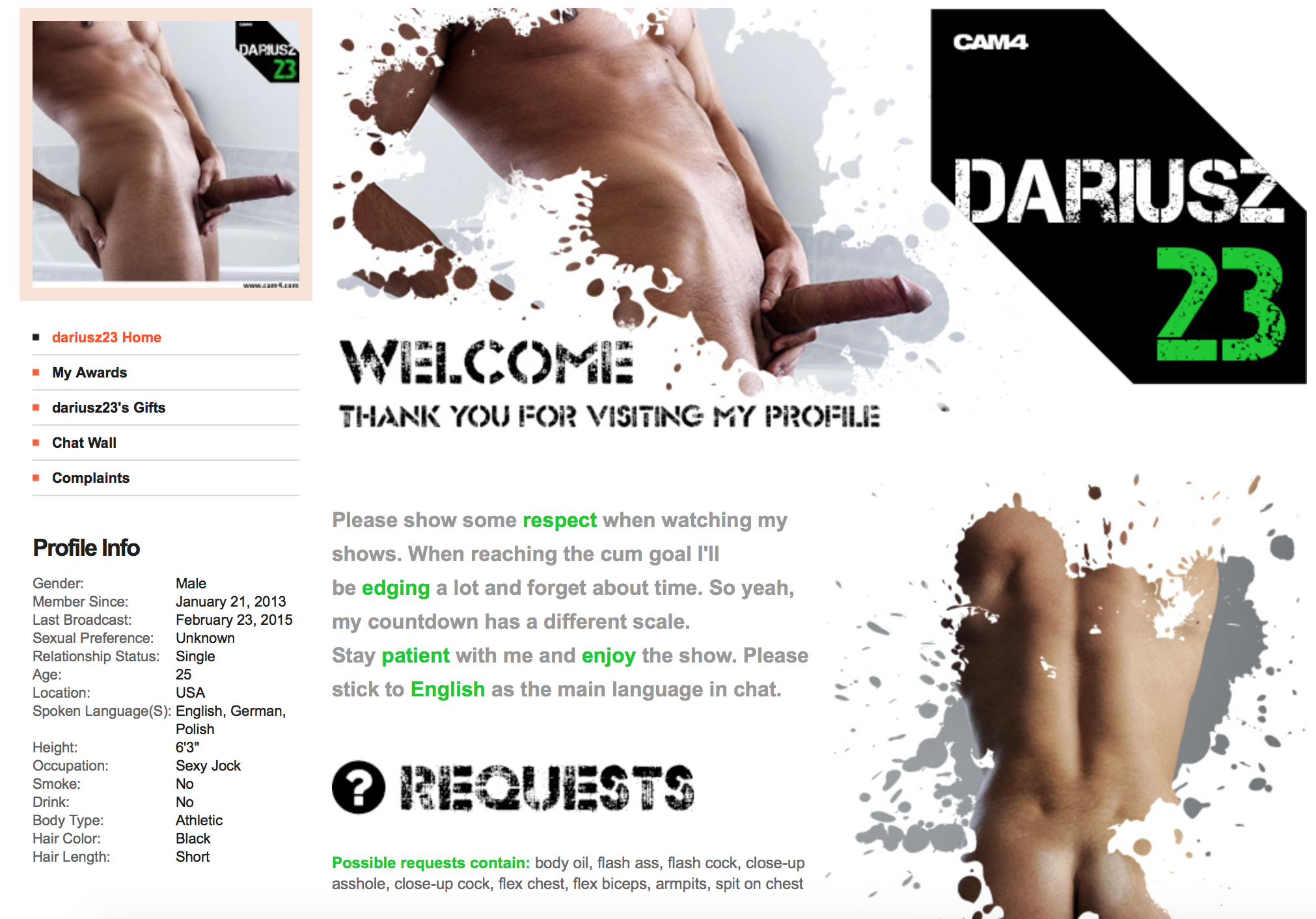
2. Promuovi i tuoi Profili Social. Se usi Twitter, Facebook, Instagram o qualsiasi altro mezzo di promozione, inserisci i link affinché le persone ti possano trovare facilmente.
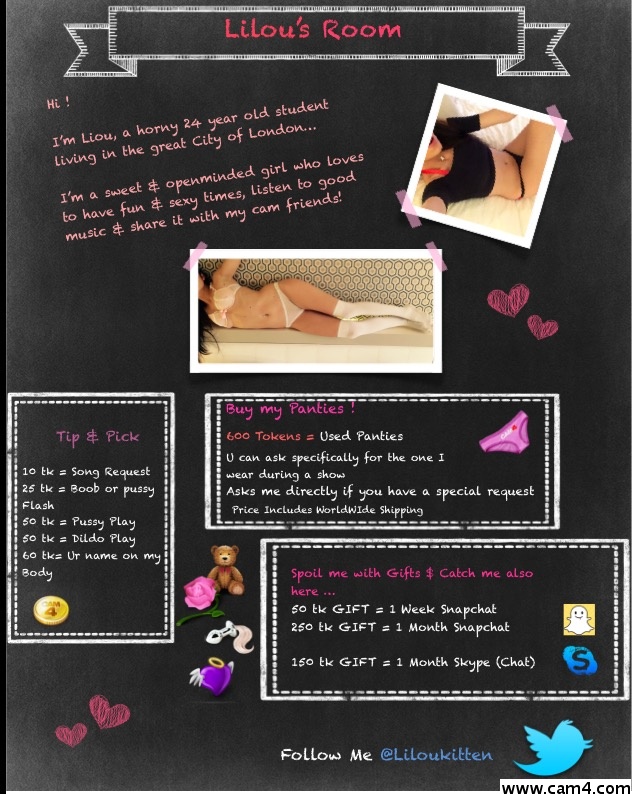
3. Vendi i tuoi video! Ecco un modo ancora più sexy e facile per vendere video 😉 Carica un’immagine contenente la lista dei tuoi video! P.S. Assicurati di dire ai tuoi visitatori come acquistarlo!
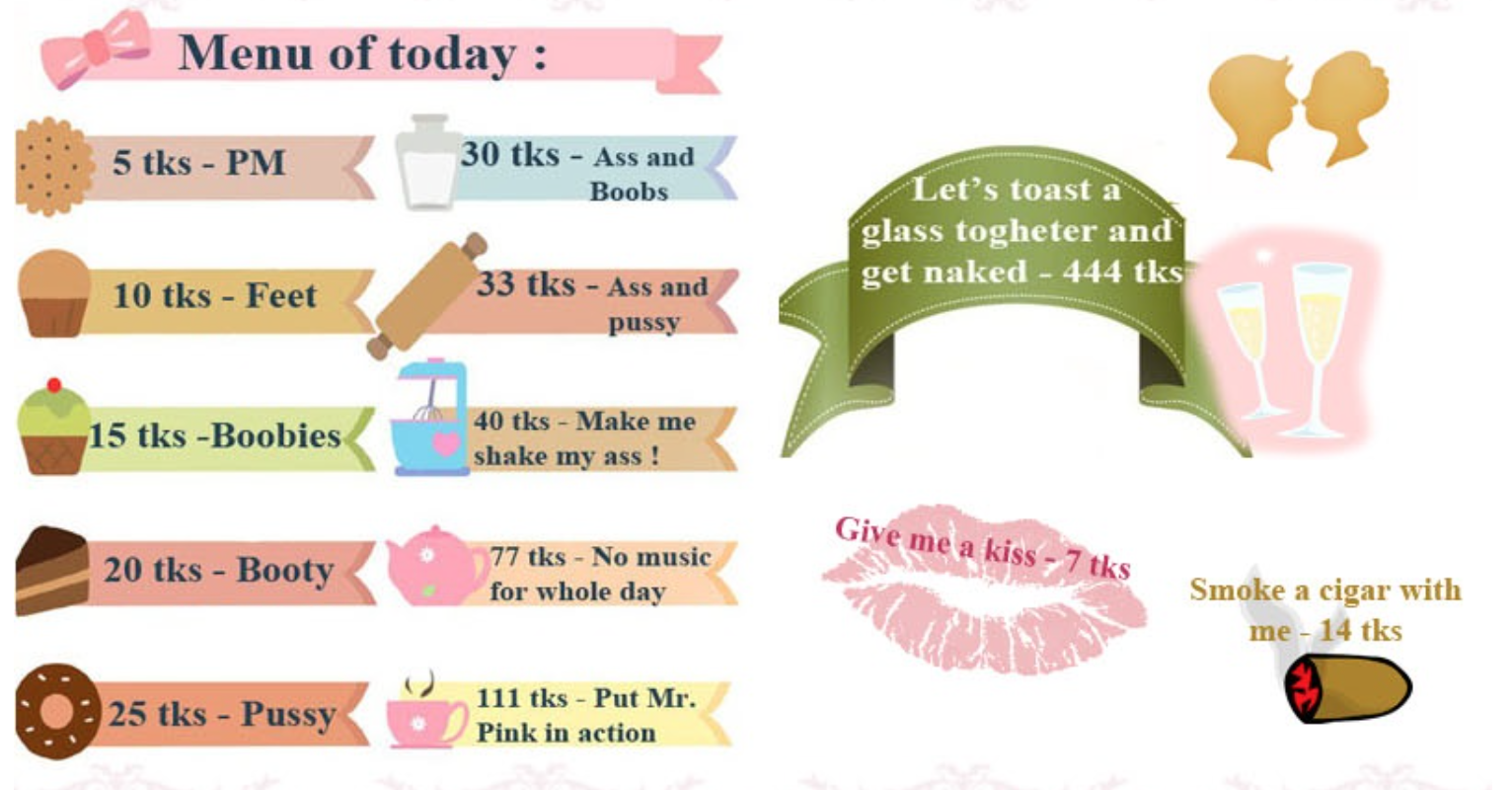
4. Crea un menu “tip”. Assicurati che ogni cosa sul menu abbia un costo diverso, affinché tu possa sapere esattamente per cosa ti tippano gli utenti!
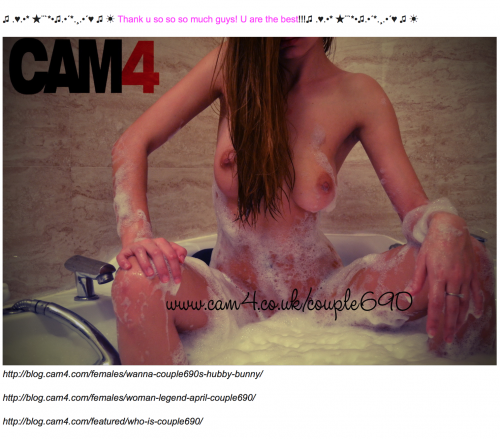
5. Racconta di te. Una foto vale mille parole, quindi ecco come fare una prima impressione eccellente.
6. Crea un marchio per te stesso. Se hai competenze di design (o un amico che lo sa fare), questo ti renderá piú professionale e intrigante, non solo bella/o.
7. Offri un “porta a casa”. È sempre buona idea mettere tutte le informazioni e foto sexy in una foto unica che le persone possano salvarla e condividere.
PS. Se non sei molto abile nella personalizzazione del tuo profilo o se vuoi promuovermi maggiormante con un design accattivante scrivi una mail a cam4_it@cam4.com con oggetto “Nuovo Look“. Qualora sia possibile, ti metteremo in contatto con un nostro designer che provvederà a rifare il look al tuo vecchio profilo ( al costo di 0 token ovviamente )