I sextoy della Lovense ti consentono di interagire ancora di più con i tuoi spettatori, consentendo loro di prendere il controllo del tuo toy.
Come? Inviandoti delle tip per farlo vibrare: più grande il tip = maggiore la vibrazione e il piacere $.
Se hai un toy della Lovense (come il Lush oppure l’Hush), abbiamo realizzato un tutorial e una guida per aiutarti a collegarlo a CAM4.
Trasmissione Mobile tramite app C4 Broadcaster
Se trasmetti dal telefono tramite un dispositvo Android puoi collegarlo rapidamente tramite la nostra app C4 Brodacaster (disponibile al momento solo per Android). >> clicca qui per scaricare l’app C4 Broadcaster <<
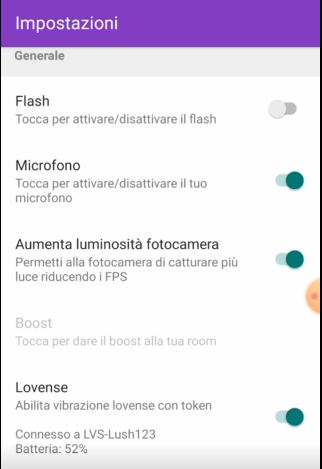
L’app C4 Broadcaster consente di collegare tramite bluetooth il tuo sex toy se trasmetti dal uno smartphone Android.
Ti basta abilitare la funzione nelle impostazioni (raggiungibili scorrendo con il dito verso destra), quindi accendere il tuo Toy Lovense e associarlo tramite bluetooth. Una volta associato il tuo toy sarà pronto per i tuoi show mobile!
Trasmissione da PC: Stream Master o Estensione Lovense
Se invece trasmetti da un computer, hai 2 opzioni per collegarlo. In entrambi i casi dovreai creare un account su Lovense.com, se non ne hai già uno, e scaricare l’app Lovense Connect sul tuo smartphone (trovi i passaggi in basso)
– Stream Master: encoder trasmissione della lovense: >> clicca qui per la video guida completa <<
Questa opzione è quella che ti consigliamo in quanto più rapida.
– estensione Lovense: da aggiungere al tuo browser (disponibile per Chrome/ Edge, versione meno aggiornata anche per Firefox)
Guida per configurazione Estensione Lovense.
Scarica l’estensione in base al browser che utilizzi:
⊕ Chrome/ Edge << clicca qui per scaricarla dal sito Lovense >>
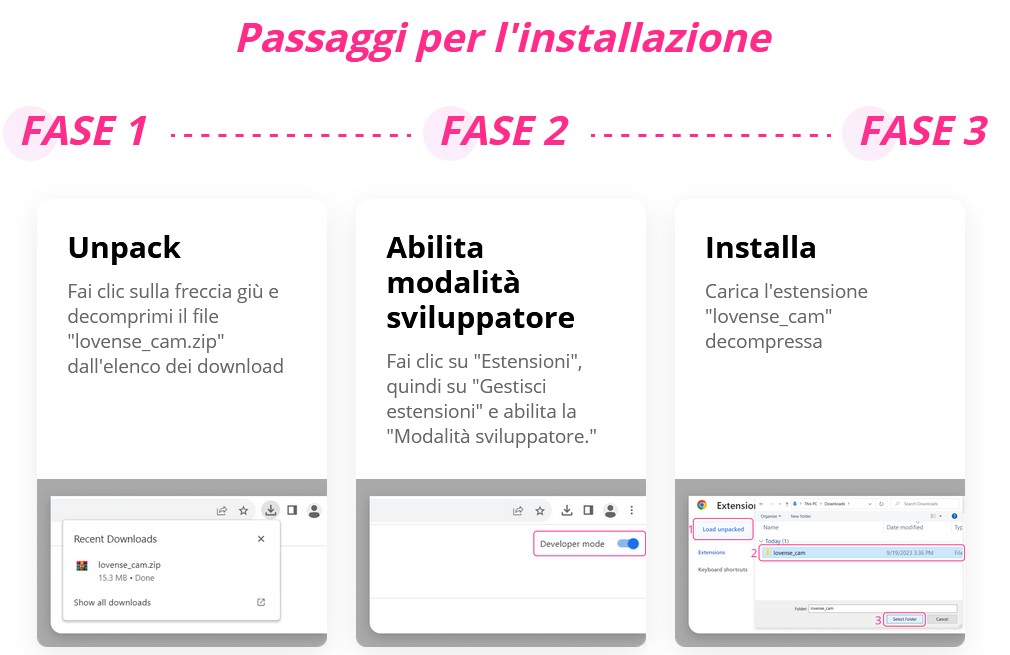
– Dopo aver scaricato il pacchetto, decomprimi il file dall’elenco degli ultimi download.
– Dal menu in alto a destra ( i 3 punti verticali) clicca Estensioni, quindi Gestisci Estensioni.
– Abilita in alto a destra la modalità sviluppatore.
– Carica tra le estensioni la cartella (dalla sezione dowbload puoi trascire la cartella) e abilitala.
– Ricorda di selezionare l’impostazione abilita script per utenti.
– Fissala tra le tue preferite e fai click sull’icona. In questo modo ti si aprirà una finestra per il login.
⊕ Firefox << clicca qui per scaricarlo dal sito Lovense >>
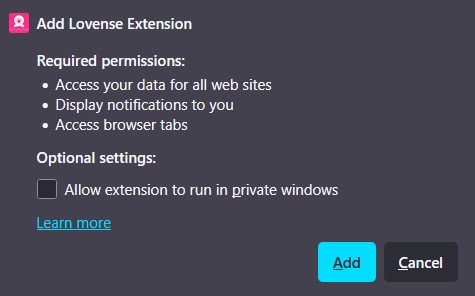
– Dopo aver scaricato il pacchetto, aprilo con il browser Firefox.
– Abilita l’estensione (Add).
– Ti sarà chiesto se vuoi fissala in alto tra le preferite, per maggiore comodità.
– Fai click sull’icona dell’estensione. In questo modo ti si aprirà una finestra per il login.
Collega il tuo account Lovense
Dopo aver scaricato l’estensione o stream master, dovrai fare l’accesso al tuo account Lovense.
Se non ne hai uno clicca su Sign Up per creare uno rapidamente su Lovense.com o dalla finestra di login (Sign up).
– Una volta loggato, nel menu in alto “Cam Site” clicca sul “+”
– Dall’elenco seleziona CAM4, per aggiungere CAM4 ai tuoi siti di streaming e quindi seleziona le impostazioni consigliate da Lovense.

Scarica l’app Lovense Connect
Scarica l’app Lovense Connect sul tuo smartphone ed esegui l’accesso al tuo account Lovense.
In questo modo potrai collegare al tuo account Lovense il tuo toy, tramite il tuo smartphone.
>> clicca qui per il download per dispositivi Android
>> clicca qui per il download per dispositivi iOs (iPhone/ iPad)
– Dopo averla scaricata, attiva il Bluetooth e accendi il toy.
– Clicca su Add Toy + (aggiungi Toy). Una volta associato potrai controllare lo stato del tuo toy dall’app.
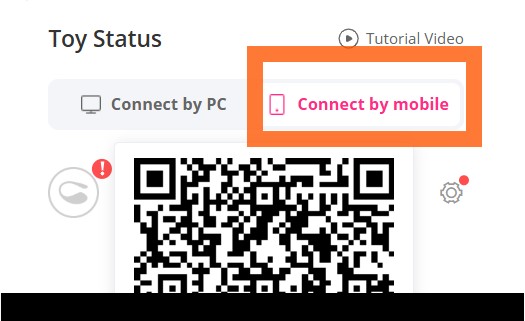
– Seleziona dal menu in alto “Scan QR”
– Scansiona il codice QR che visualizzi nell’estensione, a sinistra sotto l’opzione connect by mobile.
Ora trasmetti su CAM4 con Lovense ✨
Ci siamo! Ora apri la finestra di streaming CAM4 e vedrai l’opzione per collega a Lovense.
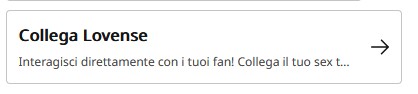
Cliccando vedrai il tuo toy già connesso (se avrai seguito l’installazione dell’estensione o scaricato stream mastert) e potrai vedere come hai configurato i Livelli e gli Schemi.
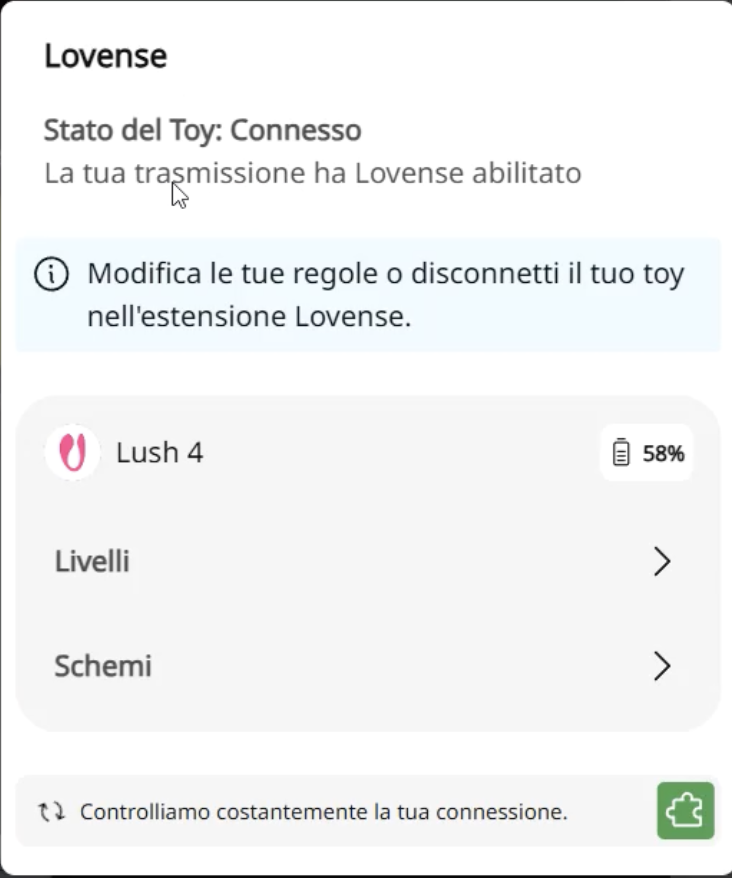
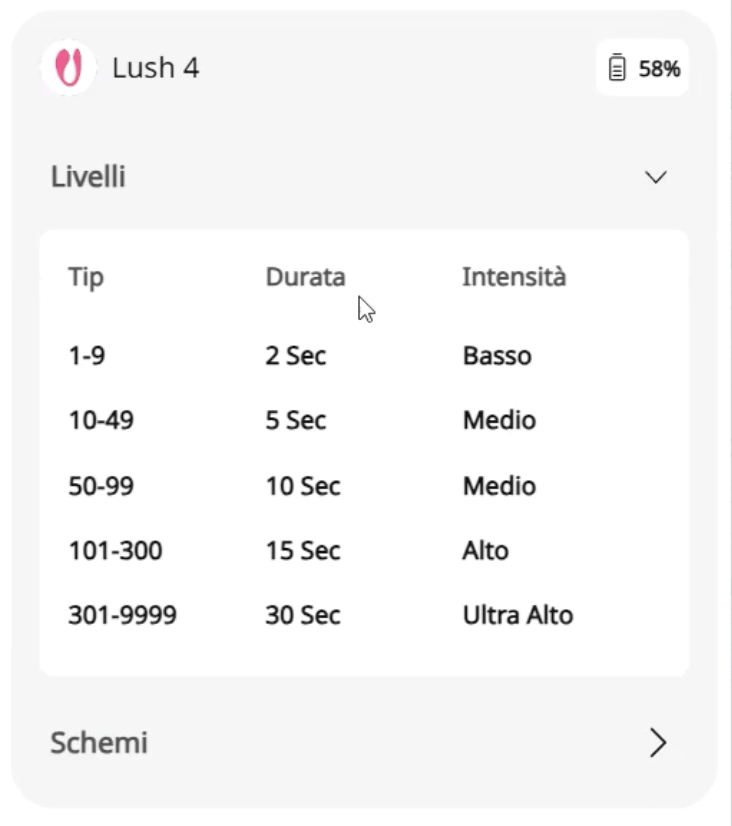
Cliccando su Livelli: potrai visualizzare la durata e l’intensità di vibrazione, in base alla grandezza del tip che hai settato (ad es. tip compreso tra 50 e 99 Token = vibrazione media per 10 secondi).
Cliccando su Schemi: potrai visualizzare l’intensità e la modalità di vibrazione per un determinato valore del tip (ad es. 100 Token = modalità terremoto).
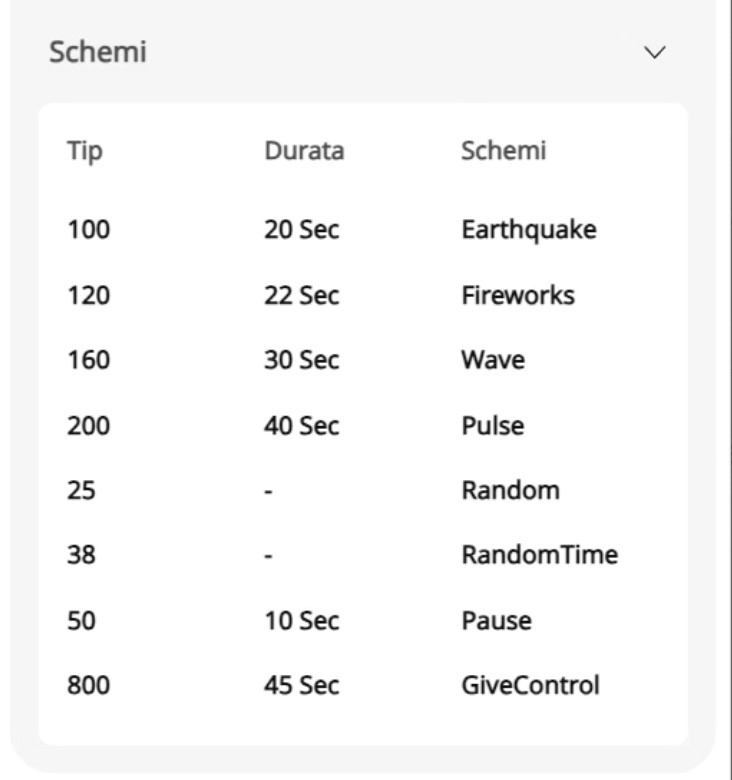
A destra della finestra d trasmissioni vederai il Lovense Widget dal quale potrai modificare livelli e modelli, durante la tua live.
Puoi anche inviarti una tip di prova come test per verificare che il toy sia correttamente configurato.
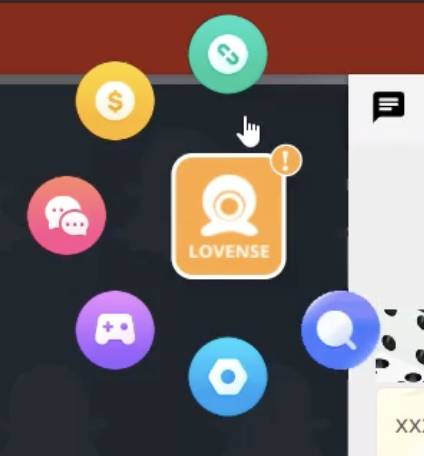
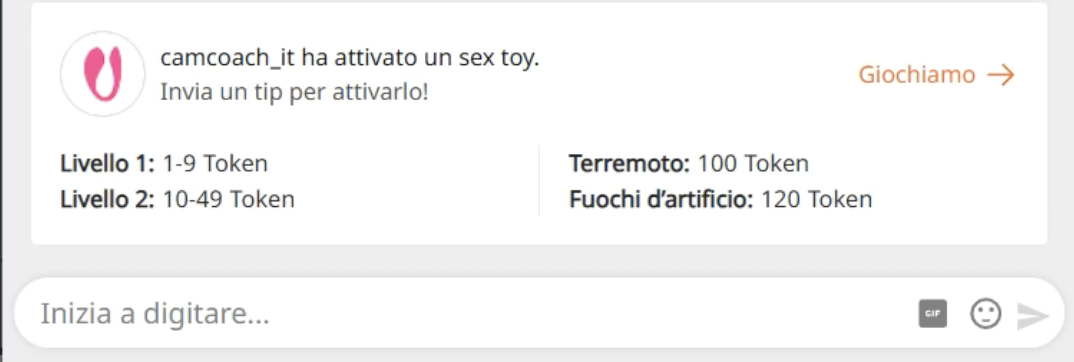
I tuoi spettatori vederanno in alto nella chat il menu interrativo Lovense che offri.
Cliccando su Giochiamo → apriranno il tuo menu con i tuoi Livelli e Modelli impostati.
<< Clicca qui per vedere il video con tutte le funzioni Lovense che vedrai durante la tua trasmissione >>