Category Archives: Do not use

EROTIC STORIES : A Beginners Guide To Writing

If you are a new or an experienced writer who is looking to have you stories published we are here for you. You can submit your story or idea to us for review and if we publish it we’ll pay you $$$!

SUBMIT YOUR STORY HERE

We are here for you!  So lets cut to the chase. Below, I will break down some actionable items to help you get started.

(Noun) literature or art intended to arouse sexual desire.

Erotica, unlike pornography, is designed to arouse and provide stimulation to the reader based around plot and character development. It is not just one long sex scene with all action. Not to say that your sex scenes can’t be explicit; the more detailed the better. However, it must be grounded in plot and character growth.

If your story contains more plot and characters, with minimal sex or less explicit scenes. You may be venturing into erotic romance.

If you are serious about getting started in erotica, we need to address privacy. One of the most important questions you’ll have to ask yourself is if you’ll write under your Industry name or a new pen name.

For those who don’t know. A pen name is essentially a pseudonym that you can use professionally in your writing, books, blogs, public profiles, and social media.

There are many pros to using a pen name. For example:

Using a pen name will allow you some creative freedom to write that is separate from your career in the adult industry.  You can keep that part of your life separate from your professional one and take on a whole new persona.

A con would be…

If you use a pen name instead of your industry one, you now need to grow that name instead of getting visibility right away due to your current success and following. 

Whichever route you take, it’s an important first step.

The erotica community is alive in all corners of the internet. At a minimum, I would recommend you join Twitter. If you are unsure on how Twitter works or the most effective ways to get noticed on that platform there are some great guides out there with a quick google search or even here on Medium.

After you complete your profile information and upload your picture (or icon, stock image if you are using a pen name) seek out some authors of interest. Do a quick #erotica search and you will be inundated with accounts to follow. Check out some profiles to see if they are writing the things you are into.

An important step that a lot of people miss, and the key to getting more involved in the community is simple: When you grab a copy of someone’s book, tell them. If you like it, let them know. Extra points if you leave a review. Not only will a review make you stand out from the crowd, they are rare and greatly appreciated in the world of erotica.

Let your growing audience know that you are new to the genre. You will find a very supportive group of people who can help you on your way.

Some great tags to keep tabs on are #erotica #writingcommunity #eroticacommunity

Time to loosen up. Open up a new document or start a new notebook and pour yourself a drink of your choice. We are going to get dirty. I want you to practice writing scenes made to titillate your audience. Your goal, after all, is to help someone reach their goal.

For example, don’t do this:

She reached for his love muscle and put it in her warm cavern.

Do this:

She grabbed his dick, smiling at the weight in her hand. Guiding the head to her slick entrance. She teased herself as she sat. Moaning as the thickness filled her cunt.

The second uses a lot more graphic language and some people will struggle with getting into the ‘dirty’ words. Practice them until you are comfortable. Take your last sexual encounter, write about it. Describe it as if you were writing it into a book. Watch some pornography, a quick 20–30 seconds sample and try to write it into words. Use all five senses.

Another exercise is to write short acts like the one above. Mix it up. Try it in the first person perspective, then switch and try it from the male POV. How did he see and feel things compared to her? Write that down, then keep going. Just keep filling your page or your document.

When you are starting out you may find it easier to write a story containing things you yourself are interested in or have a fetish about. If you have fantasies about lesbian or gay sex. Write a story about it. Hotwife, shared wife or cuckolding? Write it. Vampire alien breeding with a hucow who is into bondage. Yup write it. You will not be the only one into it.

A word of warning on this point. These kinds of stories will likely get your book removed as well as running the risk getting your account banned on Amazon: Underage, Non-Consent, Incest, Bestiality (unless its a werewolf or other mythical creatures) If you have any doubts refer to Amazon or the forums.

This rule is no different from that of other genres. If you want to be a good erotica writer you need to read a lot of erotic fiction. 

Download some books from the authors you are interacting with on Twitter. Pick up some from varying POV. Try some written by female and male authors. Maybe try different sub-genres that you have an interest in, but never experimented with.

Most of all, take notes. Write what you liked and what didn’t work for you. Review once you have a few stories under your belt. If you find yourself constantly liking to read third person stories, you will likely have more success concentrating on that POV. First person more your style? Write that way.

If you pick up some badly written erotica, just return it and move on to the next one. 

Make sure you enjoy what you write, burn out and lost motivation is as real in erotica as it is in other genres.

I cannot emphasize joining the community enough. I’ve met some great people since I started and would be at a loss without the other authors/readers on Twitter.

~That’s all for this lesson!

Happy Writting!
Love, Your Coaching Team!
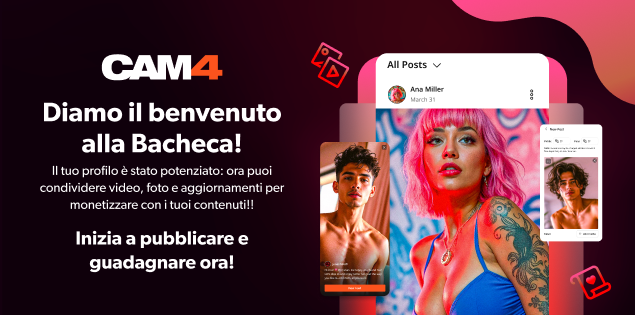
Guadagna con la Bacheca del tuo profilo CAM4!


La Bacheca attività  (o feed attività) è  l’ultimo ed entusiasmante aggiornamento del tuo profilo CAM4! Progettato per aiutarti a creare contenuti, condividerli e guadagnare senza sforzo, anche quando sei offline!

In un’unica piattaforma, simile a quella di molti social media, potrai condividere aggiornamenti, foto e video e aumentare il tuo pubblico. Puoi curare i contenuti che vuoi che i fan vedano, riflettendo il tuo stile unico e dando ai tuoi contenuti la visibilità che meritano. 

Cos’è la Bacheca attività di CAM4?

La tua Bacheca del profilo CAM4 ti consente di trasferire contenuti dalle tue Gallerie fotografiche e Video in un feed dinamico e interattivo visualizzato in modo prominente sul tuo profilo.

Sfruttando questa funzionalità:

  • Puoi mantenere i tuoi fan coinvolti con aggiornamenti giornalieri con contenuti e post esclusivi.
  • Promuovi e monetizza i tuoi contenuti video
  • Promuovi le iscrizioni al Fanclub con offerte speciali

Guarda il  video tutorial su come impostare la tua nuova Bacheca CAM4 ed iniziare a caricare contenuti!


1. Personalizza il tuo Profilo con delle foto

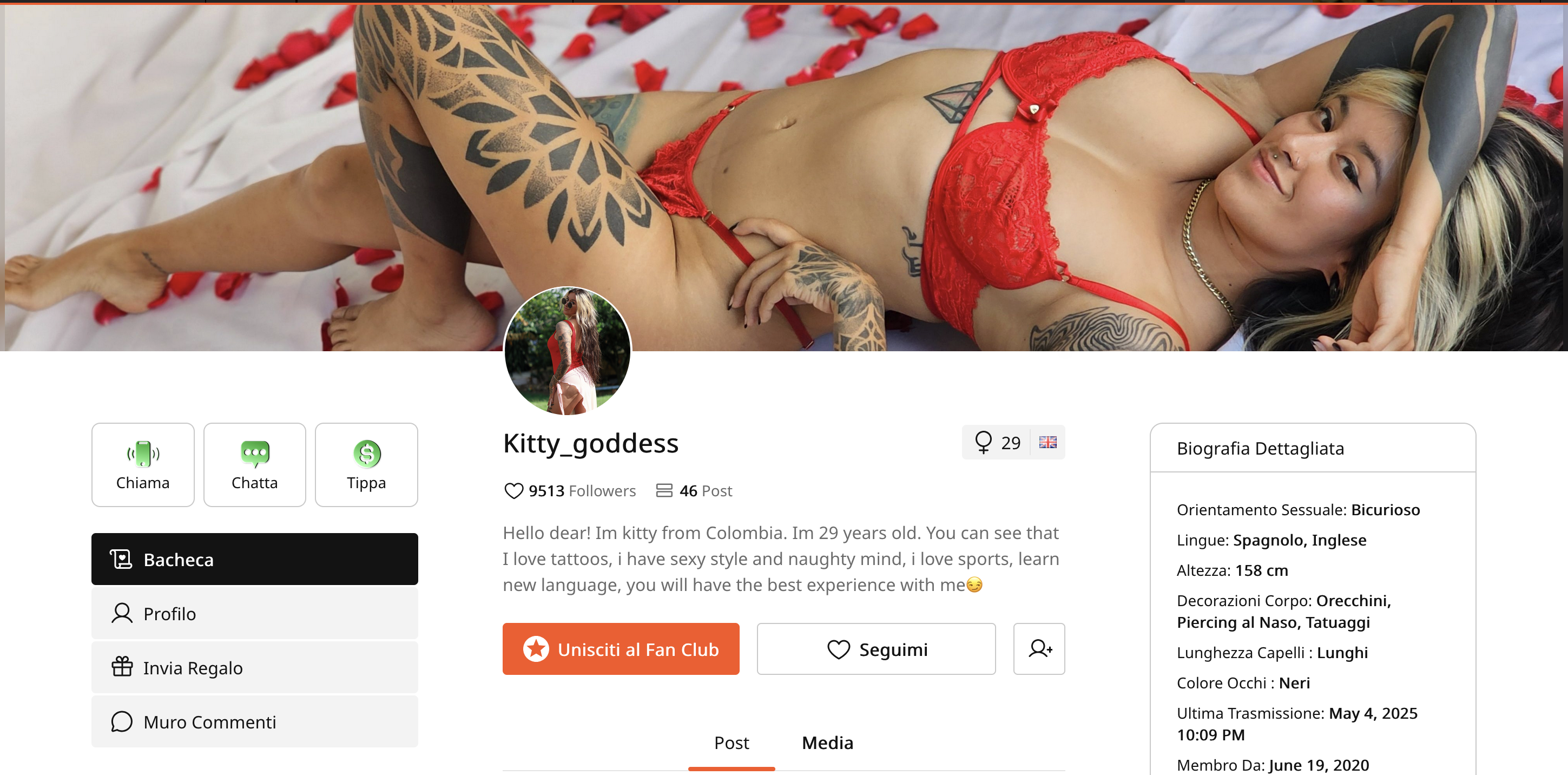
Il tuo profilo è la prima impressione di un visitatore.  Un profilo visivamente curato aiuta a trasformare i visitatori occasionali in fan fedeli. Ricorda di aggiungere sempre un’immagine del profilo soft (SFW) accattivante e un’immagine di copertina soft:

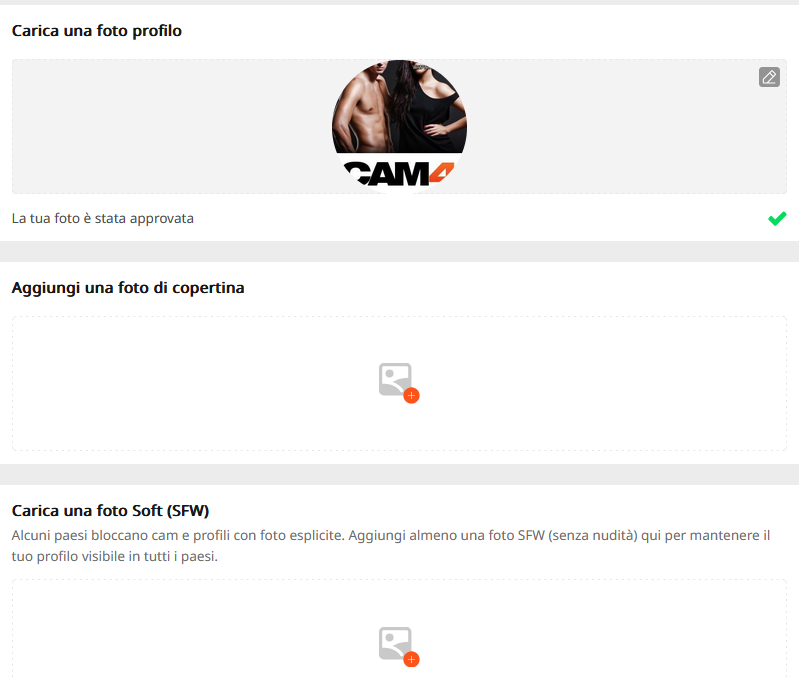
Alcuni Paesi bloccano cam e profili con foto esplicite. Aggiungendo almeno una foto SFW (senza nudità) manterrai il tuo profilo visibile in tutti i Paesi.

Come caricare delle immagini profilo:

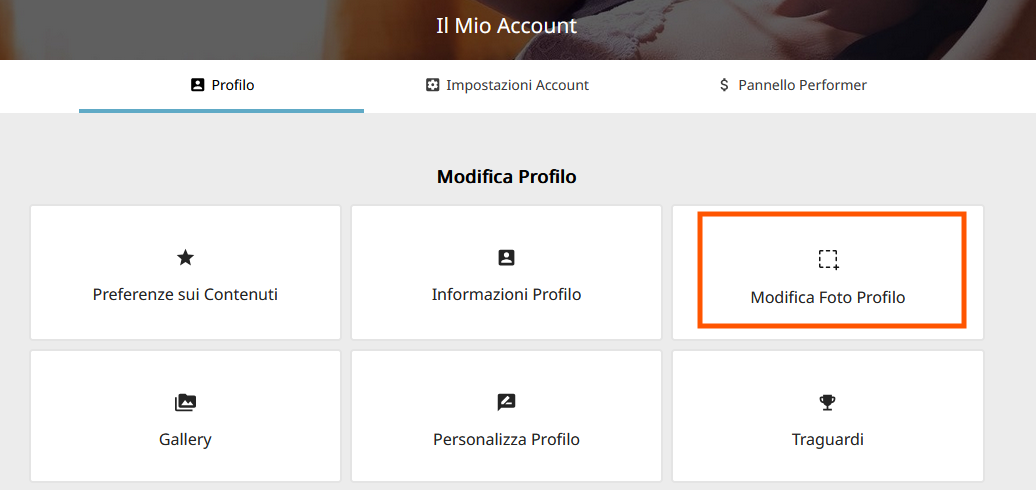
– vai in Modifica Profilo, quindi clicca su Modifica Foto Profilo.

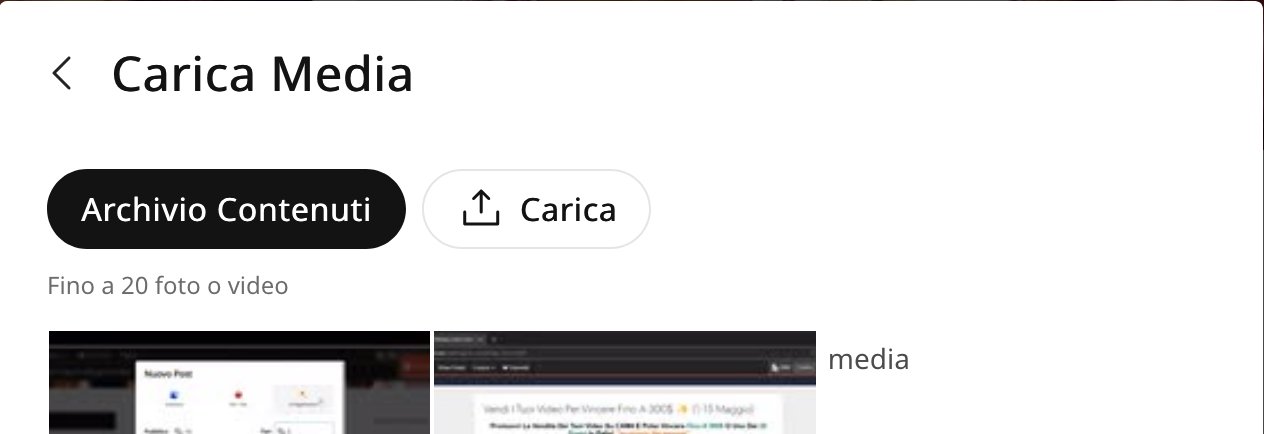
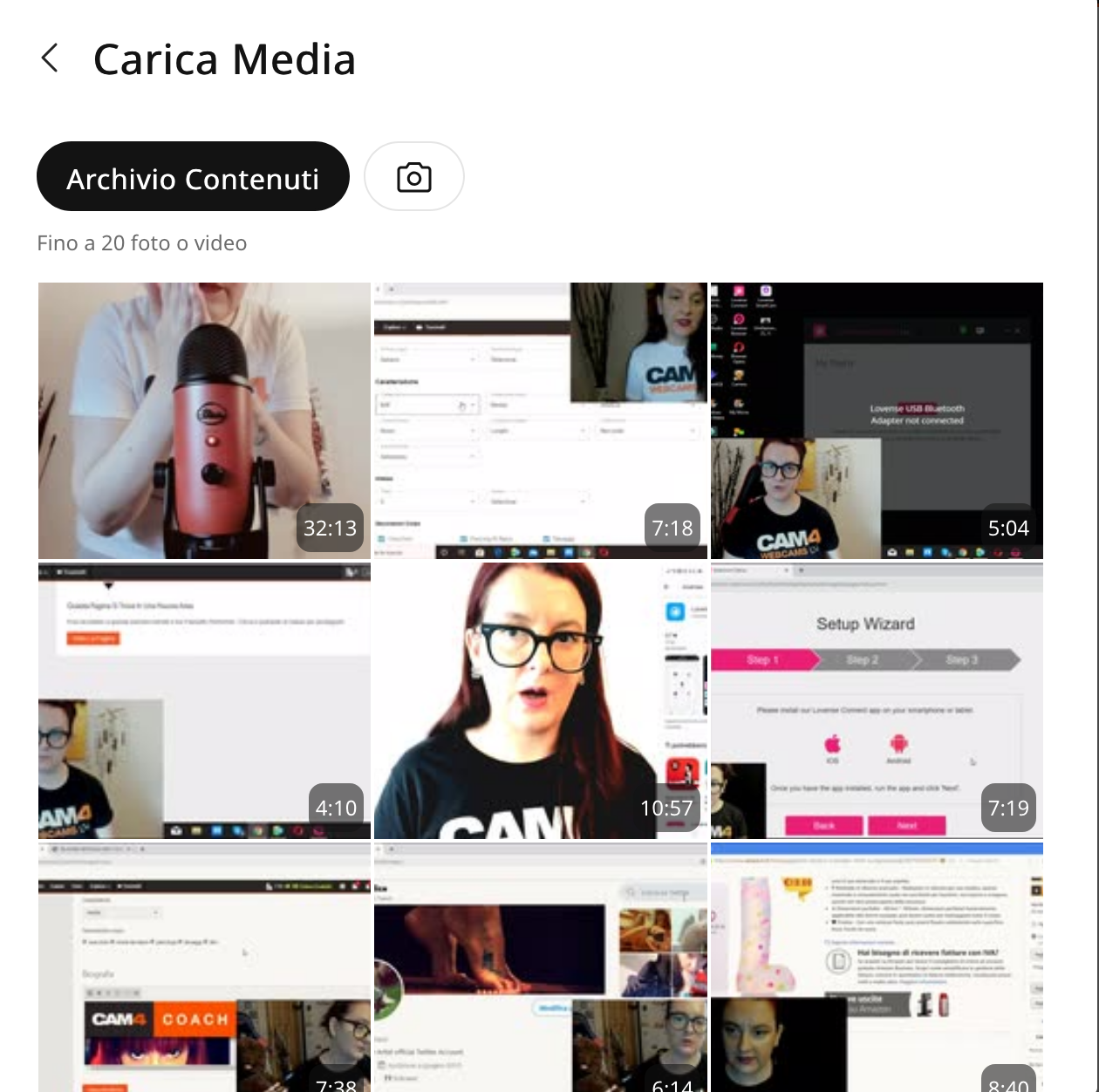
Per caricare delle nuove foto  dal tuo PC fai clic sull’icona a forma di camera.  Cliccando invece su Archivio contenuti, potrai scegliere tra quelle che hai già caricato su CAM4.

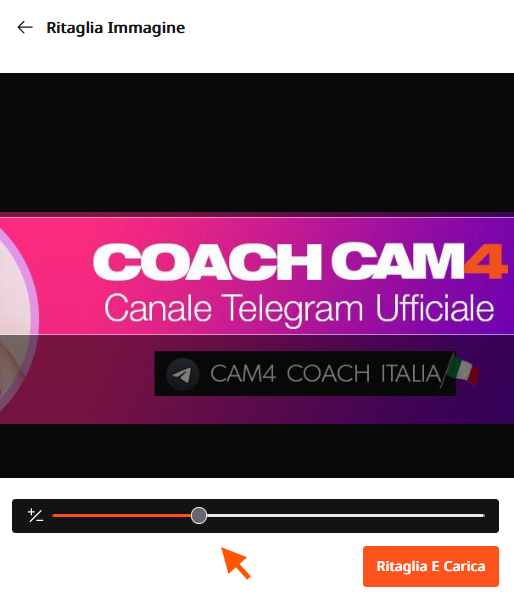
– Imposta quindi la tua foto profilo e di copertina preferibilmente soft. Per la foto di copertina usa preferibilemente delle tue foto orizzantali, così da ottenere un effetto banner profilo. Usa lo strumento Ritaglia per selezionare solo la parte che vuoi visualizzare e centrare l’immagine:
zoomma sulla foto muovendoil cursore verso destra, quindi sposta la foto per centrarla e ritagliare la parte restante. Clicca quindi su Ritaglia e Carica.

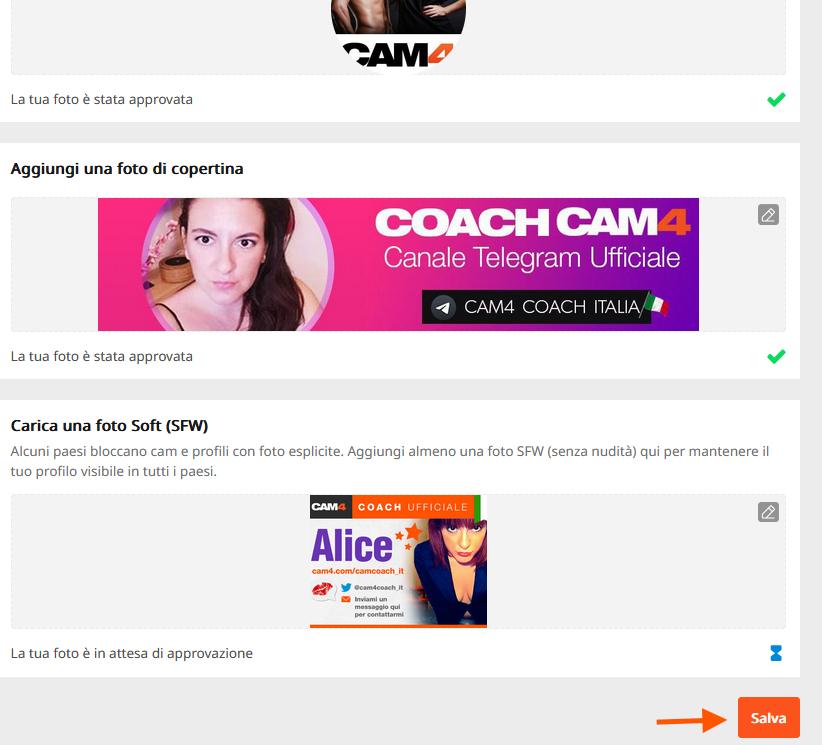
Una volta che avrai impostato le tue foto, clicca in basso su Salva.
Le nuove foto che carichi per risultare idone come Soft necessitano un tempo di verifica e di approvazione. Potrai visualizzare lo stato di approvazione in questa sezione. Non appena approvate saranno visibili a tutti gli utenti 🙂

2. Trasferisci i tuoi contenuti al tua Bacheca

  • I contenuti delle tue Gallerie e del Video Store caricati in passato sono stati convertiti automaticamente in post.

    *Non preoccuparti: i tuoi video acquistati rimarranno accessibili a chi li ha acquistati.

3. Lancia contenuti esclusivi per il tuo Fan club

Aumenta i tuoi guadagni offrendo vantaggi esclusivi con l’abbonamento al tuo Fan Club:

  • Crea un Fanclub o aggiorna semplicemente il tuo Fan Club esistente nel Pannello Performer.
  • Fornisci contenuti premium per i membri del fanclub


Clicca qui per scoprire come creare post a pagamento e contenuti per il fanclub

4. Monetizza i tuoi contenuti (video e immagini)

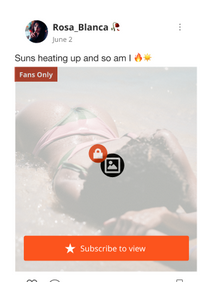
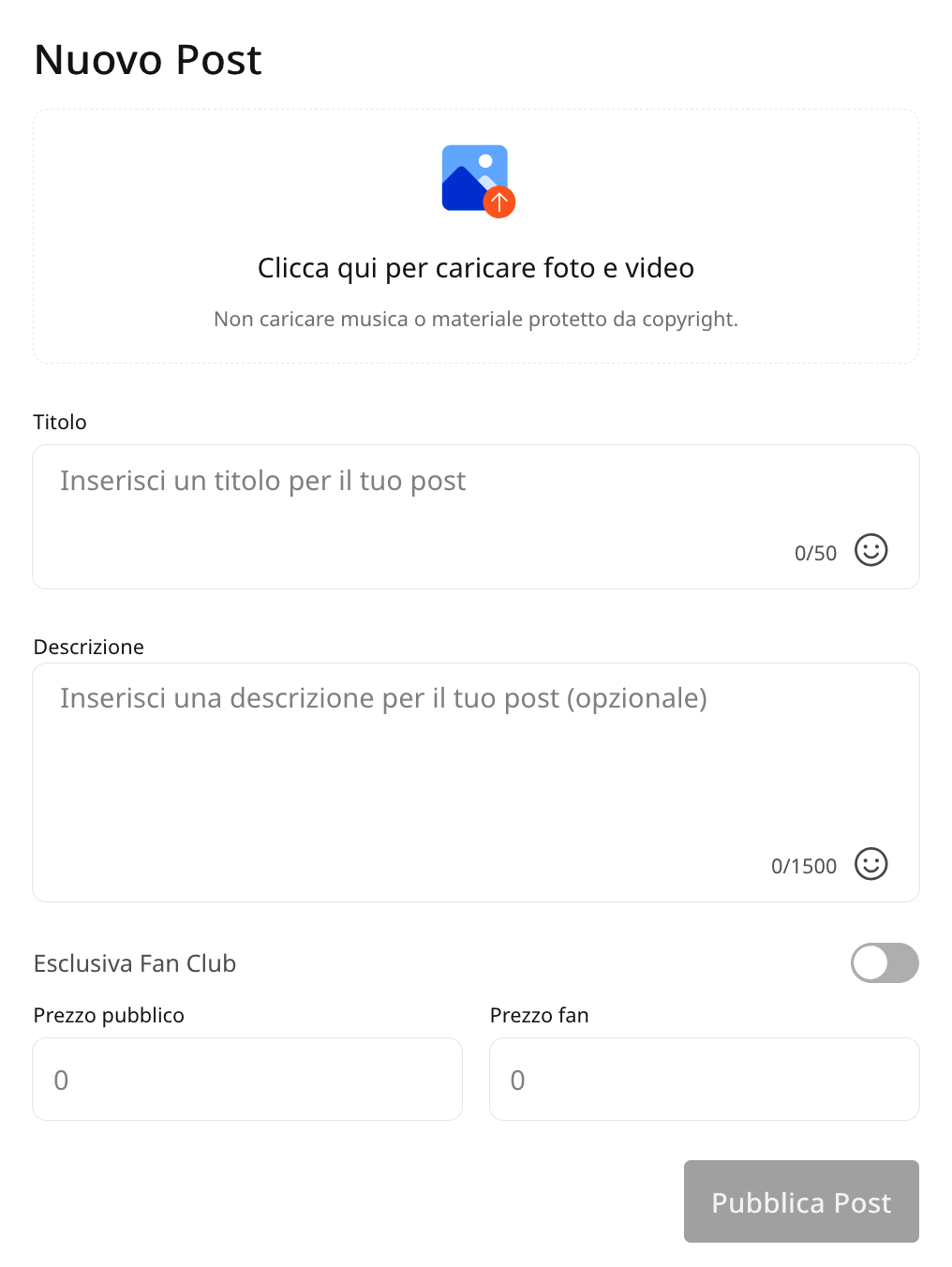
Crea e condividi post con video o immagini che il tuo pubblico può acquistare, offrendo contenuti esclusivi ai fan o agli abbonati, incrementando al contempo i tuoi guadagni. Fornisci contenuti VIP per incoraggiare le iscrizioni e massimizzare i tuoi guadagni.

5. Archivio Contenuti

Il nuovo Archivio dei tuoi contenuti lt conserverà le tue foto e i tuoi video caricati in un’unica comoda posizione. I media caricati in precedenza sono già lì, pronti per essere pubblicati direttamente sulla tua bacheca attività.

6. Mantieni i tuoi contenuti aggiornati

  • Condividi costantemente post creativi, diversificati e accattivanti per attrarre e fidelizzare i fan.
  • Utilizza la Bacheca per evidenziare diversi aspetti del tuo talento e creare una solida raccolta di contenuti che faccia sì che i fan tornino per saperne di più.


Suggerimenti per il successo

  • Controlla regolarmente: prendi l’abitudine di monitorare il tuo feed ogni giorno per rimanere aggiornato e rispondere all’attività dei fan.
  • Interagisci prontamente: interagisci rapidamente con commenti e messaggi per creare connessioni più forti con i tuoi fan.
  • Pubblica in modo coerente: aggiornamenti frequenti mantengono il tuo pubblico coinvolto e aiutano ad attrarre nuovi fan.

Perché amerai la Bacheca CAM4

  • Maggiore visibilità: i fan possono scoprire facilmente i tuoi post più recenti e quelli più rilevanza.
  • Maggiore produttività: gestisci tutti i tuoi aggiornamenti in un unico posto.
  • Design intuitivo: la piattaforma è intuitiva e familiare, il che la rende facile da navigare.

Cosa aspetti a portare i tuoi contenuti al livello successivo? Inizia a curare la tua bacheca attività oggi stesso. Lascia che la tua creatività brilli e il tuo pubblico aumenti!

UK DAC7 – Important Information on Data Collection for Payments

Although the UK is not subject to DAC7, we are updating our processes to align with global standards, including similar European regulations like DAC7. These changes mean we need to collect additional information from broadcasters/creators to process payments. Providing accurate information is essential to avoid issues with payouts.

Why are we collecting this information?

To comply with international transparency standards, we are required to gather specific details from our users. These regulations aim to prevent tax fraud and ensure payments are processed correctly. While DAC7 applies to the EU, aligning with these standards allows us to maintain a consistent and secure platform for all users, including those in the UK.

What information do we collect?

We may request details such as:

  • Your full name
  • Your address
  • Your National Insurance Number (NIN)

These details are necessary for compliance with tax regulations and transparency standards. Your information will only be used for these purposes and shared with tax authorities as legally required.

What is a National Insurance Number, and where can you find it?

Your National Insurance Number (NIN) is a unique identifier issued by the UK government for tax and social security purposes.

You can find it on:

  • Payslips
  • Tax return documents
  • Your personal tax account on the HMRC website
  • National Insurance card (if issued)
  • Official letters about tax, pensions, or benefits

What if you don’t have a fixed address?

If you’re traveling or don’t have a permanent residence, determining your tax residency can be more complex. Generally, your tax residency is the country where you spend more than six months (183 days) in a year. We recommend reviewing the tax laws of the countries where you’ve stayed to identify your tax residency.

Does this mean authorities will know what you do on the platform?

No. We only report payment transactions based on the information you provide. The nature of your activities on the platform will not be disclosed.

What happens if you don’t provide the required information?

Starting January 2025, providing this information will be mandatory to continue receiving payments. If the required details aren’t submitted, we won’t be able to process your payouts. Submit your information on time to avoid any interruptions.

When and how do you submit your information?

We will begin collecting this information in December. Once you log in, you’ll receive instructions on how to securely submit your details.

What happens to your information?

Your information will be used exclusively to comply with regulations like DAC7 and similar global standards. It will be shared with relevant tax authorities as required by law and handled in accordance with applicable privacy laws.

Questions?

If you have any questions or need assistance, contact our support team at payments@cam4.com or consult the UK government.

Come attivare le Notifiche per gli Show Privati Offline

Abilitando le Notifiche Offline, i tuoi spettatori possono inviarti richieste di spettacolo privato quando non sei in trasmissione e visualizzare la tua disponibilità oraria e giornaliera.

Attivandole, non perdere nessuna richiesta di show privato, anche quando sei offline o non al PC!

Questa guida ti aiuterà a iniziare con comn gli show privati offline e a impostare le tue notifiche. Sfruttando queste funzionalità di CAM4, puoi mantenere il tuo pubblico costantemente coinvolto e costruire interazioni durature, anche al di fuori dei tuoi regolari show online.

Quali sono i vantaggi?

  Seleziona la tue Preferenze: personalizza e seleziona che tipo di notifica che vuoi ricevere (App, SMS, eMail, Browser).

Scegli i tuoi Prezzi: imposta il prezzo desiderato per il tuo spettacolo privato, con la possibilità di abilitare Cam2Cam e Spie.

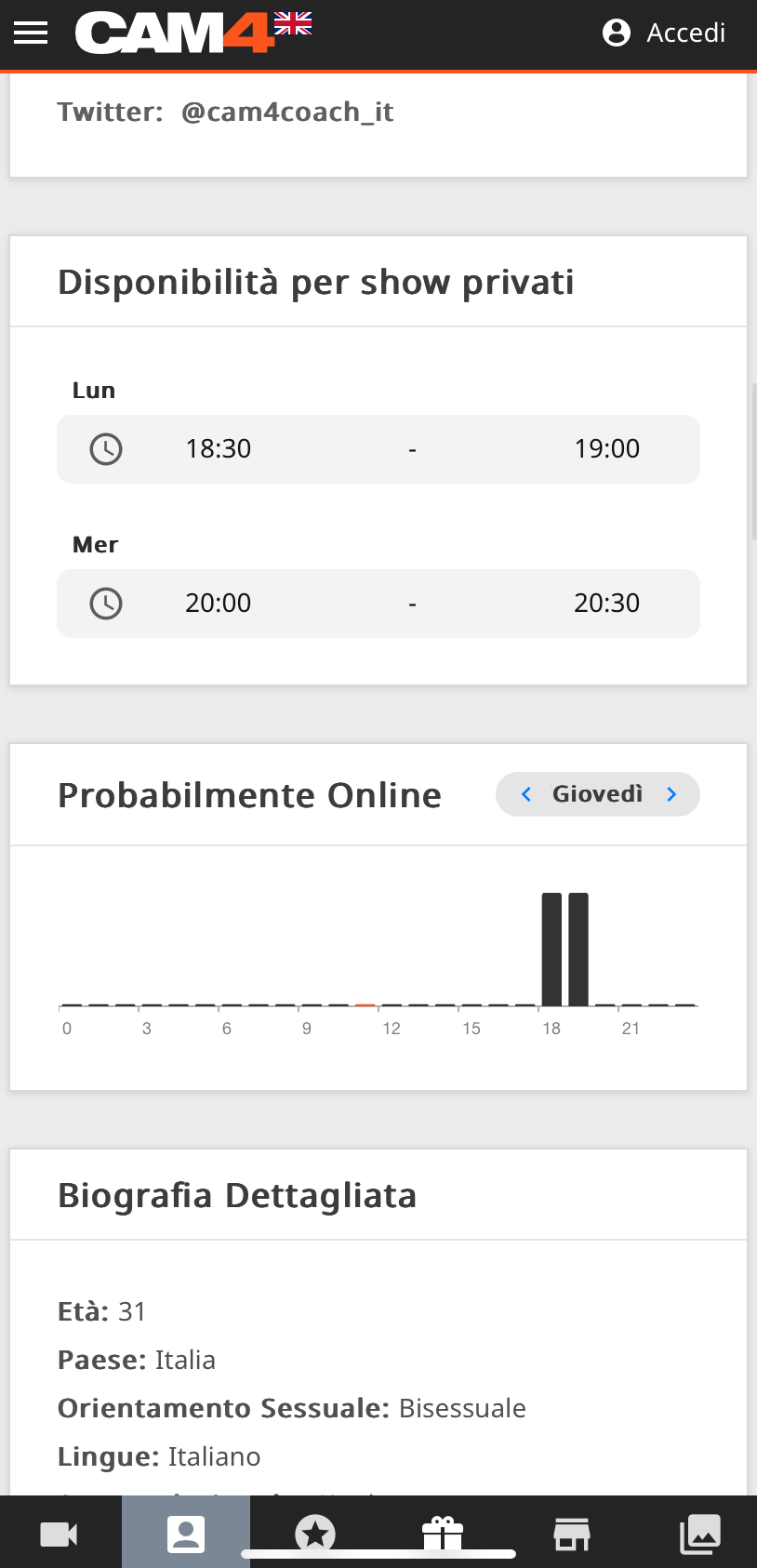
Fai sapere la tua disponibilità: rendi visibile ai tuoi fan la programmazione e la tua disponibilità… è semplicissimo da configurare e sempre visibile sul tuo profilo. Imposta fino a 3 fasce orarie diverse per giorno.

Ricorda che se non imposti la tua disponibilità oraria e giornaliera gli spettatori non potranno inviarti alcuna richiesta e non ricevrai alcuna notifica!

Dove trovo le impostazioni per la configurazione?
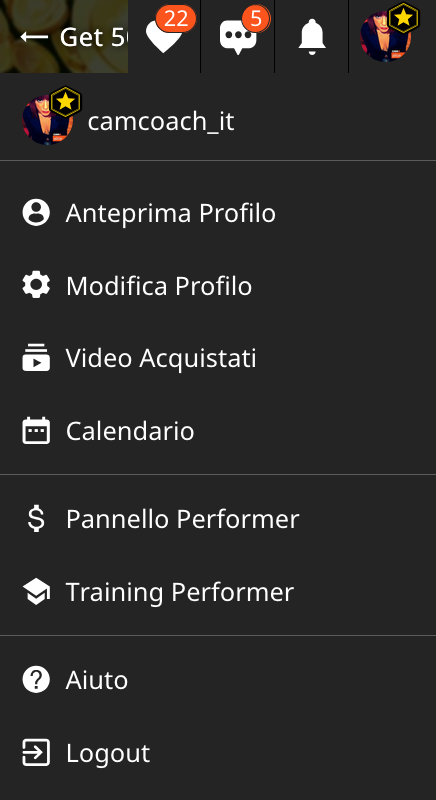
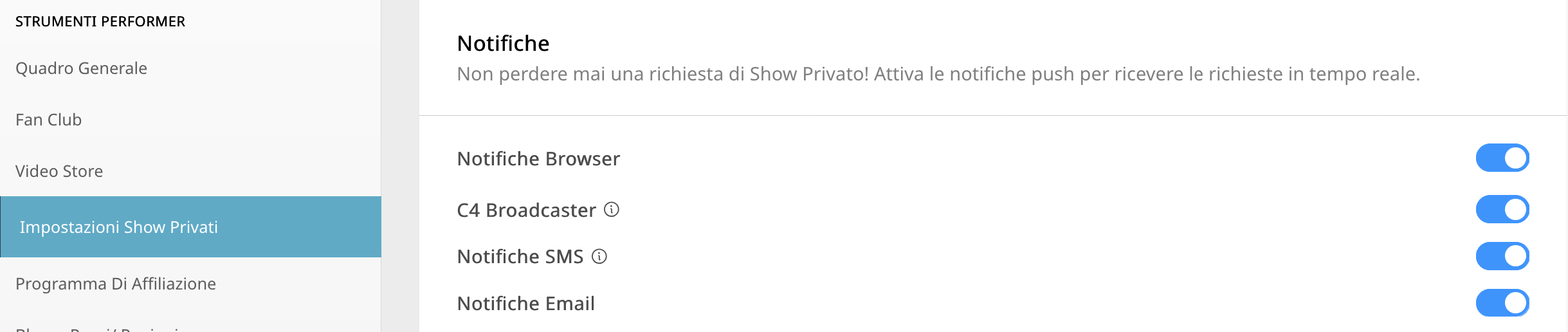
Dopo aver effettuato l’accesso al tuo account CAM4, clicca sull’icona nell’angolo in alto a destra, scorri verso il basso fino a Pannello Performer e seleziona Impostazioni Show Privati.

NOTA: la funzione Notifiche è disabilitata di default , quindi per abilitare le notifiche per la prima volta dovrai attivarla nelle impostazioni facendo clic per abilitarle (icona di colore blu).

Guarda il video in basso per una guida dettagliata su come abilitare questa funzionalità.

Scopriamo nel dettaglio le varie notifiche, la disponibilità e la programmazione.


NOTIFICHE BROWSER
Se il tuo browser è aperto (ad esempio Safari, Firefox, Chrome) , verrà mostrata una notifica. Queste notifiche pop-up appaiono sullo schermo, indipendentemente dal sito web in cui ti trovi.

Per abilitare, basta attivare l’opzione “Notifiche browser”.

Per iOS  (iPhone, iPad) questa funzionalità richiede aluni passaggi aggiuntivi per essere abilitata. Devi aggiungere l’app Web alla schermata iniziale e accedervi da lì per abilitare le notifiche.

Come installare la Web App per iOs

  1. Apri il tuo browser Web e vai su CAM4.com
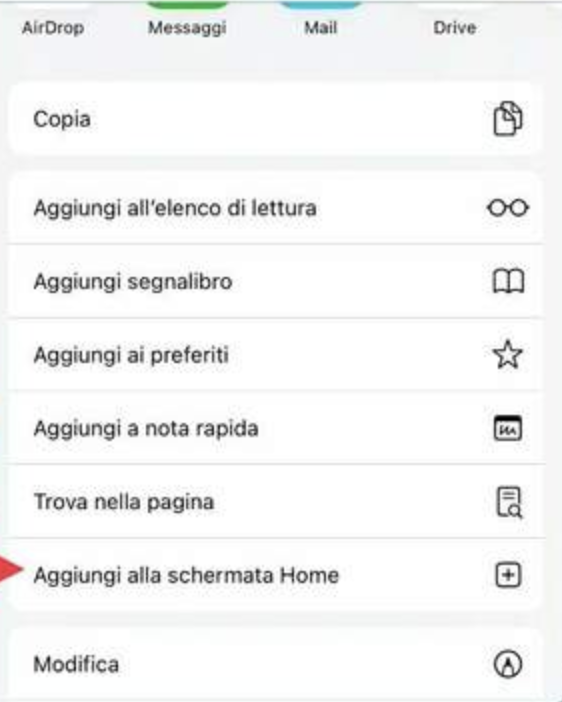
  2. Clicca sull’icona di download nella parte in basso del browser.
  3. Seleziona “Aggiungi alla schermata Home” dal menu


  1. Rinomina l’icona o premi semplicemente “Aggiungi”
  2. L’icona C4 apparirà sulla schermata iniziale

NOTIFICHE C4 BROADCASTER

Queste notifiche vengono inviate tramite l’app C4 Broadcaster, aggiornandoti sulle richieste di spettacoli privati ​​direttamente sul tuo dispositivo mobile.

Per abilitarla, basta impostare l’opzione “C4 Broadcaster” su attiva.

NOTIFICHE EMAIL

Queste notifiche vengono inviate direttamente al tuo indirizzo email.

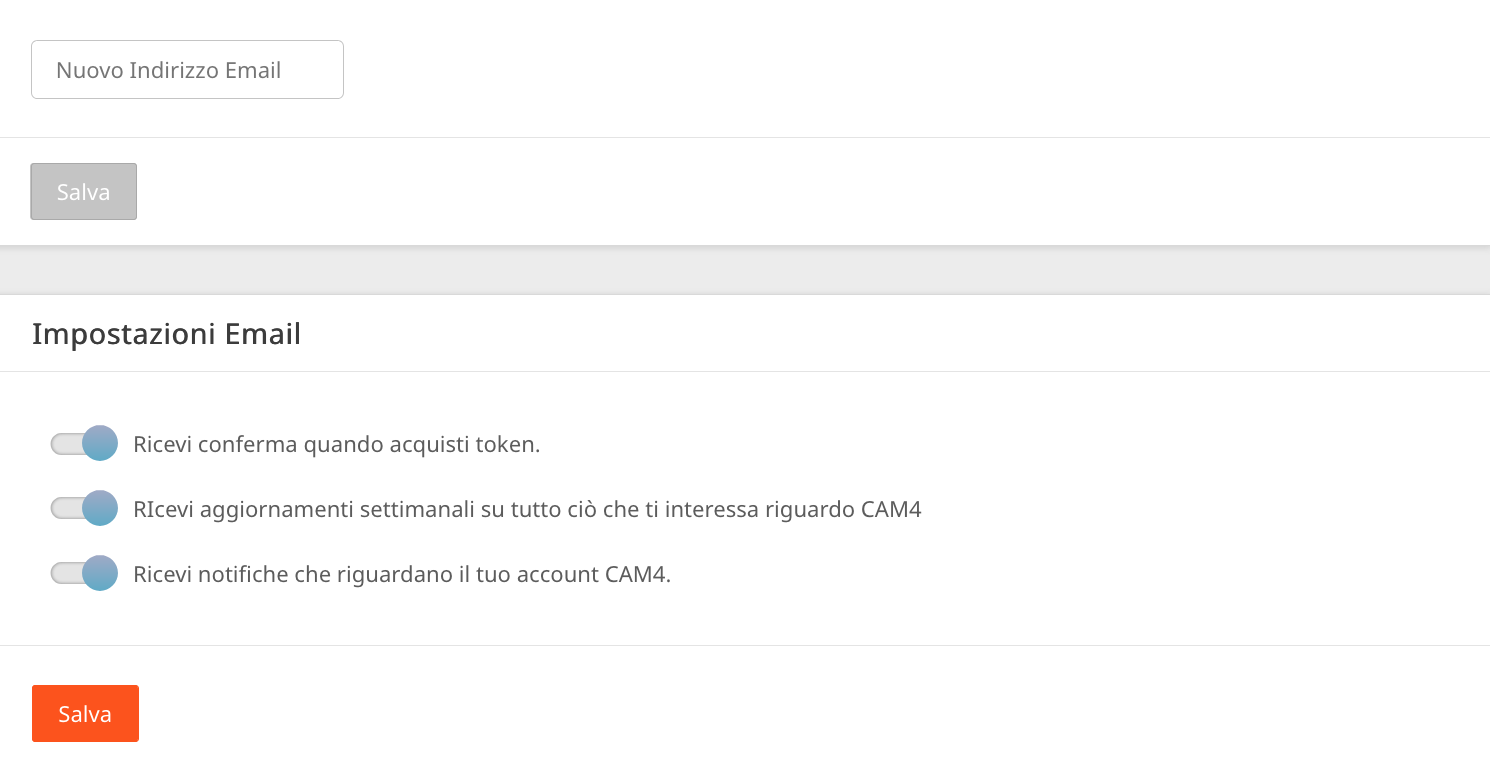
Una volta abilitate, controlla le tue preferenze email per assicurarti che l’opzione “Ricevi notifiche che riguardano il tuo account CAM4” sia ATTIVA.

NOTIFICHE SMS

Queste notifiche vengono inviate tramite messaggio di testo al tuo cellulare ogni volta che viene effettuata una richiesta di spettacolo privato.

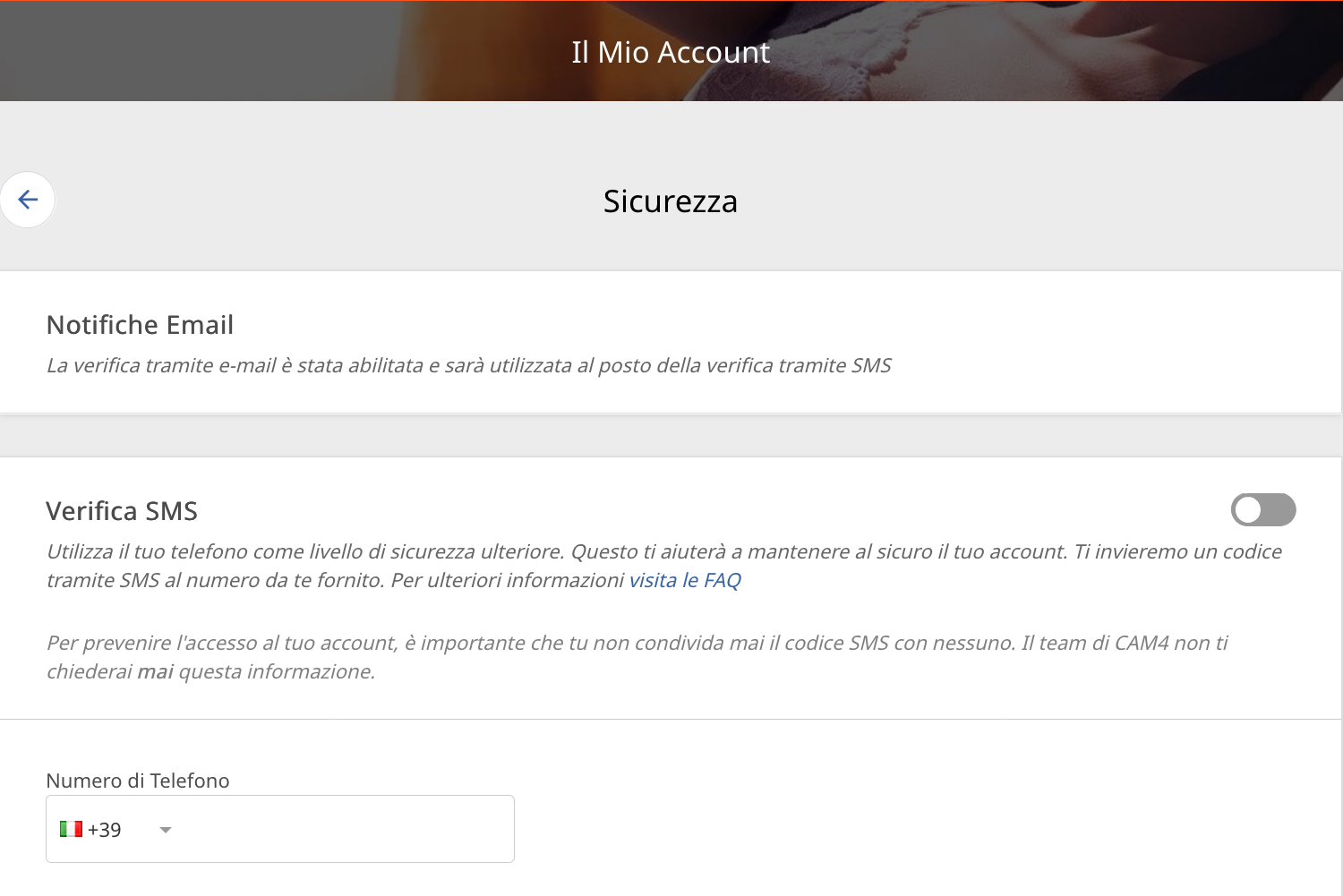
Per abilitarla, basta semplicemente “Aggiungi il tuo numero di cellulare” nelle impostazioni del Mio Account in Sicurezza.

Nota: se è attiva l’autenticazione a due fattori (2FA), il numero di cellulare DEVE CORRISPONDERE a quello utilizzato per la 2FA.

IMPOSTARE I PREZZI
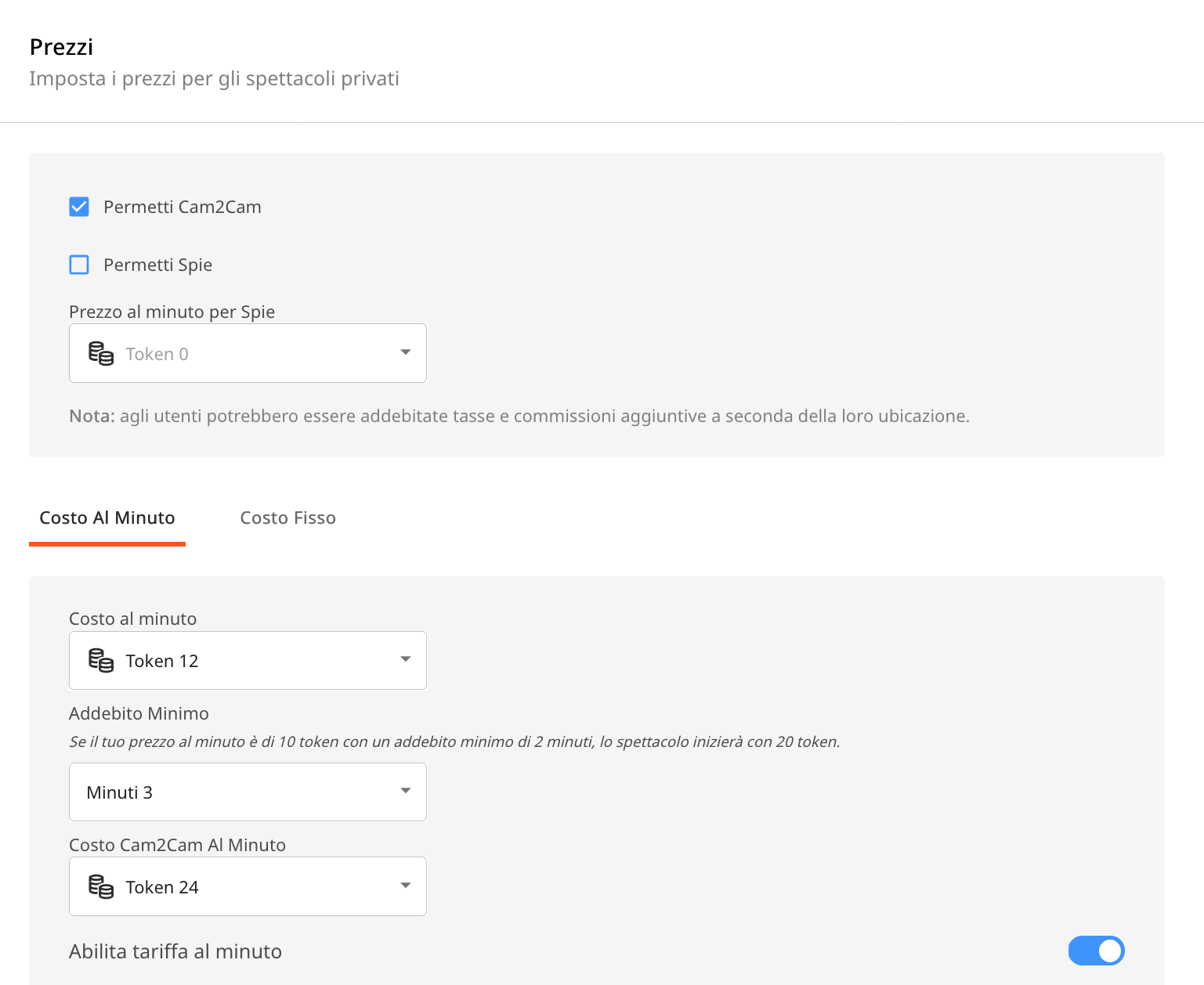
Questa funzione ti consente di impostare il prezzo del tuo Privato al minuto o a costo fisso. Puoi configurare le impostazioni “Prezzo al minuto”, “Durata minima”, “Prezzo al minuto per Spie” e “Cam2Cam” in questa sezione.


CONSIGLI UTILI:

RICEVI NOTIFICHE IN PIÙ MODI: puoi attivare uno o più canali di notifica contemporaneamente, così da ricevere avvisi tramite vari metodi, indipendentemente da cosa stai facendo o da dove ti trovi.

PERSONALIZZA LA TUA DISPONIBILITÀ: imposta gli orari in cui sei disponibile ad accettare richieste di spettacoli privati. Ciò contribuirà ad aumentare il coinvolgimento e ad avere più spettacoli privati ​​in arrivo.

MOSTRA IL TUO PROGRAMMA SUL PROFILO E SU MESSENGER: il tuo programma con disponibilità sarà  inoltre visualizzato sulla tua pagina del profilo e anche sul tuo messenger, assicurando che gli spettatori possano vedere facilmente la tua disponibilità.

Con le giuste impostazioni, otterrai un’esperienza più organizzata, reattiva e redditizia!

Cam Crawl

Looking for new ways to be discovered on CAM4?

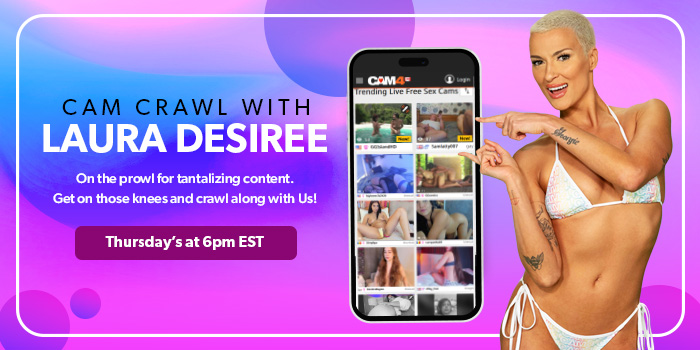
Every Thursday from 6pm to 7pm EST, Laura will broadcast live with split-screen magic, allowing her viewers to sit next to her in real-time.

Navigating from room to room, Laura will guide her viewers showing them exactly how to interact with the most delicious creators from North America and around the world!

You could be one of them!

Gain new fans each week and be discovered for new possibilities with CAM4.

The task is to catch Laura’s eye during the crawl… Simply login to CAM4 on Thursdays and be streaming  live between 6pm – 7pm EST. Make sure  you stream the greatest show you have to offer.

That means:
Good lightingGet out of the dark!
Engaging with your viewersShe wants to see you on cam.
HD Quality CamNo grainy streams
Nice cam roomTake pride in the space around you, it makes a big difference.

CAM4’s exclusive Cam Crawl provides opportunity for our creators to be discovered and improves the tipping habbits of our users.

By shining a spotlight on new talent and encouraging viewers to engage with them, the crawl is working to help cultivate a community of appreciation and support.  Showcasing creators and the wonderful content the create is our goal.

Hope to see you on the next Cam Crawl!


~That’s all for this lesson!

Happy Camming!

Love, Your Coaching Team!
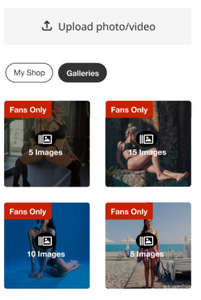
CAM4 Messenger ✨ Guadagna con le Nuove Funzioni Chat!

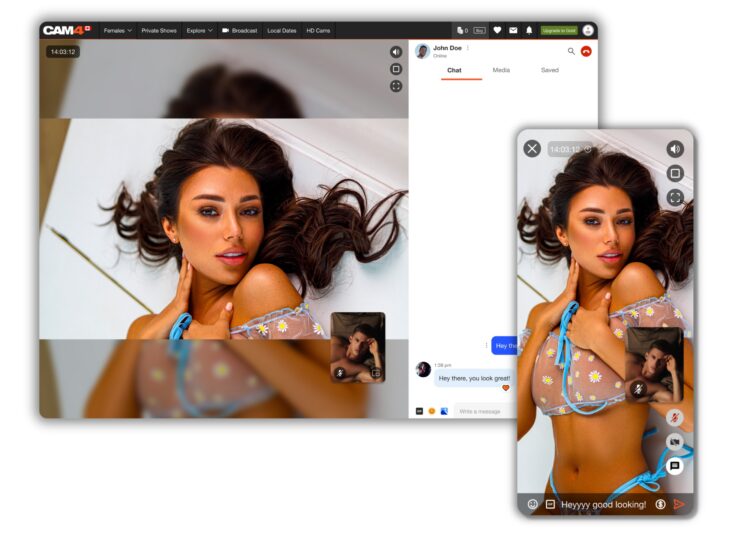
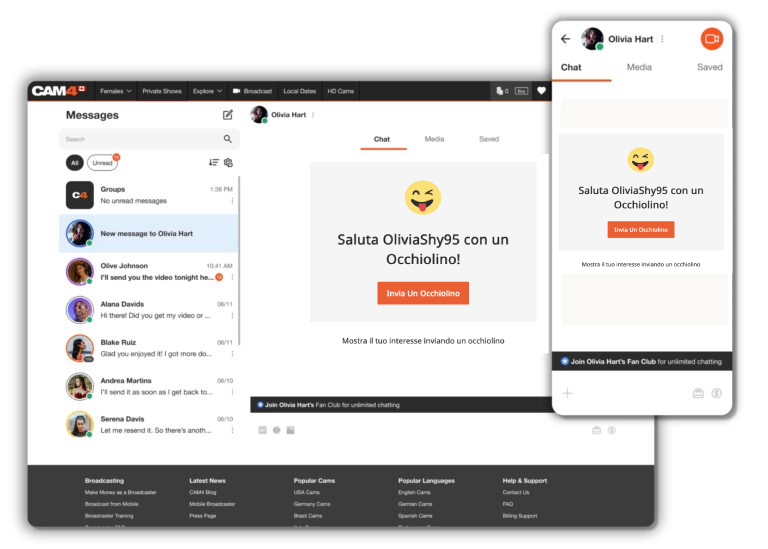
Per aiutarti mentre acquisisci familiarità con tutte le nuove fantastiche funzionalità di Messenger, ecco una guida facile da seguire con tutte le funzionalità della chat, media, show privati e molto altro ancora!

La prima cosa che noterai di questo nuovo strumento di messaggistica è quanto sia facile da usare, oltre a fornire molto di più della semplice possibilità di chattare!

COSA TI OFFRE IL CAM4 MESSENGER:

  • Privacy – Puoi selezionare gli utenti con cui comunicare tramite chat e show privati.
  • Ricerca tramite Filtri – permette facile accesso a informazioni e contenuti importanti
  • Più TOKEN! – Puoi guadagnare ora token anche tramite chat privata con tip, vendita di contenuti, regali e show privati.
  • Mobile friendly: ora sarà più facile utilizzare il nostro nuovo Messenger!

 VENDI CONTENUTI VIDEO E FOTO!

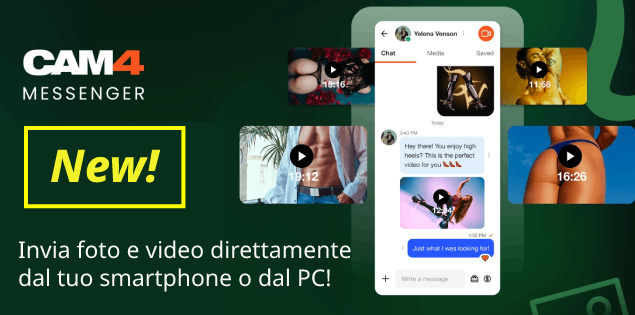
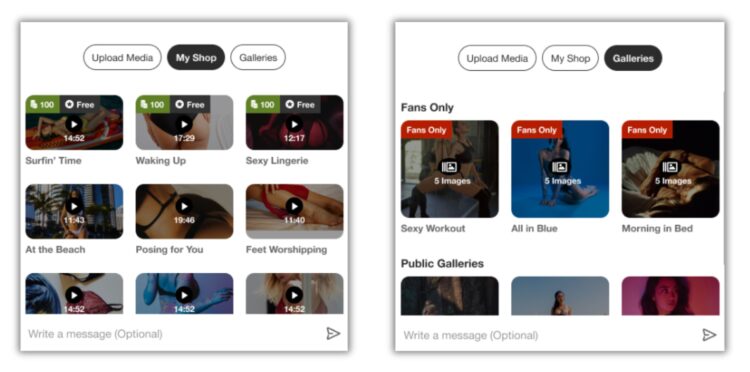
I performer e gli utenti Gold possono ora inviare nella chat del Messenger contenuti video e foto direttamente da smartphone o PC.  Inoltre potranno esser inviati contenuti già caricati nel “Video Store” o nelle  Gallery fotografiche CAM4

Potrai quindi usare il Messenger CAM4 per vendere dei tuoi contenuti chiedendo per l’acquisto il pagamento tramite Regali CAM4 o Tip private. Il tutto comodamente  e, in maniera sicura, all’interno del Messenger!

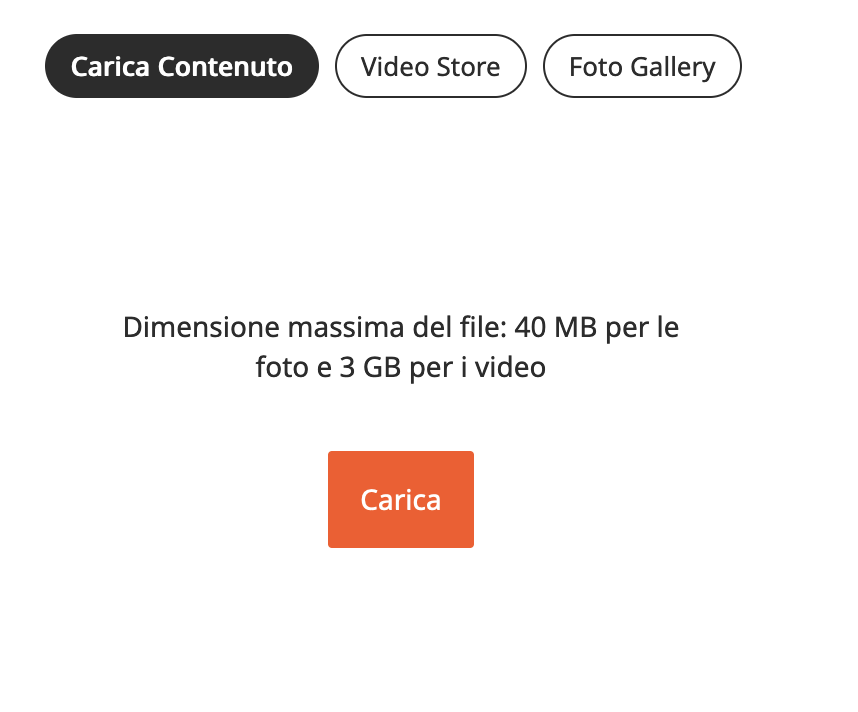
Dimensione Massima Video: 3 GB
Dimensione Massima Foto: 40 MB

NB: I contenuti che invii nel Messenger dovranno rispettare il regolamento CAM4. Ad esempio:

– NO minori, contenuti con animali,
– NO persone non approvate o inconsapevoli
– NON pubblicizzare altri siti di cam o altri fanclub
– NON richiedere altri metodi di pagamento.

>> Clicca qui per regolamento completo <<


Promuovi il tuo FAN CLUB CAM4:

Puoi condividere e promuovere i contenuti del tuo Fan Club direttamente nella chat. Ciò ti consentirà di promuovere il tuo “Fan Club” e l’utente potrà semplicemente fare clic sul collegamento per visualizzarlo. Verrà quindi richiesto loro di unirsi e, una volta fatto, il contenuto sarà loro visibile nella chat.


Sfrutta i Messaggi di Massa!
Invia messaggi di massa a tutti i fan per farli sentire coccolati o per promuovere la vendita dei tuoi contenuti video e foto.

Se hai tanti fan, messaggiare singolarmente ogni iscritto richiede tempo, ma grazie a questa funzione puoi raggiungerli tutti con un solo click.

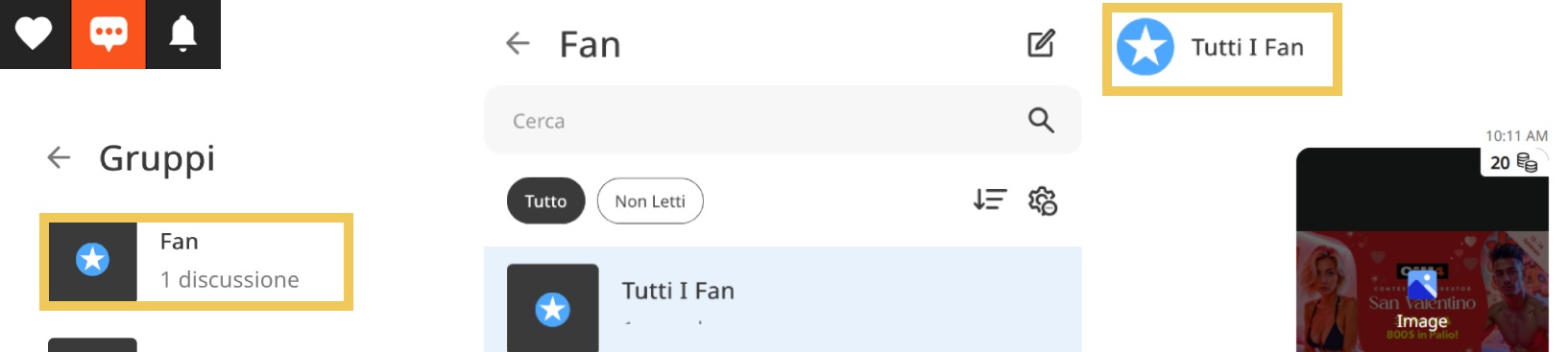
Per usare la funzione messaggi di massa con i tuoi fan, vai nella sezione Messenger (icona a forma di messaggio) e quindi clicca su Gruppi > Fan > Tutti i Fan.

Puoi scrivere un messaggio che sarà inviato a tutti i tuoi fan oppure inviare loro un contenuto video o foto e impostare il prezzo per poterlo sbloccare con un acquisto in token. Facile no?

SHOW PRIVATI tramite Messenger

Accetta spettacoli privati anche quando non stai trasmettendo su CAM4 tramite il Messenger!

Non dovrai per forza esser in diretta, i tuoi fan possono ora richiedere uno spettacolo privato direttamente da Messenger!

Questa super funzione consente sia ai performer che agli utenti di godersi un po’ di tempo da soli, senza la possibilità che altri spiino. Puoi anche abilitare il Cam2Cam!
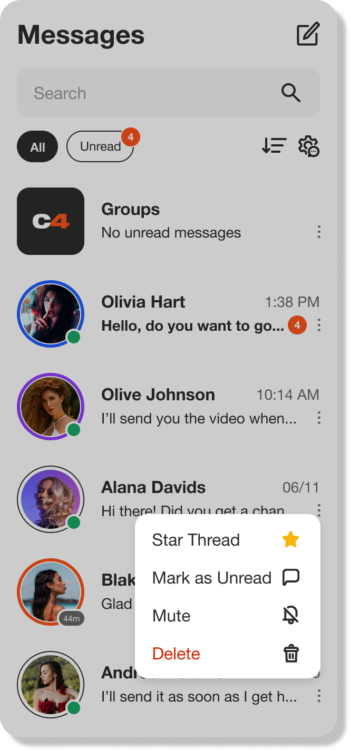
L’utente può inviare nel messenger una richiesta di show privato semplicemente facendo clic sull’icona della camera in alto a destra nella finestra della chat: un’altra fantastica funzionalità per rendere il processo semplice e veloce!
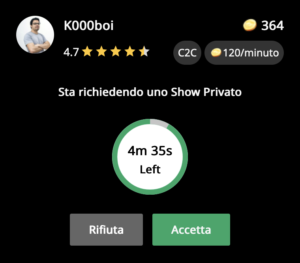
Potrai ricevere quindi la richiesta di Show Privato, anche quando non sei in trasmissione, Dovrai solo aver effetuato l’accesso sulla pagina CAM4.com. Se hai il suono abilitato sentirai inoltre il suono di uno squillo, così da non perdere la richiesta.

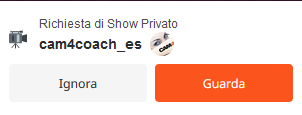
Clicca su Guarda per visualizzare dettagli sulla richiesta del Privato Messenger, quindi potrai scegliere se accettare o rifiutare il privato.

Una volta terminato lo spettacolo, il performer e l’utente potranno valutare l’esperienza del privato. 

I guadagni ottenuti dallo spettacolo appariranno nella chat, fornendoti informazioni immediate senza dover rivedere il tuo account.


OCCHIOLINO

Ecco una nuova maniera di attirare l’attenzione e magari ricevere  un tip o un regalo nella chat.  Potresti inviare un Occhiolino agli utenti non Gold, che potranno inviare a loro volta un Occhiolino. Gli utenti che sono membri Gold invece possono inviare messaggi, senza bisogno di scambiarsi l’occhiolino.

 
SICUREZZA

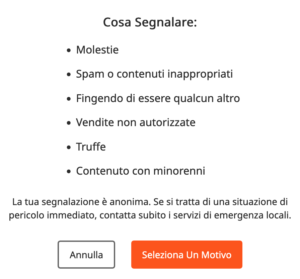
SEGNALA UTENTI
Puoi compilare e inviare il modulo di segnalazione al nostro team di supporto per avviare un’investigazione. Nota: ciò non eliminerà la possibilità dell’utente di contattarti.

BAN UTENTI
L’utente verrà rimosso dalla tua chat e anche bannato dai tuoi spettacoli. L’utente sarà comunque in grado di vedere la chat, così come tutti i media che ha acquistato da te, ma non potrà contattarti. Inoltre, il tuo profilo non apparirà più in nessuna ricerca effettuata dall’utente.

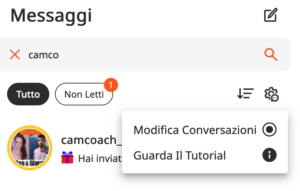
FILTRI e GESTIONE

Usa dei filtri per mantenere il tuo messenger organizzato. Raggruppa e salva messaggi importanti, è ora un gioco da ragazzi e puoi anche selezionare ed eliminare più messaggi per gestire la tua casella di posta!

MODIFICA CONVERSAZIONI
Rimuovi in blocco le conversazioni di chat indesiderate in modo che la tua casella di posta non sia piena di vecchi messaggi diretti.

MEDIA
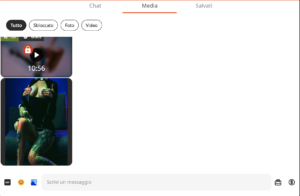
Tutti i media che invii o ricevi nella chat appariranno nella scheda Media. Il contenuto può essere ordinato per “Sbloccato“, “Foto” e “Video“, rendendolo facilissimo da trovare!

SALVA
I tuoi fan posso darti informazioni utili che potresti voler trovare facilmente in seguito. Mentre chatti con loro, fai clic sulla scheda “Salvati” per vedere tutti i messaggi che hai salvato di quell’utente. I messaggi e i contenuti salvati verranno visualizzati in ordine cronologico.


Il nuovo CAM4 Messenger migliorerà l’interfaccia e l’esperienza tra creatori e utenti, rendendo più semplice per tutti rimanere in contatto.
  Se hai domande, non esitare a chiedere all’Assistente IA di CAM4: Coach Cammy!

Refer a Friend UK & AU

UK & AU ONLY


Invite your male and female friends to become broadcasters and both earn a bonus! Here’s how it works:

1. Assist your friend in creating a CAM4 account.
2. The new performer signs up with us and provides us with your username.
3. The new performer can also participate in our bonus program and can earn up to $600 USD in bonuses over 12 weeks!
4. Once the new performer has broadcasted for a minimum of 20 hours and earned at least $100 USD, you will receive a $50 USD bonus! (This does not mean they have to earn $100 within the first 20 hours)

Rules:

– The bonus is only awarded for new performers who have not been active on CAM4 before.
– The new performer must broadcast under a British flag and speak English.
– The new performer must provide your username to us to participate in the Friend Bonus. This can be done with Julia through the chatbox on the website or via julia@cam4.com.
– Any bonuses received do not count towards the new performer’s minimum earnings of $100 USD.
– You are welcome to give tokens to your friend, but these also do not count towards the minimum earnings of $100 USD.

Start-Up Program (USA & CAN Only)

Earn an additional $400 in the first 8 weeks on Cam4 – Signing up NOW for our Start-up Program.

We are making it easier for you to get started on CAM4.  This bonus is only available to NEW CREATORS in their first 8 weeks to help your earn more, while you build up your fan base. 

HOW DOES IT WORK? It’s super easy!
We will match your tips up to a max of $50 each week, that’s it!

Here’s how you can take part:
Step 1: Send an email to join@cam4.com, include “START-UP PROGRAM in the subject your CAM4 Username.

Step 2: CAM4 staff will confirm your start date and add you to the program will be supporting you through your 8 weeks.

Important! Requirements for participation:

  1. Your ID on file with is is North American
  2. New to CAM4 in the last 60 days. Having multiple accounts will disqualify you.
  3. You have not blocked Canada or the USA (you can block your own province/state)
  4. You acknowledge that attempted fraud can lead to immediate exclusion from the this program and possibly even from CAM4 as a whole.
  5. Moving tokens back and forth between accounts to achieve your bonus is not allowed and you will be removed from the program if you are caught doing it.
  6. Only tips earned from viewers will be counted towards the weekly total that we will match.
  7. You can only be a part of one incentive program at a time.

Bonuses will be credited to accounts no later then end-of-day Tuesday the following week. 

PRO TIP
CAM4  offers FREE live coaching in North Americia every Tuesday & Thursday at 12pm EST. Join one of our classes with Coach Vanna Faye so she can teach you how to make the most of our platform and answer any questions you may have.

I Colori Degli Avatar nella Chat di CAM4

Come modello/a di webcam, è sempre bene avere un’idea del tipo di spettatore con cui si sta chattando e a cui si sta dedicando del tempo prezioso.

Per questo motivo, CAM4 ha ideato un sitema cheidentifica i visitatori in base ai token che inviano.  Vediamo come funziona nello specifico.


I Colori Degli Avatar nella chat di CAM4:

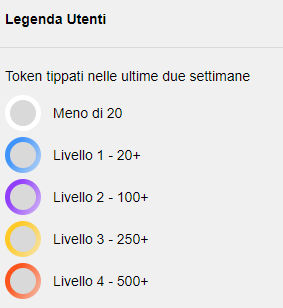
Ogni visitatore all’interno della chatroom apparirà contrassegnato da un colore.  I colori sono 4 e variano a seconda della quantità di token inviati ai modelli del sito nel corso delle ultime DUE settimane.

livello 1 – BLU: l’utente ha tippato più di 20 token
livello 2 – VIOLA: l’utente ha tippato più di 100 token
livello 3 – GIALLO: l’utente ha tippato più di 250 token
livello 4 – ROSSO: l’utente ha tippato più di 500 token


Infine, un visitatore che  nelle ultime due settimane ha tippato meno di 20 token , non avrà alcun colore.


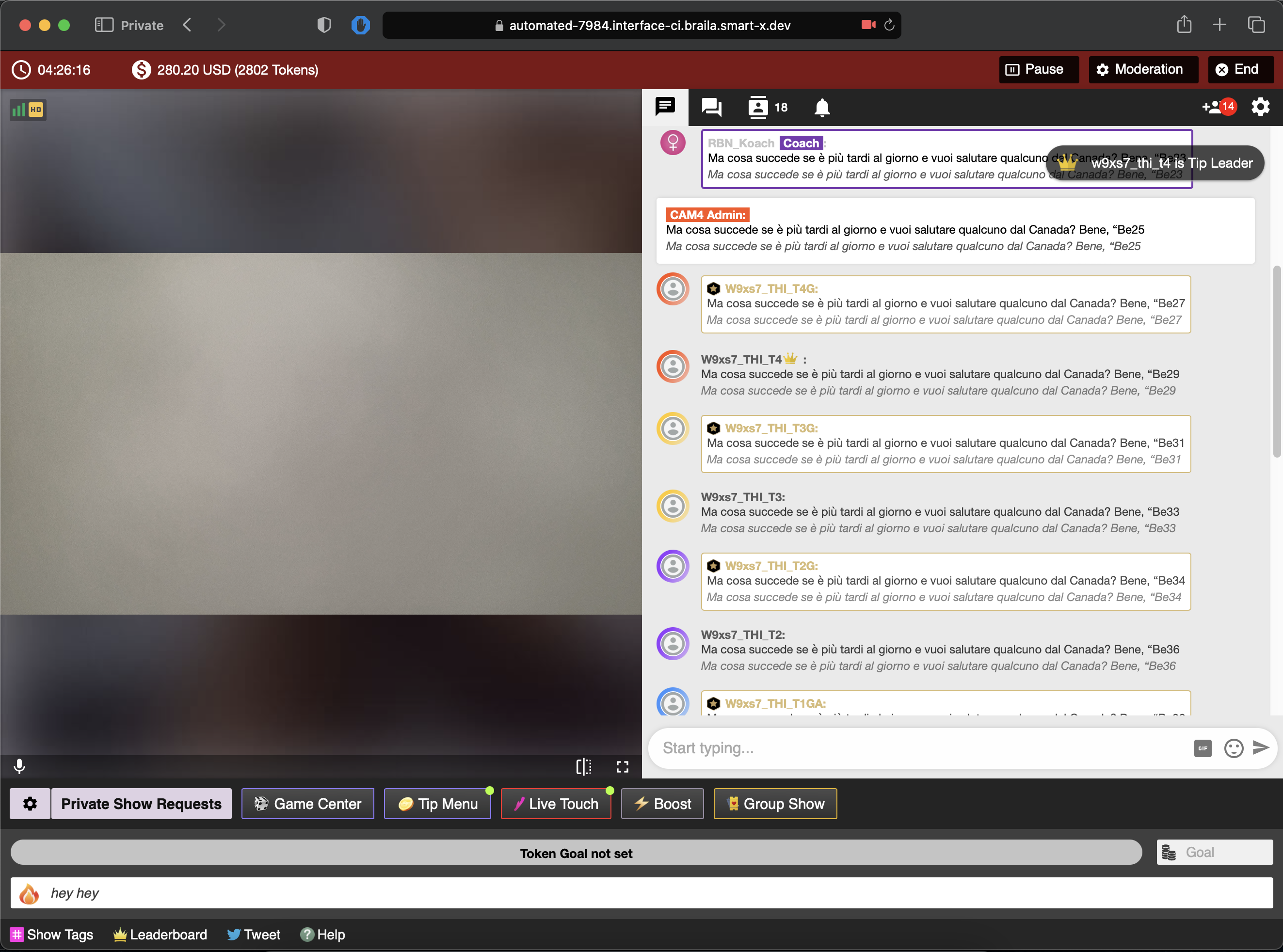
Ecco come appariranno nella chat durante le tue trasmissioni:

I colori saranno visibili solo ai performer e solo all’interno della propria finestra di trasmissione.

Nota Bene: Ricorda che il colore indica solo lo status attuale dello spettatore, non significa assolutamente ignorare o discriminare sulla base di questo elemento. Un nuovo utente del sito ad esempio apparirà come bianco, ma resta pur sempre un potenziale nuovo tippatore. Il potere di farlo diventare il migliore dei tippatori sta tutto nelle tue mani 😉

Vuoi sapere di più sui significati delle icone e dei colori della chat di Cam4? Clicca qui

Buon Lavoro!
CAM4

Gestisci al meglio la tua Room con i Chat Bot CAM4!

Hai bisogno di una mano a gestire la tua Room?
Con i Chat Bot di CAM4, gestire la tua chat room sarà un gioco da ragazzi! 

Lo strumento Chat Bot è totalmente personalizzabile, e ti permetterà di offrire ai tuoi spettatori una’esperienza  di chat unica, diversa da tutte le altre room.


COSA SONO I CHAT BOT?
Il Chat Bot è uno strumento che ti aiuta a gestire la chat durante le dirette, inviando messaggi automatici ai tuoi spettatori. Una sorta di moderatore che ti aiuta a inviare messaggi in chat in base a degli eventi che accadono durante la trasmissione. Vediamo nel dettaglio le tipologie di Chat Bot:

Messaggio BOT DI BENVENUTO
Invia automaticamente un messaggio di benvenuto a tutti i nuovi utenti che entrano nella tua chat room. Il messaggio viene inviato con un ritardo di 5 secondi ed è visibile solo al nuovo arrivato.


Messaggio BOT TIPPING
Invia un messaggio che ringrazia i tippatori. Puoi impostare diversi messaggi a seconda della somma in inviata dallo spettatore. Ti consigliamo di impostare la soglia minima a 5 token.

BOT AUTOMATICO CON TIMER
Con questo bot, in fine, puoi creare un set di messaggi predefiniti che saranno postati in chat, uno ogni 5 minuti. Se l’attività della chat è bassa, il bot non verrà azionato. Questo per evitare che la chat si riempia solo di messaggi automatici inviati dal bot.

Esempi:
Invitare gli spettatori a tippare per raggiungere il goal della room
Invitare gli spettatori a guardare il tuo Menu Tip
– Invitare gli spettatori ad aggiungerti ai preferiti
– Ricordare di leggere le regole della tua room
– Pubblicizzare il tuo Video Store e il tuo Fan Club Cam4
– Pubblicizzare i tuoi canali Social (no Fan sites o altri siti di cam)

Hai infinite possibilità grazie a questi 3 bot facilissimi da utilizzare. Configurali nel tuo prossimo cam show e coinvolgi il tuo pubblico a un livello superiore!


FAQ:
Cosa succede quando sono in Show Privato?

Il bot funziona solo quando la trasmissione pubblica è attiva.

Cosa succede se un utente esce e rientra nella mia room? 

Se lo stesso utente rientra nella tua room, non riceve un nuovo messaggio di benvenuto prima che siano strascorse due ore dal precedente.

Chi vede il messaggio di benvenuto?

Il messaggio di benvenuto è visto solo dall’utente che entra nella room

Quante volte viene inviato il messaggio che ringrazia i tippatori?

Il messaggio viene inviato a un utente solo una volta ogni 5 minuti, quando invia una somma uguale o maggiore a quelle inviata in precedenza.


Happy Camming!
Love, Your Coaching Team!