Archivi categoria: Do not use

SWAG Store – UK Only

New SWAG store: redeem your points for free goodies or convert them to CAM4 tokens — simple, fast and nicely organized.

The renewed SWAG store: points → goodies or tokens

Use your points for free products or convert them to CAM4 tokens. Everything in one simple flow — you choose.

Tip: you automatically save (up to 5% on top of your income) — check your points and redeem them.

CAM4 Pride SWAG

What is the SWAG store?

The SWAG store is the exclusive shop where you exchange points for goodies: sex toys, lubricant, CAM4 merch and more.

Save up to 5% on top of your income! With every earning, you automatically build up points for extras.

Discover the categories

Check out Cheetah Collection, SEX TOYS, Accessories, Classic Collection and European Products (scroll down a bit).

How does it work?

  1. Create account — click on the figure icon in the top right of the store to log in/register.
  2. Shopping — choose your favorites and add them to your shopping cart.
  3. Redeem points (rewards) — click on the gift icon in the bottom left to see your points balance.
    1 point = 1 USD. Click ‘redeem’ to create a voucher for the desired number of points; you will receive a unique discount code.
  4. Use discount code — add the code to your shopping cart; the amount will be deducted immediately.
Don’t forget to fill in your name in this form (so that we can easily find you):

Prefer tokens over products?

Also possible: exchange your points for CAM4 tokens. You can then simply have them paid out.

Why you don’t want to miss this

  • Choose free products with your points.
  • You decide when you order.
  • Everything clearly in one system.
  • Really feels like a reward for your work.

Go to the SWAG store

Note: availability may vary per region. Check your delivery options during checkout.

Extra promotion? UK only

Want to be in the spotlight? Upload your photos with your permission and let CAM4 promote you through our official channels.

Let CAM4 Promote You: Upload Your Photos (With Consent)

With your photos, we can promote you through our official channels — so you can reach more viewers faster and build a loyal fanbase.

Tip: upload multiple photos with different angles and poses for the best match with our channels.

How Does It Work?

Simply upload your latest photos via the form. We review them and prepare them for promotion. Do you have new content? Feel free to upload again. Want to switch faster? Send us a message.

Short Checklist

  • Recent, sharp images (good lighting, quiet background).
  • Mix of close-ups and full-body.
  • Indicate in the form where you want to be visible (opt-in/opt-out).

Where Will You Be Promoted?

Twitter / X

Optional — you choose whether you want to be visible here (adjustable in the form).

Telegram

For direct fans and followers who want to quickly see when you are online.

Push Notifications

Directly to CAM4 users for maximum visibility.

This way we ensure that your name and content reach as many people as possible.

Consent is Key

Nothing is shared without your permission. In the upload form, you indicate yourself what may and may not be used. You keep control — including a separate choice for Twitter/X.

You Decide

  • Choose per channel whether you want to be visible.
  • Adjust your preferences whenever you want by uploading again.

Respect for Boundaries

We only work with material that you have explicitly allowed and that falls within the platform rules.

Ready to Shine?

Click below to upload your photos and indicate how we may promote you:

➡ Upload Your Photos Here

We look forward to sharing your content and giving you even more visibility!

Please note: by submitting you agree to review and use according to your specified preferences. You can always change your preferences by uploading again.

First time live – Password Practice Show

A safe start to check everything in advance!

Offline Practice Before Your First LIVE Broadcast

Before you go live for the first time, you can practice with a Password Show first. This way you can discover how broadcasting works in peace and quiet — without direct viewers in your room.

Tip: Use this as your “dress rehearsal” to reduce stress and go live with confidence.

What is a Password Show?

A Password Show is a private broadcast that is only accessible to people with the password you set. You can just keep this password to yourself so you can practice completely privately.
Practice: What Are You Going to Test?

1) Explore the Buttons

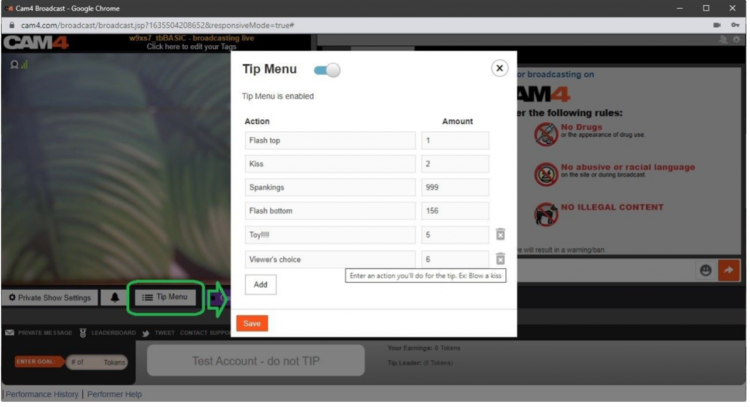
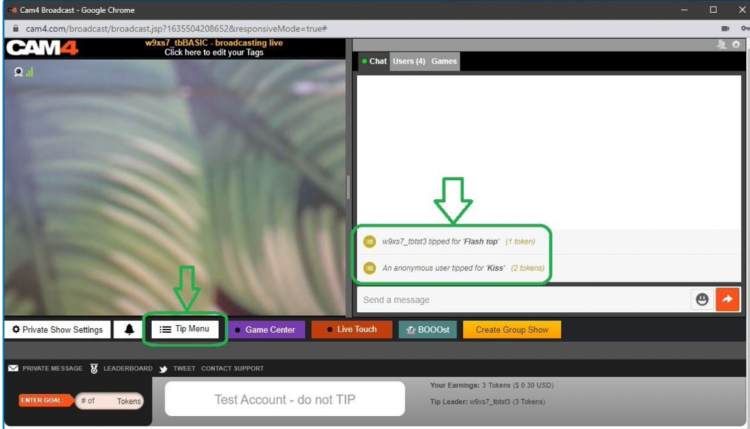
See how your camera appears, where you set your goals, and how to make the Tip Menu visible.

2) Test Your Setup

Check your light, sound, background, and camera position without pressure from viewers.

3) Practice Your Flow

Go through how you want to build a show: from greeting to working with goals and menus.

Make it a practice show — use micro-goals as if you were live. This way you learn what goals look like on screen.

  • Goal 1: 10 tokens = check what the goal looks like
  • Goal 2: 20 tokens = test sound and music
  • Goal 3: 30 tokens = change camera position

Pro tip: write down notes during your Password Show — what works well, what do you want to adjust?

Why This is Smart

A Password Show gives you:

  • Peace to learn the platform technically
  • Confidence before going live for a large audience
  • Less chance of stress or technical glitches during your first real show

Setting Up a Password Show

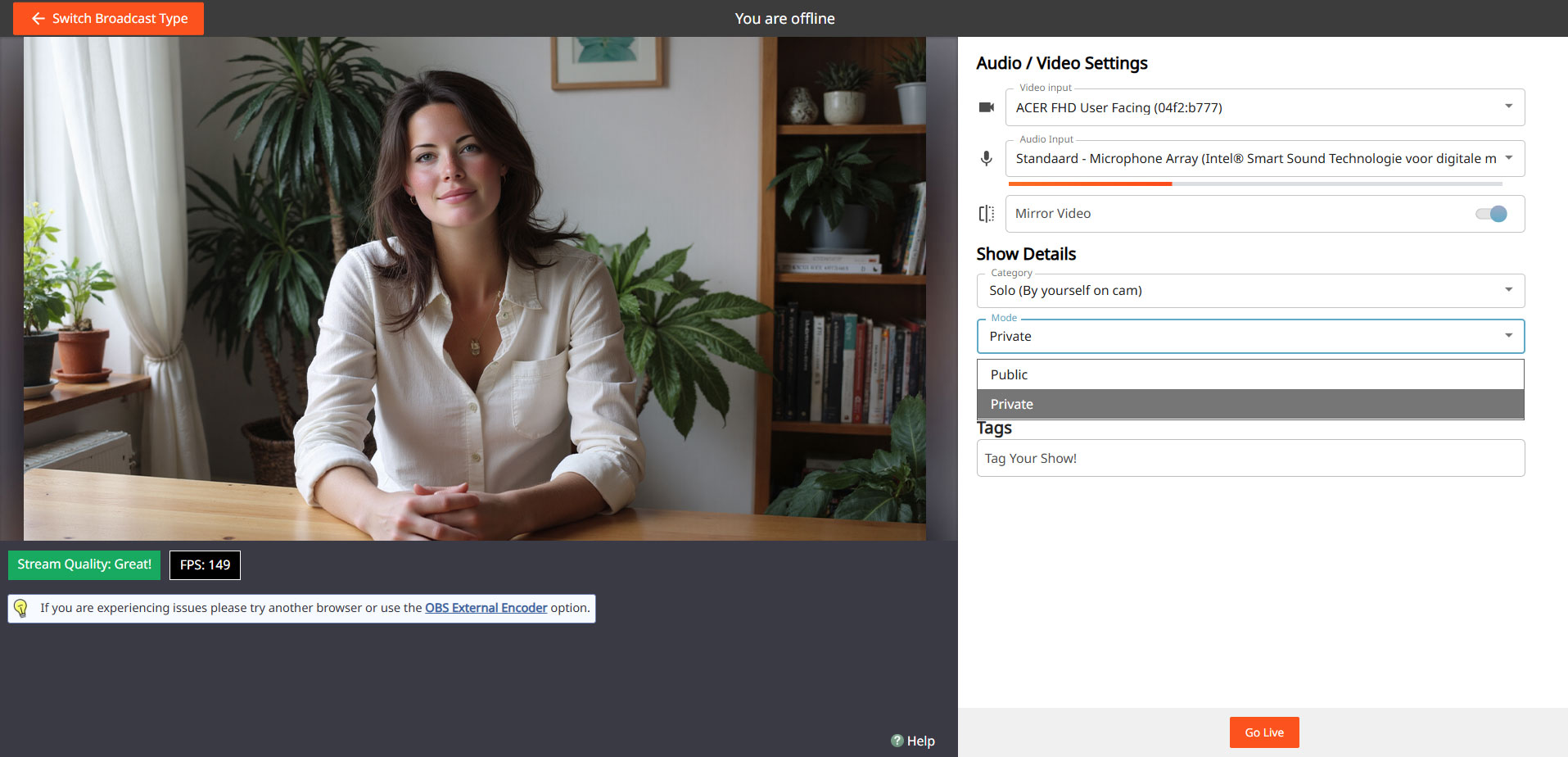
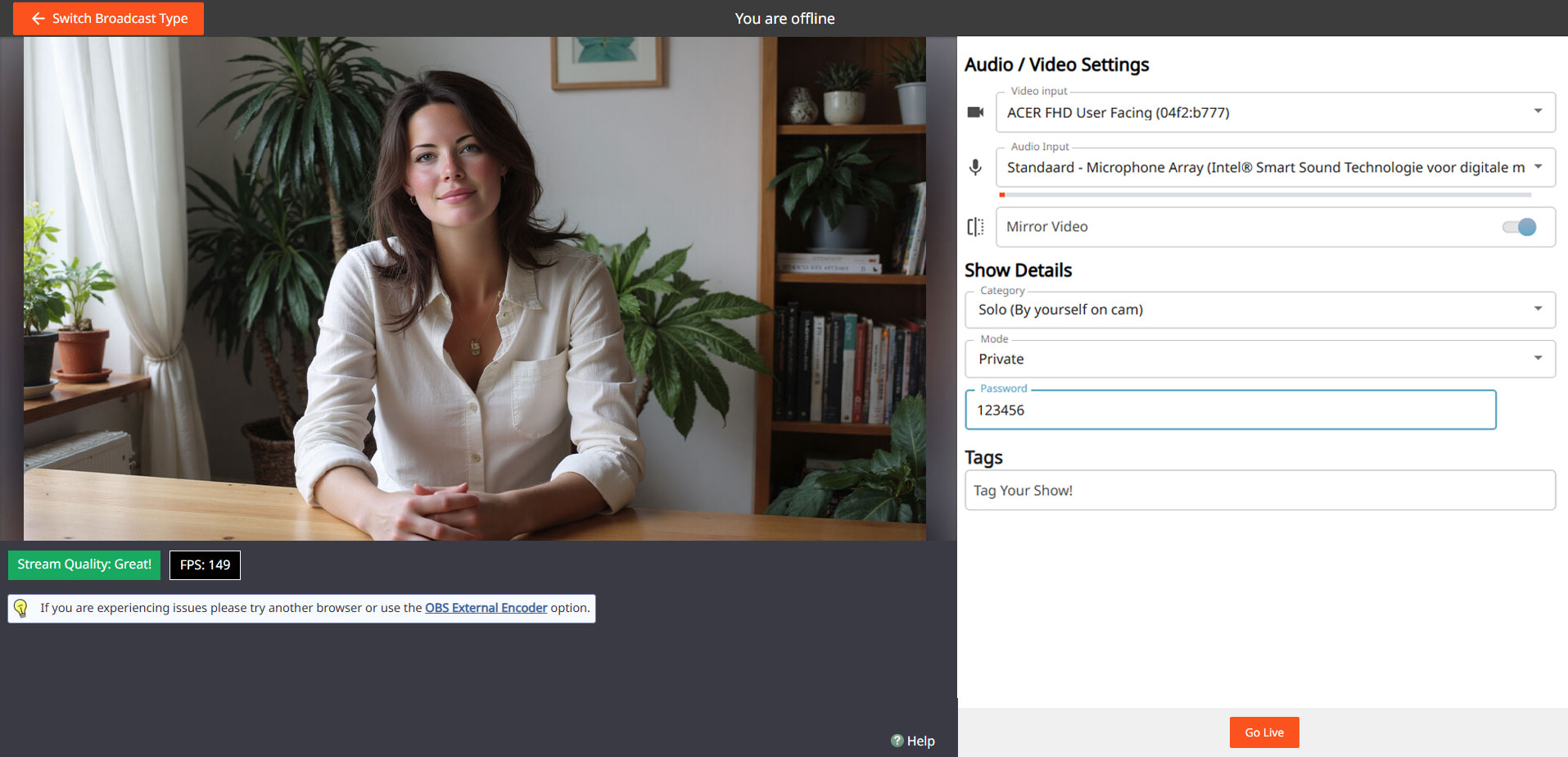
Go to your broadcast screen, choose “Show Type” and select Password Show. Set a password and keep it only for yourself if you just want to practice.

Steps:

Open Broadcast Screen
Choose ‘Password Show’
cam4 password show

Set Password
cam4 password settings

Go Live & Test
cam4 private

You can use the same process later to do a private show with a select group of fans.

Do’s

  • Use the Password Show as your practice space
  • Test both camera and sound extensively
  • See how goals and tips appear on screen
  • Feel free to practice multiple times before you go “really” live

Pay Attention

  • Don’t forget to set your settings back to a regular broadcast after your Password Show
  • Don’t just pass on your password if you really want to practice privately
  • Always stay within your own boundaries and platform rules — even in a Password Show

Important: adhere to local laws and platform rules. Only 18+ performers and consent is always required.

Tips for Kicking Things Off Right

We’ll tell you everything here — short, clear, and applicable.

The secrets to becoming a TOP webcam model on CAM4

This article helps you get off to a flying start for more viewers, more interaction and more tokens — without unnecessary complexity. Focus on your Activity Feed and Fanclub for reach and stable income.

Tip: work with clear goals, a clear Tipmenu and a consistent posting cadence on your Feed.

1) Start here: account, verification & payout

Before you can go live: verify your age/identity and set up your payout in 10 minutes. Block countries/regions if necessary.

Account & ID‑check (2257)

All performers (18+) must be ID‑verified. This also applies to duos/groups — everyone on cam must be verified.

Get started with ID‑verification

Set up payout

Choose your payment method and check your details. Read how and when you will be paid.

Payout optionsSet it up now!

Practice online for the first time

Start without being immediately visible. This way you can safely look around and set everything up in peace

Read here how to do that.

2) Create an irresistible profile

Your profile is your landing page. Show in 5 seconds who you are, what you do and when you are live.

Bio

Short and powerful, with your vibe and boundaries. Add your broadcast schedule and a clear call‑to‑action.

Images

A clear profile picture + 2–4 recent photos that show your style.
Avoid busy backgrounds and very important add a

SFW profile pic
.

Clarity

Put your Tipmenu and (micro)goals in your description so viewers know immediately how they can participate.

More help? How to create a strong profile page

3) Set goals and achieve them

Without a goal, your show feels “non‑committal”. Break your daily goal down into visible micro‑goals and communicate them clearly.

Example — do you want 1000 tokens (~100 USD) per show? Divide into 4 milestones of 250 tokens.

  • Goal 1: 250 tokens = naked
  • Goal 2: 250 tokens = oil‑moment
  • Goal 3: 250 tokens = solo
  • Goal 4: 250 tokens = closing moment (only if you feel good about it)

Stick to your goals. Changing constantly damages trust — and your tips.

Hint: the text in your goal bar is limited. Keep the mapping‑scheme simple (e.g. @250 → naked, @500 → oil, @750 → solo, @1000 → end).

More help? Goal & Tipmenu

4) Increase Your Visibility with Niche Pages

Being discovered by the right viewers is no coincidence. By adding yourself to relevant Niche Pages, you connect with fans who are specifically searching for your style, look, or type of content.

Choose strategically

Select niches that truly match who you are. Does it align with your profile, hashtags, and type of show? If so, you’ll attract more targeted and higher‑quality traffic.

Stay consistent

Make sure your bio, photos, and thumbnail reflect your chosen niches. Recognition builds trust — and tips.

Think ahead

Want to grow within a specific category? Stream regularly within that theme so your audience knows what to expect.

Tip: combine 2–4 strong niches instead of selecting everything. Focus works better than volume.

Want to learn more? Everything about Niche Pages

4) Earn more with group shows and private shows

Group show = exclusive show with ticket for multiple viewers. Start after a maximum of ~15 minutes intro and thank each ticket holder audibly.

Private show = 1‑on‑1 per minute (spies can watch for a fee, without chat). Choose a rate that suits your offer and experience.

Starter rate

Many models start around 12–18 tokens/min.

C2C

Cam2Cam is more common around 18–32 tokens/min.

Transparency

Viewers see your price + local taxes, keep this in mind.

Pro‑tip: name in advance what makes private different/better than your public show.

Read more: Group shows •  Private Show options

Offline private shows (notifications)

Also let fans book when you are not live. Turn on OPS‑notifications and accept when it suits you.

Explanation: Enable Offline Private‑notifications

5) Activity Feed & Fanclub 

Activity Feed: post short updates, teasers and show‑announcements outside your live‑hours. Mix public (reach) with Fanclub‑only (value).

Fanclub: offer benefits that you can sustain (exclusive posts, early access, monthly shout‑out). Choose a monthly price that suits your rhythm.

Want to know more? Activity Feed & FanClub

6) Tipmenu (keep it simple and visible)

Put 6–10 fixed items in your profile description and repeat them verbally during your show. Link to your goals where possible.

Small tease 25 tokens quick boost
Pose / close‑up 50 tokens
Dance / hype‑moment 100 tokens
Wheel spin / mini‑game 150 tokens
Oil‑moment 250 tokens
Solo‑highlight 500 tokens
Group show ticket variable
Private show per minute

Need more help? How many tokens can I ask?

7) Pay-Per Text

Pay per Text: earn from DMs without negotiating

How to use it

Set a fixed price per private message and mention this in your bio or Feed. Use it for short questions, personal responses and quick requests — within your boundaries and platform rules.

Price indication

Start simple and test: many models start between 1-2 tokens/message. Increase when busy, decrease for more volume.

Useful example sentences

  • “Want a personal shoutout? Pay per Text is on.”
  • “Ask your question in DM — 1-2 tokens per message.”
  • “Fanclub gets priority with Pay per Text.”

More info: Earn more with Pay per Text •  All about messenger

8) More viewers to your shows

  • Thumbnail: fresh setting, good light, expression. Avoid the “just a bedroom”‑look.
  • Description: short, unique and with a clear invitation (what do you want to happen NOW?).
  • Hashtags: 3–5 strong tags is often enough.
  • Rhythm: stream at fixed times and announce via your Feed.

Read more: Maybe outside? •  Schedule Shows

9) Interactive toys

Increase engagement and tip‑frequency with interactive toys (e.g. Lovense). Announce thresholds (e.g. “at 200 tokens: intensity up”).

More info: Which toys can you use? •  How do you connect it?

10) Games

Use Token Keno, Spin the Wheel and Roll The Dice for extra excitement and income. Let viewers bet tokens and link creative rewards to outcomes (assignment, piece of clothing off, special interaction).

Need more help with games? All CAM4 games

11) X/Twitter Connect & Social Media

Use X/Twitter for announcements, clips/teasers and community‑building. Share your affiliate‑link smartly.

Tip: plan posts around your shows (morning‑announcement, reminder 1 hour in advance, thank you afterwards).

12) Chat‑indicators: badges, colors and token activity

Who do you see at a glance?

  • Gold/fans: special color/badge — greet quickly, involve them in goals.
  • Moderators: marked — are there to help, but be careful those rights are not for everyone.
  • Top tippers: stand out — mention them audibly with every tip.
  • CAM4 Crew: account managers/coaches etc have clear visibility.

How to read and use indicators

  • Colors/badges show role and membership; the ring around someone’s icon = recent spending (14 days).
  • Does the ring stand out? Invite specifically: achieve micro‑goal or choose 1–2 menu‑suggestions (e.g. 25/50/150 tokens).
  • Use a fixed sentence: “120 more to go until Goal 2 — thanks to [name] for the boost!”
  • Make rewards audible: thank you at every threshold (name + what unlocks).

Want to know more? Explanation about chat‑indicators

13) Protect yourself & moderate

Privacy

Be careful with personal data. Protect your privacy

DMCA – recordings

Know what to do if your show has been recorded. Broadcast recorded — what now?

Help!

If you really can’t figure it out, our support is available 24/7!

Also interesting: Banning & ModeratorsBlock countries & provinces

Erotic Stories Submissions


CAM4 is now publishing Erotic Stories and we want yours!

If your story is chosen, it will be published, narrated, shared with our audience, and you’ll get paid. You can even choose to stay anonymous if you prefer.

Word limit: 500–1500 words. That’s all it takes to turn your imagination into income.
Payment details: Will be provided by email if your story is selected.
Publishing: Selected stories will be filmed, creating narrated videos that are published weekly on our Erotic_stories profile on CAM4.
Editing: Light editing may be applied for a smoother read for video narration and to comply with CAM4’s terms and conditions.


Why Submit?

  • Get seen. Your story reaches thousands of readers & listeners.

  • Get paid. Selected stories earn real money.

  • Get creative. Share your fantasies in your own unique voice.

  • Get Content. Use your story yourself by selling it to your fans.

Quick Writing Tips

  • Find your voice — be authentic and let your style shine.

  • Build tension — anticipation is everything.

  • Make it sensory — show, don’t just tell.

  • Keep it polished — clean writing stands out.

  • Don’t get too wordy – Stay within 500–1500 words.

For a full beginner’s guide with more tips, click here.

Ready to Submit?

It’s simple:

  1. Write your story (500–1500 words).

  2. 👉 Submit Your Story Here

  3. If your story has been selected, a CAM4 staff member will email you with more details


Your fantasies deserve more than to stay in your head. Put them on the page, share them with the world, and let them earn for you.

Start writing today — your audience is waiting.


Need a Hand?

For more information on topics relating to CAM4, check out our FAQ , or join our live Coaching Sessions every Tuesday & Thursday at 11 AM & 8 PM EST.

Our chatbot “Spark” is also always ready to help and can be found in your Inbox!


Now get writing, have fun, and let the love (and tokens) roll in!

Happy Camming!

EROTIC STORIES : A Beginners Guide To Writing

If you are a new or an experienced writer who is looking to have you stories published we are here for you. You can submit your story or idea to us for review and if we publish it we’ll pay you $$$!

SUBMIT YOUR STORY HERE

We are here for you!  So lets cut to the chase. Below, I will break down some actionable items to help you get started.

(Noun) literature or art intended to arouse sexual desire.

Erotica, unlike pornography, is designed to arouse and provide stimulation to the reader based around plot and character development. It is not just one long sex scene with all action. Not to say that your sex scenes can’t be explicit; the more detailed the better. However, it must be grounded in plot and character growth.

If your story contains more plot and characters, with minimal sex or less explicit scenes. You may be venturing into erotic romance.

If you are serious about getting started in erotica, we need to address privacy. One of the most important questions you’ll have to ask yourself is if you’ll write under your Industry name or a new pen name.

For those who don’t know. A pen name is essentially a pseudonym that you can use professionally in your writing, books, blogs, public profiles, and social media.

There are many pros to using a pen name. For example:

Using a pen name will allow you some creative freedom to write that is separate from your career in the adult industry.  You can keep that part of your life separate from your professional one and take on a whole new persona.

A con would be…

If you use a pen name instead of your industry one, you now need to grow that name instead of getting visibility right away due to your current success and following. 

Whichever route you take, it’s an important first step.

The erotica community is alive in all corners of the internet. At a minimum, I would recommend you join Twitter. If you are unsure on how Twitter works or the most effective ways to get noticed on that platform there are some great guides out there with a quick google search or even here on Medium.

After you complete your profile information and upload your picture (or icon, stock image if you are using a pen name) seek out some authors of interest. Do a quick #erotica search and you will be inundated with accounts to follow. Check out some profiles to see if they are writing the things you are into.

An important step that a lot of people miss, and the key to getting more involved in the community is simple: When you grab a copy of someone’s book, tell them. If you like it, let them know. Extra points if you leave a review. Not only will a review make you stand out from the crowd, they are rare and greatly appreciated in the world of erotica.

Let your growing audience know that you are new to the genre. You will find a very supportive group of people who can help you on your way.

Some great tags to keep tabs on are #erotica #writingcommunity #eroticacommunity

Time to loosen up. Open up a new document or start a new notebook and pour yourself a drink of your choice. We are going to get dirty. I want you to practice writing scenes made to titillate your audience. Your goal, after all, is to help someone reach their goal.

For example, don’t do this:

She reached for his love muscle and put it in her warm cavern.

Do this:

She grabbed his dick, smiling at the weight in her hand. Guiding the head to her slick entrance. She teased herself as she sat. Moaning as the thickness filled her cunt.

The second uses a lot more graphic language and some people will struggle with getting into the ‘dirty’ words. Practice them until you are comfortable. Take your last sexual encounter, write about it. Describe it as if you were writing it into a book. Watch some pornography, a quick 20–30 seconds sample and try to write it into words. Use all five senses.

Another exercise is to write short acts like the one above. Mix it up. Try it in the first person perspective, then switch and try it from the male POV. How did he see and feel things compared to her? Write that down, then keep going. Just keep filling your page or your document.

When you are starting out you may find it easier to write a story containing things you yourself are interested in or have a fetish about. If you have fantasies about lesbian or gay sex. Write a story about it. Hotwife, shared wife or cuckolding? Write it. Vampire alien breeding with a hucow who is into bondage. Yup write it. You will not be the only one into it.

A word of warning on this point. These kinds of stories will likely get your book removed as well as running the risk getting your account banned on Amazon: Underage, Non-Consent, Incest, Bestiality (unless its a werewolf or other mythical creatures) If you have any doubts refer to Amazon or the forums.

This rule is no different from that of other genres. If you want to be a good erotica writer you need to read a lot of erotic fiction. 

Download some books from the authors you are interacting with on Twitter. Pick up some from varying POV. Try some written by female and male authors. Maybe try different sub-genres that you have an interest in, but never experimented with.

Most of all, take notes. Write what you liked and what didn’t work for you. Review once you have a few stories under your belt. If you find yourself constantly liking to read third person stories, you will likely have more success concentrating on that POV. First person more your style? Write that way.

If you pick up some badly written erotica, just return it and move on to the next one. 

Make sure you enjoy what you write, burn out and lost motivation is as real in erotica as it is in other genres.

I cannot emphasize joining the community enough. I’ve met some great people since I started and would be at a loss without the other authors/readers on Twitter.

~That’s all for this lesson!

Happy Writting!
Love, Your Coaching Team!

Guadagna con la Bacheca del tuo profilo CAM4!

La Bacheca attività  (o feed attività) è  l’ultimo ed entusiasmante aggiornamento del tuo profilo CAM4! Progettato per aiutarti a creare contenuti, condividerli e guadagnare senza sforzo, anche quando sei offline!

In un’unica piattaforma, simile a quella di molti social media, potrai condividere aggiornamenti e comunicazioni tramite post di testo o foto e video da vendere.  Puoi curare i contenuti che vuoi che i fan vedano, riflettendo il tuo stile unico e dando ai tuoi contenuti la visibilità che meritano.

Cos’è la Bacheca attività di CAM4?

La tua Bacheca del profilo CAM4 ti consente di caricare contenuti media (foto e video) in un feed dinamico e interattivo visualizzato in modo prominente sul tuo profilo.

Sfruttando questa funzionalità:

  • Puoi mantenere i tuoi fan coinvolti con aggiornamenti giornalieri con contenuti e post esclusivi.
  • Promuovi e monetizza i tuoi contenuti video
  • Promuovi le iscrizioni al Fanclub con offerte speciali

Come creare dei post sulla tua Bacheca:

I post sono delle pubblicazioni sul tuo Profilo che contengono un post con del testo o un post delle tue foto o video

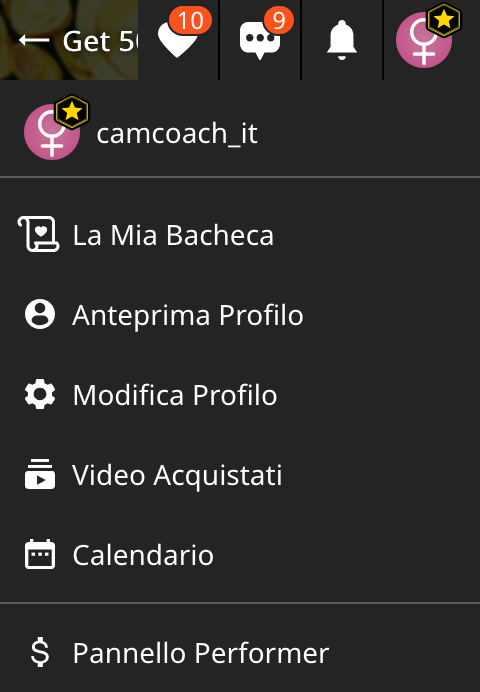
Dal menu utente in alto a destra, seleziona La mia Bacheca.

Quindi, nella pagina di anteprima della tua Bacheca profilo, clicca su Crea un Nuovo Post.

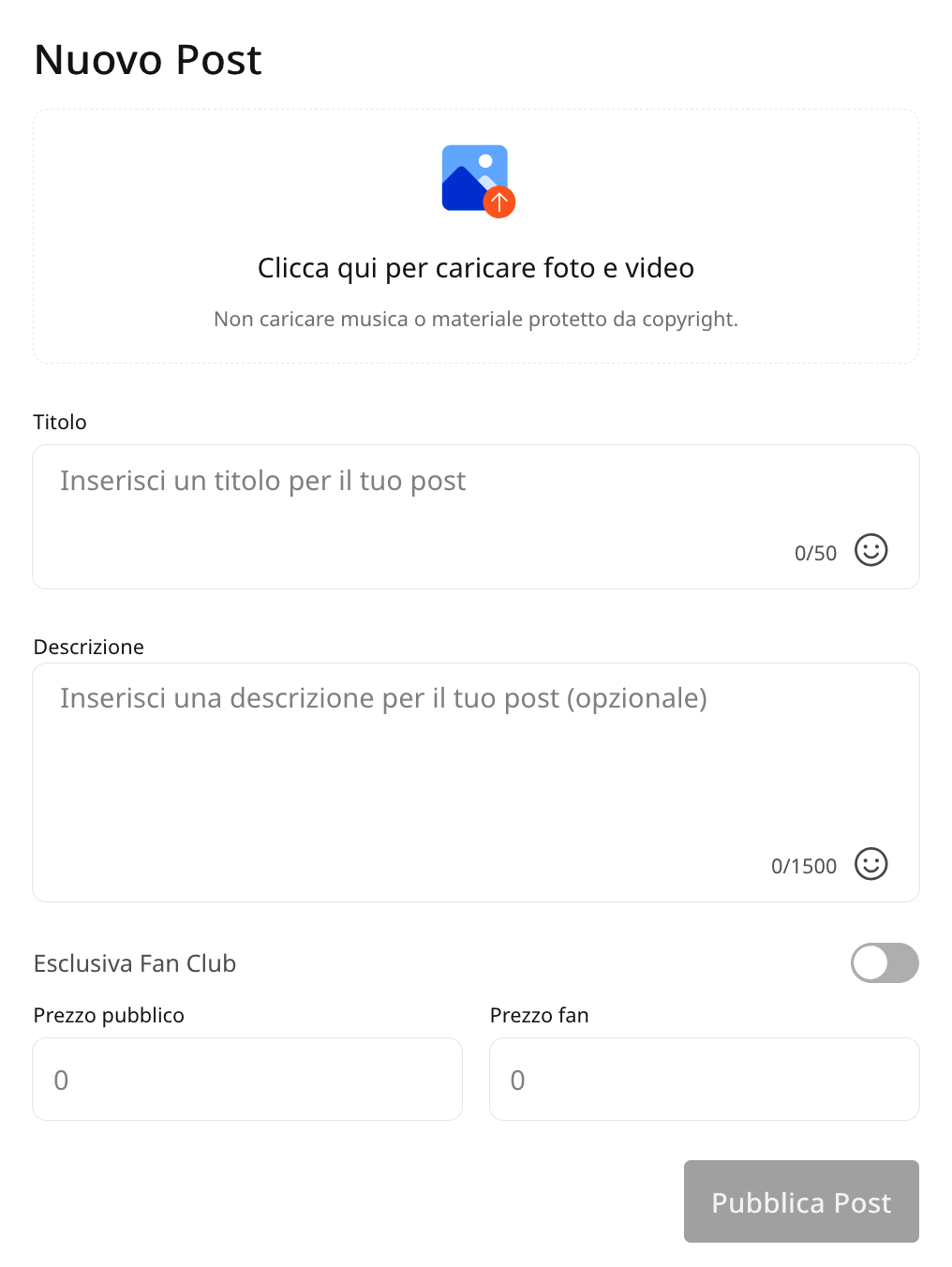
Visualizzera la finestra per creare il tuo post e caricare il tuo contenuto.Potrai anche scegliere se postare un contenuto Media (foto o video) o un post di Testo.
Come creare un post con testo:
I post di testo di deafult sono sempre gratuiti e visibili da tutti sul tuo profilo.Possono essere usati per comunicare ai fan i tuoi prossimi show, nuovi video in arrivo o offerte sui tuoi privati e altri contenuti.
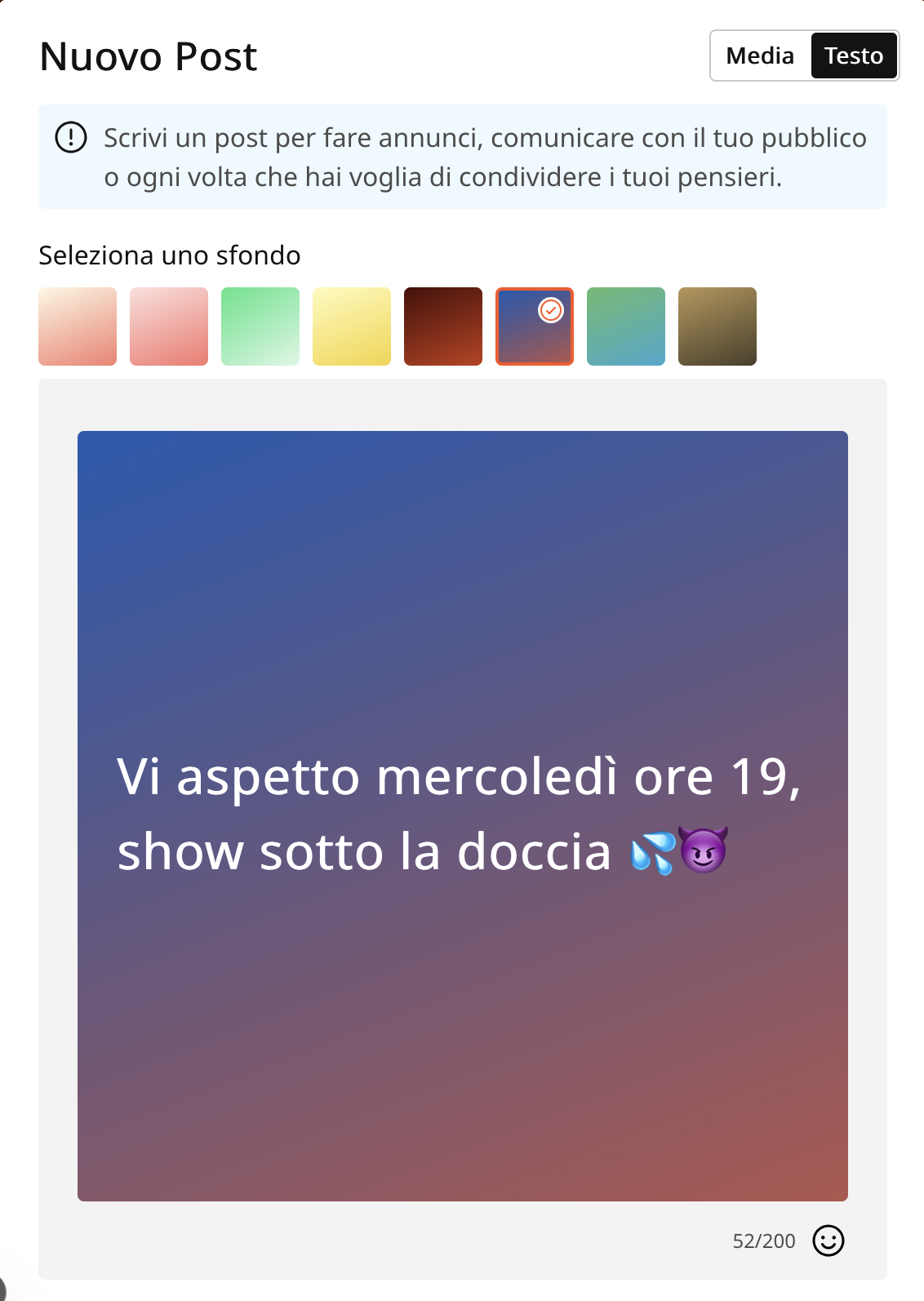
In Crea nuovo Post, seleziona in alto a destra la sezione Testo.


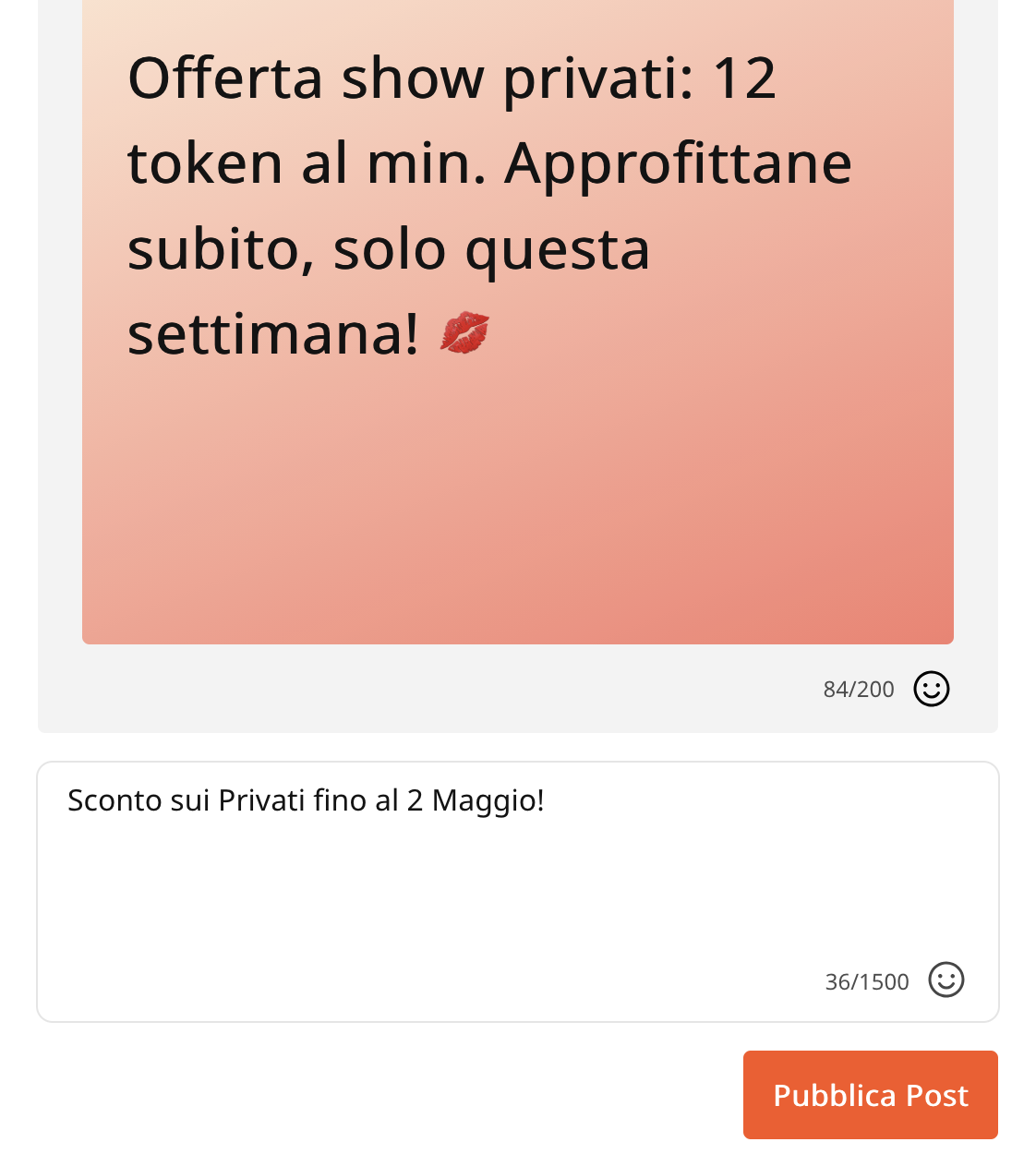
Potrai scegliere il colore di sfondo e usare fino a 200 caratteri (incluse le emoji). Inserisci anche una descrizione che sarà visibile in fondo al post.
Ricorda che non è ammesso inserire link personali ad altre pagine non autorizzate  e promuovere altre piattaforme, neanche usando acronimi (es. NO Tg, OF o simili). Questo può portare all’eliminazione del post e a un ban!


Fai sapere al tuo pubblico quali saranno i tuoi prossimi show speciali (con ora e data e una descrizione accattivante), comunica sconti e offerte a tempo limitato.Stai partecipando a un contest?
Fallo sapere ai tuoi ammiratori, così che potranno supportarti!

Clicca su Pubblica Post per renderlo visibile sulla tua Bacheca Profilo.

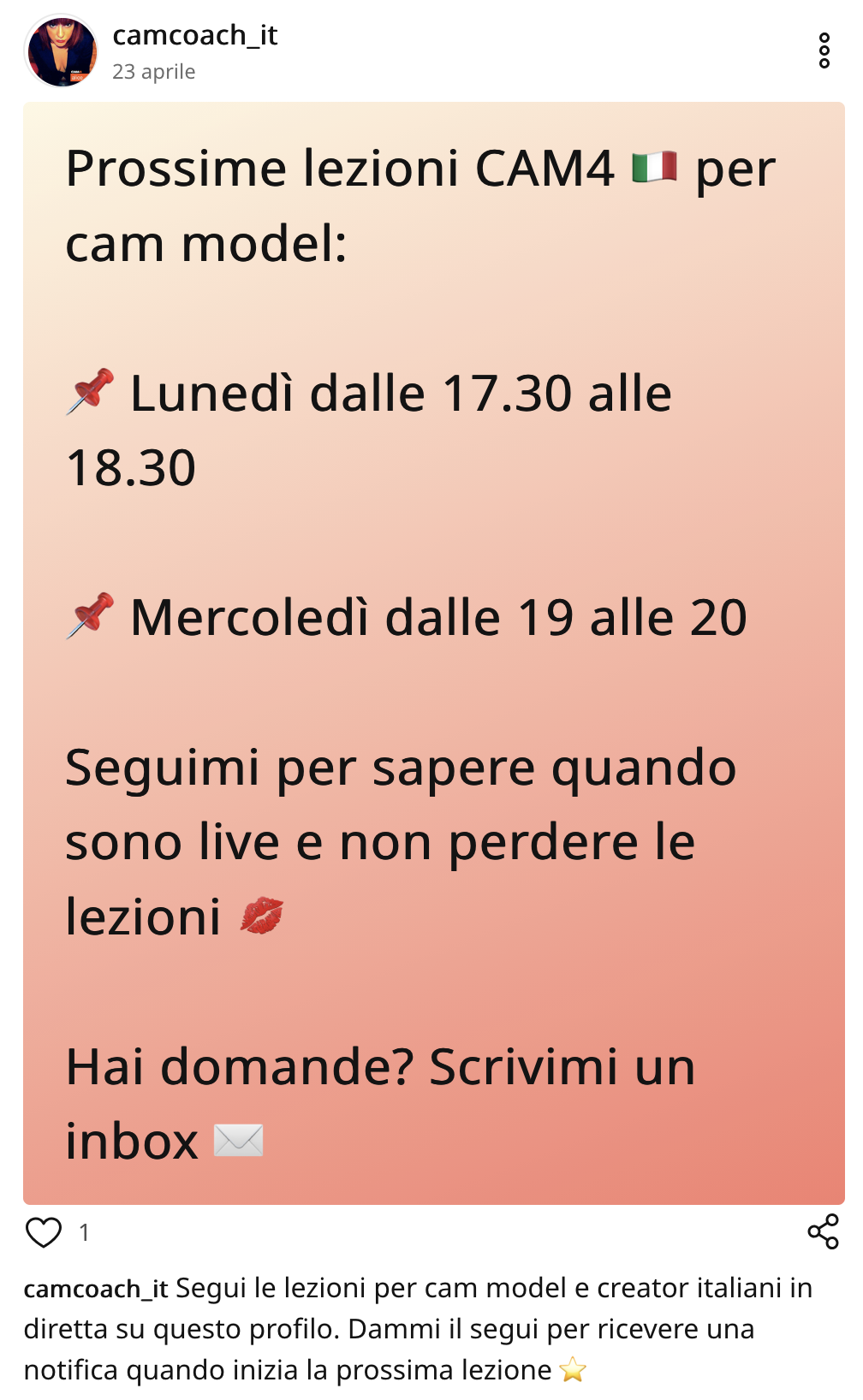
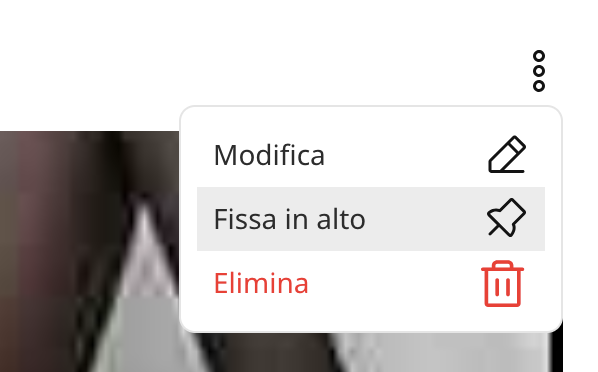
Una volta visibile sul tuo profilo, dall’anteprima del tuo profilo potrai visualizzare il post e fare delle modifiche, fissarlo in alto o eliminarlo cliccando sui tre punti in alto a destra del post.

Come fissare dei post in alto al tuo profilo.
Clicca sull’icona a forma di spilla Fissa in altoper fissare il tuo post in maniera permanente in cima alle tue pubblicazioni. Grazie a questa funzione, i tuoi fan vedranno immediatamente il post che desideri mettere in evidenza non appena visiteranno il tuo profilo.
Una volta fissato, vedrai l’icona a forma di spilla all’interno di quel post e resterà in alto  sul tuo profilo fin quando non deciderai di rimuoverlo dalla cima. Per muoverlo clicca sui 3 puntini al lato e deseleziona l’opzione.


Come caricare un contenuto con Media

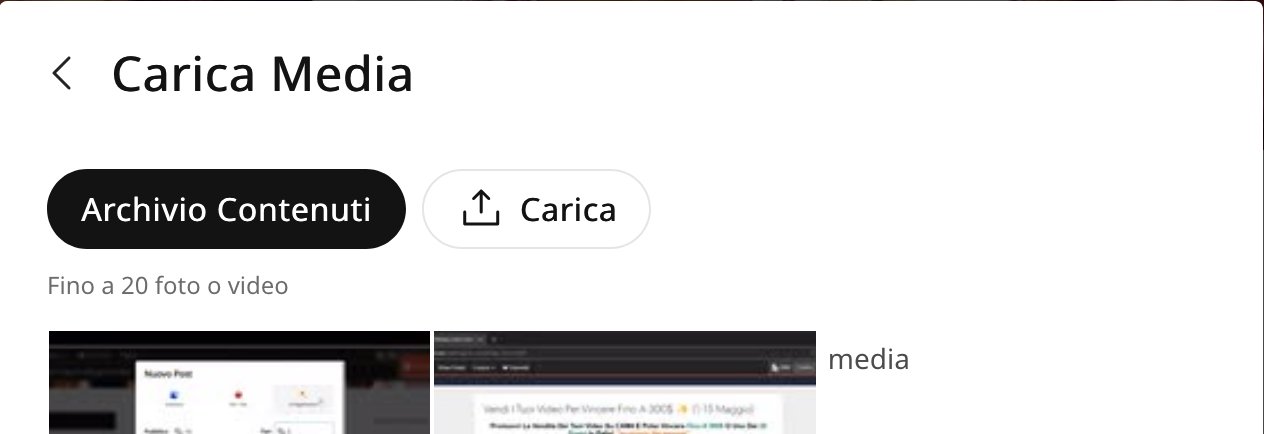
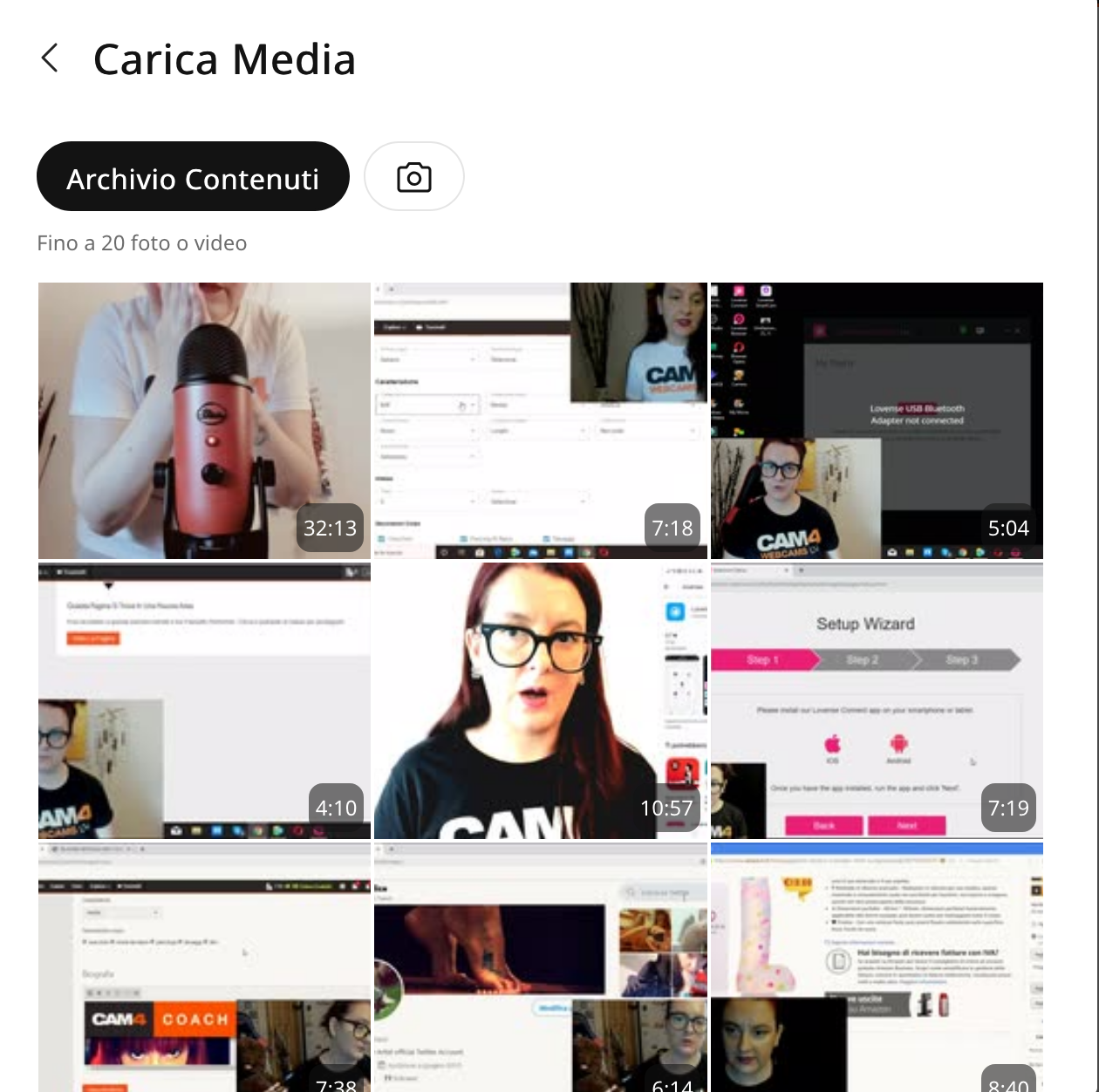
Puoi caricare direttamente dal tuo PC dei contenuti o postare comodamente del materiale che hai già caricato nel tuo Archivio contenuti CAM4.In ogni post puoi caricare uno o più contenuti, alternando foto e video.
Quando crei un nuovo post puoi scegliere se impostare un prezzo o renderlo gratuito, ovvero visibile a tutti.

Se imposti un prezzo il contenuto del tuo post sarà visibile solo a chi lo acquista (utenti o fan)
Se rendi il post esclusivo per il Fanclub, saràvisibile gratuitamente solo agli iscritti del tuo fanclub.
Ricorda che i post gratuiti saranno visibili a tutti i tuoi spettatori, mentre i post a Pagamento o per i Fan appariranno oscurati sulla tua bacheca. Per sbloccare la visualizzazione, l’utente dovrà acquistarli o iscriversi al tuo fanclub. Inserisci quindi un titolo accattivante in base al tuo contenuto.Puoi aggiungere anche una descrizione più dettagliata del video per attirare interesse.


1. Personalizza il tuo Profilo con delle foto

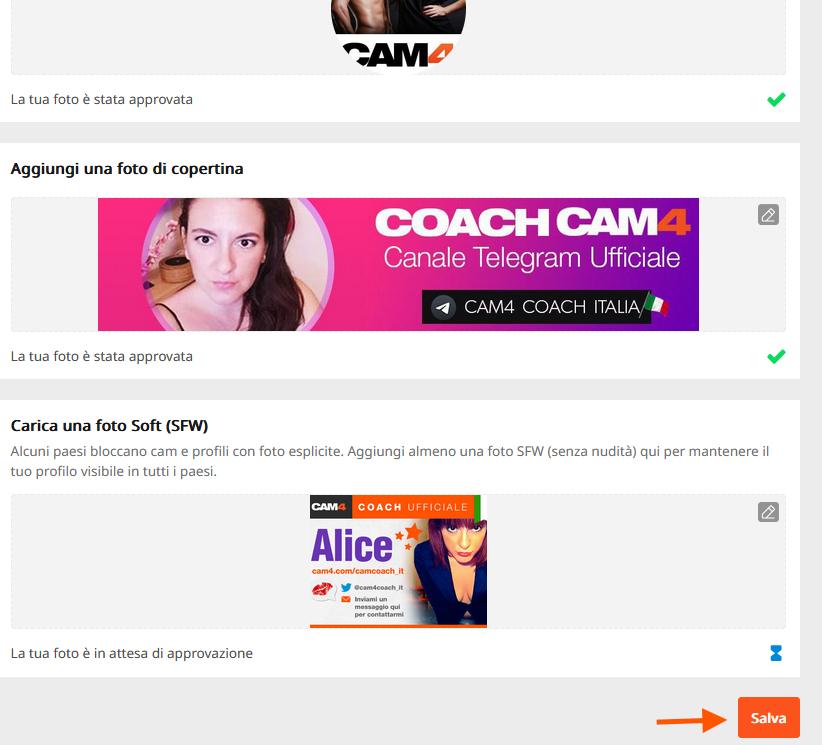
Il tuo profilo è la prima impressione di un visitatore.  Un profilo visivamente curato aiuta a trasformare i visitatori occasionali in fan fedeli. Ricorda di aggiungere sempre un’immagine del profilo soft (SFW) accattivante e un’immagine di copertina soft:

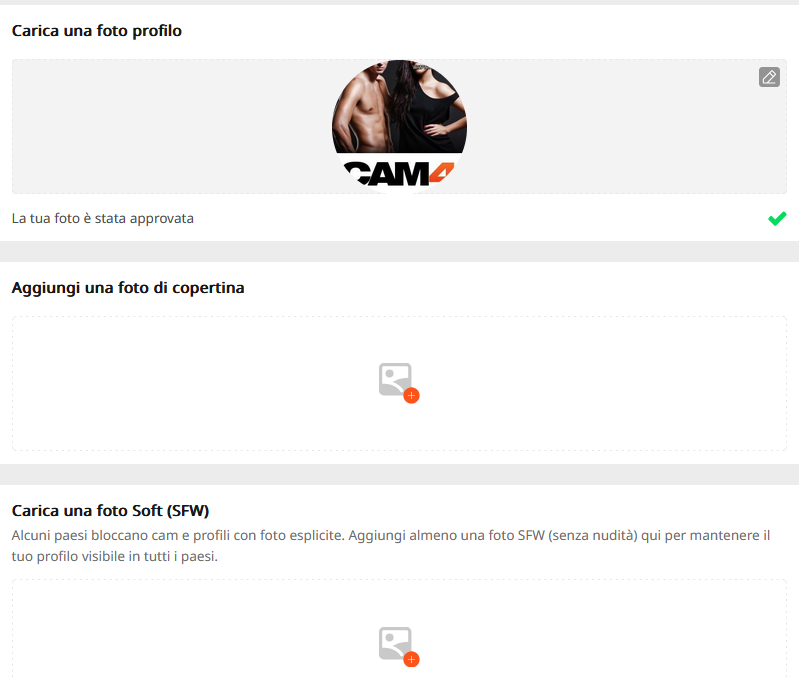
Alcuni Paesi bloccano cam e profili con foto esplicite. Aggiungendo almeno una foto SFW (senza nudità) manterrai il tuo profilo visibile in tutti i Paesi.

Come caricare delle immagini profilo:

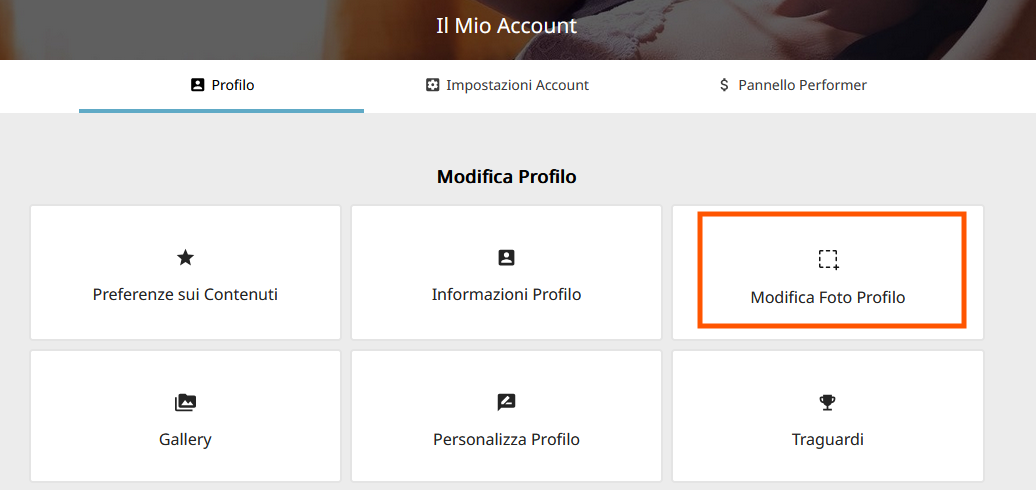
– vai in Modifica Profilo, quindi clicca su Modifica Foto Profilo.

Per caricare delle nuove foto  dal tuo PC fai clic sull’icona a forma di camera.  Cliccando invece su Archivio contenuti, potrai scegliere tra quelle che hai già caricato su CAM4.

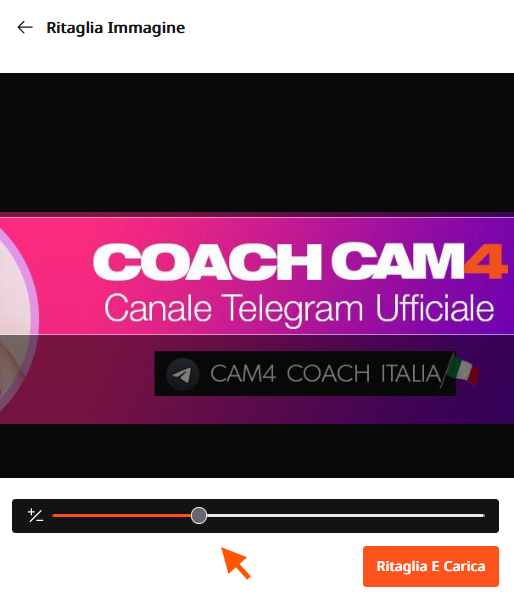
– Imposta quindi la tua foto profilo e di copertina preferibilmente soft. Per la foto di copertina usa preferibilemente delle tue foto orizzantali, così da ottenere un effetto banner profilo. Usa lo strumento Ritaglia per selezionare solo la parte che vuoi visualizzare e centrare l’immagine:
zoomma sulla foto muovendoil cursore verso destra, quindi sposta la foto per centrarla e ritagliare la parte restante. Clicca quindi su Ritaglia e Carica.

Una volta che avrai impostato le tue foto, clicca in basso su Salva.
Le nuove foto che carichi per risultare idone come Soft necessitano un tempo di verifica e di approvazione. Potrai visualizzare lo stato di approvazione in questa sezione. Non appena approvate saranno visibili a tutti gli utenti 🙂


2. Contenuti esclusivi per il tuo Fan club

Aumenta i tuoi guadagni offrendo vantaggi esclusivi con l’abbonamento al tuo Fan Club:

  • Crea un Fanclub o aggiorna semplicemente il tuo Fan Club esistente nel Pannello Performer.
  • Fornisci contenuti premium per i membri del fanclub

Clicca qui per scoprire come creare post a pagamento e contenuti per il fanclub


3. Monetizza con i tuoi contenuti (video e immagini)

Crea e condividi post con video o immagini che il tuo pubblico può acquistare, offrendo contenuti esclusivi ai fan o agli abbonati, incrementando al contempo i tuoi guadagni. Fornisci contenuti VIP per incoraggiare le iscrizioni e massimizzare i tuoi guadagni.

5. Archivio Contenuti

Il nuovo Archivio dei tuoi contenuti lt conserverà le tue foto e i tuoi video caricati in un’unica comoda posizione. I media caricati in precedenza sono già lì, pronti per essere pubblicati direttamente sulla tua bacheca attività.

6. Mantieni i tuoi contenuti aggiornati

  • Condividi costantemente post creativi, diversificati e accattivanti per attrarre e fidelizzare i fan.
  • Utilizza la Bacheca per evidenziare diversi aspetti del tuo talento e creare una solida raccolta di contenuti che faccia sì che i fan tornino per saperne di più.


Suggerimenti per il successo

  • Controlla regolarmente: prendi l’abitudine di monitorare il tuo feed ogni giorno per rimanere aggiornato e rispondere all’attività dei fan.
  • Interagisci prontamente: interagisci rapidamente con commenti e messaggi per creare connessioni più forti con i tuoi fan.
  • Pubblica in modo coerente: aggiornamenti frequenti mantengono il tuo pubblico coinvolto e aiutano ad attrarre nuovi fan.

Perché amerai la Bacheca CAM4

  • Maggiore visibilità: i fan possono scoprire facilmente i tuoi post più recenti e quelli più rilevanza.
  • Maggiore produttività: gestisci tutti i tuoi aggiornamenti in un unico posto.
  • Design intuitivo: la piattaforma è intuitiva e familiare, il che la rende facile da navigare.

Cosa aspetti a portare i tuoi contenuti al livello successivo? Inizia a curare la tua bacheca attività oggi stesso. Lascia che la tua creatività brilli e il tuo pubblico aumenti!

UK DAC7 – Important Information on Data Collection for Payments

Although the UK is not subject to DAC7, we are updating our processes to align with global standards, including similar European regulations like DAC7. These changes mean we need to collect additional information from broadcasters/creators to process payments. Providing accurate information is essential to avoid issues with payouts.

Why are we collecting this information?

To comply with international transparency standards, we are required to gather specific details from our users. These regulations aim to prevent tax fraud and ensure payments are processed correctly. While DAC7 applies to the EU, aligning with these standards allows us to maintain a consistent and secure platform for all users, including those in the UK.

What information do we collect?

We may request details such as:

  • Your full name
  • Your address
  • Your National Insurance Number (NIN)

These details are necessary for compliance with tax regulations and transparency standards. Your information will only be used for these purposes and shared with tax authorities as legally required.

What is a National Insurance Number, and where can you find it?

Your National Insurance Number (NIN) is a unique identifier issued by the UK government for tax and social security purposes.

You can find it on:

  • Payslips
  • Tax return documents
  • Your personal tax account on the HMRC website
  • National Insurance card (if issued)
  • Official letters about tax, pensions, or benefits

What if you don’t have a fixed address?

If you’re traveling or don’t have a permanent residence, determining your tax residency can be more complex. Generally, your tax residency is the country where you spend more than six months (183 days) in a year. We recommend reviewing the tax laws of the countries where you’ve stayed to identify your tax residency.

Does this mean authorities will know what you do on the platform?

No. We only report payment transactions based on the information you provide. The nature of your activities on the platform will not be disclosed.

What happens if you don’t provide the required information?

Starting January 2025, providing this information will be mandatory to continue receiving payments. If the required details aren’t submitted, we won’t be able to process your payouts. Submit your information on time to avoid any interruptions.

When and how do you submit your information?

We will begin collecting this information in December. Once you log in, you’ll receive instructions on how to securely submit your details.

What happens to your information?

Your information will be used exclusively to comply with regulations like DAC7 and similar global standards. It will be shared with relevant tax authorities as required by law and handled in accordance with applicable privacy laws.

Questions?

If you have any questions or need assistance, contact our support team at payments@cam4.com or consult the UK government.

Come attivare le Notifiche per gli Show Privati Offline

Abilitando le Notifiche Offline, i tuoi spettatori possono inviarti richieste di spettacolo privato quando non sei in trasmissione e visualizzare la tua disponibilità oraria e giornaliera.

Attivandole, non perdere nessuna richiesta di show privato, anche quando sei offline o non al PC!

Questa guida ti aiuterà a iniziare con comn gli show privati offline e a impostare le tue notifiche. Sfruttando queste funzionalità di CAM4, puoi mantenere il tuo pubblico costantemente coinvolto e costruire interazioni durature, anche al di fuori dei tuoi regolari show online.

Quali sono i vantaggi?

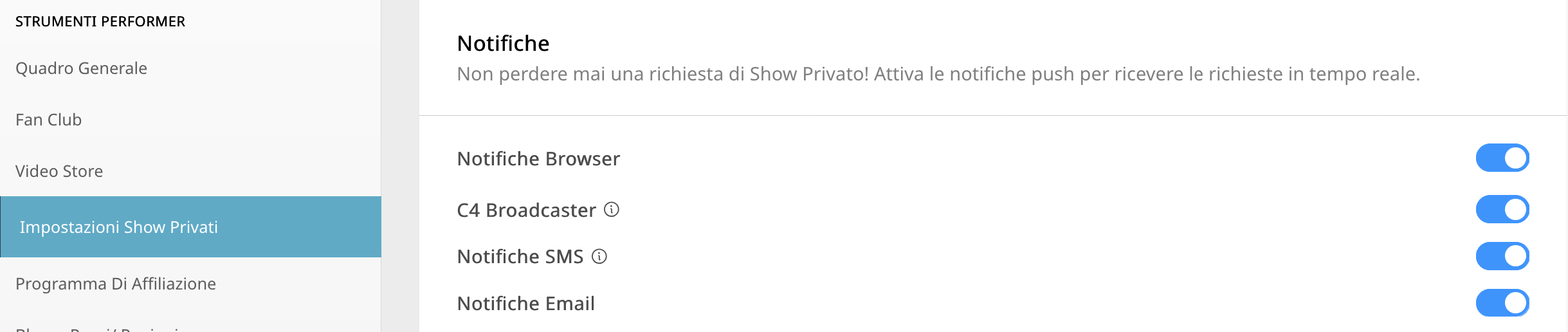
  Seleziona la tue Preferenze: personalizza e seleziona che tipo di notifica che vuoi ricevere (App, SMS, eMail, Browser).

Scegli i tuoi Prezzi: imposta il prezzo desiderato per il tuo spettacolo privato, con la possibilità di abilitare Cam2Cam e Spie.

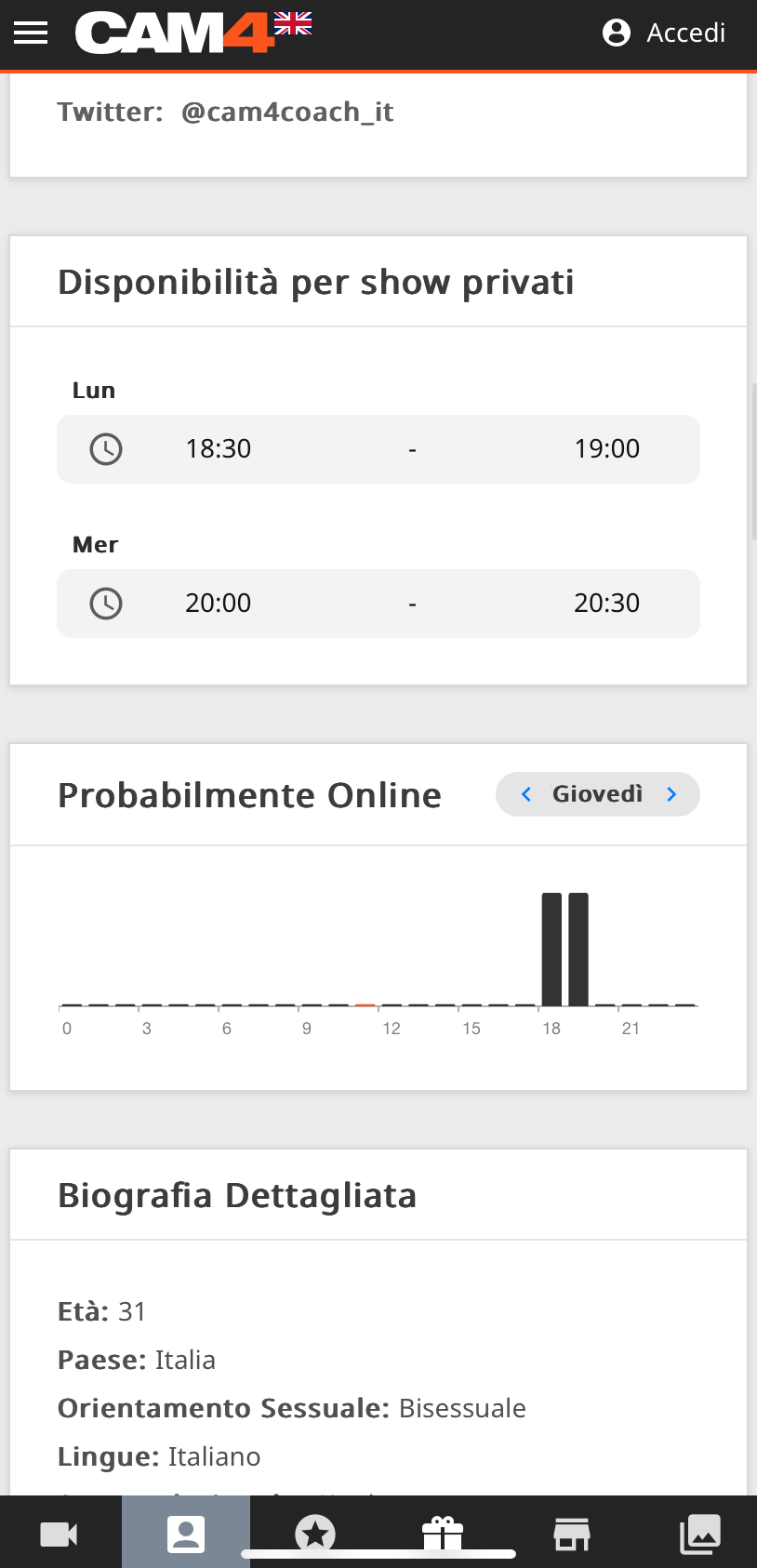
Fai sapere la tua disponibilità: rendi visibile ai tuoi fan la programmazione e la tua disponibilità… è semplicissimo da configurare e sempre visibile sul tuo profilo. Imposta fino a 3 fasce orarie diverse per giorno.

Ricorda che se non imposti la tua disponibilità oraria e giornaliera gli spettatori non potranno inviarti alcuna richiesta e non ricevrai alcuna notifica!

Dove trovo le impostazioni per la configurazione?
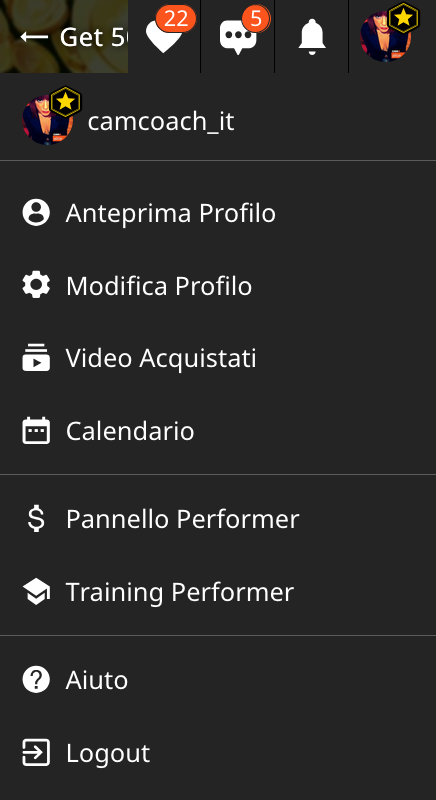
Dopo aver effettuato l’accesso al tuo account CAM4, clicca sull’icona nell’angolo in alto a destra, scorri verso il basso fino a Pannello Performer e seleziona Impostazioni Show Privati.

NOTA: la funzione Notifiche è disabilitata di default , quindi per abilitare le notifiche per la prima volta dovrai attivarla nelle impostazioni facendo clic per abilitarle (icona di colore blu).

Guarda il video in basso per una guida dettagliata su come abilitare questa funzionalità.

Scopriamo nel dettaglio le varie notifiche, la disponibilità e la programmazione.


NOTIFICHE BROWSER
Se il tuo browser è aperto (ad esempio Safari, Firefox, Chrome) , verrà mostrata una notifica. Queste notifiche pop-up appaiono sullo schermo, indipendentemente dal sito web in cui ti trovi.

Per abilitare, basta attivare l’opzione “Notifiche browser”.

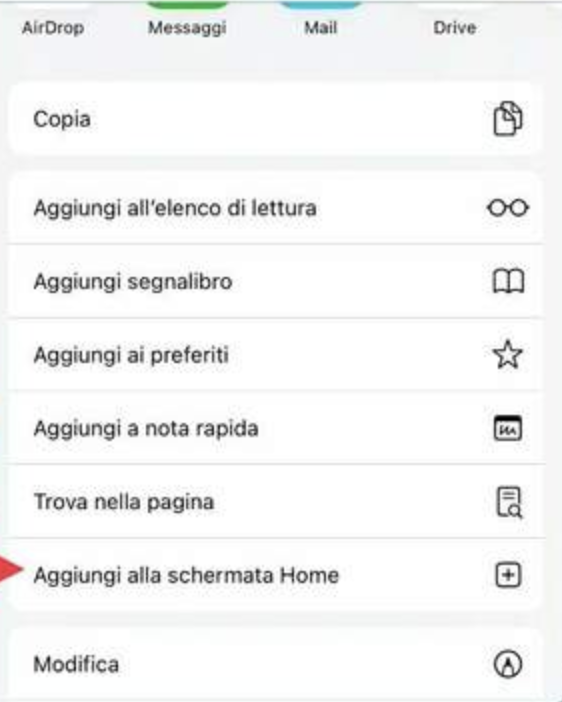
Per iOS  (iPhone, iPad) questa funzionalità richiede aluni passaggi aggiuntivi per essere abilitata. Devi aggiungere l’app Web alla schermata iniziale e accedervi da lì per abilitare le notifiche.

Come installare la Web App per iOs

  1. Apri il tuo browser Web e vai su CAM4.com
  2. Clicca sull’icona di download nella parte in basso del browser.
  3. Seleziona “Aggiungi alla schermata Home” dal menu


  1. Rinomina l’icona o premi semplicemente “Aggiungi”
  2. L’icona C4 apparirà sulla schermata iniziale

NOTIFICHE C4 BROADCASTER

Queste notifiche vengono inviate tramite l’app C4 Broadcaster, aggiornandoti sulle richieste di spettacoli privati ​​direttamente sul tuo dispositivo mobile.

Per abilitarla, basta impostare l’opzione “C4 Broadcaster” su attiva.

NOTIFICHE EMAIL

Queste notifiche vengono inviate direttamente al tuo indirizzo email.

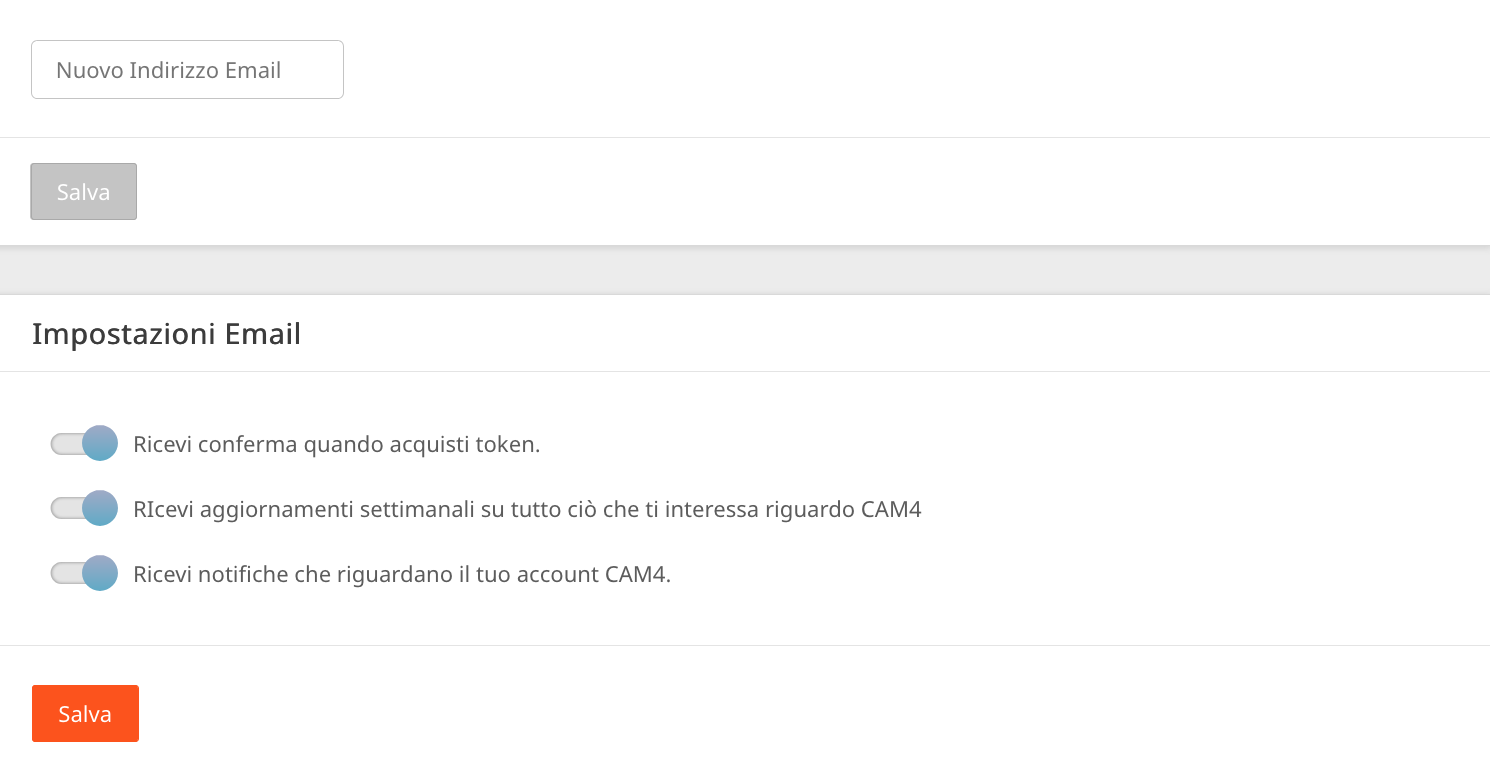
Una volta abilitate, controlla le tue preferenze email per assicurarti che l’opzione “Ricevi notifiche che riguardano il tuo account CAM4” sia ATTIVA.

NOTIFICHE SMS

Queste notifiche vengono inviate tramite messaggio di testo al tuo cellulare ogni volta che viene effettuata una richiesta di spettacolo privato.

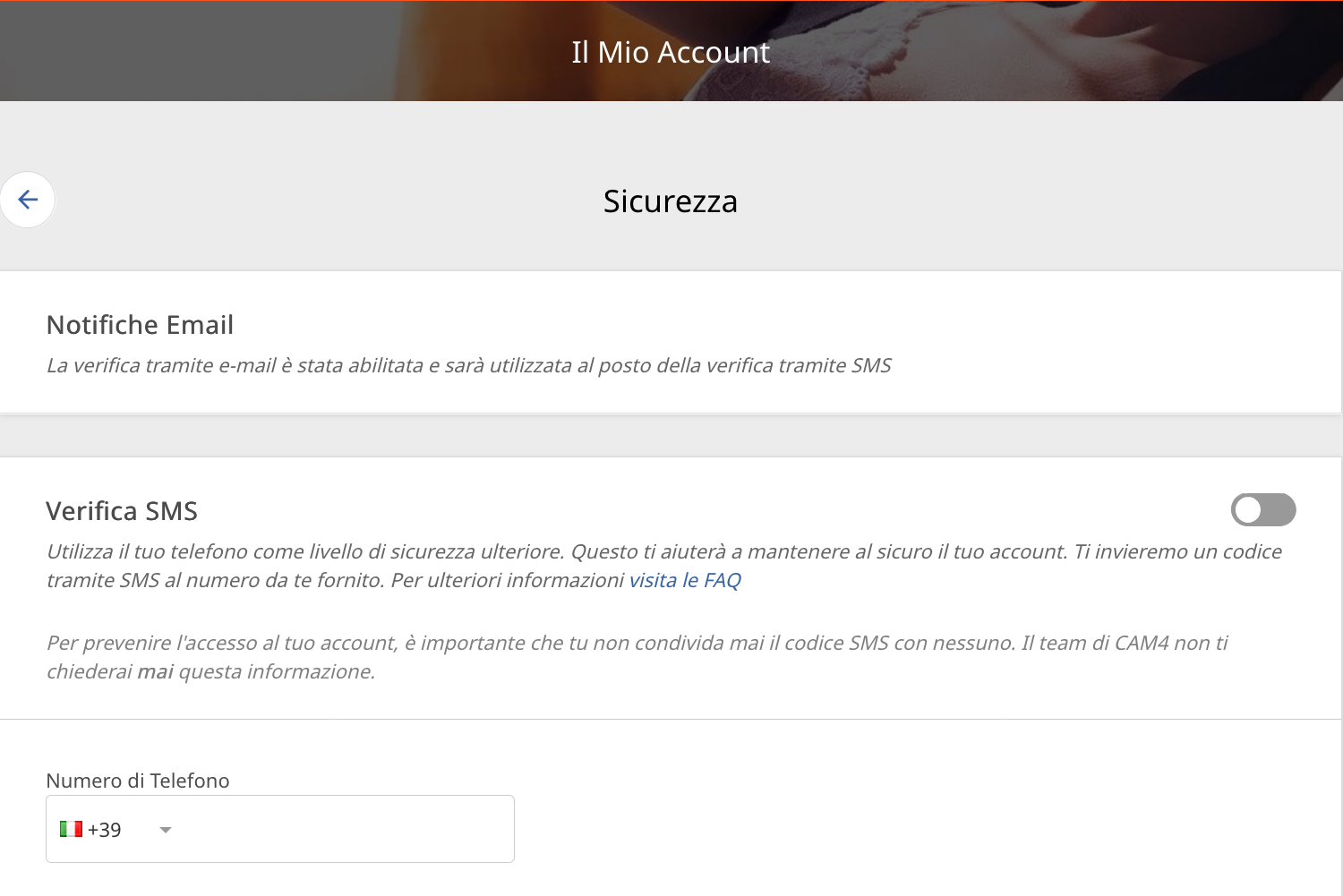
Per abilitarla, basta semplicemente “Aggiungi il tuo numero di cellulare” nelle impostazioni del Mio Account in Sicurezza.

Nota: se è attiva l’autenticazione a due fattori (2FA), il numero di cellulare DEVE CORRISPONDERE a quello utilizzato per la 2FA.

IMPOSTARE I PREZZI
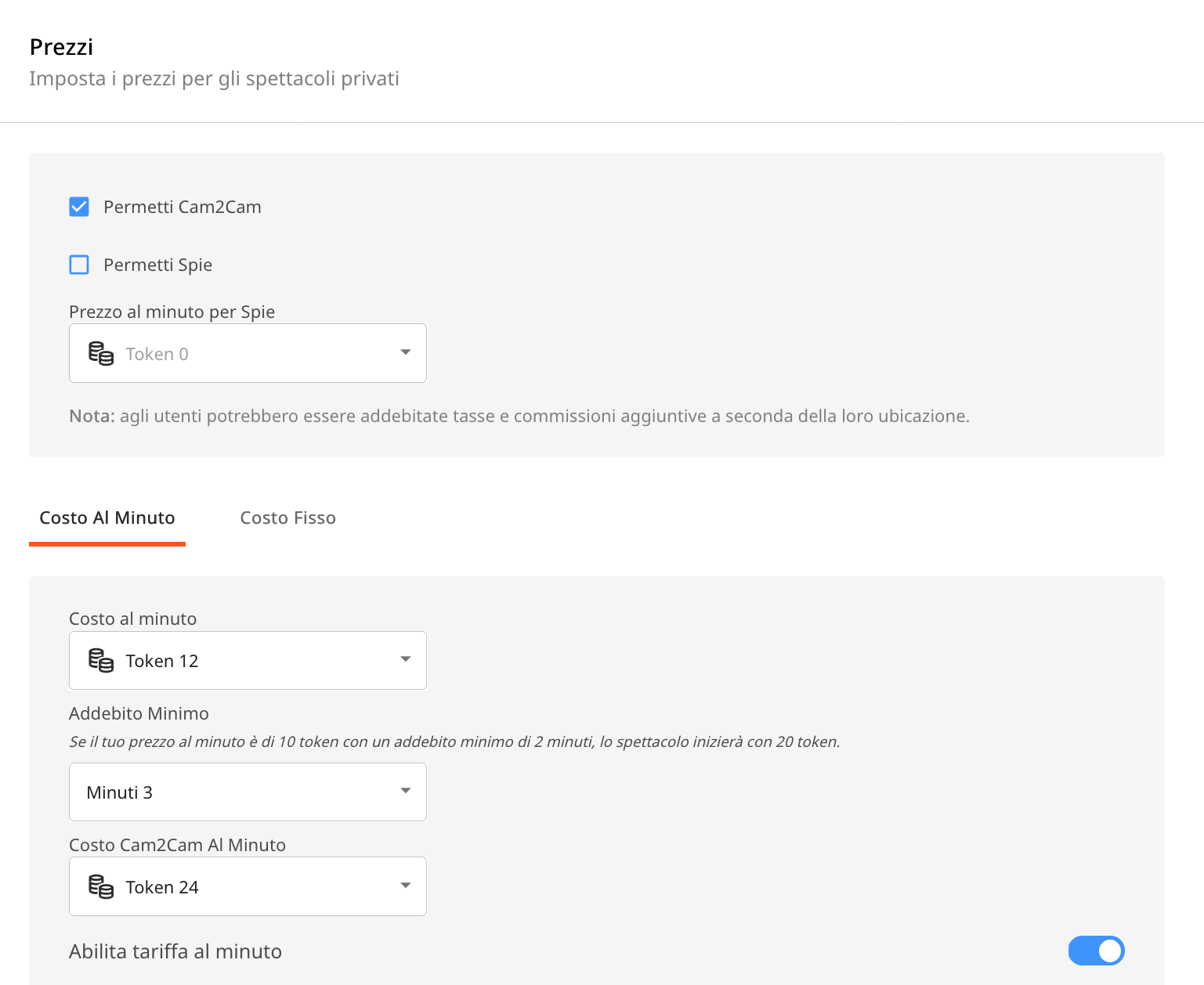
Questa funzione ti consente di impostare il prezzo del tuo Privato al minuto o a costo fisso. Puoi configurare le impostazioni “Prezzo al minuto”, “Durata minima”, “Prezzo al minuto per Spie” e “Cam2Cam” in questa sezione.


CONSIGLI UTILI:

RICEVI NOTIFICHE IN PIÙ MODI: puoi attivare uno o più canali di notifica contemporaneamente, così da ricevere avvisi tramite vari metodi, indipendentemente da cosa stai facendo o da dove ti trovi.

PERSONALIZZA LA TUA DISPONIBILITÀ: imposta gli orari in cui sei disponibile ad accettare richieste di spettacoli privati. Ciò contribuirà ad aumentare il coinvolgimento e ad avere più spettacoli privati ​​in arrivo.

MOSTRA IL TUO PROGRAMMA SUL PROFILO E SU MESSENGER: il tuo programma con disponibilità sarà  inoltre visualizzato sulla tua pagina del profilo e anche sul tuo messenger, assicurando che gli spettatori possano vedere facilmente la tua disponibilità.

Con le giuste impostazioni, otterrai un’esperienza più organizzata, reattiva e redditizia!

Cam Crawl

Looking for new ways to be discovered on CAM4?

Every Thursday from 6pm to 7pm EST, Laura will broadcast live with split-screen magic, allowing her viewers to sit next to her in real-time.

Navigating from room to room, Laura will guide her viewers showing them exactly how to interact with the most delicious creators from North America and around the world!

You could be one of them!

Gain new fans each week and be discovered for new possibilities with CAM4.

The task is to catch Laura’s eye during the crawl… Simply login to CAM4 on Thursdays and be streaming  live between 6pm – 7pm EST. Make sure  you stream the greatest show you have to offer.

That means:
Good lightingGet out of the dark!
Engaging with your viewersShe wants to see you on cam.
HD Quality CamNo grainy streams
Nice cam roomTake pride in the space around you, it makes a big difference.

CAM4’s exclusive Cam Crawl provides opportunity for our creators to be discovered and improves the tipping habbits of our users.

By shining a spotlight on new talent and encouraging viewers to engage with them, the crawl is working to help cultivate a community of appreciation and support.  Showcasing creators and the wonderful content the create is our goal.

Hope to see you on the next Cam Crawl!


~That’s all for this lesson!

Happy Camming!

Love, Your Coaching Team!