Tutti gli articoli di Ashley Maule

Broadcast on CAM4 from your iPhone!

We’re excited to announce the launch of our official iOS Broadcaster! Now you can cam for your fans from the palm of your hand on your iPhone!

iPhone users, ever since we launched our Mobile Broadcasting Appfor Android, we know you wanted to join the fun! Well great news: we’ve officially released a mobile broadcasting solution for you to use too! Introducing the CAM4 IOS Broadcaster!

You’re the Appleof our eye, darling, and we can’t wait to see your gorgeous face on CAM4 from the comfort of your iPhone. You don’t even need to download an application! Just log in to CAM4 on your iphone, click broadcast, and you’re good to go. You can set a status message, a tip message and a tip goal when you sign on, and you can chat with your viewers while you cam.

Here at CAM4 we want you to Cam Without Limits. With the new CAM4 iOS Broadcaster, you can cut the cord and expand the reach of your cam life, taking your viewers places you never could before. We can’t wait to see what you show the world from your iPhone.

Android users can download the C4 Broadcaster App from the Play Store here: https://play.google.com/store/apps/details?id=com.heftlab.c4b&hl=en_CA

For more information, check out our FAQ Page!

~That’s all for this lesson!

Happy Camming!

Love, Your CAM4 Coaching TEAM

Opzioni di pagamento disponibili

A differenza degli altri siti di webcam, su CAM4 i pagamenti potranno essere richiesti in qualunque momento lo desideri
(eccetto nei giorni festivi in USA e Canada).
Quando ricevi dei token dai tuoi spettatori questi vengono automaticamente convertiti in dollari (USD) all’interno del tuo Pannello Performer e finiscono nei “Guadagni Riservati”. Dopo circa 3 giorni, una volta verificati e completata la conversione,  i tuoi guadagni diventano “Guadagni disponibili” e potrai richiederne il pagamento secondo la modalità che preferisci.
Sul pagamento non ci sarà alcun riferimento a CAM4!
Solo gli account verificati potranno effettuare una richiesta di pagamento dal proprio Pannello Performer. Per verificare l’account carica una foto chiara dei tuoi documenti nel tuo Pannello Performer in Gestisci Documentazione. (clicca qui per info).Ricorda che NON è consentito dal regolamento richiedere un pagamento per conto di altri performer o ricevere token da un performer con il fine di incassare il denaro per suo conto. Pena la chiusura e ban degli account interessati. 

Selezionare un Metodo di Pagamento

Puoi configurare una modalità di pagamento direttamente dal tuo Pannello Performer.

  • Accedi al tuo Pannello Performer dal tuo Profilo CAM4
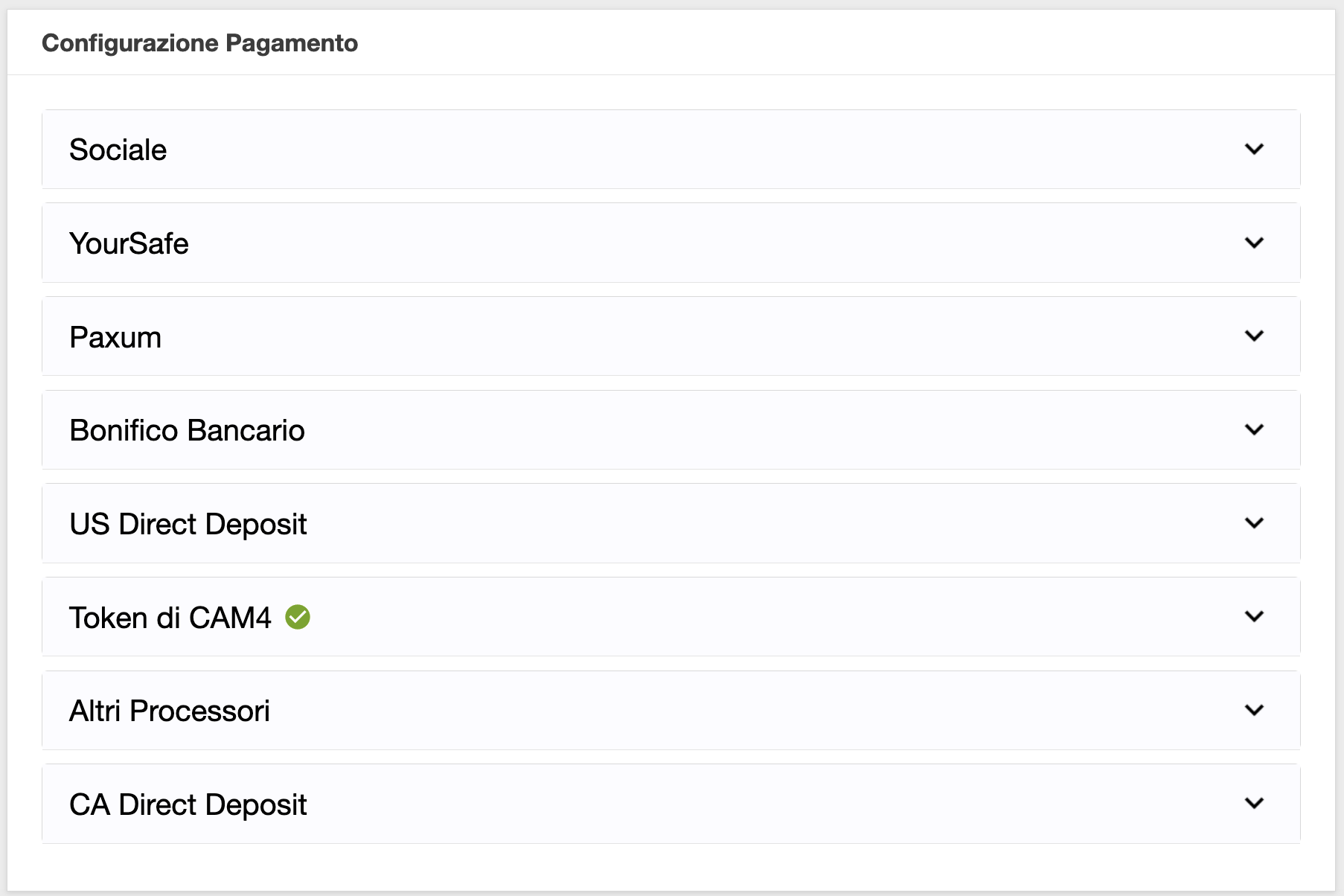
  • Quindi seleziona dal menu a sinista l’opzione Richiedi un Pagamento e troverai le seguenti opzioni di pagamento disponibili:

1. Converti in Token CAM4

Converti la quantità desiderata di dollari disponibili  così da poter tippare gli altri performer oppure utilizzarli come pagamento per diventare un membro Gold.

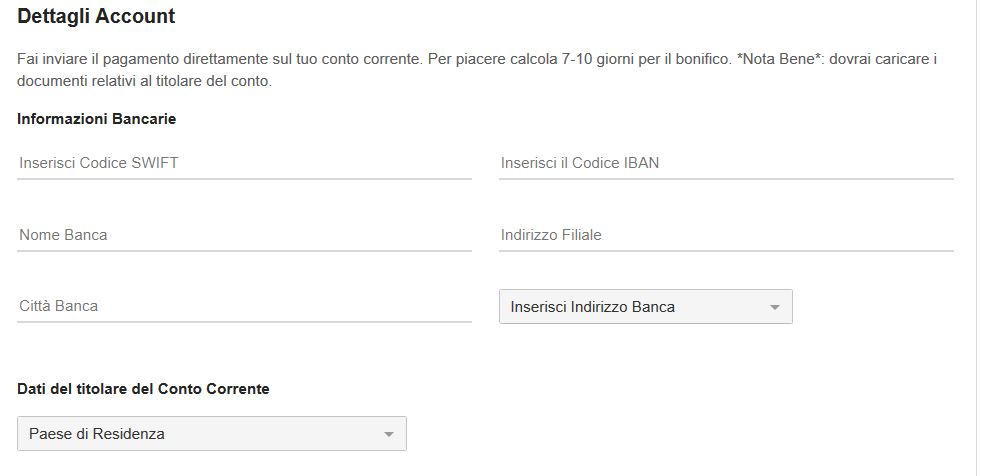
2. Bonifico Gratuito in Euro

Selezionando questo metodo di pagamento nel tuo Pannello Performer riceverai un bonifico in Euro direttamente sul tuo conto bancario. Le richieste di pagamento tramite bonifico bancario sono approvate il giorno (lavorativo) successivo GRATUITAMENTE!

– Costo: Gratuito
– Pagamento minimo: 50$
– Tempo di trasferimento del denaro sul tuo conto: 7-10 giorni lavorativi

– Cosa ti occorre: numero IBAN, codice SWIFT e il nome dell’intestatario*
(i documenti dell’intestatario dovranno esser stati caricati nel Pannello Performer.

Per configurare il Bonifico in €uro come pagamento

  • Accedi al tuo Pannello Performer dal Mio Profilo CAM4.
  • Quindi seleziona dal menu a sinista l’opzione Richiedi un Pagamento e clicca su l’opzione Bonifico in Euro.
  • Inserisci il tuo IBAN, il codice SWIFT della tua banca (se non lo consosci chiedi alla tua banca), nome intestatario, Paese del conto e il tuo numero di cellulare comprensivo di prefisso internazione (+39 per i numeri italiani). Un volta inserite tutte le info clicca su Invia.

3. YourSafe

YourSafe (precedentemente BitSafe) è un metodo di pagamento che offre un E-wallet ed una carta MASTERCARD di debito ricaricabile utilizzabile presso gli ATM (prelievo di contanti) e POS (acquisti nei negozi).

Importo minimo per le richieste di pagamento: $50

Giorni per l’invio dei Pagamenti: Quotidianamente

Costi per ricevere i pagamenti sull’account YourSafe da CAM4: nessuno

In seguito, il costo di mantenimento della carta YourSafe sara’ di 29.5€ annuali.

Costi per il prelievo di contante da qualsiasi ATM in EURO: €2

Costi per trasferimento da Yoursafe ad un conto corrente bancario europeo (EUR SEPA): €0.75

*CLICCA QUI PER LA GUIDA (VIDEO) SU COME RICHIEDERE LA TUA YourSafe DAL PANNELLO PERFORMER E RICEVERE LA PROMO!*

NOTA: Per usufruire della Promo CAM4 inserisci il nome e cognome  dell’intestatario del nuovo account YourSafe  (l’intestario dovrà aver caricato i suoi documenti nel pannello performer) quindi clicca in basso per richiedere una nuova carta e creare il tuo account. Completa la registrazione sul sito YourSafe.com per completare la creazione del tuo account.

Supporto: email accounthelp@yoursafe.com

4. PAXUM

Tramite un account Paxum puoi richiedere un pagamento sul tuo account Paxum, un bonifico sul tuo conto o su una tua carta di credito o debito (incluse carte del circuito VISA).

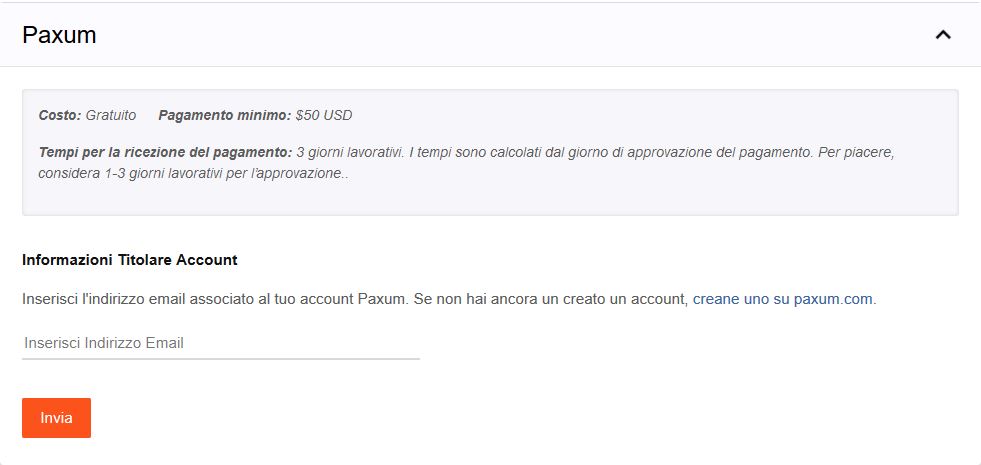
  • Costo richiesta pagamento: Gratuito
  • Pagamento minimo: $ 50
  • Tempi di ricezione del pagamento: dall’invio della richiesta alla banca, saranno necessari da 3 a 5 giorni lavorativi.Vantaggi PAXUM:

    – Il pagamento una volta approvato nel tuo Pannello Performer sarà disponibile sul tuo account Paxum in meno di 24 ore (rapido e gratuito).
    -Potrai inviare dal tuo account Paxum denaro su carte di credito, debito o prepagate (trasferimento rapido)
    – Potrai richiedere una carta prepagata Paxum in dollari su cui versare i tuoi fondi (trasferimento molto rapido).

Per utilizzare questo metodo di pagamento ti basterà collegare il tuo account Paxum, se ne possiedi già uno, inseriendo il tuo indirizzo email associato a paxum e cliccare su Invia.

  • Come creare un account Paxum
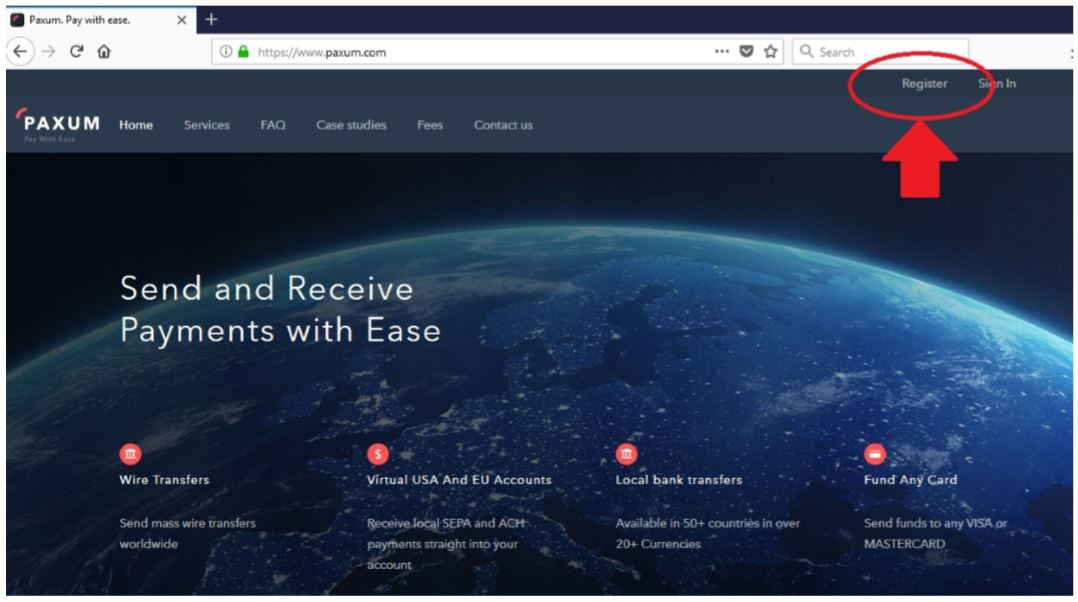
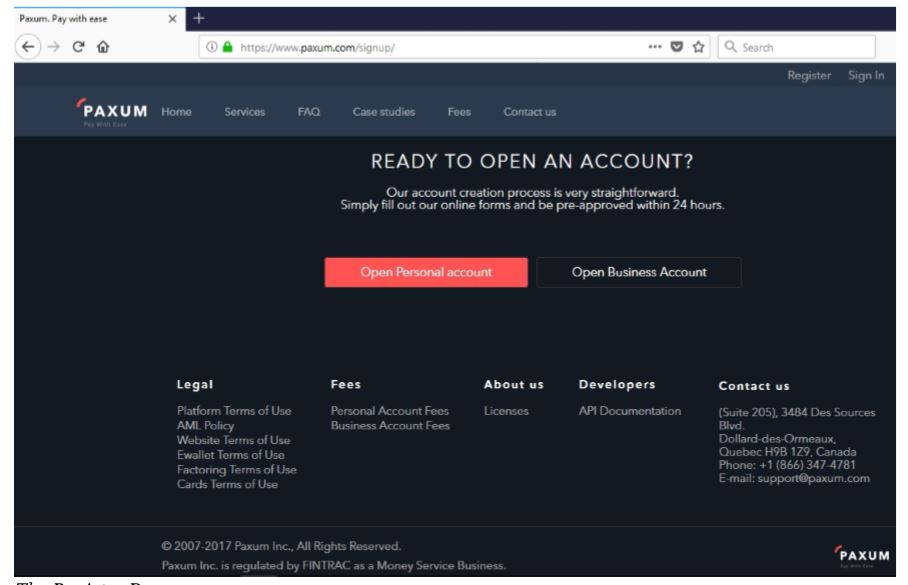
    Per creare un account Paxum vai su www.paxum.com oppure clicca qui!Una volta sul sito Paxum.com clicca su Register e quindi su “Open Personal Account

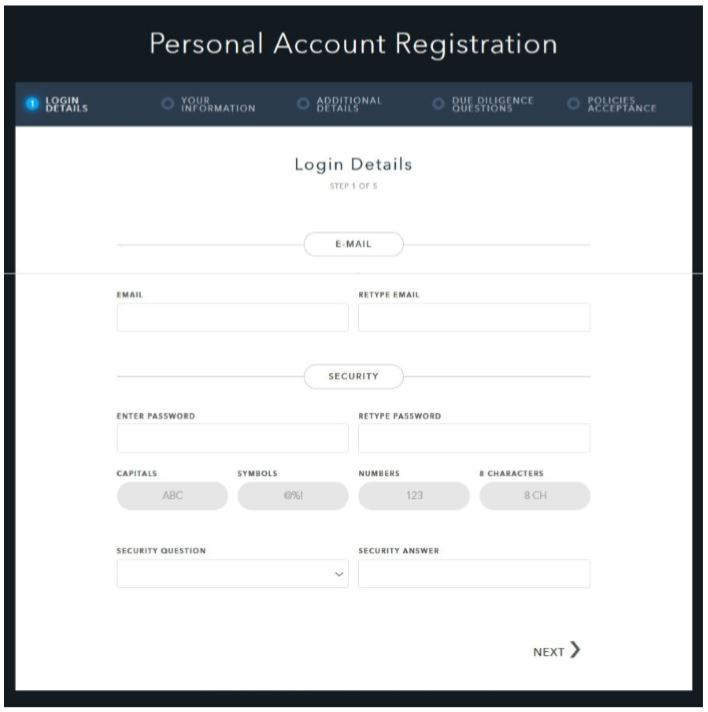
    Inserisci quindi i tuoi dati, partendo dalla tua email da associare allo username Paxum. Quindi imposta una password euna domanda & risposta di sicurezza. Dovrai successivamente inserire delle informazioni, come nome, indirizzo, ecc.

    Inserisci tutte le informazioni richieste per la registrazione.
    Al ternine ti sarà chiesto di verificare il tuo numero di telefono e il tuo indirizzo email.

    Dopo aver fatto clic sul link di conferma, verrai reindirizzato al tuo account Paxum dove potrai caricare i tuoi documenti necessari per la revisione da parte del team di verifica Paxum.

    Avrai bisogno di una foto chiara in buona risoluzione di un documento d’identità valido e una prova di verifica di indirizzo.

    Una volta che avrai ricevuto conferma dell’attivazione del tuo account Paxum (può richiedere fino a una settimana) potrai collegarlo al CAM4.

Clicca qui per la guida completa alla creazione e verifica di un account Paxum!

Non appena la tua richiesta di pagamento sarà accettata da CAM4 e inviata a Paxum, l’importo sarà disponibile e visibile sul account online di Paxum. Potrai sempre accedere al tuo account Paxum online, il tuo controllare il tuo saldo e i pagamenti ricevuti . Potrai quindi trasferire l’importo che desideri dal tuo account Paxum a un tuo conto bancario (tramite bonifico sepa) oppure versarlo su una tua carta visa o mastercard.

Clicca qui per leggere la radida guida su come richiedere un pagamento dal tuo account PAXUM!

Potrai anche inviare direttamente del denaro a un altro utente di Paxum.

Paxum supporta pagamenti su carte del circuito MasterCard. Ti consigliamo di richiedere pagamenti di importi non elevati su carte prepagate, per evitare che le banche/ poste blocchino il pagamento richiesto.

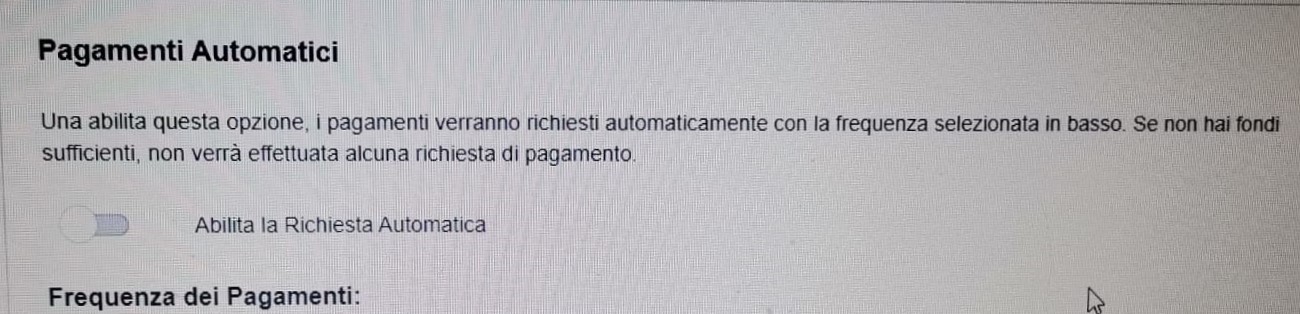
Scegli il metodo più adatto alle tue esigenze e comincia a guadagnare con CAM4! Puoi anche impostare un pagamento automatico che con la frequenza indicata sara’ inviato nel caso disponi di fondi necessari. Se desideri usufruire di questa modalita’ di pagamento ricorrente ti basta abilitare la richiesta e inserire la frequenza di invio dei pagamenti.

Puoi sempre farci domande via email a payments@cam4.com

5. Altri Processori (solo Sud America)

6. US Deposit e CA Direct Deposit (solo Nord America)

Social Media 101

Talking all things social media. Lean some tricks and tips to making the best posts.

TWITTER 

1. Keep Your Profile and Cover Images Clean

Performers are able to show more sensitive and R-rated content, but this is not true for every area in Twitter. In your profile picture and your banner you can’t show any nudity, nothing sexy! Keep it SFW. This helps to keep your profile active and away from the dreaded bans. 

2. Keep Twitter Live Streams Clean

The same rules apply to your live broadcasts on Twitter, make sure there’s no nudity. Though this is an awesome way to tease viewers into your shows, it’s not the place to get explicit. 

3. Keep Nudity in Your Posts

Your tweets can include nudity, so you’re free to be as explicit as you want. 

4. Am I Shadowbanned?

Twitter will “shadowban” accounts that violate these rules. This means that your profile won’t appear in searches, making it hard for fans to find you. 

5. Tagging People in Photos

If you’re uploading a picture, click on the “Who’s in this photo?” button and you can tag up to 10 users in the photo. This is a cleaner option than tagging followers in the tweet itself.

6. Use Twitter Analytics!

 If you’re on your desktop on your Twitter profile page, look at “statistics” on the sidebar.  You can get a lot of information about when’s the best time to send your tweets, who’s following you, their interests etc. If you go through that data, you’ll have a better understanding of when you can make money and gain followers.

Why Should I Tweet?

1. Promote yourself! Social media is the cheapest, easiest, and fastest way you can promote your Cam4 shows!

2. More social media followers = more viewers = more money in your pocket. Loyal viewers spend more, and when people know what you’re offering, they can spend more. You can achieve both with Twitter.

3. Reach new fans! How else can you find new people who want what you’ve got? Using Twitter hashtags and the Cam4 social media community you can reach tons of viewers who are looking for you!

4. Interact with existing fans in a whole new way. Extend their Cam4 experience way beyond your shows. It’s a win-win for everyone 😉

Like all good things, you need a billboard to help people find you. Treat social media as your billboard! Tweet from anywhere with your mobile device, and tweet while you’re live from the web.

Ok… I got Twitter… now what?

When I signed up for Twitter, I sat there with an empty news feed and no clue where to start. There’s millions of users, so how do you find the ones who are into you? How do you get people to follow you? It’s not as hard as you think, take a breathe and get started with these easy steps:

1. Share your Cam4 link when you’re live


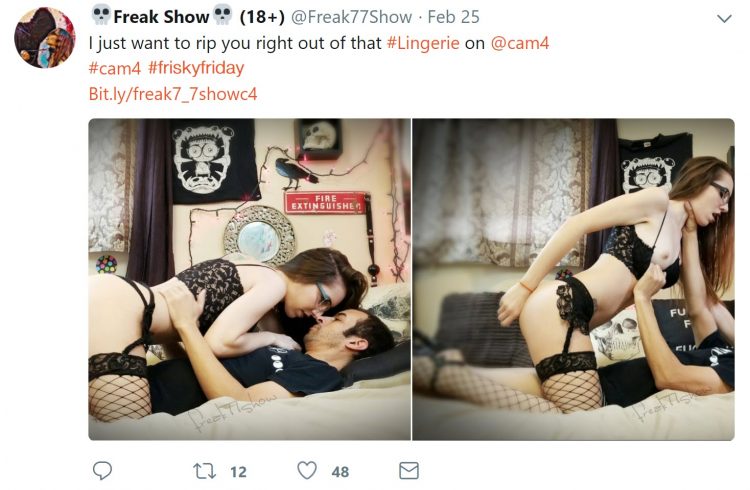
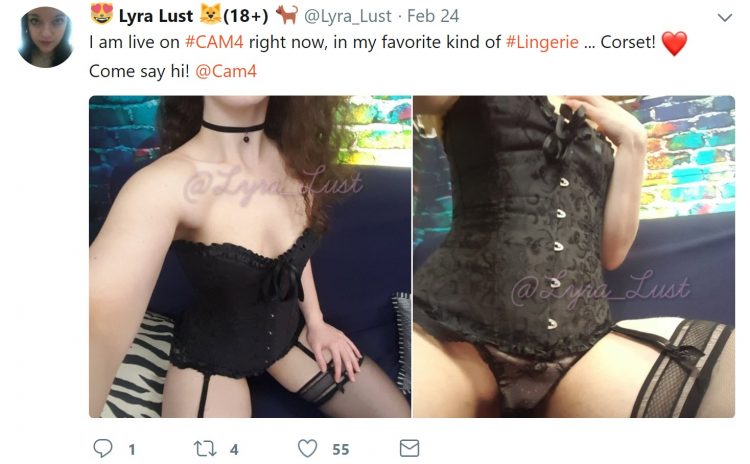
2. Use hashtags like #tittietuesday #asswednesday and #friskyfriday along with #CAM4 and pics to find new fans. 


3. Send @CAM4 a tweet and I will personally help you along the way
**Don’t be scared to show your personality, that’s what viewers love!**


INSTAGRAM

  1. Keep it all Clean!

Everything has to be SFW! Instagram can take down any pictures that are reported as, or are NSFW. Tease viewers, or show off your personality and style. 

2. We Recommend no More Than Bikini Photos

Take some bikini pics and keep them on hand for Instagram. It’s also good to take some seductive pics without any nudity or explicit content.

3. Where Can I Link?

Try not to post links to porn sites in your posts – instead, post your Twitter link so your followers can get links to your cam shows directly there. 


Getting Your Posts RT’d by your Cam Company

To get retweeted by a camming platform, there’s some key things you have to do: 

Include your URL – we want followers to click on your links!

Use hashtag (#) or ‘@’ your cam company – #cam4, for example. 

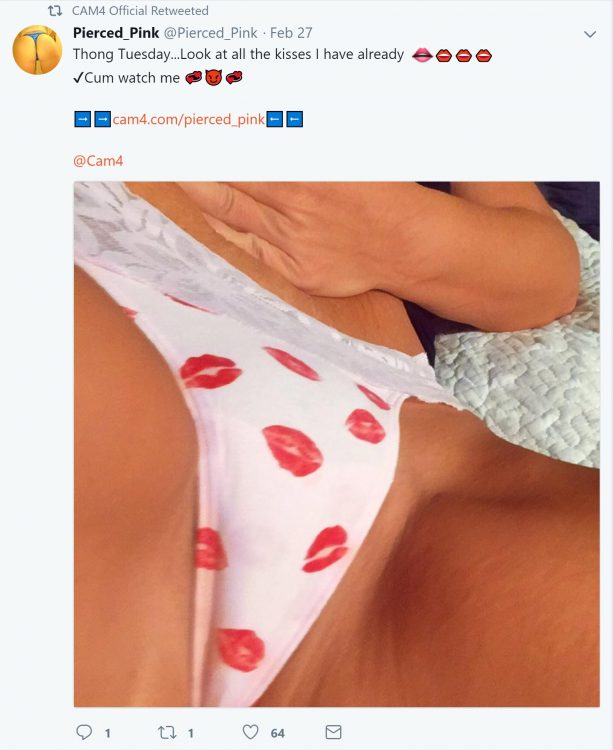
Post a HOT visual! (videos are a huge preference though) People love to see visuals. You can add up to 4 photos in a post.

If you want people on Twitter to watch your live shows, the Twitter picture should show them what that show’s going to be like. Example: if you’re doing a show from your bath tub, take pics/video of you in the tub!

Separate posts if you’re tagging separate cam companies! One post for one site, that way each site has the opportunity to retweet you

PRO TIP: Use videos from your Snapchat to post on Twitter!

CAM4 COACHING

CAM4 provides users with Training every Tuesday & Thursday with cam coach, Vannafaye


Reddit for Cam Performers (video)

Promoting yourself on Reddit gives you access to thousands of people who are searching for cam performer content. 

Reddit is basically a massive forum where people can discuss pretty much anything. It’s divided up by subreddit, and just for camshows alone there’s over 50 threads you could post on. 

Getting started

It’s so easy to sign up and make your first post that we promise it’ll take you less than 5 minutes. There’s no profile to design, no account info to edit, just make your username and password, and start posting!

  1. Chose a username that’s identical to or similar to your CAM4 name. Short and memorable names will help people remember you, Lala Capri, Lil Jezebel, Aqua Angel are a few examples of this.
  2. Follow threads that are related to your interests or content.

Reddit is hugely different from the other social media platforms we’ve covered, so watch this video from our resident cam girl and social media expert Sammy Strips or keep reading!


Posting on Reddit

Now you’re ready to start posting your best content! But, let’s review the guidelines before you begin posting:

  1. You have to wait 7 minutes in between postings
  2. Link to your images and videos via Imgur, ManyVids, PornHub, CAM4, YouTube, etc.
  3. Don’t post content into subreddits that aren’t related
  4. Read all of the rules of each subreddit 
  5. Don’t post the same content on multiple subreddits

Then it’s time to hit up the subreddits for Camgirls: 

r/CamGirl

r/CamGirls

r/CamModels

r/CumSluts

r/camshow

r/camshows

r/fuckmeat

r/girlskissing

r/FapFolders

r/GoneWildCurvy

r/JizzedToThis

r/NSFW_Ass

r/HungryButts

r/CumTributes

This isn’t even the tip of the iceberg. You could spend hours collecting all of the camgirl-related subreddits. Cha-ching!

A word of caution: Reddit is a community and they work hard to keep the content unbiased, helpful, and honest. Always read each thread’s rules and guidelines. For example, some threads require you to message the moderator before posting.


The best approach is to collect your content and make sure it’s varied – cumshots, lesbian, BDSM, spanking, wearing glasses, tattoos, or cum tributes will enable you to post on the more specific threads. 

Stop by r/CAM4Live and leave us a pic ❤️ And remember, follow our official accounts!

Follow CAM4

 @CAM4   @CAM4_Gay

 @CAM4_Official    @CAM4Gay

     CAM4snaps     CAM4gay 


Increase your earnings and viewers with PornHub

How to create a profile on PornHub to get more viewers and earn more on CAM4!

PornHub is the largest adult portal in the world. Millions access it daily providing visibility that no other site can give you. You can create a free PornHub account and use it to upload your photos and videos to lure more users and turn them into potential fans and tippers on CAM4! But not only that … by entering your CAM4 Referral Program link in your profile bio you will earn $2 for each user who click’s on your affiliate link register’s on CAM4!

I guess you’re wondering how long it takes to create a free PornHub profile and connect it to CAM4 … well, it takes less than 5 minutes!
Here’s a quick guide on how to create your Brand Ambassador profile, how to upload your videos, how to use your affiliate link and start earning more!

– How to create a FREE profile on PornHub … in 5 minutes

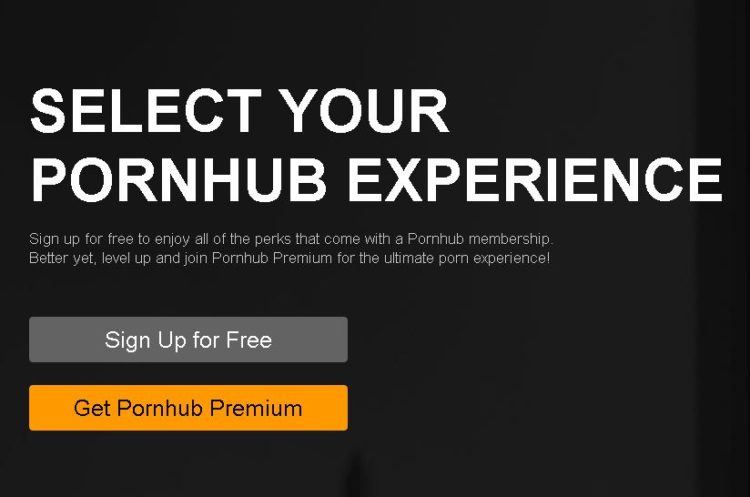
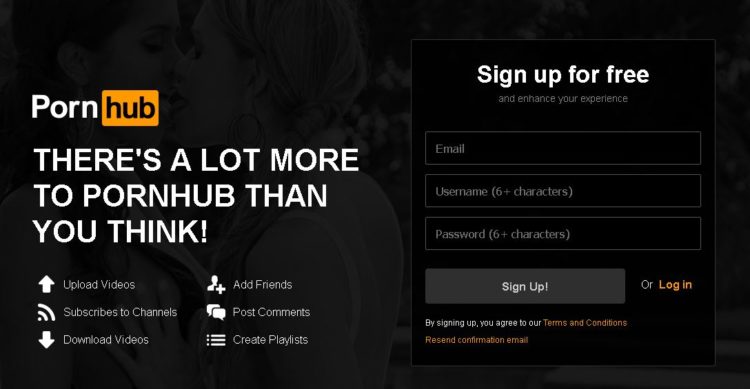
Go to PornHub’s homepage and select Sign Up (on the top – right) … or just click on this link!

Click on Sign Up for Free. Then enter your e-mail address and choose a PornHub username (you can use the same on CAM4 if available) and finally choose a password.

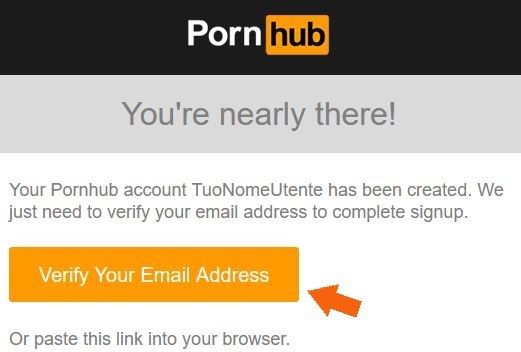
Check your email address and activate your PornHub account by clicking Verify Your Email Address.
Done! Now you’ve created a PornHub profile and you just have to configure it according to your liking 🙂


– How to configure your PornHub account with images, video and your CAM4 affiliate link!

Once verified your mail PornHub will ask you for basic information to confine your profile. What do you like, What channels you want to see and Basic Information (the most important ones to promote you!)

In the Basic Information section you can select the country, city, and nickname that you prefer. Be sure to write a short description in the ABOUT entry. You can use this space as a showcase to promote you as a web cam model on CAM4.

The most effective tool is to enter your CAM4 referral link to bring them to your CAM4 page and earn even from each subscription! If you do not know how to get your affiliate link (always found in My Accunt > Profile Options, bottom left> Referral Program)!!

For example, enter your next scheduled show on CAM4 or find other videos on your CAM4 profile. Or click the link below to see more videos #fetish, #outdoor.

Then click on Complete and Have fun on Pornhub! Once the configuration is finished you will be able to edit your profile and enter profile, cover, galleries, gifs and VIDEOs!

On your profile click on the profile image and cover photo and select upload photos to get you noticed! Note. you may decide not to show your face or use masked photos 🙂

– How to UPLOAD VIDEOs on PORNHUB:

In your profile page, you can view a preview of your basic information to the left: Make sure your referral link is correct and have a captivating description to push users to click on the link! 🙂
At the top click the Video section and then click Add Now! Then drag the video you want to upload and wait for the upload to complete.

Remember to include details on your video (eg. orientation, privacy, amateur production) and carefully choose an alluring title (you can also add translations in other languages). Finally, select the tags to describe your video and bring users with ease.

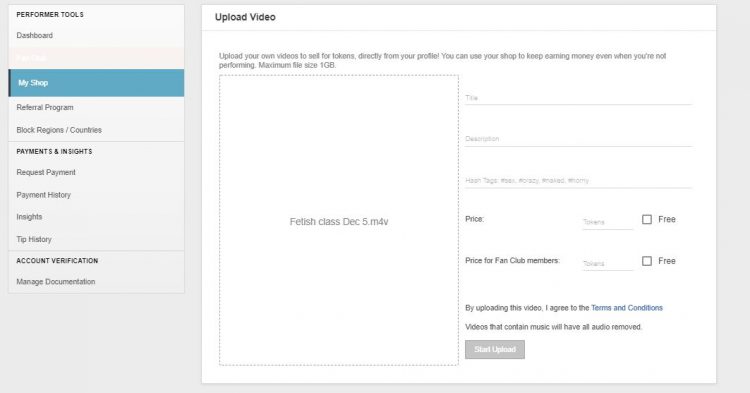
 PRO TIP:  Post quite often to keep users up to date on your next CAM4 shows and  promote your new videos on your MyShop, but make sure each message always contains your referral link!


~That’s all for this lesson!

Happy Camming!
Love, Your Coaching Team!

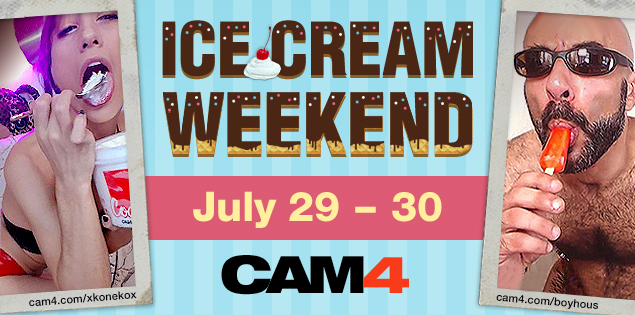
Ice Cream Weekend July.29-30th


How many licks does it take till you finish? 

You’ll scream, and your viewers will cream for Ice Cream Weekend on CAM4. Tell your viewers to #LickIt by scheduling, tagging, and tweeting your ice creamy shows!

To earn a cool 100 Tokens all you have to do is:

~Tag your live show – #LickIt
~Tweet an ice cream themed picture with the link to your show and use the #LickIt.
~Schedule your tasty treat show with the #LickIt in the description.

~You can earn an additional 100 Tokens for tweeting the best Ice Cream themed picture using the #LickIt!


Rules

~Approved CAM4 performers only.
~Only one payment of 100 tokens per performer
~Show length must exceed 30 min. and reach a minimum of 20 viewers.
~Must include #LickIt in your live show status.
~Must tweet a picture, live show link, and the tweet must have the #LickIt. (Tweets containing photos unrelated to the theme will not be accepted)
~Schedule your show with the #LickIt in the description. 

How to Work with Promo Accounts

Beyond the CAM4 accounts, there’s endless opportunities to use social media to find new viewers. Here’s a list of just some of the Twitter accounts you could work with, and how to look for more. 

Always remember that cam promoters aren’t a source of instant tokens, they’re part of longterm success. Building up your exposure and personal brand will result in more tokens, more viewers, and more opportunities for events, trade shows, partnerships, and other magic that only the future knows. 

Most promo accounts make money as affiliates, so they will likely attach their referral code to your CAM4 URL. If it’s a good account, you’ll benefit from this. Check out the Camgirl Promo Accounts list on the CAM4 Twitter page: 

twitter.com/Cam4/lists/camgirl-promo-accounts

WeCamGirls (which by the way if you aren’t already mega active on this forum, do it now) has this epic article on how to use cam girl promo accounts on Twitter, including promo accounts for everything from facials to tattooed camgirls: 

wecamgirls.com/articles/for-camgirls-make-your-twitter-your-1-marketing-tool-updated-with-new-categories/

Doing fan signs for big accounts with thousands of followers is a great opportunity to get more people following you and joining your camshows. Even if they’re free, they will pay off in the end.

The most effective promo accounts are each others. Every cam girl’s following on social media is made up of: viewers, similar camgirls, and fans/promo accounts. Become friends and help each other out by trading tweets, doing giveaways together, camming together, or whatever works for you. 

Before you work with promo accounts, you have to make sure a couple of things: 

  • You’re tweeting regularly with good content like pictures, short videos, and always your CAM4 link
  • You’re able to cam often, or sell videos on CAM4
  • You are using your referral ID in your tweets, so when RT accounts repost your messages, you can earn money
  • You’re contacting accounts that represent you – i.e. if you don’t have tattoos don’t contact the tattoo accounts
  • Your Twitter account is public!!

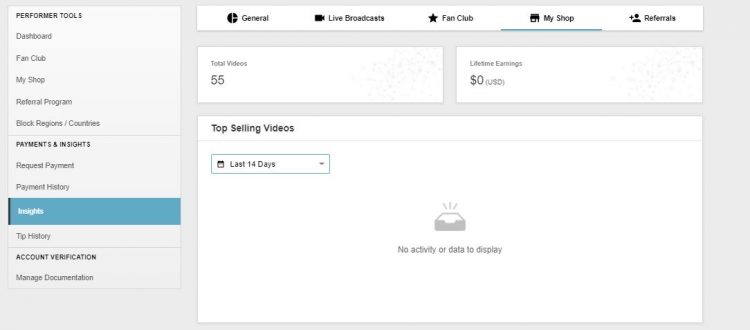
Utilizzare le statistiche del tuo Performer Store per migliorare i tuoi contenuti

Le statistiche sono un ottimo strumento per comprendere se stai realiazzando dei video di successo per il tuo pubblico.
Per questo motivo il Performer Store di CAM4 è stato progettato in modo che tu possa utilizzarlo con facilità e fornirti costantemente un quadro generale della soddisfazione dei tuoi fan e dei ricavi ottenuti da ogni video.

evely

Avrai la possibilità di scegliere l’ordine in cui posizionare i tuoi video nella maniera che preferisci. Inoltre, nel tuo Performer Store sono presenti dei link per la condivisione dei tuoi video sui social media.

Le tue Statistiche!


mipiace

Comprendere le Statistiche dei Video


Avere delle statistiche eccellenti è il sogno di tutti i performer… ma sono proprio delle statistiche che presentano scarsi risultati a darci maggiori informazioni! In questi esempi vedrai quali possono essere gli errori che si nascondono dietro numeri poco soddisfacenti:

Video #1 – Il tuo video ha pochi “like”… ma tante visualizzazioni

  • Possibili motivazioni:
  1. La qualità del video! C’è una buona illuminazione?! L’audio è soddisfacente? Sei a tuo agio nel video?  Queste cose possono influenzare la soddisfazione degli spettattori… mettititi nei loro panni e assicurati che il video piaccia prima a te stesso/a!
  2. Probabilmente hai fatto un ottimo lavoro di promozione del video… ma forse non nel modo giusto! Controlla di aver inserito i giusti tag/titoli e delle descrizioni corrette per attirare il giusto target.
  3. Confronta il prezzo con la lunghezza del video. Vendi un video di 1 minuto  al costo di 50$? Beh, speriamo sia un video incredibile! Ricorda che più vendi più  guadagni… ma con prezzi altissimi sarà più difficile vendere.


Video #2. Il tuo video viene acquistato e anche i like sono ok…ma il numero delle visualizzazioni non è alto (chi ha comprato il video lo ha visto solo una volta ad esempio).

  • Possibili motivazioni:
  1. Potrai aver venduto abbastanza, ma non soddisfatto le aspettative degli acquirenti… dura da accettare, ma un grande insegnamento per il prossimo video!
  2. Riguarda il tuo video: assicurati di guardare nel obiettivo per creare un’illusione di “contatto visivo”; cambia spesso angolazione e trasmetti al tuo pubblico il piacere che provi nel filmarti! Queste accortezze generano una sorta di connessione tra te e il tuo pubblico. Senza di questa probabilmente il tuo video non verrà riprodotto una seconda volta…
  3. Protrebbe esserci un problema nella registrazione. Ad es. l’audio è troppo alto o troppo basso? È girato bene, il colore è bilanciato?  La messa a fuoco della tua videocamera a volte “impazzisce”?


Consigli TOP per girare i tuoi video:


  • ~Chiediti “Guarderei il mio video?” “Pagherei per vederlo?”
  • ~Può sembrare strana come cosa… ma GUARDA I TUOI VIDEO!
  • ~Non sentirti forzato/a a parlare durante i tuoi video. Fai sentire però il tuo respiro… i tuoi gemiti e i tuoi lamenti (di piacere)!
  • ~Se usi una musica di sottofondo riduci il volume al minimo (sia per motivi di copyright… che per questione di gusti musicali).
  • ~Durata ottimale di un video: 5-10 min. Ok, non sarà tantissimo, ma un video più lungo può far perdere interesse e attenzione al tuo pubblico.
  • ~Un video top può esser persino girato nel bagno di un treno col tuo smartphone! Quello che conta è il contenuto del video.
  • ~Divertiti quando stai girando un video! Come quando stai trasmettendo in cam, i tuoi spettatori possono capire se ti piace quello che stai facendo.


Per questa lezione è tutto!

Resta sempre in contatto con la coach su twitter @cam4coach_it per non perdere le ultime novità per i performer della community.

nikita PTR FINAL FINAL

Profilo dell’allenatore:
camcoach_it
Password: coach

Lunedì – 17:30 & Mercoledì – 19:00


Coaching maschile

Profilo del coach:
camcoach_it
Password: coach

Giovedì – 19:00


Buon performing!

Alice & Giorgio


Idee e consigli per girare i tuoi video!

Creare dei contenuti per i tuoi fan (foto e video) è facile e divertente. Segui questa guida e creerai dei contenuti che lasceranno i tuoi fan senza fiato!

caitierage-cam4

“Racconta una storia”


A prescindere dal video che stai realizzando, ricorda di trasmettere emozioni e comunicare qualcosa ai tuoi fan.

  • Ecco come fare:

Pensa a cosa interessa ai tuoi fan. Vuoi trasmettere qualcosa che li ecciti? Hai già realizzato dei video a tema o è il tuo primo? Porti queste domande ti aiuterà a capire come trasmettere il massimo….


aliciatank-cam4

“L’essenziale è visibile agli occhi”


Una volta che hai deciso cosa fare nel video “pensa con gli occhi” per impressionare visulamente il tuo pubblico

  • Come fare:

In base alla sensazione che vuoi trasmettere ai tuoi spettatori scegli la location! Ad esempio s evuoi dare l’impressione di esser spiata/o a lavoro crea una scrivania e posiziona in basso la tua webcam. I tuoi spettatori avranno l’impressione di spiati dal basso…

Consiglio TOP : Usa PIP (Picture in Picture) per avere due cam o due video sullo stesso schermo!


ES-ivanamor

Una Clip o un Video Intero?


Pensa alla durata del tuo video… ti aiuterà a capire come riempire il tempo con contenuti interessanti ed eccitanti.

Una Clip ha una durata di 2-3 minuti, mentre un video può durare dai 5 ai 50 min. Assicurati di renderlo interessante dall’inizio alla fine, di modo da non annoiare il tuo pubblico! In questo caso… la lunghezza non conta! 🙂


alexvswayne

Registra in modalità Landscape (Panorama)


Se usi una videocamera o uno smartphone per la registrazione, prendi l’abitudine di usare la modalità landscape. Questa ottimizzerà la visualizzazione sullo schermo del PC.

  • Come fare:

Posizione il tuo telefono in maniera orizzontale (giralo di 90°) .


missela20 copy

Zoom vs. editing


Zoommare può essere accattivante, specie se vuoi che i tuoi spettatori vedano alcuni dettagli. Ma attenzione costringerli a guardare per tanto tempo una determinata cosa può esser controproducente: magari il tuo spettatore preferiva vedere altro e… può perdere interesse.

  • Come fare:

Mentre filmi non preoccuparti di zoomare… potrai farlo dopo con programmi di editing, una volta che hai girato il video. In questo modo eviterai di distrarti, di muovere troppo la videocamera o di farla cadere!


bloodyfrench

Audio


È fondamentale che i tuoi spettatori sentano te, non musica di sottofondo o altri rumori… In questo modo potrai creare una connessione maggiore.

NB. Durante uno show o all’interno di un tuo video ricorda di
non riprodurre brani musicali 
protetti da copyright 
se non sei in possesso dei diritti!

  • Come fare:

Assicurati di registrare in un luogo privo di rumori e, se possiedi un microfono esterno utilizzalo per migliorare la qualità audio. Ricordati però di non parlare troppo nei tuoi video, a meno che la situazione non lo richieda o te lo abbiano richiesto i tuoi fan.
Cerca di non concentrarti troppo su quello che stai dicendo, così potrai concentrarti su quello che stai facendo…ed è così che si fa! 🙂


AliceSleek

Illuminazione


Stesso discorso delle cam: il pubblico deve vederti per bene!

  • Come fare:

Aggiungi più sorgenti luminose! Fai delle prove prima di iniziare a girare per controllare se necessiti di maggiore illuminazione. L’immagine deve essere chiara!

Leggi questo tutorial per avere le luci di una star!: How to light for your


edwardoo22

La videocamera va posizionata?


Dipende da che effetto vuoi dare: se vuoi che i tuoi abbiano la sensazione di guardarti come se fossero lì (o attraverso gli occhi di qualcuno che è con te) tienila in mano. Ad esempio per creare un effetto POV.

  • Come fare:

Se una videocamera posizionata,  usa semplicemente la cam del tuo PC o disponila su un piedistallo o treppiedi. Se non ne hai uno non preoccuparti, puoi sempre usare una lampada e incastare la tua videocam in cima. Funziona per tutte le lampade!

Se vuoi una ripresa dinamica e non statica fatti riprendere da  qualcuno! Assicurati che la registrazione avvenga in modalità landascape e che la persona che stia filmando non usi lo zoom . Ricordati che la persona che ti sta filmando dovrà avere una mano ferma e non muovere troppo la cam… per non infastidire il tuo pubblico! 🙂


x_sofia

Angolazione


Il bello di video è poter stoppare la registrazione e cambiare angolazione , cosa che non avviene quando si trasmette con uno show in diretta.

  • Come fare:

Puoi filmarti con diverse videocam allo stesso tempo. Una potrebbe essere la tua webcam e l’altra la fotocamera del tuo smartphone.

Consiglio TOP:  Se qualcuno ti sta filmando puoi usare un’altra videocamera posizionata con una diversa angolazione per avere due prospettive diverse. 


vicalouqua

Coinvolgi il tuo pubblico


Gioca con lo  sguardo! Questo semplice consiglio renderà il tuo video una droga per i tuoi fan!

  • Come fare:

Prendi confidenza con la tua cam e fai dei tentativi prima della registrazione. Guardare l’obbiettivo coinvolgerà maggiormente il tuo pubblico!


È tutto per questa lezione, buona registrazione