Category Archives: Kom igång

Samla all information du behöver för att komma igång med din Performer-karriär. Här får du hjälpliga nybörjartips och praktisk vägledning.

Payment Options

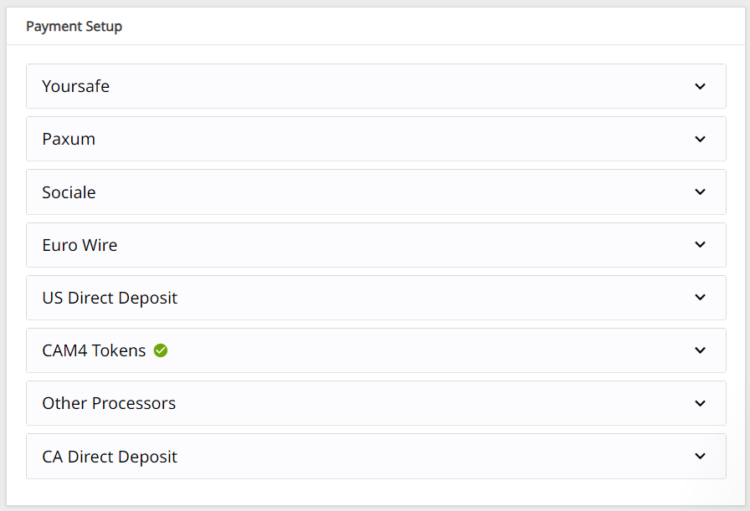
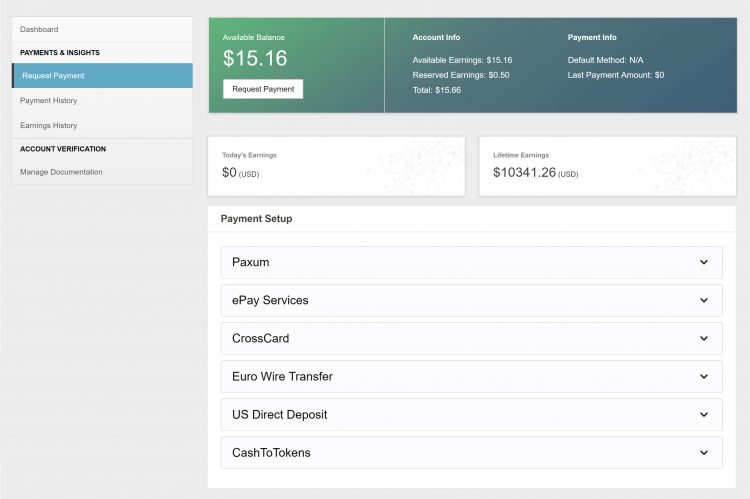
We offer TEN payment options but not all options are available to every broadcaster due to your location.

Click here to find out which one works in your country!

Yoursafe 

  • Minimum payment: $50 USD
  • Processed: Daily (Mon – Fri)
  • Information required: Yoursafe Full Beneficiary Name

Link To FAQ for more details.

Paxum

  • Minimum payment: $50 USD
  • Delivery: Daily (Mon – Fri)
  • Information required: Paxum Account ID
  • Pre-paid Paxum Mastercard – CURRENTLY NOT AVAILABLE

Link To FAQ for more details.

Register for an Paxum account: https://www.paxum.com/

Sociale

  • Minimum payment: $50 USD
  • Delivery: Daily (Mon – Fri)
  • Information required: Setup on Sociale App
What payment methods does Sociale offer?
  • Local Bank Transfer (South America, Africa, Asia)
  • Crypto (USDT Tether)
 Need Help?
Click here to contact Sociale’s Customer Service team
Euro Wires (EUR Only – Including UK) –> click here for Australia
  • Minimum payment: $100 USD
  • Processed: Daily (Mon – Fri)
  • Delivery: 5-7 business days
  • Bank account has to be in the same name as the main account holder of the verified CAM4 account.

Link To FAQ for more details.

NOTE:  When filling out your banking/account information, please do not use special characters (comma, periods, dashes, etc.). Make sure to use your FULL NAME  (including all first names – no initials are allowed). Your name MUST match the name listed on your bank account.

Direct Deposits (US Only)

  • Minimum payment: $100 USD
  • Payments must be requested by TUESDAY 11:59pm EST to be included for payment on FRIDAY.
  • Once payment request is sent to the bank on Friday, please expect an additional 3 – 5 business days for the funds to settle in your account.
  • Payment will show on your bank statement as: TLE OPPORTUNITIES DIR DEP

CAN Direct Deposits (CAN Only)

  • Minimum payment: $100 USD
  • Processed: Daily (Mon – Fri)
  • Funds will be sent to your bank account in CAD
  • Expect an additional 3 – 5 business days for the funds to settle in your account.
  • Payment will show up on your bank statement as GRANITY MEDIA INC.

Link To FAQ for more details. 

Convert to Tokens: (100 tokens = $10 USD)

  • Cost: FREE
  • Minimum payment: None
  • Payment: Immediate

NOTE: Registration and approval are still required for this method of payment, as tokens have a cash value.

Daily Pay (UK Only)

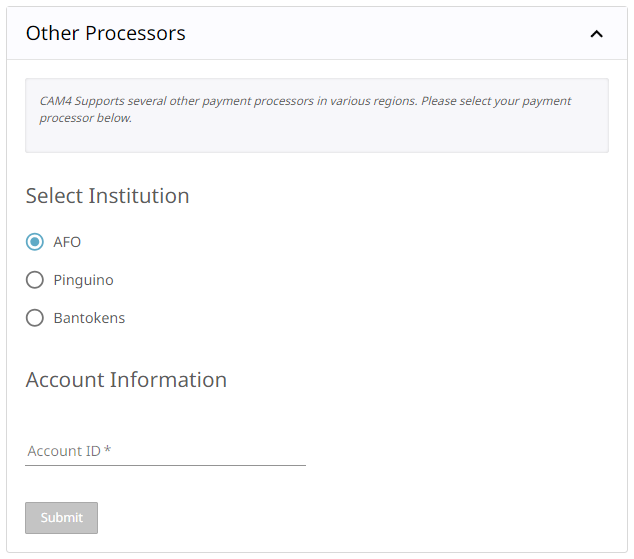
 We offer a few other methods of payment that maybe local to your region as well. Simply add your Account ID to get setup!

Click here to find out which one works in your country!

If you have any issues setting up one of these payment options please email payments@cam4.com. Our friendly CS team are happy to help walk you through setup or work through any issues that may come up.


~That’s all for this lesson!

Happy Camming!
Love, Your Coaching Team!


Username & Icon Legend

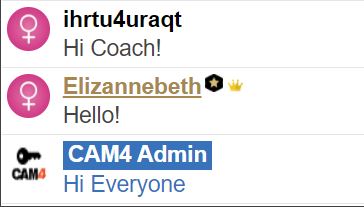
Usernames on CAM4 are sorted by color to help you identify who is addressing you.

Here is an overview of the different username colors you will see on CAM4 and what they mean.

Legend:

Model: Your name will appear in the live chat for your room like this.

Gold Member: They have purchased a Gold Membership, which gives them exclusive access to certain options and contests on the site. This color is not related to the chip balance.


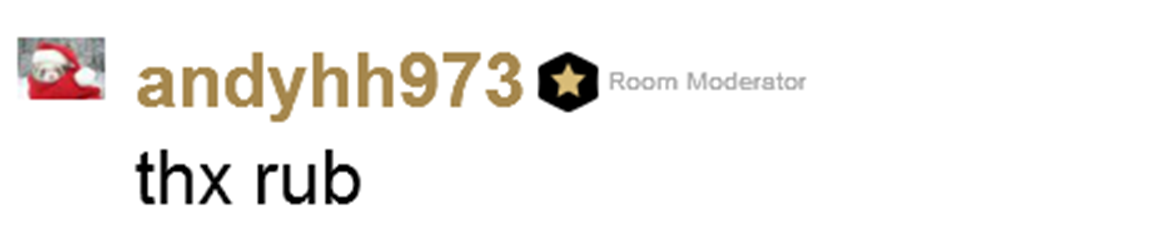
Moderator:
You can use a moderator to assist with chat while you perform. They can help with abusive viewers by using the silence, kick, or ban tools to control the room. The setting will only apply to your room, not the entire site.

Basic Member: These members have a CAM4 account but not the options of a Gold account and they will not display an avatar in front of their name.

Admin & Account Manager: They are members of the CAM4 team, they are there to assist users and to ensure that the rules of the site are respected.
IMPORTANT – They will never ask for your CAM4 password.

Coach: A  CAM4 team member that will guide and help models.


Notifications

You will also see these notifications when a certain member enters your chat room:

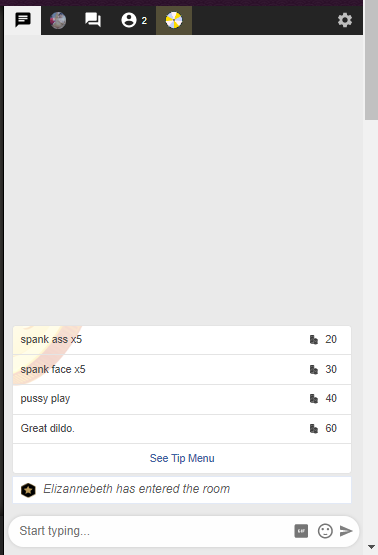
A member of the CAM4 Admins team has entered your chat.

A member of the Coach CAM4 team has entered your chat.

The token icon indicates that the users in your room have tokens available on their CAM4 account. Users with tokens are potential tippers that can help you reach your goal quickly!

If the user is a Gold member or a member of your FanClub, this icon will not be present next to their nick (even if the user has available tokens)

Do you want to learn more about all the colours and indicators, we might have a very interesting article about that! –> Token Indicators

~That’s all for this lesson!

Happy Camming!

Love, Your CAM4 Coaching TEAM

CAM4 Coaching

“MEET YOUR AMAZING COACHING TEAM! 🎉

Our incredible coaches are handpicked from CAM4’s top creators—successful stars who have become role models and mentors for others. They’re here to share their knowledge and help you shine!

Get ready to take your camming career to the next level with FREE 1-on-1 and live coaching sessions every week, packed with pro tips to help you thrive. 🌟

And the best part? We offer coaching in SIX different languages, so you can learn in the one that’s perfect for you. Let’s get started!”

THE COACHING TEAM


ENGLISH – North America

WEEKLY COACHING CLASSES
Tuesday’s & Thursday’s at 12pm EST
Join the live on account: cam4coach_en

Connect with Vanna anytime!
vannafaye@cam4.com
X: VannaFayeCam
IG: Iamvannafaye

ENGLISH – UK

cam4coach_uk
Tuesdays
7:30 pm
UK Time
Password – coachlucy

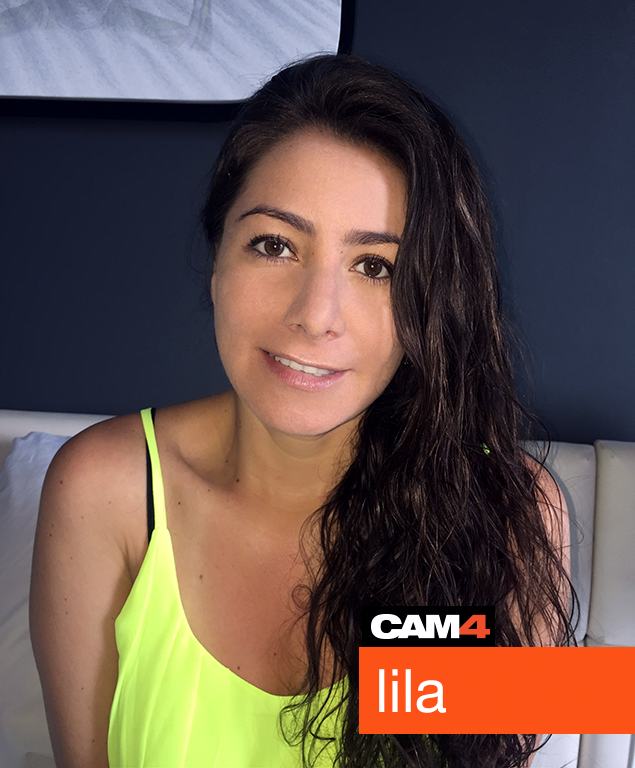
SPANISH

lina PTR final

cam_es
Tuesday & Thursday-1pm
Eastern Standard Time
Password – coach

index  lila@cam4.com
5  @lila_c4

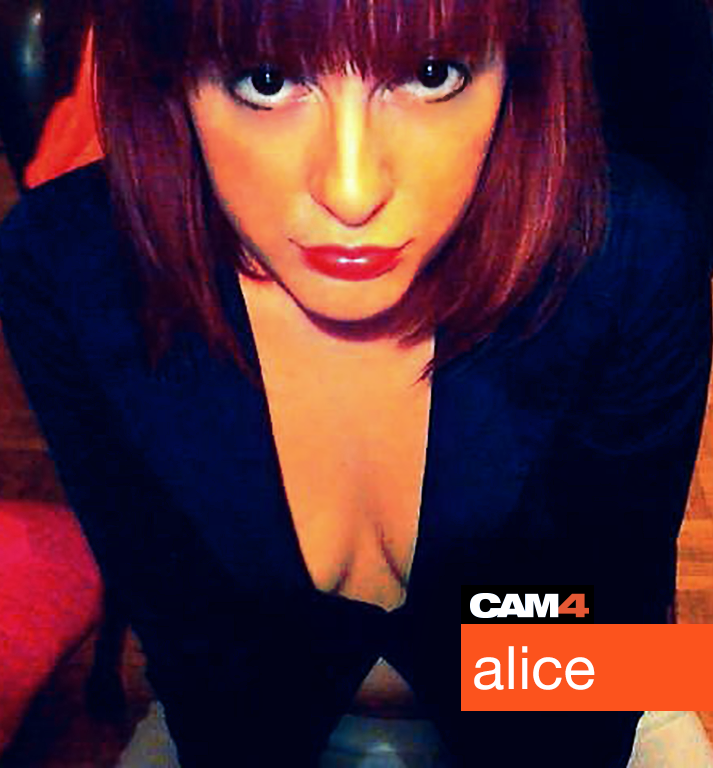
ITALIAN

alice PTR final

camcoach_it
Monday-11:30am & Wednesday-1pm
Eastern Standard Time
Password – coach

index  CAM4 Mail
5  @cam4coach_it

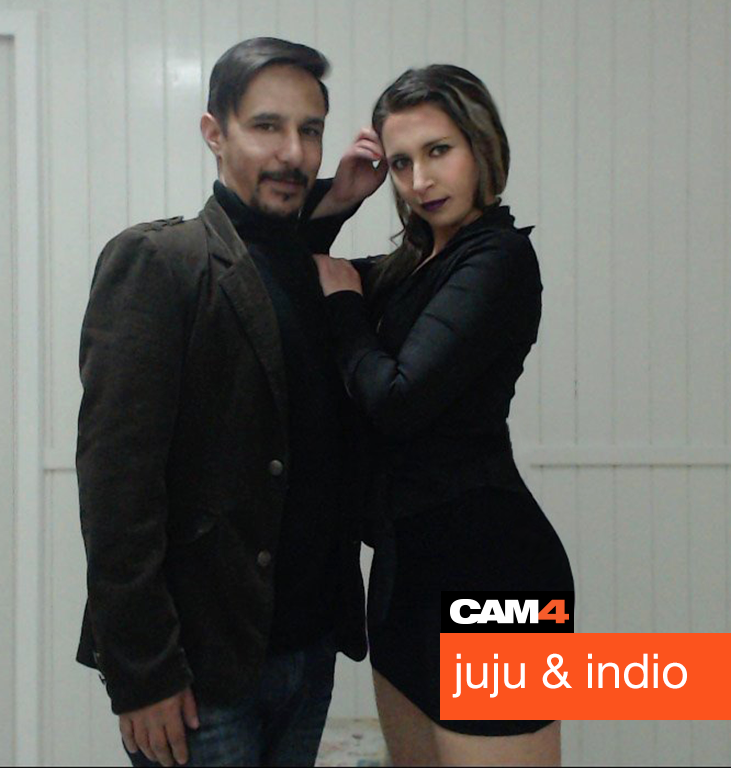
PORTUGUESE

jujuhotfire PTR #2.psd final

cam4coach_pt
Tuesday & Thursday
7pm
Eastern Standard Time
Password – coach21

index  cam4coach_pt@cam4.com
5  @cam4coach_pt

SWEDISH

cam4coach_se
Tuesdays
2:30 pm
Eastern Standard Time
Password – coachse


What’s The Difference Between Gifts, Tips and Tokens?

Learn how Gifts, Tips and Tokens each work differently to accomplish the same thing – earning you money!

Tokens

UntitledUntitledUntitled


What Are Tokens? 

Tokens are the currency used on CAM4. Your viewers may tip you tokens while you’re on cam.  You can cash out the tokens you earn in your Broadcaster Dashboard for your local currency.

10 Tokens = $1 USD.

Viewers often tip to make requests, help reach a goal you’ve set, or show appreciation for your awesome broadcast! Viewers can also use tokens to buy CAM4 Gifts, play Interactive Games or pay for your Private and Group shows.


Gifts

What Are Gifts?

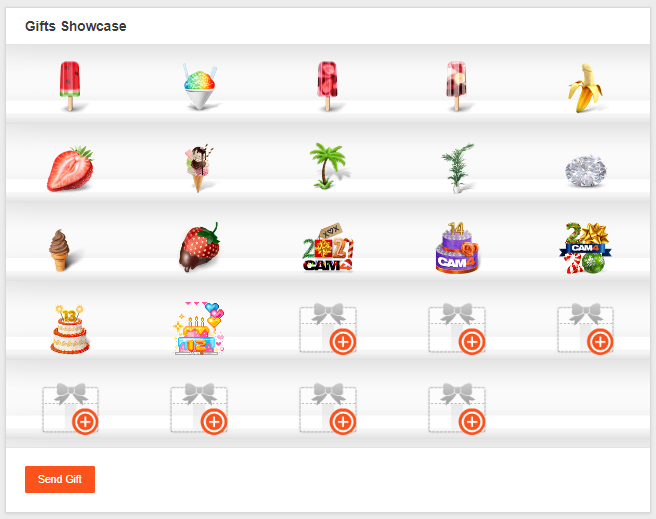
CAM4 Gifts are virtual presents designed by CAM4 that hold a specific token value. Anyone on CAM4 has the ability to send or receive a gift, but your account has to be approved to cash out the tokens attached – the tokens will be sent to your Broadcaster Dashboard total as soon as someone sends you a gift. 

What Happens When You Receive A Gift?

You will see your gift (and who sent it) on the Display Case on your profile for 30 days. (Holiday and CAM4’s birthday gifts do not expire)

When you receive a gift, a notification is sent to your CAM4 inbox. This notification message will start a mail thread between you and the sender so you can write them back to say thank you!

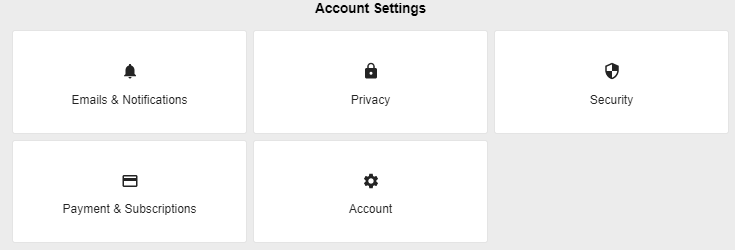
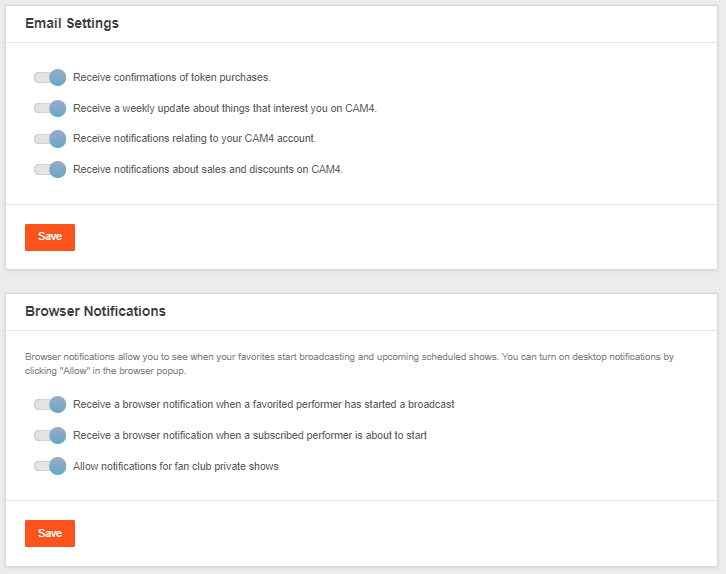
You will also get an email letting you know that you received a new gift if you have opted-in to email notifications from CAM4.  You can turn on or change your notifications in your account settings.


How To See Your Gifts In Broadcaster Dashboard

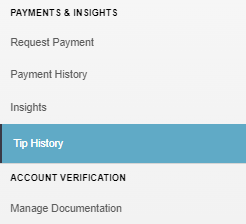
You can get a report of the tokens you’ve received from gifts in your ‘Tip History’ within your Broadcaster Dashboard.


Tips

What is a tip?

A tip is sent to a broadcaster during their broadcast in the form of tokens in an amount determined by the sender. Tips are a way for viewers to show appreciation, or to pay for a show or request.

What Happens When You Receive A Tip?

Once someone has sent you a tip:

  • You will see a white bar appear over your broadcast window that will display the number of tokens, and who sent it.

  • You will hear a ‘Beep, Beep, Beep’ sound (unless you turn it off by pressing the music note at the top right of your broadcast window)
  • The tip amount will be added to your tip bar, as you get closer to your goal, your tip bar becomes more of a rainbow.

  • The tip amount will also be added to ‘Your Earnings’ that is located under your tip bar. This will show your total tokens earned for that broadcast.

How To See Your Tips In The Broadcaster Dashboard

You can see your tips in your ‘Tip History” which will give you a breakdown of all your tips by year, month, and day. 


~That’s all for this lesson!

Happy Camming!
Love, Your Coaching Team!


Broadcast Window Legend

Learn all the tools CAM4 has put at your fingertips to help you stay organized and manage your room.

Show Settings

Private Show Settings – Private show dashboard that allows you to set your per-minute rates, or your fixed rates (blocks of time). Enable  spy viewer rates.

Private Show Requests – When you get a private show request from a viewer you will see them here. You can simply accept the request or ignore it.

Game Center – Built in tipping games you play with your viewers for tokens during your public show. 
Tipping game show ideas

Tip Menu – A fun tool that allows you to create a customized list of actions with the corresponding token amount a viewer needs to tip for you to perform the action during your performance.
Your Tip Menu

Live Touch – Connect your toy to CAM4 and allow viewers to control the vibrations through tipping. 
Find out more on how to set up Live Touch 

Boost – Gold members, friends, and fan club subscribers will be able to send you PM’s (private messages) during your show.

Group Show – Customize the show that works for you. Set your ticket prices, # of tickets available, length of show, and length of time tickets will be available for purchase. 

Chat Windows

      Friend request 

        Settings 

For more info on these filters read the ‘Chat Settings’ article inside the ‘Broadcasting’ Catagory

The brown text color indicates viewers in your room who have tokens available in their CAM4 account. 

If the user is a gold member, tip leader, FanClub membe  an icon will  be present next to their username.

Admin’s will ALWAYS be represented with a CAM4 key Icon, the text “CAM4 Admin”, and comments in blue text. 

Broadcast Window Widgets

Access these control widgets by scrolling over the bottom of your broadcast image. 

  Your audio (what viewers hear)

  Full-screen.

  Mirror Image (Change your image from left to right)


~That’s all for this lesson!

Happy Camming!
Love, Your Coaching Team!


Camming Do’s and Don’ts (Video)

Here is a quick guide of what you are and are not allowed to do while broadcasting on CAM4.

CAM4 is the most accepting, open camming community online: almost anything goes, as long as it is legal and doesn’t harm yourself or others. Here’s a cheat sheet you can reference if you aren’t sure of what’s allowed!

What am I allowed to do on cam?
  • Masturbate
  • Be naked
  • Accept private shows
  • Have guests (if they have uploaded ID and 2257)
  • Be in public
  • Use sex toys/objects for pleasure
  • Hang out and chat
  • Advertise your personal blog
  • Sell merchandise
  • Play games/raffles/contests
  • Squirt shows
  • BDSM shows
  • Pee on cam
  • Drink pee
  • Role-play shows
  • Wear uniforms/costumes
  • Do shows with other CAM4 broadcasters
What am I NOT allowed to do on cam?
  • Be under the age of 18 or have anyone under the age of 18 on cam with you
  • Have animals on cam or use them in a show with you
  • Operate heavy machinery – This includes driving a car, bus, van, motorcycle, mope-head, scooter, tractor, or any other sort of movable vehicle. 
  • Advertise another competitor site (Streaming , Clip, or Subscription site)
  • Promoting paypal or other 3rd party payments
  • No unapproved people on cam
  • No siblings/relatives
  • No self harm or harming others
  • No illegal drug use
  • No blood
  • No poo
  • No vomit
  • No weapons
  • No hate speech
  • No sleeping on cam

*Failure to comply with these rules will result in CAM4 Admin stopping your broadcast and taking necessary actions up to (or including) banning your account.


~That’s all for this lesson!

Happy Camming!
Love, Your Coaching Team!

What Do The Username Colors Mean?

Usernames on CAM4 are color-coded to help you identify who’s typing to you.

Here’s a breakdown of all of the username colors you’ll see while broadcasting  on CAM4 and what they mean to you.

Legend:


performer final

Performer: This is how you will show up when you type in your chat room.


goldmember final1

Gold Member: These members have purchased a gold membership, which gives them access to exclusive site features and contests. This color is not related to token balance.


moderator final

Moderator: Performers (including you) can give members the ability to use room moderation tools such as silence, kick, and ban. This ability is for that particular room only, it is not site wide.


basic member finalzzzz

Basic Member: These members have a registered CAM4 account but no gold member features. 


admin final

Admin: These are CAM4 staff, providing assistance to every member and making sure that the site rules are being followed. Admins will never ask for your password on CAM4.


coach yessss

Coach:  A select number of CAM4 staff there to guide performers and help them during a broadcast.


Notifications

You will also get these notifications when a certain member has entered your chat room:

admincomesinweb

A member of the Admin team has entered your chat.


coachenteringchat

A member of the CAM4 staff coaching team has entered your chat.


goldenteringchatweb2

A gold member has entered your chat (the member can also turn off this notification in their account settings).


That’s all for this lesson!

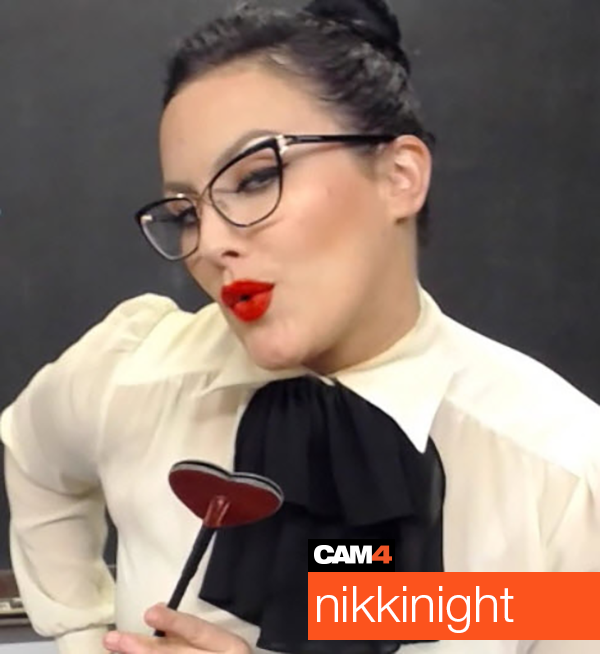
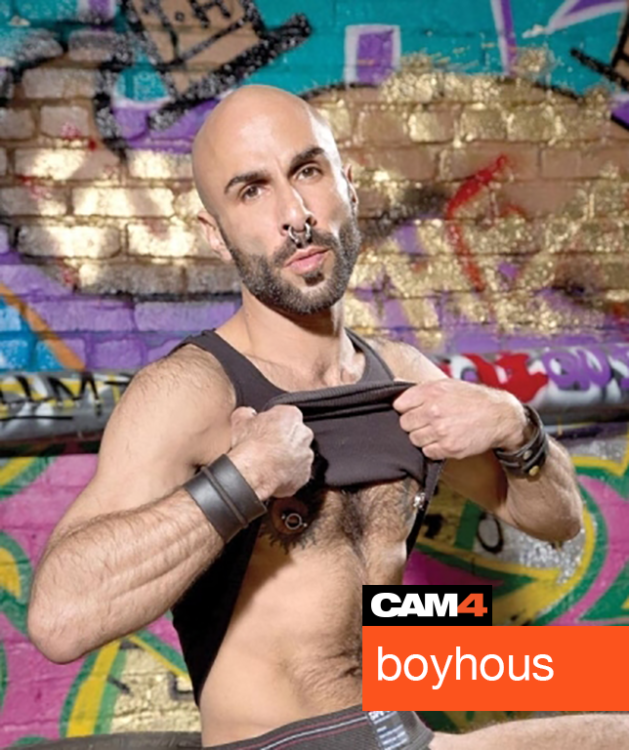
Keep up to date with many more performer tips by adding me as a friend on Cam4, following me on Twitter @nikki_night, and our CAM4 Male coach Boyhous @cam4coachmen

You can always email me with any questions at nikki@cam4.com

Coaching Profile
cam4coach_en
Password: nikkilove


Boyhous PTR

Coaching Profile
cam4coachmen
Password: funkymonkey


Happy Camming!

Love, Nikki & Boyhous


Common Questions In Chat (Video)


By pressing ‘Broadcast’ on the CAM4 homepage, you are creating your very own show where people can chat live with you. While there is always the element of surprise, I have made this guide to prepare you for the questions people will ask you in your chat room on CAM4.



alisya_jane PTR

Requests for private shows.
As a new broadcaster, it feels great when your viewers want to take you into a private chat and they are a lot of fun to do. Its a great way to get 1 on 1 time with a viewer and turn them into a long time fan.

These are the types of show requests you can expect:

CAM4 private show
-You make tokens per min 
-You set your own rate per min under the ‘settings’ button in your broadcast window
-Default rate is 24 tokens per min/6 tokens per min for spy viewers
-You can choose to allow spy viewers
-Spy viewers can only see you, no audio and they can not chat. 
-Cam2cam option where you can both see and hear your viewer while in private. (Spy’s cannot see or hear your cam2cam viewer)
-Viewers can tip you if they like
-You get site support
-You keep your place on the homepage.

CAM4 group show
-You sell tickets during your public show
-You set the price, length of show, and number of tickets you want to sell
-You set your timer for ticket sales (You have max 30min to sell tickets to your show)
-The show starts when all tickets are sold
-If the timer runs out before you sell all your tickets you still have the option to do the show. If you decide NOT to do the group show, ticket sale tokens are returned to the viewers
-Viewers can tip you during the show if they like
-You get site support
-You keep your place on the homepage.

Off-site private shows
-You lose your place on the homepage
-No site support
-Chance of fraud increases
-Could have your Skype account banned if you are caught doing a private show.

Option:

Instead of going to another site to do a private show, you can use the password protected room feature to sell blocks of time to this viewer. That way you can still offer viewers a deal, have the privacy of a true private room,    and you don’t have to leave the protection of CAM4!

spanish-star-PTR

Dozens of private messages.
Viewers love sending performers private messages when they are in public chat. It’s exciting to have a private conversation with you while you have hundreds of viewers watching.

Option:

If this becomes overwhelming simply say to your viewers that you are not taking PM’s (private messages) right now. Politely smile and tell them to chat in your public room. “Guys! The more I type the less I can perform!” That usually works.


4-service-boy-PTR

“Do you need me to be your moderator?”
These viewers may only be trying to help, but I recommend waiting till you get to know a viewer a bit before you make them your “Mod”.  Moderators have the ability to Kick, Silence, Ignore, or Ban anyone in your room, so you want to pick someone with your best interests at heart.

Option:

After a few shows you will get to know your viewers a bit. You should be the one who approaches a viewer about being your “Mod”, not the other way around.

ass-alert3-PTR

Do you take PayPal bb?
This one is a no-no. PayPal gives your full real name when you do a transaction and that is just not safe. You will be banned for advertising or accepting any forms of 3rd party payment.

Option:

Viewers have the option of using PayPal when buying tokens, the option is right on the payment menu.


amalia_foryo-PTR

Millions of requests bb….
Some of these will be in the form of a question and some will be just words over and over. Whatever they are just remember every person in your chat room counts towards your total viewers and that moves you up the homepage.

Options:

Put a list of things you will do in your broadcast window text box, this wont stop them from requesting but at least the ones that are serious will know how to get their wish granted.

Keep it light and politely say “Oh looks like someone wants to take me private.” or “You first!”. The more you keep things light and fun the better.


annekenecro-PTR

What do you do in your shows/private shows?”
This is a common question you will get from viewers who want to get to know you better. It is best to have a general idea of where your boundaries are so you don’t get put on the spot.

Option:

On your CAM4 profile there is a section where you fill out your bio, this is the perfect place to talk about what your fans can expect during your shows. If you are not comfortable doing something state it here and stick to it.

asus10-ptr

“What outfits/costumes/toys do you have bb?”
Lots of your viewers get turned on at the sight of your toys and sexy things you have to wear.

Option:

The best way to show your collection is to take pictures of all your outfits/toys for your CAM4 photo gallery that viewers can browse through. You can even create fun names for your outfits/toys.


bella-juliax-cam4

Tokens! Compliments! and More….
Your viewers will shower you with kind words and tips to show their appreciation. Make sure you show your appreciation back with a smile and a simple thank you.


~That’s all for this lesson!

Happy Camming!
Love, Your Coaching Team!
 

How to block countries or regions?

All CAM4 broadcasters have the ability to block multiple locations or countries they do not wish to be viewed in. This means while
on CAM4, no one in your blocked locations is able to see you, look you up, or access your chat room from any computer, laptop, tablet, ipad, or mobile phone.

You can change your blocked countries at anytime.

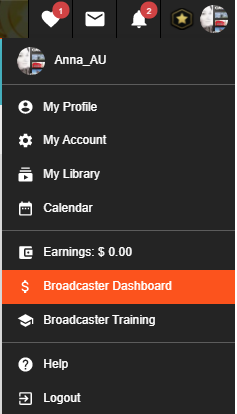
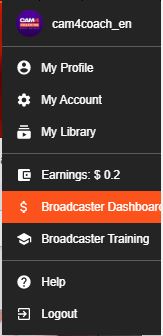
Go to your Broadcaster Dashboard by clicking on your avatar on the right top side of our website. A drop down menu will appear.

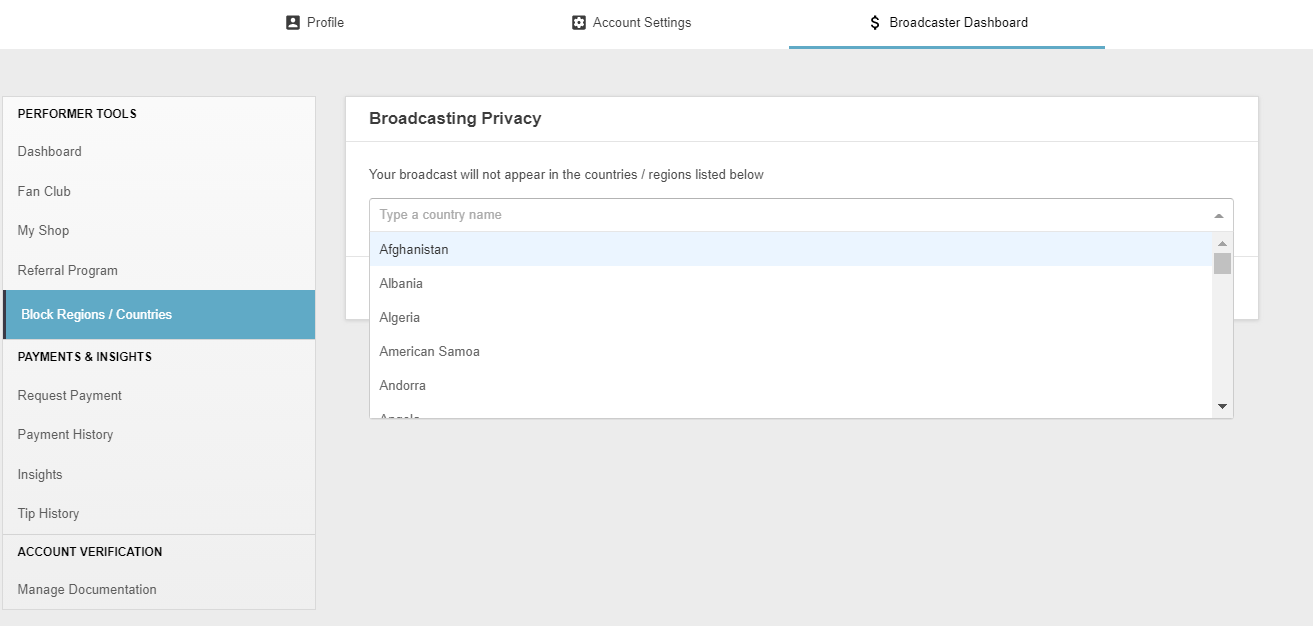
Choose ‘Block Regions / Countries’ from your list of account options under ‘Performer Tools’ and choose the countries or regions you would like to block.

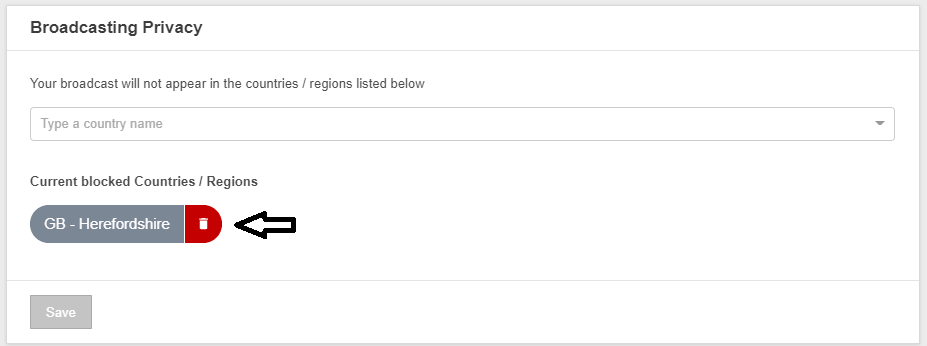
Once you save your settings, you are invisible in the  selected area.

To remove a location from your blocked countries, simply click on the bin behind the area or country.


~That’s all for this lesson!

Happy Camming!
Love, Your Coaching Team!


Creating An Awesome Profile

Creating your unique CAM4 profile

First, let’s get all the technical info out of the way so we can move on to the fun creative part.

How you do it:

  1. Design your images using programs like
    Pizap, Gimp, Pixlr etc… These are all free program options if you don’t have existing image editing software on your computer.
  2. Upload your finished images to hosting sites like Imgaeshack , some sites like Imgur won’t allow you to post your images to adult sites like CAM4 so that’s why I recommend using Imageshack.
  3. Copy the ‘Direct Image Link’ from Image shack and paste it into the CAM4 profile toolbar seen below, you will find this under ‘Profile Info’ in your Account Options.

4. We recommend making all your images the same width – 700

5. Press Save Changes and you’re done!

Profile design tips

Your profile is a great communication tool that can do some of the talking for you. Follow these simple design guidelines that will allow you to keep your focus on your show, instead of answering the same question over and over while you’re trying to perform.

  1. Have both SFW (Safe for work) and NSFW (Non-safe for work) images on your profile. This way CAM4 can display your SFW profile images to people who have adult content firewalls up on their computer.
  2. Use your CAM4 Calendar to let people know when you’re online. 

  3. Use your image gallery like a catalogue to show your viewers what outfits/costumes/toys you have. That way they can flip through it instead of having you drag everything out of your closet. I would even name your images so they can refer to them and you know which images they’re talking about.

4.  Add a price list, but instead of writing 25tkns for titty flash, etc… Use pics to describe what you want! This will increase the chances of viewers reading it

5. And finally, your bio ? Here are a few things you can write about yourself.

-How long have you been performing?
-What do you do in your public shows? Private shows?
-Is there a special way I can show my appreciation to you?
-Do you have any favorite CAM4 gifts you want?
-What are your room rules?
-Social media! Tell them to follow you and what you tweet about!
-What are your favorite things to do on cam? Favorite props? Toys?

You are the star so make it all about you!

⚠️ Important Notice:
Promoting external streaming, clipping, or subscription websites on your profile is strictly prohibited under our Terms and Conditions. If such links are detected, your account may be at serious risk of suspension or permanent ban.


 ~That’s all for this lesson!

Happy Camming!
Love, Your Coaching Team!