Category Archives: Do not use

Social Media 101

Talking all things social media. Lean some tricks and tips to making the best posts.

TWITTER 

1. Keep Your Profile and Cover Images Clean

Performers are able to show more sensitive and R-rated content, but this is not true for every area in Twitter. In your profile picture and your banner you can’t show any nudity, nothing sexy! Keep it SFW. This helps to keep your profile active and away from the dreaded bans. 

2. Keep Twitter Live Streams Clean

The same rules apply to your live broadcasts on Twitter, make sure there’s no nudity. Though this is an awesome way to tease viewers into your shows, it’s not the place to get explicit. 

3. Keep Nudity in Your Posts

Your tweets can include nudity, so you’re free to be as explicit as you want. 

4. Am I Shadowbanned?

Twitter will “shadowban” accounts that violate these rules. This means that your profile won’t appear in searches, making it hard for fans to find you. 

5. Tagging People in Photos

If you’re uploading a picture, click on the “Who’s in this photo?” button and you can tag up to 10 users in the photo. This is a cleaner option than tagging followers in the tweet itself.

6. Use Twitter Analytics!

 If you’re on your desktop on your Twitter profile page, look at “statistics” on the sidebar.  You can get a lot of information about when’s the best time to send your tweets, who’s following you, their interests etc. If you go through that data, you’ll have a better understanding of when you can make money and gain followers.

Why Should I Tweet?

1. Promote yourself! Social media is the cheapest, easiest, and fastest way you can promote your Cam4 shows!

2. More social media followers = more viewers = more money in your pocket. Loyal viewers spend more, and when people know what you’re offering, they can spend more. You can achieve both with Twitter.

3. Reach new fans! How else can you find new people who want what you’ve got? Using Twitter hashtags and the Cam4 social media community you can reach tons of viewers who are looking for you!

4. Interact with existing fans in a whole new way. Extend their Cam4 experience way beyond your shows. It’s a win-win for everyone 😉

Like all good things, you need a billboard to help people find you. Treat social media as your billboard! Tweet from anywhere with your mobile device, and tweet while you’re live from the web.

Ok… I got Twitter… now what?

When I signed up for Twitter, I sat there with an empty news feed and no clue where to start. There’s millions of users, so how do you find the ones who are into you? How do you get people to follow you? It’s not as hard as you think, take a breathe and get started with these easy steps:

1. Share your Cam4 link when you’re live


2. Use hashtags like #tittietuesday #asswednesday and #friskyfriday along with #CAM4 and pics to find new fans. 


3. Send @CAM4 a tweet and I will personally help you along the way
**Don’t be scared to show your personality, that’s what viewers love!**


INSTAGRAM

  1. Keep it all Clean!

Everything has to be SFW! Instagram can take down any pictures that are reported as, or are NSFW. Tease viewers, or show off your personality and style. 

2. We Recommend no More Than Bikini Photos

Take some bikini pics and keep them on hand for Instagram. It’s also good to take some seductive pics without any nudity or explicit content.

3. Where Can I Link?

Try not to post links to porn sites in your posts – instead, post your Twitter link so your followers can get links to your cam shows directly there. 


Getting Your Posts RT’d by your Cam Company

To get retweeted by a camming platform, there’s some key things you have to do: 

Include your URL – we want followers to click on your links!

Use hashtag (#) or ‘@’ your cam company – #cam4, for example. 

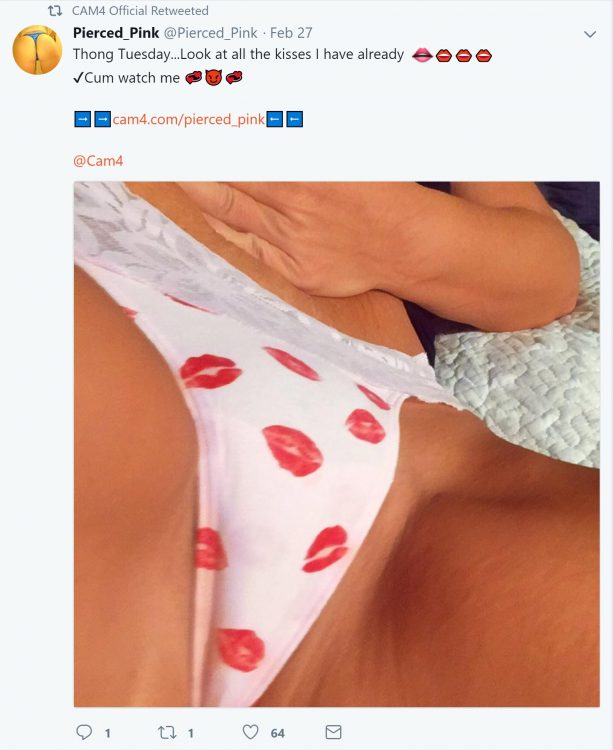
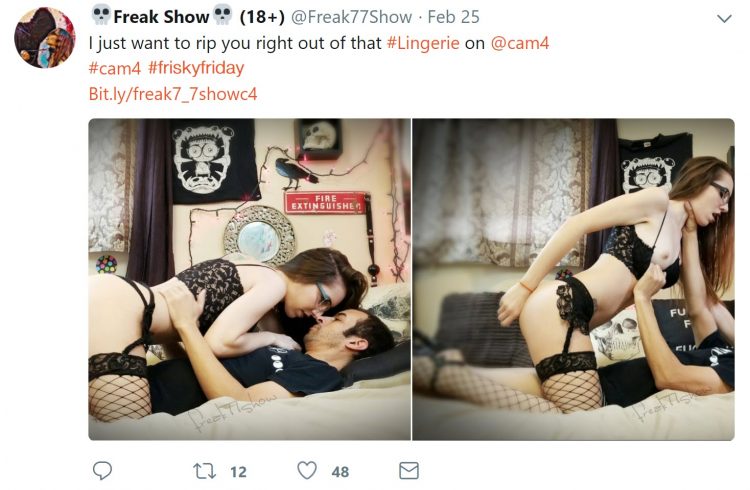
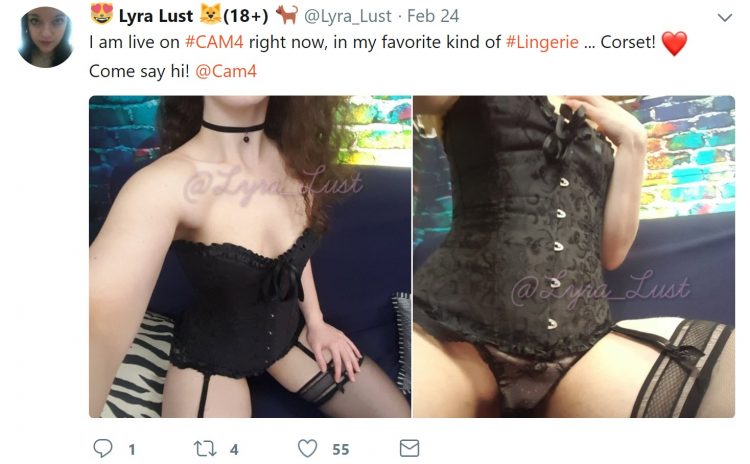
Post a HOT visual! (videos are a huge preference though) People love to see visuals. You can add up to 4 photos in a post.

If you want people on Twitter to watch your live shows, the Twitter picture should show them what that show’s going to be like. Example: if you’re doing a show from your bath tub, take pics/video of you in the tub!

Separate posts if you’re tagging separate cam companies! One post for one site, that way each site has the opportunity to retweet you

PRO TIP: Use videos from your Snapchat to post on Twitter!

CAM4 COACHING

CAM4 provides users with Training every Tuesday & Thursday with cam coach, Vannafaye


Reddit for Cam Performers (video)

Promoting yourself on Reddit gives you access to thousands of people who are searching for cam performer content. 

Reddit is basically a massive forum where people can discuss pretty much anything. It’s divided up by subreddit, and just for camshows alone there’s over 50 threads you could post on. 

Getting started

It’s so easy to sign up and make your first post that we promise it’ll take you less than 5 minutes. There’s no profile to design, no account info to edit, just make your username and password, and start posting!

  1. Chose a username that’s identical to or similar to your CAM4 name. Short and memorable names will help people remember you, Lala Capri, Lil Jezebel, Aqua Angel are a few examples of this.
  2. Follow threads that are related to your interests or content.

Reddit is hugely different from the other social media platforms we’ve covered, so watch this video from our resident cam girl and social media expert Sammy Strips or keep reading!


Posting on Reddit

Now you’re ready to start posting your best content! But, let’s review the guidelines before you begin posting:

  1. You have to wait 7 minutes in between postings
  2. Link to your images and videos via Imgur, ManyVids, PornHub, CAM4, YouTube, etc.
  3. Don’t post content into subreddits that aren’t related
  4. Read all of the rules of each subreddit 
  5. Don’t post the same content on multiple subreddits

Then it’s time to hit up the subreddits for Camgirls: 

r/CamGirl

r/CamGirls

r/CamModels

r/CumSluts

r/camshow

r/camshows

r/fuckmeat

r/girlskissing

r/FapFolders

r/GoneWildCurvy

r/JizzedToThis

r/NSFW_Ass

r/HungryButts

r/CumTributes

This isn’t even the tip of the iceberg. You could spend hours collecting all of the camgirl-related subreddits. Cha-ching!

A word of caution: Reddit is a community and they work hard to keep the content unbiased, helpful, and honest. Always read each thread’s rules and guidelines. For example, some threads require you to message the moderator before posting.


The best approach is to collect your content and make sure it’s varied – cumshots, lesbian, BDSM, spanking, wearing glasses, tattoos, or cum tributes will enable you to post on the more specific threads. 

Stop by r/CAM4Live and leave us a pic ❤️ And remember, follow our official accounts!

Follow CAM4

 @CAM4   @CAM4_Gay

 @CAM4_Official    @CAM4Gay

     CAM4snaps     CAM4gay 


Increase your earnings and viewers with PornHub

How to create a profile on PornHub to get more viewers and earn more on CAM4!

PornHub is the largest adult portal in the world. Millions access it daily providing visibility that no other site can give you. You can create a free PornHub account and use it to upload your photos and videos to lure more users and turn them into potential fans and tippers on CAM4! But not only that … by entering your CAM4 Referral Program link in your profile bio you will earn $2 for each user who click’s on your affiliate link register’s on CAM4!

I guess you’re wondering how long it takes to create a free PornHub profile and connect it to CAM4 … well, it takes less than 5 minutes!
Here’s a quick guide on how to create your Brand Ambassador profile, how to upload your videos, how to use your affiliate link and start earning more!

– How to create a FREE profile on PornHub … in 5 minutes

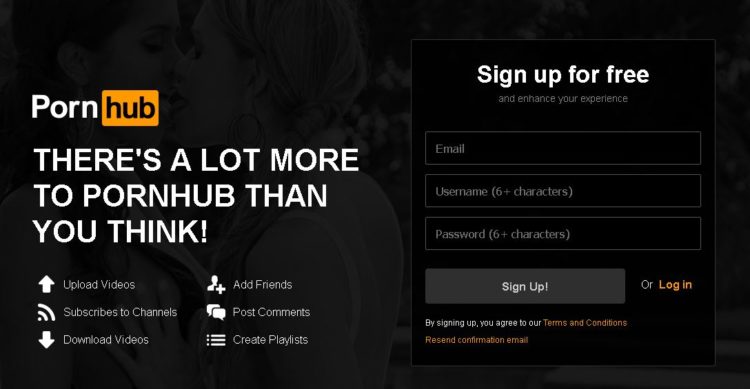
Go to PornHub’s homepage and select Sign Up (on the top – right) … or just click on this link!

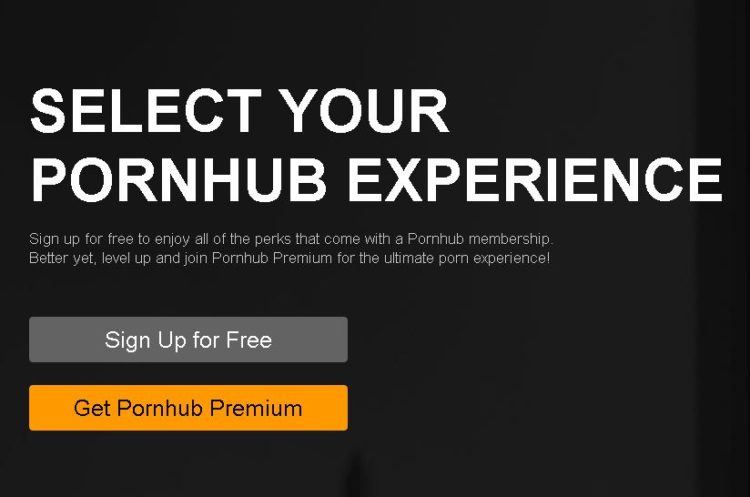
Click on Sign Up for Free. Then enter your e-mail address and choose a PornHub username (you can use the same on CAM4 if available) and finally choose a password.

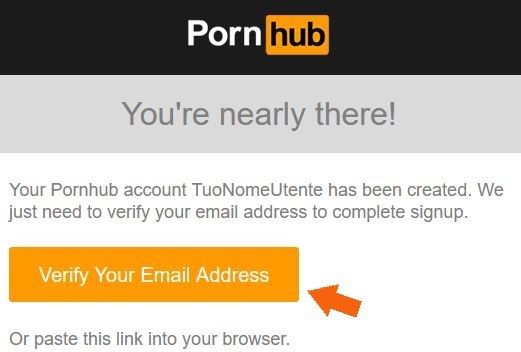
Check your email address and activate your PornHub account by clicking Verify Your Email Address.
Done! Now you’ve created a PornHub profile and you just have to configure it according to your liking 🙂


– How to configure your PornHub account with images, video and your CAM4 affiliate link!

Once verified your mail PornHub will ask you for basic information to confine your profile. What do you like, What channels you want to see and Basic Information (the most important ones to promote you!)

In the Basic Information section you can select the country, city, and nickname that you prefer. Be sure to write a short description in the ABOUT entry. You can use this space as a showcase to promote you as a web cam model on CAM4.

The most effective tool is to enter your CAM4 referral link to bring them to your CAM4 page and earn even from each subscription! If you do not know how to get your affiliate link (always found in My Accunt > Profile Options, bottom left> Referral Program)!!

For example, enter your next scheduled show on CAM4 or find other videos on your CAM4 profile. Or click the link below to see more videos #fetish, #outdoor.

Then click on Complete and Have fun on Pornhub! Once the configuration is finished you will be able to edit your profile and enter profile, cover, galleries, gifs and VIDEOs!

On your profile click on the profile image and cover photo and select upload photos to get you noticed! Note. you may decide not to show your face or use masked photos 🙂

– How to UPLOAD VIDEOs on PORNHUB:

In your profile page, you can view a preview of your basic information to the left: Make sure your referral link is correct and have a captivating description to push users to click on the link! 🙂
At the top click the Video section and then click Add Now! Then drag the video you want to upload and wait for the upload to complete.

Remember to include details on your video (eg. orientation, privacy, amateur production) and carefully choose an alluring title (you can also add translations in other languages). Finally, select the tags to describe your video and bring users with ease.

 PRO TIP:  Post quite often to keep users up to date on your next CAM4 shows and  promote your new videos on your MyShop, but make sure each message always contains your referral link!


~That’s all for this lesson!

Happy Camming!
Love, Your Coaching Team!

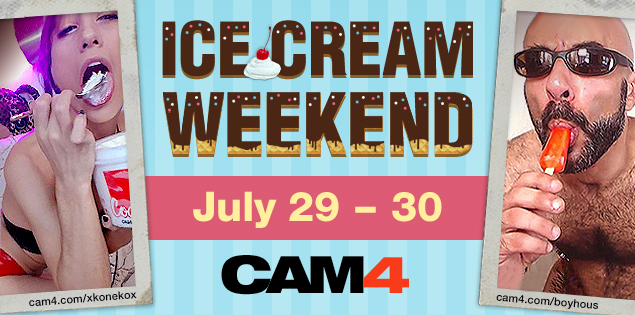
Ice Cream Weekend July.29-30th


How many licks does it take till you finish? 

You’ll scream, and your viewers will cream for Ice Cream Weekend on CAM4. Tell your viewers to #LickIt by scheduling, tagging, and tweeting your ice creamy shows!

To earn a cool 100 Tokens all you have to do is:

~Tag your live show – #LickIt
~Tweet an ice cream themed picture with the link to your show and use the #LickIt.
~Schedule your tasty treat show with the #LickIt in the description.

~You can earn an additional 100 Tokens for tweeting the best Ice Cream themed picture using the #LickIt!


Rules

~Approved CAM4 performers only.
~Only one payment of 100 tokens per performer
~Show length must exceed 30 min. and reach a minimum of 20 viewers.
~Must include #LickIt in your live show status.
~Must tweet a picture, live show link, and the tweet must have the #LickIt. (Tweets containing photos unrelated to the theme will not be accepted)
~Schedule your show with the #LickIt in the description. 

WET WEEKEND

Need a release from the hellish summer heat? No need to sweat…think CAM4 and GET WET! This weekend, slip into something skimpy that will have your viewers dripping with excitement. 

 WET WEEKEND @ CAM4!
You’ll get 100 Tokens for participating!*


All you have to do is:
Schedule your show for July 8th & 9th with the #GetWet in the description
Include the #GetWet in your show status
Tweet your CAM4 URL when you’re live, and include a photo with the #GetWet

The best twitter-themed photos will also receive a 100 Token prize!

Here are a few show ideas to get your juices flowing…just add water!

Sexy car wash!

Pour it all over yourself…

Don’t let the holiday title scare you, these will get you wet all year.


* Rules:

Only verified accounts will be eligible.
The show should contain the tag “#GetWet” in the state.
The Tweet must contain the #GetWet  and  photo.
Performers that participate will receive 100 Tokens in total, not per show.
Shows must be a minimum of 30 minutes in duration, and have at least 20 viewers.

How to Work with Promo Accounts

Beyond the CAM4 accounts, there’s endless opportunities to use social media to find new viewers. Here’s a list of just some of the Twitter accounts you could work with, and how to look for more. 

Always remember that cam promoters aren’t a source of instant tokens, they’re part of longterm success. Building up your exposure and personal brand will result in more tokens, more viewers, and more opportunities for events, trade shows, partnerships, and other magic that only the future knows. 

Most promo accounts make money as affiliates, so they will likely attach their referral code to your CAM4 URL. If it’s a good account, you’ll benefit from this. Check out the Camgirl Promo Accounts list on the CAM4 Twitter page: 

twitter.com/Cam4/lists/camgirl-promo-accounts

WeCamGirls (which by the way if you aren’t already mega active on this forum, do it now) has this epic article on how to use cam girl promo accounts on Twitter, including promo accounts for everything from facials to tattooed camgirls: 

wecamgirls.com/articles/for-camgirls-make-your-twitter-your-1-marketing-tool-updated-with-new-categories/

Doing fan signs for big accounts with thousands of followers is a great opportunity to get more people following you and joining your camshows. Even if they’re free, they will pay off in the end.

The most effective promo accounts are each others. Every cam girl’s following on social media is made up of: viewers, similar camgirls, and fans/promo accounts. Become friends and help each other out by trading tweets, doing giveaways together, camming together, or whatever works for you. 

Before you work with promo accounts, you have to make sure a couple of things: 

  • You’re tweeting regularly with good content like pictures, short videos, and always your CAM4 link
  • You’re able to cam often, or sell videos on CAM4
  • You are using your referral ID in your tweets, so when RT accounts repost your messages, you can earn money
  • You’re contacting accounts that represent you – i.e. if you don’t have tattoos don’t contact the tattoo accounts
  • Your Twitter account is public!!

Username & Icon Legend

Usernames on CAM4 are sorted by color to help you identify who is addressing you.

Here is an overview of the different username colors you will see on CAM4 and what they mean.

Legend:

Model: Your name will appear in the live chat for your room like this.

Gold Member: They have purchased a Gold Membership, which gives them exclusive access to certain options and contests on the site. This color is not related to the chip balance.


Moderator:
You can use a moderator to assist with chat while you perform. They can help with abusive viewers by using the silence, kick, or ban tools to control the room. The setting will only apply to your room, not the entire site.

Basic Member: These members have a CAM4 account but not the options of a Gold account and they will not display an avatar in front of their name.

Admin & Account Manager: They are members of the CAM4 team, they are there to assist users and to ensure that the rules of the site are respected.
IMPORTANT – They will never ask for your CAM4 password.

Coach: A  CAM4 team member that will guide and help models.


Notifications

You will also see these notifications when a certain member enters your chat room:

A member of the CAM4 Admins team has entered your chat.

A member of the Coach CAM4 team has entered your chat.

The token icon indicates that the users in your room have tokens available on their CAM4 account. Users with tokens are potential tippers that can help you reach your goal quickly!
If the user is a Gold member or a member of your FanClub, this icon will not be present next to their nick (even if the user has available tokens)

Do you want to learn more about all the colours and indicators, we might have a very interesting article about that! –> Token Indicators

~That’s all for this lesson!

Happy Camming!

Love, Your CAM4 Coaching TEAM

Checklist do Iniciante

Checklist do Iniciante

Se você é novo no mundo das Webcams ou você quer ter certeza de que suas configurações está corretas, aqui está um guia rápido para ajudar você a começar.

Webcams

Se você tem um Mac, use a webcam embutida. Se você tem um PC você precisa de uma webcam com pelo menos 640 × 480 pixels ou melhor lente de vidro. Mais mega pixels permitem uma melhor gama de cor e clareza. Eis duas opções de nível de webcam de entrada que nós amamos:

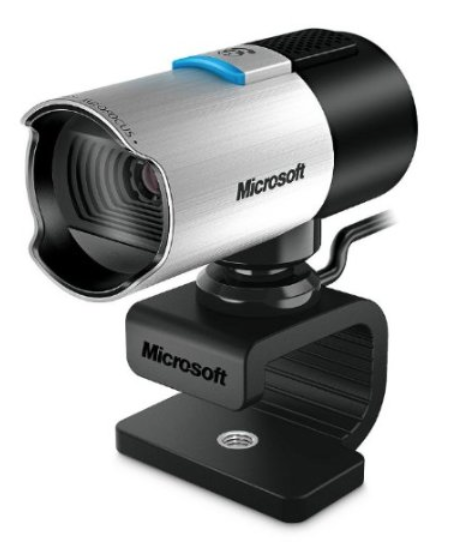
Microsoft Lifecam Studio Webcam

Uma cam ótima para começar, básica com um sensor widescreen HD 1080p para nitidez e qualidade da imagem. As características incluem auto-foco, lente de vidro, Tecnologia TrueColor para cores nítidas na maioria das condições de iluminação, e um microfone embutido.

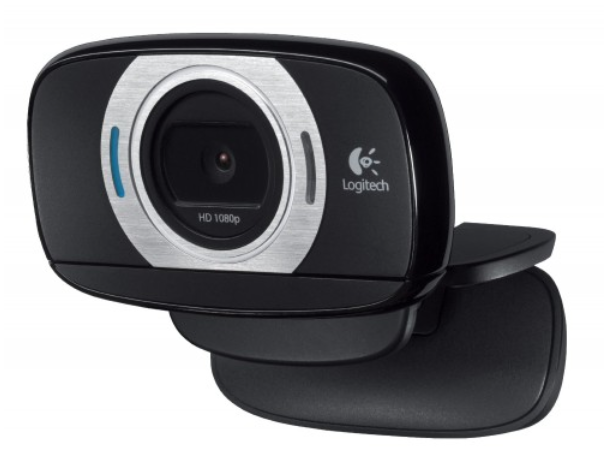
Logitech HD Portable Webcam

Logitech HD Portable Webcam

Full 1080p HD gravação de vídeo e deslumbrantes fotos de 8 MP tudo em uma webcam portátil. Vem com foco automático para close-ups extremos, um de 360 graus de movimento total câmera rotatória, old-and-go portabilidade e base do tripé pronta. Funciona com PC e MAC
Quer algo mais avançado? Confira os guias avançados e profissionais para mais opções.

*por favor, verifique se seu computador é compatível com uma webcam antes de comprar *

Internet

www.speedtest.net

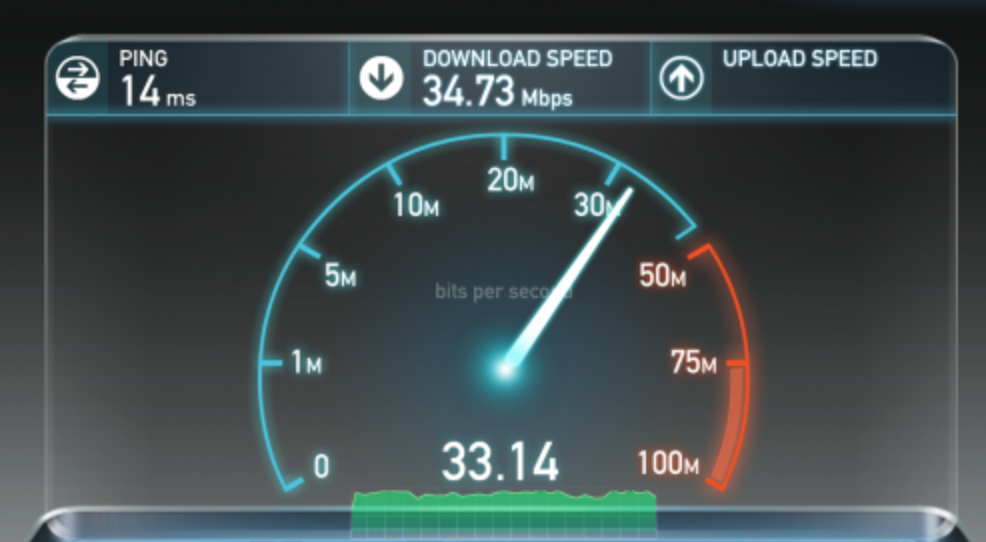
Você precisa de uma velocidade mínima de upload de 1MB para executar uma webcam a nível de entrada. Contate o seu fornecedor de internet para mudar sua velocidade ou selecione a conexão melhor para você. Quando você estiver transmitindo e você perceber uma baixa qualidade de vídeo, verifique sua conexão e velocidade de upload.

www.speedtest.net

Iluminação

beginners-guide-to-webcamming-light

Pegue uma lâmpada ou duas e certifique-se as lâmpadas são da mesma cor. Este é um bom momento para sair e comprar uma nova caixa de lâmpadas fluorescentes compactas, estas permitem que você escolha seus níveis de temperatura e brilho da cor, elas são muito eficientes!

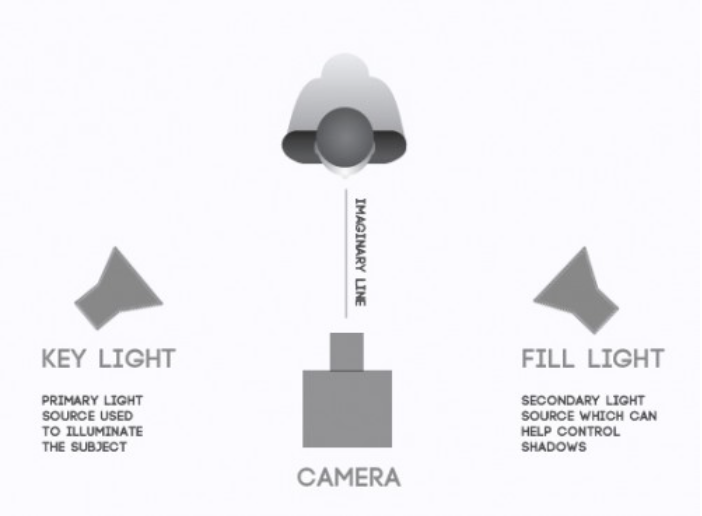
Basic lighting set up

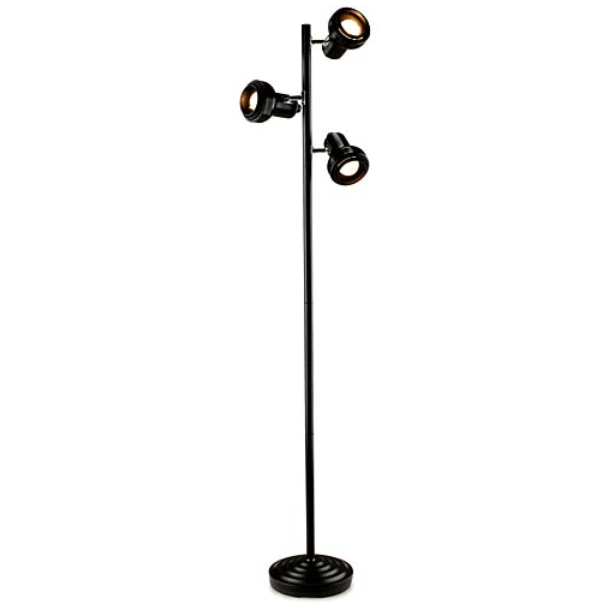
Agora, pegue a sua lâmpada (s) e coloque atrás de sua webcam. A fonte de luz deve estar sempre atrás de sua câmera, não atrás de você. Candeeiros de pé e a árvore de lâmpadas torna perfeita a iluminação em casa, sem custos adicionais. Tente não usar luz natural. Se fizer isso, coloque uma folha branca sobre sua janela para suavizar a luz.

Musica

Tocar música é divertido, mas certifique-se que não está tão alta que eles não poderão ouvi-la se divertindo! Música através do seu computador vai fazer a sua conexão de internet lenta e sua qualidade na cam. Evite utilizar o computador como fonte. Você quer que sua música seja o pano de fundo, portanto, use o telefone ou o iPod, TV, aparelho de som et

Isso foi tudo nesta lição!

Mantenha-se atualizado com muito mais dicas para os performers me adicionando como amiga no CAM4, e me seguindo no Twitter @cam4coach_pt

jujuhotfire PTR #2.psd final

Coaching Profile:
cam4coach_pt
Terças & Quintas
Senha: coach21

Se inscreva no meu calendário para ver seus horários locais de shows

Se Divirta na Cam!

Julia & Indio


Book A 1-on-1 Coaching Session

Get personalized coaching from a member of our CAM4 team dedicated to your success!!!!

Just select the coach of your choice from the list be and complete the form below. Our coach will contact you to book a session!

Your coach will get back to you right away to book to book your 1on1 session.

1ON1 COACHES:

VannaFaye

1 on1 COACHING
North America                                          

index  vannafaye@cam4.com
5  @cam4coach


Love, Your CAM4 Coaching TEAM