Gry za Napiwki


Gry z napiwkami to świetny sposób na rozpoczęcie programu, poznanie odbiorców i (oczywiście) dobrą zabawę!

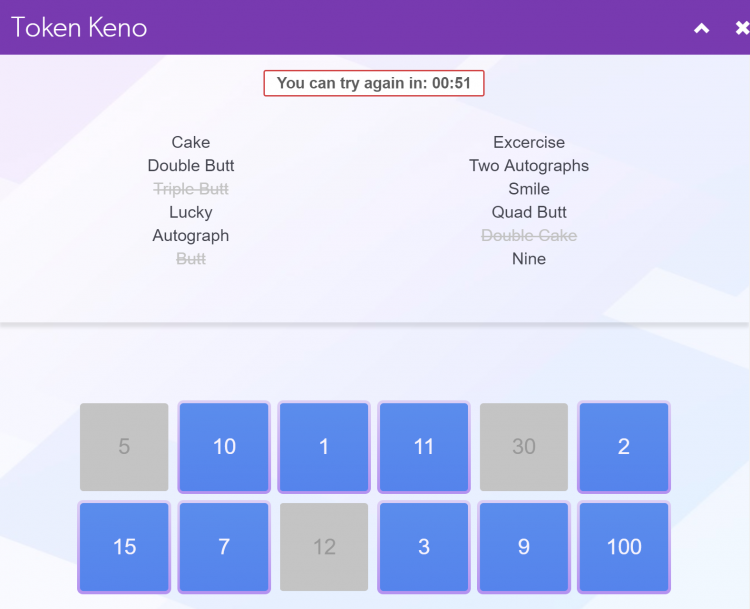
Tokeny Keno 


Na planszy masz do 12 miejsc, w których wystawić akcje lub nagrody i ustawiasz żądany koszt żetonu dla każdej z nich. Powyżej znajduje się przykład tego, co zobaczą Twoi widzowie.

Gry w które możesz grać przy użyciu Tokenów Keno:

Statki!

Ta gra jest bardzo podobna do klasycznej wersji gry planszowej. Widzowie wysyłają napiwki, aby spróbować zatopić pancernik i wygrać nagrody!

Korzystając ze wszystkich 12 miejsc, ukryj kilka statków na swojej planszy, ale utrzymuj ceny żetonów na wszystkich swoich polach całkowicie losowe, to dodaje radości z zabawy. Następnie musisz zdecydować, czy twój statek jest wart nagrody lub pokazu!

* Spróbuj ukryć statek między 2 polami, tak jak w grze!

Dla Jej Przyjemności (Pary/Grupowa Zabawa!)

Chodzi o to, że kobiety pozostają ubrane, a mężczyźni  rozbierają sie do naga! Wypełnij planszę zadaniami skierowanymi na kobiety, które są  z mężczyzną.

  • Zakryj mu oczy i dotykaj go jakimś przedmiotem
  • Pzwól mu wykonaywać pozycje Jogi
  • Użyj latarki, kieszonkowej pochwy na nim , podczas gdy on trzyma ręce za plecami.
  • Pozwól mu się masturbować gdy inne kobiety patrzą
  • Zagraj w rzut obręczą….
  • Ujeźdżaj go jak konia (tylko nie zrób sobie krzywdy)

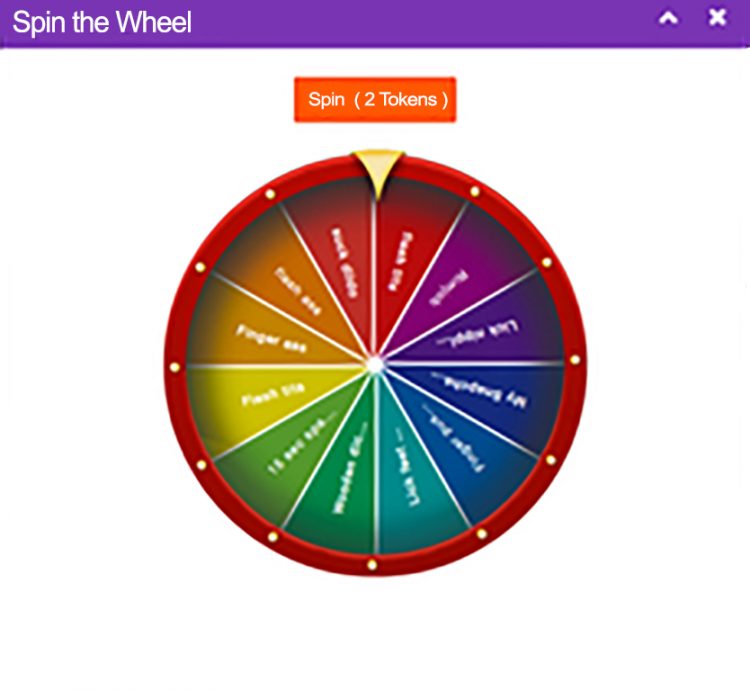
Obrót Kołem


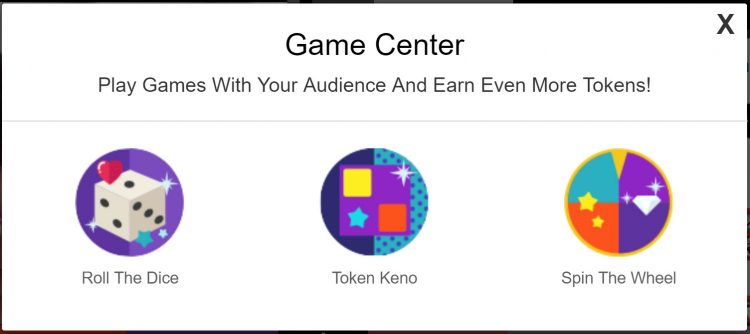
Ta ulubiona od dawna kamera jest teraz wbudowaną funkcją Twojego pokoju! Aby zagrać, musisz wypełnić wszystkie 12 wyników oraz cene w Tokenach za obrót kołem.

Gry, w które możesz grać ,w Koło Fortuny:

Koło Fortuny!

Tak przyjacielu to prawda, możesz być Vanna White (lub Pat Sajak) i grać w koło fortuny. Jedyną różnicą jest to, że zamiast kwot $ na twoim kole, dałbyś widzom różne kombinacje liter, z których mogliby rozwiązać zagadkę.

Rzut Kostką


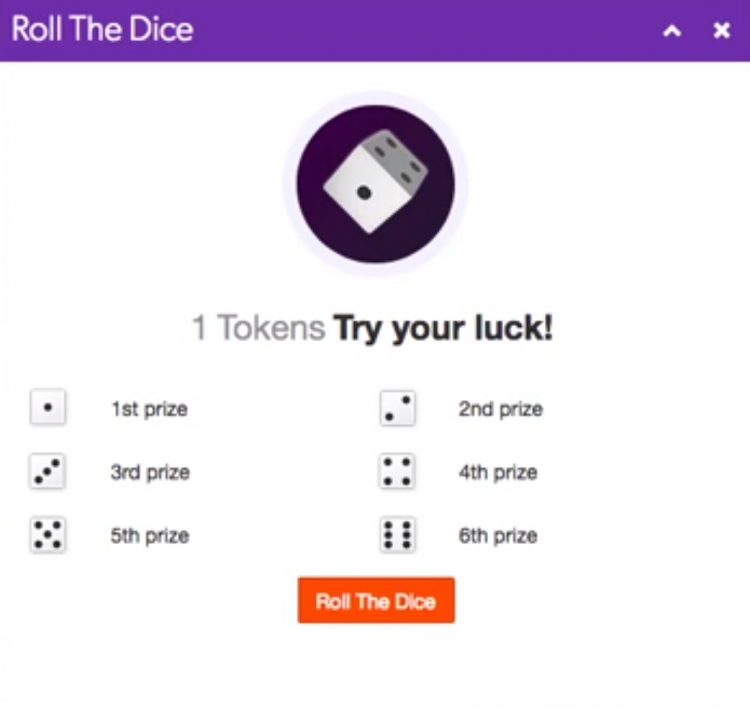
Rzuć kostką to gra losowa, w której wypełniasz 6 wyników rzutu, a widzowie muszą rzucić i zobaczyć, jaką nagrodę wygrywają! Musisz wypełnić wszystkie 6 wyników i cenę za rzut.

Wypróbuj jedną z nich Rzuć kostką !


~To wszystko na tą lekcje!

Miłego Cammowania!

Twój zespół coachingowy!


Nazwa Użytkownika i jej znaczenie

Nazwy użytkowników na CAM4 są posortowane według kolorów, aby pomóc Ci zidentyfikować, kto się do ciebie odzywa.

Poniżej znajdziesz przegląd różnych kolorów nazw użytkowników, które zobaczysz na CAM4 i ich znaczenie.


Znaczenie :


Modelka: Twoje imię pojawi się na czacie na żywo w twoim pokoju własnie w ten sposób.


Złote członkostwo: Wykupili Złote członkostwo, które umozliwia wyłączny dostęp do niektórych opcji i konkursów na stronie.Ten kolor nie jest związany z saldem żetonów.


Moderator: Możesz skorzystać z moderatora, aby pomógł ci  na czacie podczas twojego występu. Moderator może Ci pomóc z obraźliwymi widzami używając przeciw nim opcji wyciszenia, kopniaka,  lub zablokować narzędzia do kontrolowania pokoju. Ustawienie będzie dotyczyło tylko Twojego pokoju, a nie całej witryny.


Podstawowy członek strony: Ci członkowie mają konto CAM4, ale nie mają opcji konta Gold.


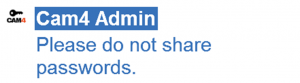
Admin: Są członkami zespołu CAM4, służą pomocą użytkownikom i pilnują przestrzegania zasad witryny. Administrator nigdy nie poprosi Cię o podanie hasła do twojego konta Cam4.


Trener: Członek zespołu CAM4, który poprowadzi i pomoże modelom.

Powiadomienia

Powiadomienia te będą również widoczne, gdy określony użytkownik wejdzie do pokoju czatu:


Członek zespołu CAM4 Administrator wszedł na czat.


Członek zespołu Szkoleniowego CAM4  wszedł na czat.


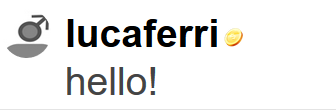
Ikona tokena wskazuje, że podglądacze w twoim pokoju mają tokeny dostępne na swoim koncie CAM4. Użytkownicy z  dostępnymi tokenami to  potencjalne napiwki dla Ciebie, które pomogą Ci szybko osiągnąć twoj okreslony cel!

Jeśli użytkownik posiada złote członkostwo  lub jest członkiem twojego  FanClubu, ikona ta nie będzie widoczna obok  jego nazwy użytkownika  (nawet jeśli użytkownik ma dostępne tokeny)

~To wszystko na tą lekcje!

Miłego Camowania!

Twoj zespół Coachingowy! xxx

Jak mogę powstrzymać moich znajomych i rodzinę przed zobaczeniem mnie online?

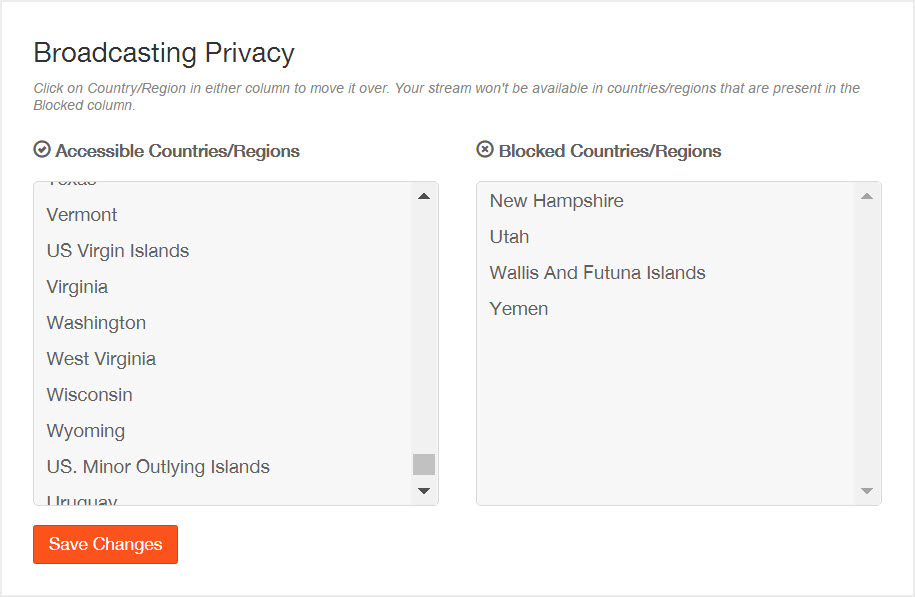
Wszyscy wykonawcy CAM4 mają możliwość blokowania wielu lokalizacji lub krajów, w których nie chcą być oglądani. Oznacza to, że na CAM4 nikt w zablokowanych lokalizacjach nie może Cię zobaczyć, wyszukać ani uzyskać dostępu do pokoju rozmów z dowolnego komputera, laptopa, tabletu, iPada lub telefonu komórkowego.

Możesz zmienić swoje zablokowane kraje w dowolnym momencie.

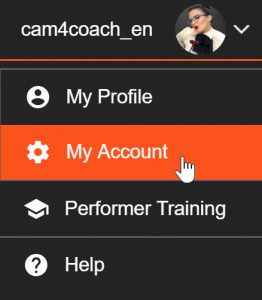
Przejdź do opcji  ‘Moje Konto’…..


Wybierz opcje  ‘Zablokuj kraje’  ze swojej listy opcji w zakładce ‘Narzędzia Wykonawcy’. 

Wybierz kraj lub region który chcesz zablokować.

cam4-blocking-countries


W momencie gdy klikniesz w przycisk blocking-countries-save  jestes niewidzialny dla wybranych obszarów.

Aby usunąć lokalizację z zablokowanych krajów, po prostu kliknij ją na liście.


~To wszystko na tą lekcje!

Miłego Camowania!
Twój zespół coachingowy!


Submit a Share-able Image

Do YOU want to be promoted on one of CAM4’s Official social-media accounts? Even be our monthly Cover Model on X.com?


Well, CAM4 needs YOUR help… Send us any of your best quality SFW (Safe For Work / Non Nude) images below, and your X.com or Instagram info so we can tag you.

USA/ Canada:
Click HERE to upload your SFW images now!!!!


United Kingdom/ Australia:
Upload for UK/AU 

Or contact: julia@cam4.com

And don’t forget, give us a follow


Twoj Panel Wykonawcy

Z pulpitu Wykonawcy możesz wypłacać pieniądze, przeglądać historię płatności i zarobków, przesyłać ID lub dodawać kolejnych wykonawców do swojego konta.

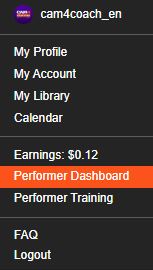
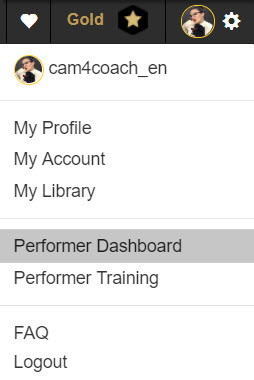
*Możesz również wejsć do swojego pulpitu w zakładce  „Moje konto”. Jest wymieniony w sekcji „Narzędzia wykonawcy” w lewej dolnej części ekranu.

Poproś o płatność

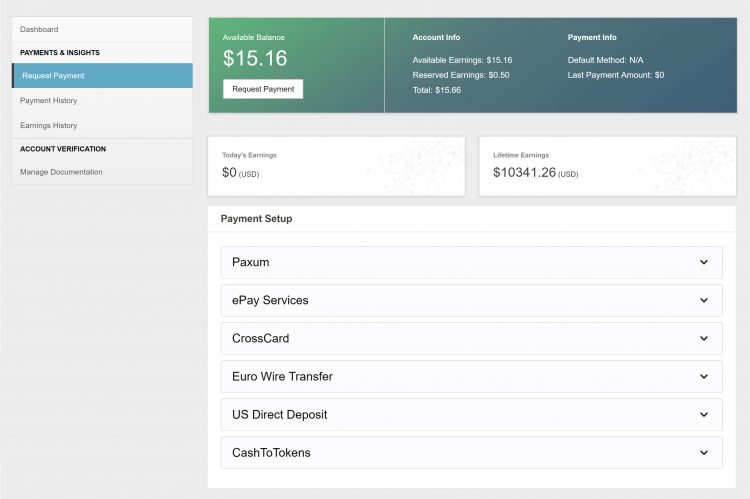
Tutaj możesz wybrać i skonfigurować metodę płatności oraz wypłacić swoje zarobki bezpośrednio z tej samej strony!

Zajrzyj tutaj, aby uzyskać więcej informacji na temat  Metod płatności.

Historia wypłat

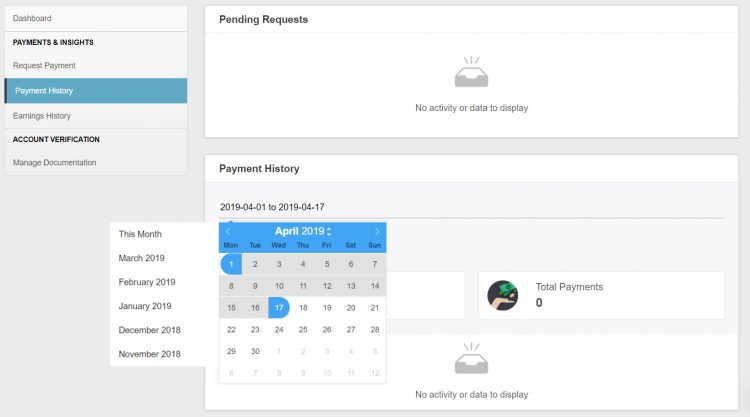
♥Aktualny status ostatniego żądania płatności
♥Niestandardowe metody wyszukiwania i statystyki historii płatności.
♥Dostęp do wszystkich informacji o wypłatach w prostych, łatwych do odczytu danych.
♥Super pomocny, gdy sezon podatkowy sie rozpoczyna;)

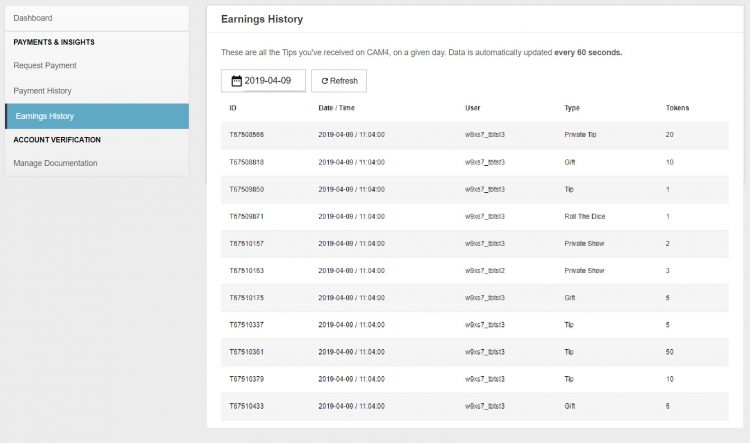
Historia Zarobków

♥Szczegółowy widok skąd pochodził każdy zarobiony token.
♥Możesz sprawdzić swoje zarobki aż co do minuty 
♥Niestandardowe metody wyszukiwania i statystyki historii zarobków.

Zarządzaj dokumentacją

W przypadku nowych wykonawców w tym miejscu będziesz mógł przesłać swój dowód tożsamosci oraz przejdziesz przez proces zatwierdzania!

Więcej informacji o  dodawaniu dodatkowych wykonawców do swojego konta.


~To wszystko na tą lekcje !

Miłego Camowania!
Twój Zespół Coachingowy!
 

How To Buy A Gold Membership With Tokens

One of the benefits of being a verified performer on CAM4 is the ability to purchase your gold membership with tokens at a discounted price! Take a look at how you can convert your tokens into over 20 awesome Gold features.

Using Tokens For Your Gold Membership

First, tokens must come from your dashboard to be used for a Gold Membership.

Go into your Performer Dashboard  and request a CAM4 TOKENS payment for $12.50. 

You will see these tokens in your account on the CAM4 homepage.

new-account-gold-membership


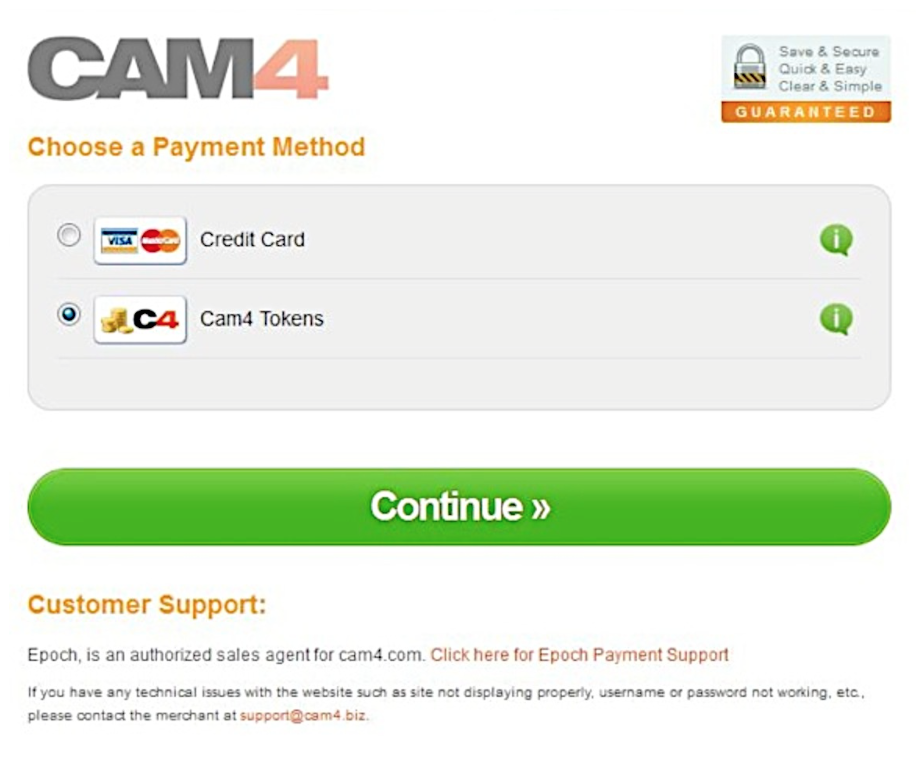
Once you press the “Upgrade to Gold” button you will be  taken to a  checkout window where CAM4 Tokens is a payment option.


Screen Shot 2015-06-25 at 2.48.50 PM

After clicking continue, you will receive a receipt and see your status go to Gold in a few minutes.  (You may have to refresh your page)


~That’s all for this lesson!

Happy Camming!
Love, Your Coaching Team!

How to Use Lightstream Studio

Here at CAM4, we’re proud to welcome a new feature that will forever benefit performers and their streaming quality – Lightstream Studio! 

Lightstream Studio is a web-based broadcast studio that will give our broadcasters the tools they need to create their most fun, or craziest, live shows! Lightstream Studio is similar to tools such as Split and OBS, but performers don’t need to download and install any software to use it! 

Features for Lightstream Studio include:

  • The ability to combine multiple cams into a single stream
  • Add graphic overlays into your videos
  • Pre-recorded video playback for review
  • 3rd party plugins are allowed

Broadcasters on CAM4 will have to create an account on Lightstream Studio before they can use the feature on CAM4. 

NOTE: The only way you can create an account on Lightstream Studios is to link it to an existing FACEBOOK, YOUTUBE, TWITCH OR MIXER account. Once you’re linked on Lightstream Studios, you can disable broadcasting on any of these platforms. Performers who want to stay anonymous are recommended to create a new YouTube or Twitch account to sign up.


~That’s all for this lesson!

Happy Camming!

Love, Your CAM4 Coaching TEAM


How to Improve Your CAM4 Rankings!

We all have one major goal on CAM4 – to rank high and get that hard-earned cash! But how do you climb your way to the top? And who can help you get there? WE CAN! We want all of our performers to rise to cam stardom,  which is why we’re offering all performers the chance to check out our performer articles, how-to videos and cam coaching, only on CAM4!

Improve Your Broadcasting!

Getting started on cam isn’t as easy-peasy as it looks. Before you can start filming yourself on CAM4, you have to find out how you can impress your new followers, and how to keep them in your room! Check out our articles on our Performer Training page to find tips on how you can improve your shows and get more viewers!

You can learn about getting started, our CAM4 coaching sessions, and how to schedule and promote your shows! Click HERE.

Want to know how lighting can help you in your cam shows? Watch this video, LIGHTING 101 to find out!

Want to see more How-To videos on performing on CAM4? Subscribe to our official YouTube channel by clicking HERE!

Get Technical!

Before you begin to show off your new skills on CAM4, make sure that all your computer, your internet connection, your webcam, lighting and microphone are all top notch!

Having terrible Internet connection or poor webcam quality can greatly affect your cam shows and viewership. Before filming your live show, make sure to test your Internet connection – is the connection glitchy? How is it affecting your webcam quality?

Find out how you can test your Internet and webcam connection HERE!

Click here to see more tips on filming great videos for fans on CAM4!

Engage with your viewers!

Our most important tip for all performers to rank higher CAM4 is this – ENGAGE WITH YOUR VIEWERS! You have to make your fans and viewers feel excited, comfortable and at-home when they enter your room. It’s your job to keep them entertained and glued to your page whenever you enter your live shows. Follow our advice and the tips will come rolling in!

Here are some tips on how you can engage with viewers:

  • Broadcast regularly, and make it known to viewers that you’re going on cam. You can do this through your CAM4 camming schedules, or on your own Twitter account! (Make sure to include the hashtag #CAM4)
  • Enable tipping games! Playing games like Roll-the-Dice (RTD) with your viewers is a fantastic way to get everyone in your room excited and engaged in your show (including you!). Check out our CAM4 games HERE!
  • Change up your routine! You can rank higher by trying out new toys or outfits during your shows. Check out our huge number of show ideas for all cam shows HERE!
  • Promote yourself on our CAM4 social media accounts (Instagram Takeover anyone?!). Message CAM4 on Twitter and Instagram to find out how you can do a takeover on our Snapchat or Instagram! 

If you ever need help in improving your rankings, our team at CAM4 is always here to help! 


Security and privacy and SKYPE issues


Important notice!

It is now possible for viewers to find your IP address from your own Skype account.

If you don’t know, an IP address is similar to an emailing address, and it can provide you with information about a user’s Internet Service Provider (ISP) and their location.

Because of this, we recommend that you do not use Skype to avoid meeting one of your viewers IRL.

Security and privacy:

Be sure to protect yourself and use our official CAM4 tools, which are designed and adapted for all webcam users!

Click HERE for more details

Any external activity on CAM4 will not be supported or covered by CAM4 support.

Following numerous complaints, and to viewers who avoid tipping and payments, we want to warn you about the use of your Skype account for reasons related to security and privacy.

Some of you have been tempted to broadcast on Skype at the request of your viewers. In doing so, you may play victim of non-payments or the cancellation of payment from viewers.

If you want to earn tokens and grow your fanbase, we invite you to use the tools available on www.cam4.com, where we have added new games to entertain your viewers!

On CAM4, you can:

  • Benefit from an international network of viewers who are ready to tip you
  • Have access to 24/7 technical support
  • Get training approved by our official CAM4 Coaches
  • Be aware of the tools you can use create your network and gain more viewers.

The use of Skype is an option under your sole responsibility. This includes risks where:

  • There are no tools or technical support at your disposal
  • There is a lack of technical support if a Skype viewer refuses to pay or tip you
  • The use of Skype (outside of CAM4) is, by default, an inappropriate tool for webcam users who are subject to losing their personal data.
  • Your geographical location can be found through your IP address.

We recommend using the tools on CAM4 to benefit from all these advantages and more.


~That’s all for this lesson!

Happy Camming!
Love, Your Coaching Team!


Payment Options

We offer TEN payment options but not all options are available to every broadcaster due to your location.

Click here to find out which one works in your country!

Yoursafe 

  • Minimum payment: $50 USD
  • Processed: Daily (Mon – Fri)
  • Information required: Yoursafe Full Beneficiary Name

Link To FAQ for more details.

Paxum

  • Minimum payment: $50 USD
  • Delivery: Daily (Mon – Fri)
  • Information required: Paxum Account ID
  • Pre-paid Paxum Mastercard – CURRENTLY NOT AVAILABLE

Link To FAQ for more details.

Register for an Paxum account: https://www.paxum.com/

Sociale

  • Minimum payment: $50 USD
  • Delivery: Daily (Mon – Fri)
  • Information required: Setup on Sociale App
What payment methods does Sociale offer?
  • Local Bank Transfer (South America, Africa, Asia)
  • Crypto (USDT Tether)
 Need Help?
Click here to contact Sociale’s Customer Service team
Euro Wires (EUR Only – Including UK) –> click here for Australia
  • Minimum payment: $100 USD
  • Processed: Daily (Mon – Fri)
  • Delivery: 5-7 business days
  • Bank account has to be in the same name as the main account holder of the verified CAM4 account.

Link To FAQ for more details.

NOTE:  When filling out your banking/account information, please do not use special characters (comma, periods, dashes, etc.). Make sure to use your FULL NAME  (including all first names – no initials are allowed). Your name MUST match the name listed on your bank account.

Direct Deposits (US Only)

  • Minimum payment: $100 USD
  • Payments must be requested by TUESDAY 11:59pm EST to be included for payment on FRIDAY.
  • Once payment request is sent to the bank on Friday, please expect an additional 3 – 5 business days for the funds to settle in your account.
  • Payment will show on your bank statement as: TLE OPPORTUNITIES DIR DEP

CAN Direct Deposits (CAN Only)

  • Minimum payment: $100 USD
  • Processed: Daily (Mon – Fri)
  • Funds will be sent to your bank account in CAD
  • Expect an additional 3 – 5 business days for the funds to settle in your account.
  • Payment will show up on your bank statement as GRANITY MEDIA INC.

Link To FAQ for more details. 

Convert to Tokens: (100 tokens = $10 USD)

  • Cost: FREE
  • Minimum payment: None
  • Payment: Immediate

NOTE: Registration and approval are still required for this method of payment, as tokens have a cash value.

Daily Pay (UK Only)

 We offer a few other methods of payment that maybe local to your region as well. Simply add your Account ID to get setup!

Click here to find out which one works in your country!

If you have any issues setting up one of these payment options please email payments@cam4.com. Our friendly CS team are happy to help walk you through setup or work through any issues that may come up.


~That’s all for this lesson!

Happy Camming!
Love, Your Coaching Team!