All posts by Ashley Maule

Increase your earnings and viewers with PornHub

How to create a profile on PornHub to get more viewers and earn more on CAM4!

PornHub is the largest adult portal in the world. Millions access it daily providing visibility that no other site can give you. You can create a free PornHub account and use it to upload your photos and videos to lure more users and turn them into potential fans and tippers on CAM4! But not only that … by entering your CAM4 Referral Program link in your profile bio you will earn $2 for each user who click’s on your affiliate link register’s on CAM4!

I guess you’re wondering how long it takes to create a free PornHub profile and connect it to CAM4 … well, it takes less than 5 minutes!
Here’s a quick guide on how to create your Brand Ambassador profile, how to upload your videos, how to use your affiliate link and start earning more!

– How to create a FREE profile on PornHub … in 5 minutes

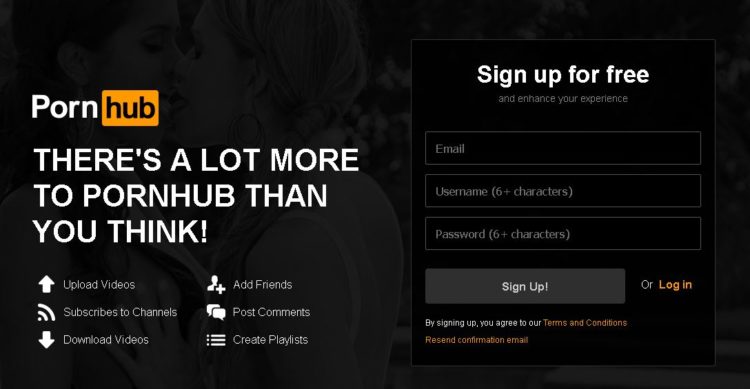
Go to PornHub’s homepage and select Sign Up (on the top – right) … or just click on this link!

Click on Sign Up for Free. Then enter your e-mail address and choose a PornHub username (you can use the same on CAM4 if available) and finally choose a password.

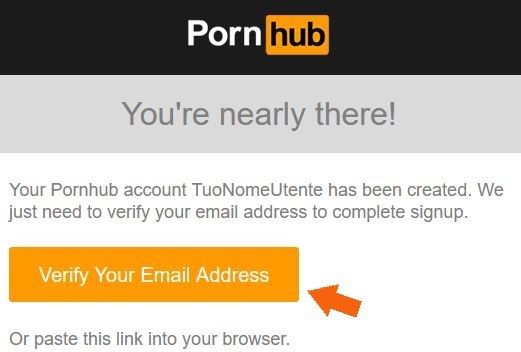
Check your email address and activate your PornHub account by clicking Verify Your Email Address.
Done! Now you’ve created a PornHub profile and you just have to configure it according to your liking 🙂


– How to configure your PornHub account with images, video and your CAM4 affiliate link!

Once verified your mail PornHub will ask you for basic information to confine your profile. What do you like, What channels you want to see and Basic Information (the most important ones to promote you!)

In the Basic Information section you can select the country, city, and nickname that you prefer. Be sure to write a short description in the ABOUT entry. You can use this space as a showcase to promote you as a web cam model on CAM4.

The most effective tool is to enter your CAM4 referral link to bring them to your CAM4 page and earn even from each subscription! If you do not know how to get your affiliate link (always found in My Accunt > Profile Options, bottom left> Referral Program)!!

For example, enter your next scheduled show on CAM4 or find other videos on your CAM4 profile. Or click the link below to see more videos #fetish, #outdoor.

Then click on Complete and Have fun on Pornhub! Once the configuration is finished you will be able to edit your profile and enter profile, cover, galleries, gifs and VIDEOs!

On your profile click on the profile image and cover photo and select upload photos to get you noticed! Note. you may decide not to show your face or use masked photos 🙂

– How to UPLOAD VIDEOs on PORNHUB:

In your profile page, you can view a preview of your basic information to the left: Make sure your referral link is correct and have a captivating description to push users to click on the link! 🙂
At the top click the Video section and then click Add Now! Then drag the video you want to upload and wait for the upload to complete.

Remember to include details on your video (eg. orientation, privacy, amateur production) and carefully choose an alluring title (you can also add translations in other languages). Finally, select the tags to describe your video and bring users with ease.

 PRO TIP:  Post quite often to keep users up to date on your next CAM4 shows and  promote your new videos on your MyShop, but make sure each message always contains your referral link!


~That’s all for this lesson!

Happy Camming!
Love, Your Coaching Team!
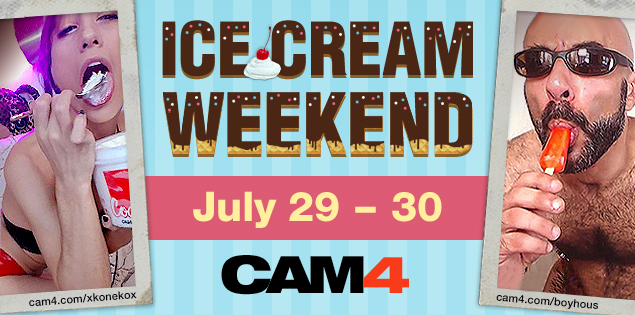
Ice Cream Weekend July.29-30th


How many licks does it take till you finish? 

You’ll scream, and your viewers will cream for Ice Cream Weekend on CAM4. Tell your viewers to #LickIt by scheduling, tagging, and tweeting your ice creamy shows!

To earn a cool 100 Tokens all you have to do is:

~Tag your live show – #LickIt
~Tweet an ice cream themed picture with the link to your show and use the #LickIt.
~Schedule your tasty treat show with the #LickIt in the description.

~You can earn an additional 100 Tokens for tweeting the best Ice Cream themed picture using the #LickIt!


Rules

~Approved CAM4 performers only.
~Only one payment of 100 tokens per performer
~Show length must exceed 30 min. and reach a minimum of 20 viewers.
~Must include #LickIt in your live show status.
~Must tweet a picture, live show link, and the tweet must have the #LickIt. (Tweets containing photos unrelated to the theme will not be accepted)
~Schedule your show with the #LickIt in the description. 

How to Work with Promo Accounts

Beyond the CAM4 accounts, there’s endless opportunities to use social media to find new viewers. Here’s a list of just some of the Twitter accounts you could work with, and how to look for more. 

Always remember that cam promoters aren’t a source of instant tokens, they’re part of longterm success. Building up your exposure and personal brand will result in more tokens, more viewers, and more opportunities for events, trade shows, partnerships, and other magic that only the future knows. 

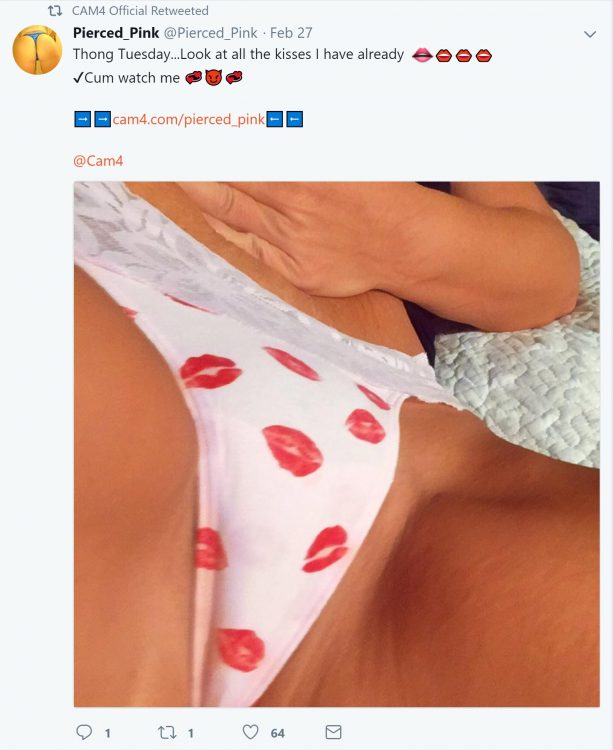
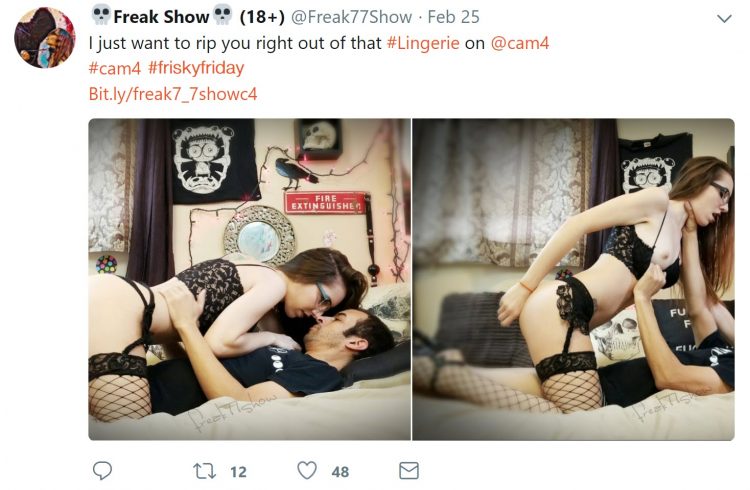
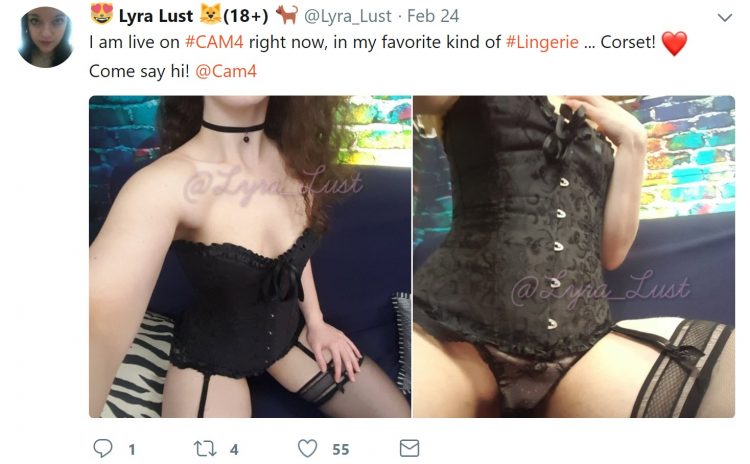
Most promo accounts make money as affiliates, so they will likely attach their referral code to your CAM4 URL. If it’s a good account, you’ll benefit from this. Check out the Camgirl Promo Accounts list on the CAM4 Twitter page: 

twitter.com/Cam4/lists/camgirl-promo-accounts

WeCamGirls (which by the way if you aren’t already mega active on this forum, do it now) has this epic article on how to use cam girl promo accounts on Twitter, including promo accounts for everything from facials to tattooed camgirls: 

wecamgirls.com/articles/for-camgirls-make-your-twitter-your-1-marketing-tool-updated-with-new-categories/

Doing fan signs for big accounts with thousands of followers is a great opportunity to get more people following you and joining your camshows. Even if they’re free, they will pay off in the end.

The most effective promo accounts are each others. Every cam girl’s following on social media is made up of: viewers, similar camgirls, and fans/promo accounts. Become friends and help each other out by trading tweets, doing giveaways together, camming together, or whatever works for you. 

Before you work with promo accounts, you have to make sure a couple of things: 

  • You’re tweeting regularly with good content like pictures, short videos, and always your CAM4 link
  • You’re able to cam often, or sell videos on CAM4
  • You are using your referral ID in your tweets, so when RT accounts repost your messages, you can earn money
  • You’re contacting accounts that represent you – i.e. if you don’t have tattoos don’t contact the tattoo accounts
  • Your Twitter account is public!!

Tips for filming great videos for your fans

Making great content (videos/pictures) for your fans is fun and easy. Follow these guidelines and you will be making great content that will blow your fans away!

caitierage-cam4

Tell a story


No matter what kind of video you are creating you need to tap into human emotions to get your audience engaged in your content.

  • How you do this:

Think about your subject, then think about why is this important to the viewer. Are you sharing something that really turns you on? Are you filming the first time you’re exploring this subject yourself? Knowing this will help you communicate the story to your viewers easily.


aliciatank-cam4

Think visually


Once you know what your story is, you must think of a great way to express it to your audience visually.

  • How you do this:

What is the feeling of your video? If the feeling is grimy and naughty, maybe choose a location that supports that feeling. Do you want to convey the feeling of being spied on while at work? Create an office desk set up and have your webcam under your desk or looking down on you so viewers get the feeling of spying from above.

ProTip: Use PIP (Picture in Picture) and have 2 cameras going at once.


ES-ivanamor

Clip or Full length?


Knowing how long you want your video will help you fill your time with exciting, engaging content.

A clip is 2-3 minutes, while a video can be anywhere from 5-30min. Its best to make your video exciting from start to finish so don’t make it longer just because you feel like you have too. If you video ends up being a clip, that’s great!


alexvswayne

Record in landscape mode


If you are using a video camera or phone to record, get in the habit of always shooting in landscape mode. This will make it MUCH easier to view on a computer screen.

  • How you do this:

Simply turn your phone 90 degrees so it is positioned horizontally.


missela20 copy

Zooming vs. editing


Zooming can be tempting because you want your viewer to see something you feel is important, but forcing them to see one thing, means they might miss out on another and can be distracting to watch.

  • How to do this:

While filming your video, don’t worry about zooming in or out to focus viewer’s attention on something, this can easily be done in post when you are editing your video. This will prevent possible filming bloopers like dropping the cam, having to move your cam multiple times, or losing focus from a zoom.


bloodyfrench

Audio


It’s important that your audience hears YOU, and not background music or noise if you want them to feel fully connected to what they are watching.

  • How you do this:

Make sure you record in a quiet environment and use an external microphone if you have one. It’s also important to refrain from too much talking during your video UNLESS: The video scenario calls for it, you are very comfortable doing it, or it’s a custom video and the viewer requests it. When you are not focusing on what you’re saying, you’re able to get into what you’re doing…and that’s hot.


AliceSleek

Lighting


Just like on cam, we need to see you.

  • How you do this:

Add lots of light sources! Take a few test shots and watch them to see if more light is needed to give your video a well-lit clear image.

For a quick and easy lighting tutorial visit: Best  lighting for your camshow


edwardoo22

Steady cam or handheld?


This will be the difference of feeling like there is someone else in the room while your filming or not. If you want your viewers to feel like they are watching you through someone else’s eyes (POV – Point of View) then do handheld, if not, then use a tripod.

  • How you do this:

If you want to have a steady cam, simply film using your laptop or put your webcam on a tripod. If you don’t have a tripod but want to use one, you can use any house hold lamp as a tripod by screwing your webcam onto the top screw where the lampshade sits. (Every webcam can be mounted onto a lamp this way)

For handheld just have someone film you and hold the camera, just make sure they are always filming in landscape mode and are not zooming in on you. Its best if the person filming you doesn’t jostle the camera around too much, it will make your viewers sick if they do.


x_sofia

Angles


Because a video is not live you have the option to film it from a few different angles and edit them together if you choose. This will give you a lot more content to choose from when you edit, and you can make a very compelling video by using a few different angles.

  • How you do this:

You can simply set up a few different cameras to film yourself at the same time. You can have one be your webcam, and the other be your phone if you like.

ProTip: If you have someone filming you handheld, set up another angle that is steady cam. Don’t worry if you can see the handheld cam in the steady cam shots, it will make all the handheld shots feel more interesting.


vicalouqua

Engage your audience


Use eye contact to connect with your audience, this will take your video from being good, to being a viewer favorite that they share, and watch over and over.

  • How to do this:

Be aware of your camera and look at it. This forms a connection with your audience and allows them to feel more engaged with what they’re watching.


~That’s all for this lesson!

Happy Camming!
Love, Your Coaching Team!
 

What Videos Actually Sell?

We all want to make great videos that our fans will love. So, how do you know what will sell? What makes one viewer request a better option over another?

Here are a few ways you can easily spot great suggestions for creating videos to sell in your Shop.

Sources of Inspiration


Comments

We all know there is never a lack of comments during` live shows, but how do you know which ones to keep in mind for creating content later? While you always want to listen to everyone in your shows, these are a few things to look for.

  1. “Do you do ___?” This viewer is looking for a certain role play or scenario starring you, and sometimes what they are looking for is totally different from what you normally do in your shows.
    For example, if you keep getting asked similar type questions about doing domination/foot fetish/couple shows, you should probably make a video! Especially if you don’t feel like adding these things to your regular shows.
  2. “Do you have ___ to put on?” Obviously, these viewers want to see you wearing something to complete their fantasy. Three requests or more tell me it’s something I should have to wear during my shows and in videos.
    For example, White socks/underwear, stockings, running shoes, jock strap, slutty/tight bar clothes, body stockings…

ProTip- Questions like these are not limited to your chat room, viewers might feel more comfortable messaging your inbox or writing on your chat wall so keep an eye out. 


Take a Poll


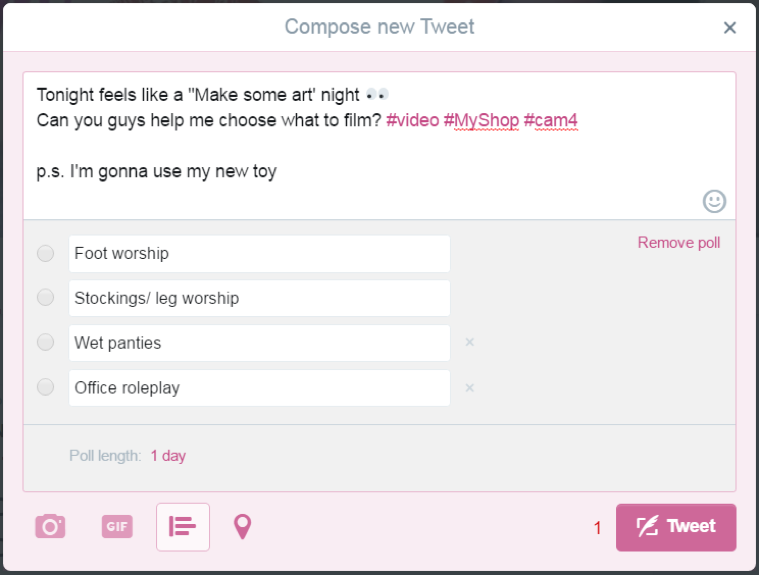
I’m talking about Twitter polls! Use your Twitter account to do some research on what your fans want to see by doing a Twitter poll!

Picture231

You can’t see who voted on a Twitter poll, but you can incentivize people to re-tweet your poll by:

  1. Putting usernames of the people who re-tweeted your poll into a raffle to win your video.
  2. Tell your followers that you will release a teaser video on Twitter if your poll gets over a certain number of re-tweets.

The more re-tweets the bigger the chances people will answer your poll and follow you!


Feedback


Being a performer for any length of time gives you access to a large, vocal audience that is full of feedback on your shows. To find the most valuable feedback, I would look to viewers who have already purchased some of your content, or have done a private show with you.

  • How to ask for feedback:

~If a viewer has sent you a message after purchasing some of your content  – “Im so happy you liked it! Thank you for telling me! What part of the video made you love it? Im making another video soon and I want to make sure you like that one too…

~After you have gone private with a viewer – “I loved our private today. My favorite part was when ______ happened, or you did this______.” This will start a conversation, and your viewer will likely tell you what they enjoyed about the show.

~If you know a viewer purchased, or won a video from you and hasn’t messaged you about it – “Hello! I was wondering what you thought about the video you won, I know you didn’t choose it so I wanted to make sure you were happy. Was it as hot as you hoped?” This will start a conversation and let the viewer know that you are open to feedback. They may give you a simple “yes I liked it”, or tell you what kind of video they would really like to see, and that is the feedback you were searching for.

Other Resources For Video Ideas


~Look in the Performer Training area on CAM4 under ‘Show Ideas’ for LOTS of different video ideas

~Go on video sites like PornHub and look at Top Searched video titles

~Your own fantasies! Chances are if you are into it so are your fans so turn it into a video!


~That’s all for this lesson!

Happy Camming!
Love, Your Coaching Team!
Gain viewers with SFW (safe for work) photos

Getting exposure to a large audience is an important part of success, here’s how SFW images guarantee you’re seen by more people.

SFW-gallery-option-english

Having a wide variety of pictures uploaded to your CAM4 gallery is always a good idea. Your fans get to see different sides of your personality, and gives them more to chat with you about during your live shows.

On top of fans feeling more connected to you, SFW pictures guarantee you will always be seen on CAM4.

SFW vs. NSFW 

Everything on the Internet falls into one of these two groups:

SFW (safe for work) – Used to describe Internet content that could be viewed in the presence of your boss and colleagues.

NSFW (not safe for work) – Used to describe Internet content generally inappropriate for the typical workplace, i.e., would not be acceptable in the presence of your boss and colleagues.

This grouping of content allows search engines, social media platforms, and firewalls filter out what they deem appropriate to be seen by all audiences. Because of this, your images and CAM4 profile might be blocked to some viewers who have content controls set up on their computer. 

Getting around this problem is simple. 

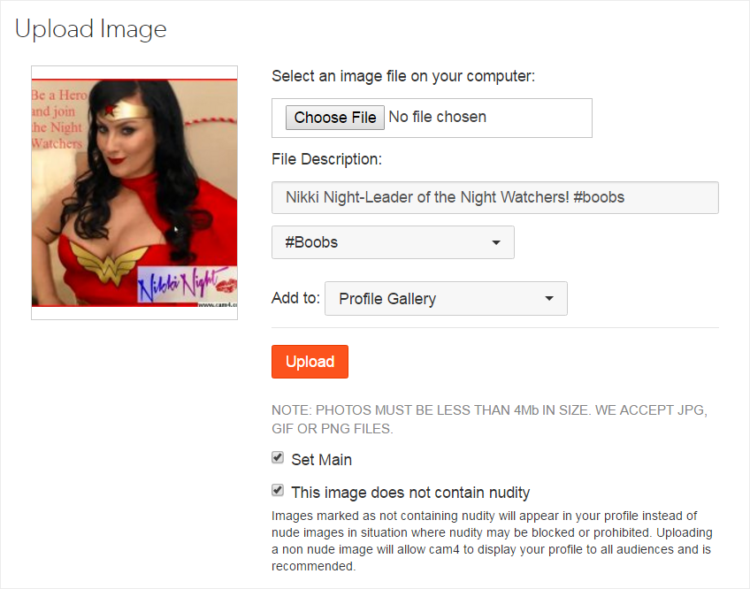
  1. Take lots of SFW pictures of yourself. (Non-nude or sexually graphic images)

SFW

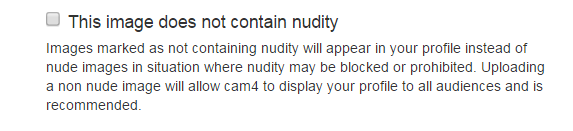
2. Select this box when uploading your SFW images to your CAM4 gallery.

3. Problem solved.

Now CAM4 will be able to show your SFW pictures when NSFW ones may be blocked. 

*SFW is the default content filter setting for MOST websites, search engines, and social media platforms. So make sure you upload  SFW pictures to all your online profiles and not just CAM4 and get noticed!


~That’s all for this lesson!

Happy Camming!
Love, Your Coaching Team!
How to edit and watermark your videos and pictures

Making great content is easy with the right software to help you. Here is a list of all the options you have when creating your masterpieces. 

Video recording software

PC only

Icecream – Free & Pro$

EZvid – Free & Pro$ (Also offers video editing but its not free)

Atomi Active Presenter – Free

MAC only

Jing – Free & Pro$

Screen robot lite – Free

Apowersoft – Free & Pro$ (The free version only allows 3 min vids)

MAC & PC

OBS – Free ( Use this to broadcast on CAM4! Improves your broadcast and you can watermark your screen too!)

Snagit – Pro$ ( This is what I use and I love it) 


Video editing software

PC only

Machete video editor lite – Free

VSDC – Free

MAC only

Da Vinci Resolve – Free & Pro$

Open Shot – Free

MAC & PC

Avidemux – Free

WeVideo – Pro$

Wondershare – Pro$

Camtasia – Pro$$

Lightworks lite – Free & Pro$


Photo editing software

PC only

Paint – free

Photoscape – Free

PC Image editor – Free

MAC only

Fotor – Free

iPhoto – Comes with every MAC

Camera+ – Free

Halftone 2 Comic Book Creator – Free

MAC & PC

Pixlr – Free and Phone app available 

GIMP – Free

Pizap – Free and Phone app available

The Nik Collection – Free and highly rated


Fun Ways To Use Roll The Dice

The Roll the Dice game on CAM4 is a fun, easy way to earn tokens, and get your viewers engaged in your show.

You can easily set it up and play it the traditional way… or you can take some of these suggestions on how to use Roll the Dice in exciting new ways!

Roll The Dice

Haven’t played Roll The Dice? Here’s a quick rundown of how it works:

2016-08-02_15-39-47

To play the game:

  1. Fill in the 6 options with an action of your choice (you can change and update this at any time during your show)
  2. Set the price per roll
  3. Encourage your fans to play!

There is a cooling off period of 60 seconds after the dice is rolled to allow you some time to do the action that is rolled. If you want to end this cool down before the 60 seconds is up, simply press the ‘Allow Roll’ button that appears in grey on your broadcast window.

When a viewer rolls the dice, you will see the outcome of the roll in your chat, and in the ‘Games’ tab that is beside your user list in the broadcast window.

For more information on Roll the Dice, check out these FAQ articles.

What is Roll-The-Dice?

How do I enable Roll-The-Dice?

Okay, now for the fun stuff!

Fun Ways To Use Roll The Dice In Your Broadcasts


christie PTR

POV

For this game you will need:

  • A built in computer camera
  • A USB camera
  • A tripod for your USB camera. TIP: You can use an old lamp as a tripod for your USB webcam. Remove the light bulb and shade from an old lamp, and screw your USB webcam onto the top of the lamp! This will work for any USB webcam that has a screw mount on the bottom.

Find 6 angles that you like, put them in the dice options and you’re ready to play!


lexyxxxwhite ptr final

Mini Sale

For this game you will need:

  • A timer
  • A board to write on that your viewers can see – OR use OBS or Manycams to write text on your broadcast image

Price the rolls at 50 or 25 tokens to start. Fill in your dice outcomes with actions of your choice but make one of them a 10-minute sale that drops the price to either 25/10 tokens depending on what your starting price per roll is.

When a viewer gets this roll outcome, advertise the sale by writing it on the board (or with Text on your external encoder) and also their username for added fun.


greatboobsx ptr final

Chase

Make one of you dice outcomes something really big, something that will really wow your viewers. Then after every roll, you change the location of this big prize on the dice. 

E.g. If a viewer gets your big prize when they roll a #1, change it to #4 after someone rolls, and so on…


kinkymaryan ptr final

Roll of Fortune

Create a grid style game board on your wall using pieces of paper or balloons, and number the spaces so viewers can easily choose the one they want. Use the dice to decide what row on the game board your viewer has to choose from. Each space will have an action/video/prize the viewer will win.

This game is really great for birthday/camaversary/gold shows


sagegrey PTR

Team Spirit

For this game you will need:

  • A large board that you will use as a score board
  • Sport-appropriate props

The object of this game is to have your room play a game against one another. Choose team captains by having everyone who wants to be a captain take turns rolling the dice, and the viewer with the 2 highest rolls win. Team captains name their team and help you split the room in two so you can start playing.

Fill in the dice options with actions that would happen during a game

E.g. If you decide to play a basketball game, have the options be ‘3 point basket’, ‘foul’ (This should give the other team a free foul throw just for fun), ‘2 point basket’, ‘foul shot basket’, ‘time out’, ‘get a BJ from a MILF’, etc…

Then you can keep score on the game board, and even have a timer going just like in a real game. After every roll you get to be the cheerleader and celebrate for the team.


 foxy_c ptr final

Roll Outcome Ideas

  • A viewer picks a word that you can’t say for the rest of the show. If you do you have to do an action like remove a piece of clothing, flash, dance, etc.…
  • Truth or Dare. Fill in dice outcomes half-truth, half dare. Remember, you have final say on what you will do in this show. I recommend a ground rule of no cum show dares.
  • Viewer gets to do something to another viewer- silence for 5 min, pick a nickname, choose a word the user cannot use during the show, etc. Make sure everyone knows that these are all in good fun.
  • Every outcome of the dice is a different video you have for sale
  • You do a silly accent for 5 min
  • 1-minute dance party
  • Spank yourself with an object of viewer’s choice
  • Do your favorite workout move
  • Fake an orgasm


~That’s all for this lesson!

Happy Camming!
Love, Your Coaching Team!

CAM4 Referral Program

refferal-program-banner-english

Bring your friends and followers to see your shows. Build your own audience and earn extra cash for each new FREE signup! 

How does the CAM4 Referral Program work?
Simply share your unique referral link with your friends and fans (via your personal blog, social media, emails, private chats, etc.) and you will start earning money from those that sign up an account. Even IF they never buy a token!

Where do I get my unique link?

  1. Go to your Performer Dashboard. You can find it at the top right of the CAM4 website by clicking on your profile picture that shows there.
  2. Look under Performer Tools and you will see Referral Program (you will need to have earned 100 tokens in order for this link to appear).
  3. Once you click onto the program page you will find your personal links that look something like the ones seen below.
  4. Tweet this when you’re broadcasting and share them on chats or your blog in order to to direct viewers to your page. This will help you build your own unique following and to get paid for doing it!
  5. Even if you yourself are not live you can bring viewers to Cam 4 to other models and get paid for those as well. Simply tweet, blog, chat, snap or whatever other platform you use to reach a potential audience with the other  links that you see below. These links will allow you to direct people to the home page, female only page or male only page.

affiliate-program-english-22222

If you have your own blog or Tumblr type website, you can use a CAM4 banner with any of the above referral URLs to earn money even while you sleep. Banners can be found here: cam4.com/banners


What’s a verified signup? 

Each time a new user signs up a free account with CAM4 and then goes to their email to verify their address you will get paid.

Rules and Requirements:

  1. To be eligible for this program you have to have earned a minimum of 100 tokens.
  2. You must go through the approval process in the Performer Dashboard that can be found under 'Account Verification’
  3. Any fraudulent activity will result in elimination from the Referral Program and possibly the termination of your CAM4 account.

If you need help with links, banners, or you have questions please email performers@cam4.com. We have tips and tricks on how to earn even more money here.


~That’s all for this lesson!

Happy Camming!
Love, Your Coaching Team!