All posts by Dennis Beentjes

Öva offline

En säker start för att kontrollera allt i förväg!

Öva offline innan din första LIVE-sändning

Innan du går live för första gången kan du öva med en lösenordsshow först. På så sätt kan du i lugn och ro upptäcka hur sändningen fungerar — utan direkta tittare i ditt rum.

Tips: Använd detta som din “generalrepetition” för att minska stress och gå live med självförtroende.

Vad är en lösenordsshow?

En lösenordsshow är en privat sändning som endast är tillgänglig för personer med det lösenord du anger. Du kan bara behålla detta lösenord för dig själv så att du kan öva helt privat.

Öva: vad ska du testa?

1) Utforska knapparna

Se hur din kamera kommer in i bilden, var du ställer in dina mål och hur du gör tipsmenyn synlig.

2) Testa din installation

Kontrollera ditt ljus, ljud, bakgrund och kameraposition utan tryck från tittarna.

3) Öva ditt flöde

Gå redan igenom hur du vill bygga upp en show: från hälsning till att arbeta med mål och menyer.

Gör det till en övningsshow — använd mikromål som om du vore live. På så sätt lär du dig hur mål ser ut i bilden.

  • Mål 1: 10 tokens = kontrollera hur målet ser ut
  • Mål 2: 20 tokens = testa ljud och musik
  • Mål 3: 30 tokens = byt kameraposition

Proffstips: skriv ner anteckningar under din lösenordsshow — vad fungerar bra, vad vill du justera?

Varför detta är smart

En lösenordsshow ger dig:

  • Lugn och ro att lära känna plattformen tekniskt
  • Självförtroende innan du går live för en stor publik
  • Mindre risk för stress eller tekniska fel under din första riktiga show

Ställa in en lösenordsshow

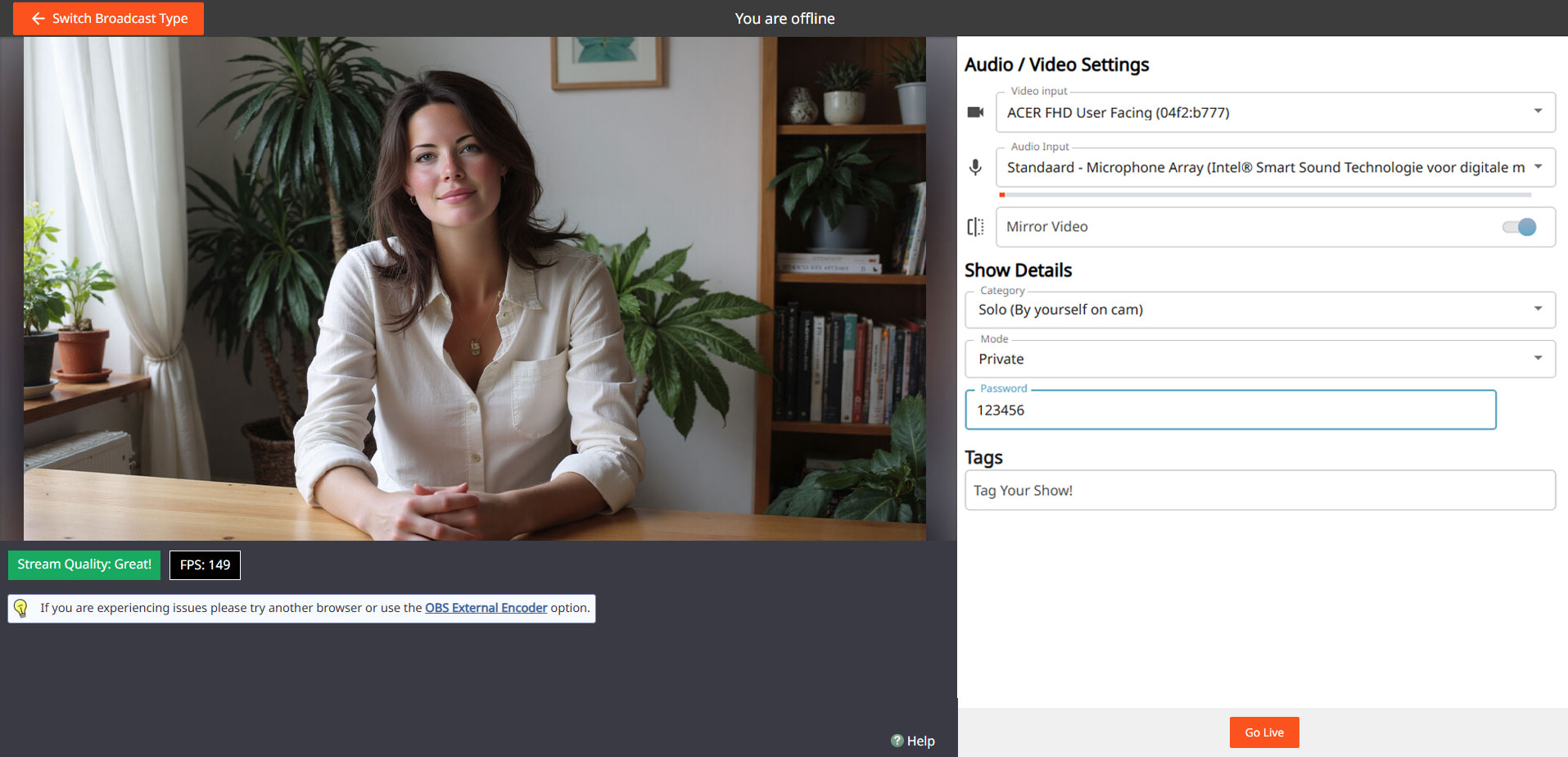
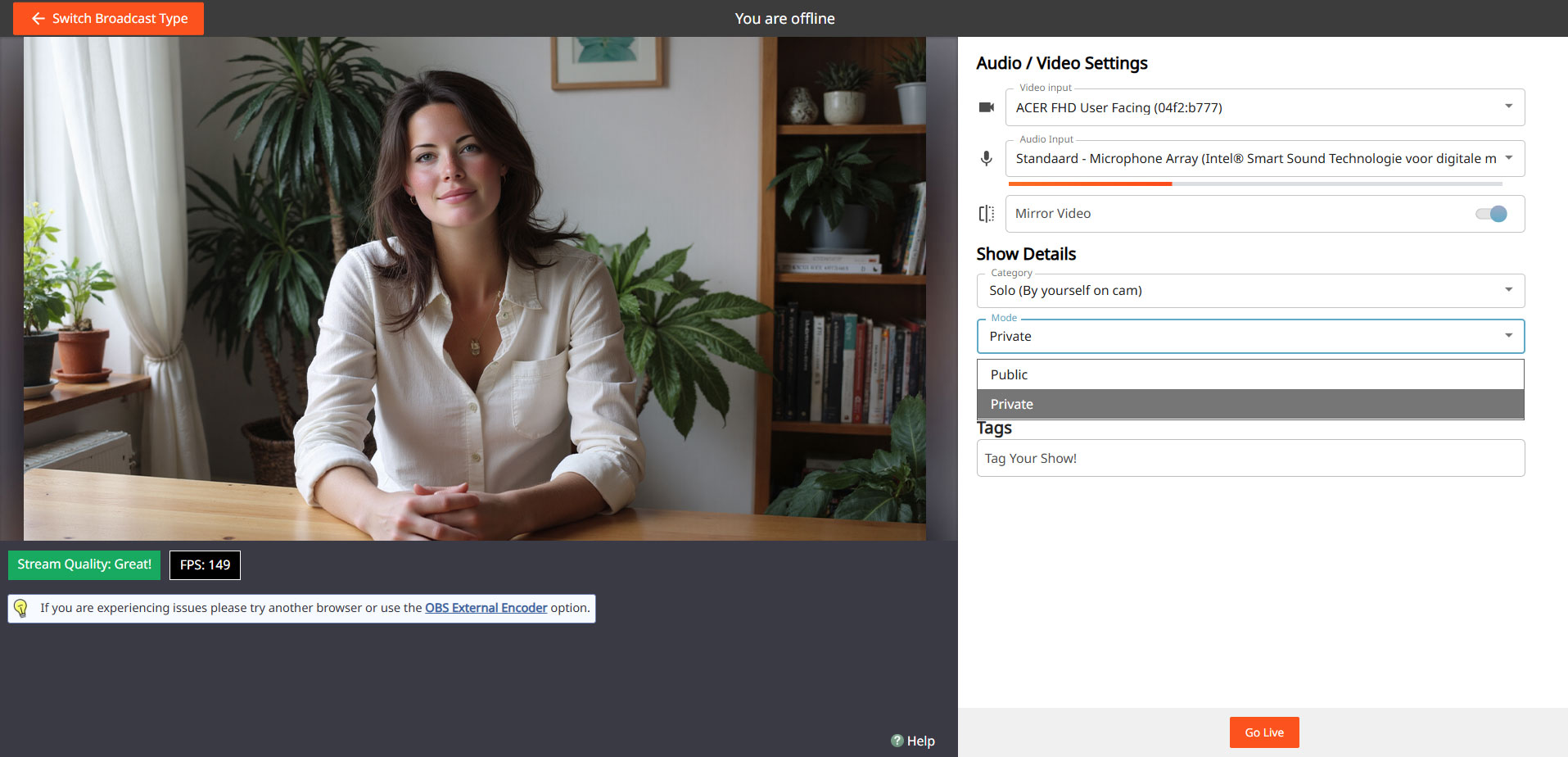
Gå till din sändningsskärm, välj “Show Type” och välj Password Show. Ange ett lösenord och behåll det bara för dig själv om du bara vill öva.

Steg:

Öppna sändningsskärmen
Välj “Lösenordsshow”
cam4 password show

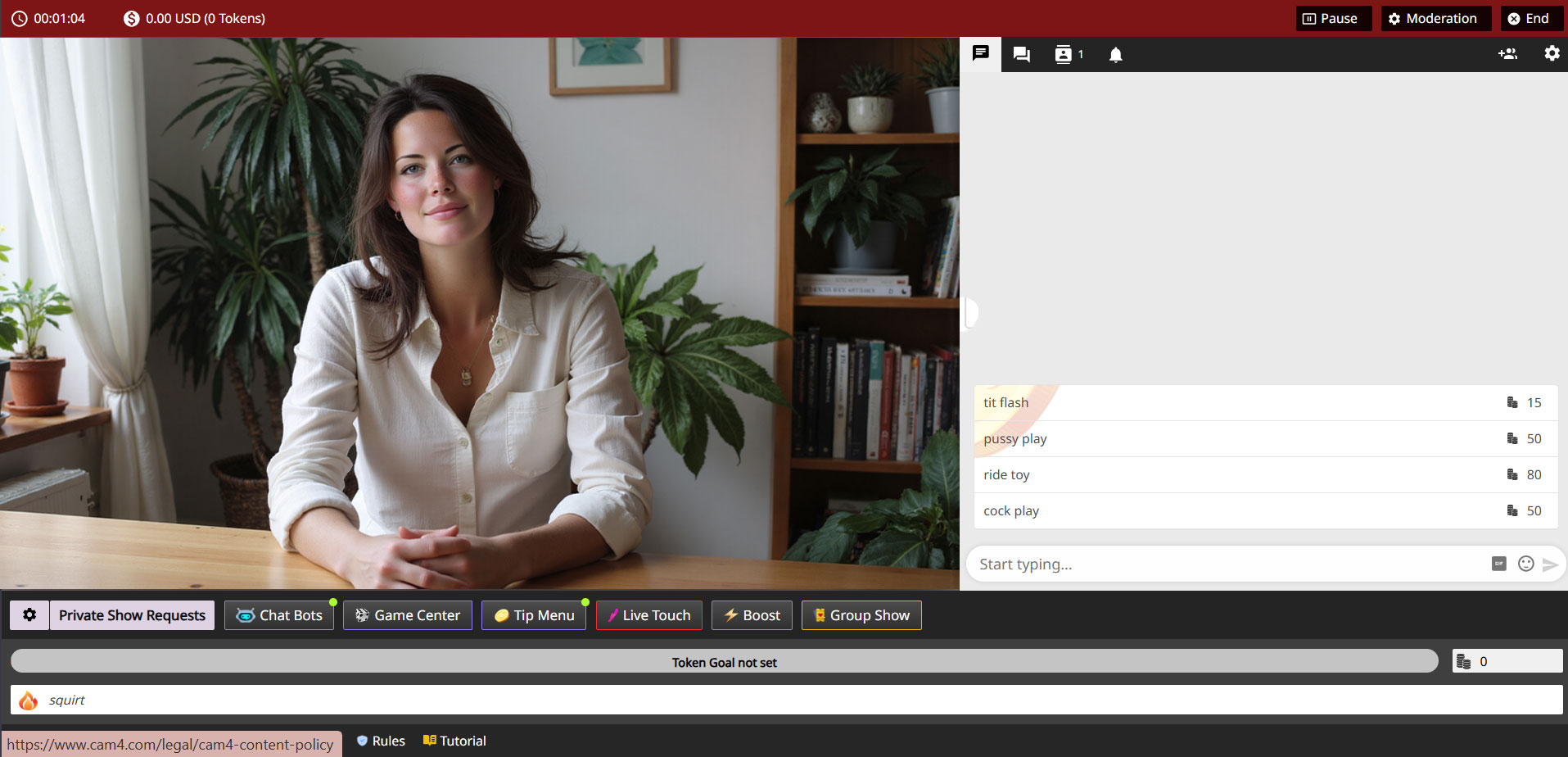
Ange lösenord
cam4 password settings

Gå live & testa
cam4 private

Du kan senare använda samma process för att göra en privat show med en utvald grupp fans.

Do’s

  • Använd lösenordsshowen som ditt övningsutrymme
  • Testa både kamera och ljud utförligt
  • Se hur mål och tips visas i bilden
  • Känn dig fri att öva flera gånger innan du går “riktigt” live

Var uppmärksam

  • Glöm inte att återställa dina inställningar till en vanlig sändning efter din lösenordsshow
  • Ge inte bara bort ditt lösenord om du verkligen vill öva privat
  • Håll dig alltid inom dina egna gränser och plattformsregler — även i en lösenordsshow

Viktigt: följ lokala lagar och plattformsregler. Endast 18+ artister och samtycke krävs alltid.

UK DAC7 – Important Information on Data Collection for Payments

Although the UK is not subject to DAC7, we are updating our processes to align with global standards, including similar European regulations like DAC7. These changes mean we need to collect additional information from broadcasters/creators to process payments. Providing accurate information is essential to avoid issues with payouts.

Why are we collecting this information?

To comply with international transparency standards, we are required to gather specific details from our users. These regulations aim to prevent tax fraud and ensure payments are processed correctly. While DAC7 applies to the EU, aligning with these standards allows us to maintain a consistent and secure platform for all users, including those in the UK.

What information do we collect?

We may request details such as:

  • Your full name
  • Your address
  • Your National Insurance Number (NIN)

These details are necessary for compliance with tax regulations and transparency standards. Your information will only be used for these purposes and shared with tax authorities as legally required.

What is a National Insurance Number, and where can you find it?

Your National Insurance Number (NIN) is a unique identifier issued by the UK government for tax and social security purposes.

You can find it on:

  • Payslips
  • Tax return documents
  • Your personal tax account on the HMRC website
  • National Insurance card (if issued)
  • Official letters about tax, pensions, or benefits

What if you don’t have a fixed address?

If you’re traveling or don’t have a permanent residence, determining your tax residency can be more complex. Generally, your tax residency is the country where you spend more than six months (183 days) in a year. We recommend reviewing the tax laws of the countries where you’ve stayed to identify your tax residency.

Does this mean authorities will know what you do on the platform?

No. We only report payment transactions based on the information you provide. The nature of your activities on the platform will not be disclosed.

What happens if you don’t provide the required information?

Starting January 2025, providing this information will be mandatory to continue receiving payments. If the required details aren’t submitted, we won’t be able to process your payouts. Submit your information on time to avoid any interruptions.

When and how do you submit your information?

We will begin collecting this information in December. Once you log in, you’ll receive instructions on how to securely submit your details.

What happens to your information?

Your information will be used exclusively to comply with regulations like DAC7 and similar global standards. It will be shared with relevant tax authorities as required by law and handled in accordance with applicable privacy laws.

Questions?

If you have any questions or need assistance, contact our support team at payments@cam4.com or consult the UK government.