Todos os artigos de Ashley Maule

Use C4Broadcaster on your Windows Browser

If you’re using both Windows on your computer and a Samsung device for streaming with C4Broadcaster, you can now mirror your phone through wi-fi and enjoy the app directly onto your PC.

REQUIREMENTS:
1. Windows 10
(running the Windows 10 May 2019 Update) 

2. Samsung device
(listed below in the supported devices list running Android 9.0 or above)

Follow these simple steps to set it up:

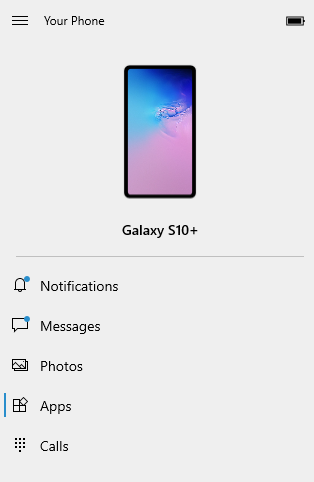
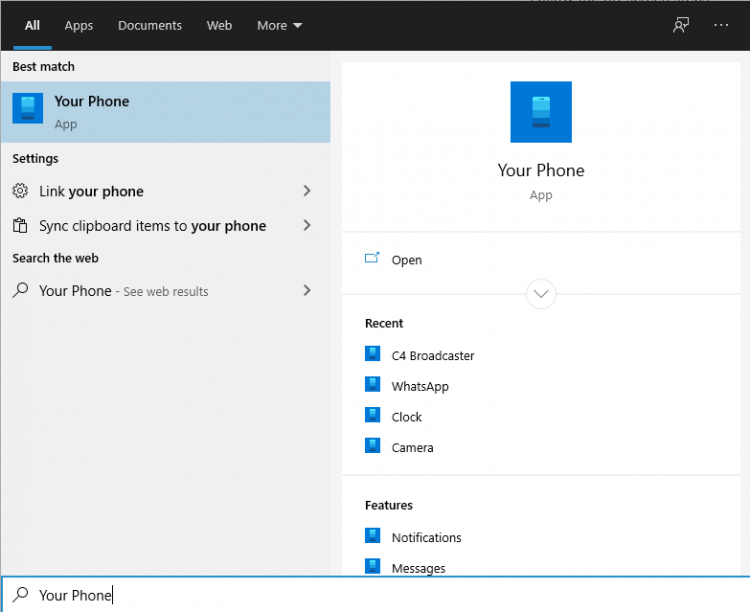
On your PC: Go to > Start and search for Your Phone. 
Windows 10 users with running the Windows 10 May 2019 Update will have the abillity to mirror their screen through wi-fi.

Log in with your Microsoft account in the application.
Follow the on-screen steps.

ON YOUR PHONE:

Check if the device you’re using is listed below as one of the supporting devices.

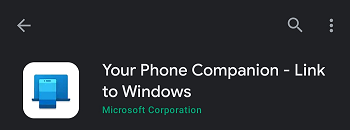
If yes, then check if you already have preinstalled on your Samsung device, “Your Phone Companion – Link to Windows” application. If not, it can be found on the Google Play Store and be downloaded from there.

Follow the on-screen steps

Make sure your phone and your PC are both connected to the same wi-fi network

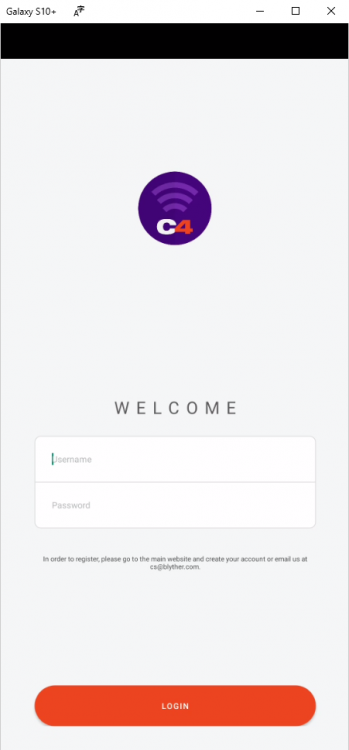
After the initial setup, you can access C4Broadcaster from the Apps button in the Your Phone menu.

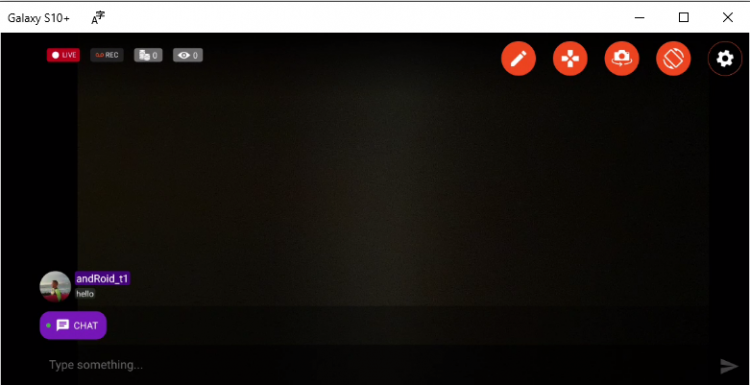
Accept the request on your phone and voila, you can now use C4broadcaster on your PC.

The experience is the same as on mobile, you can switch the camera, rotate the device, play tipping games and apply image filters like you did when using solely your phone


~That’s all for this lesson!

Happy Camming!
Love, Your Coaching Team!

Open Broadcaster Software (OBS)

CAM4 is an official streaming platform on OBS! This means OBS will auto configure your exact setting needs for optimal streaming on CAM4.

Here’s how it works:

  1. Login to Cam4.com > Select Broadcast
  2. Select > External Encoder
  3. Select > Get Stream Key
  4. Highlight Stream Key and Copy key as it will be pasted into OBS
  5. Open > OBS
  6. Select > Tools. Then select > Auto Configuration Wizard
  7. Select > Optimize for streaming, recording is secondary
  8. Click > Next
  9. Base (Canvas) Resolution select: Use Current

** Base canvas = your primary monitor’s resolution**

  1. FPS: Select 30
  2. Click > Next
  3. Stream Type: Streaming Services
  4. Service: Cam4 (show all if Cam4 is not listed)
  5. Stream Key: (clear if populated; paste key previously copied from your Cam4 broadcast window)
  6. Estimate bitrate with bandwidth test: CHECKED
  7. Prefer Hardware Encoding (if an option): UNCHECKED
  8. Click > Next
  9. Stream Warning pop up box: Select YES and wait while settings are configured
  10. OBS then shows Final Results for your settings.

              Select Apply to use the new settings.

              Settings will not be applied if you select Cancel

Other Article to check out:

What Is External Encoding?

How Do I Improve My Broadcast Quality?

How To Use Lightstream Studio


~That’s all for this lesson!

Happy Camming!

Love, Your CAM4 Coaching TEAM

Submit a Share-able Image

Do YOU want to be promoted on one of CAM4’s Official social-media accounts? Even be our monthly Cover Model on X.com?


Well, CAM4 needs YOUR help… Send us any of your best quality SFW (Safe For Work / Non Nude) images below, and your X.com or Instagram info so we can tag you.

USA/ Canada:
Click HERE to upload your SFW images now!!!!


United Kingdom/ Australia:
Upload for UK/AU 

Or contact: julia@cam4.com

And don’t forget, give us a follow


Broadcaster Release Form (2257)

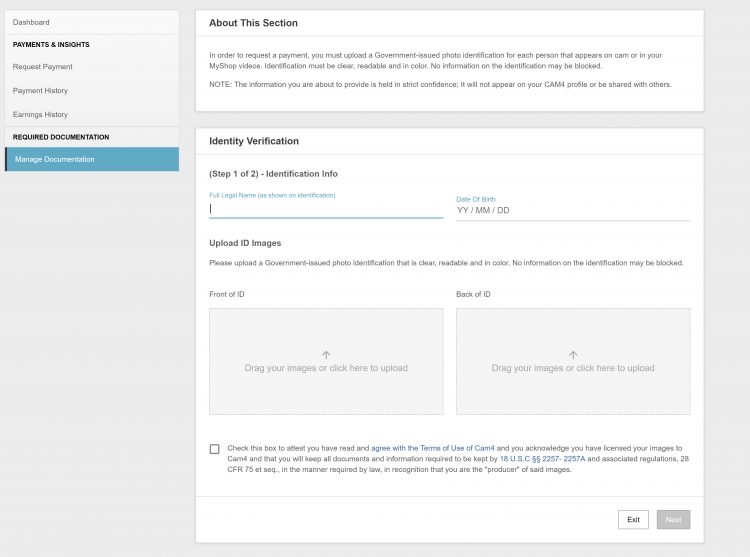
Your broadcaster release form (or 2257) is a legal document that you electronically sign in when you are going through the approval process – take a closer look at what it means here.

Anyone aged 18+ can broadcast and accept tips on CAM4, but you have to upload your I.D. and sign your Performer Release Form in order to cash out your tokens.


What are you agreeing to when you sign your Broadcaster Release Form?

  1. You are the sole owner and ‘producer’ of all content and you agree to not create any illegal content.
  2. You and any others on your cam are all 18 years of age or older.
  3. You are granting CAM4 the right to show or display your likeness on the site during your show.
  4. You have agreed to keep a copy of this form for your own records and you can produce that copy if needed.

~That’s all for this lesson!

Happy Camming!

Love, Your CAM4 Coaching TEAM

Concurso de Shows e Fotos de Carnaval – 1- 10 de Março – 1000 Reais em Sextoys

Mais um Carnaval de Prêmios para você, graças a Parceria do Cam4 e a Loja do Prazer. A maior sexy Shop da América Latina e o Maior site de Webcams Adultas irão alegra o seu Carnaval em 2019!

1º premio : R$600 em compras na Loja do Prazer!
2º premio: R$300 em compras na Loja do Prazer!
3º premio: R$100 em compras na Loja do Prazer!

Como Participar?

1- Agende seu Show Especial de Carnaval no Calendário de Shows do CAM4 entre 1 e 10 de Março colocando na descrição #CAM4Carnaval.
(Clique aqui se você não sabe como agendar um show em seu calendário)

2 -Vista a sua melhor ( e mais sexy) fantasia de Carnaval (fantasia, adereços, pintura corporal)

3- Tire uma foto e envie para nós no Twitter mencionando @cam4_pt e a @lojadoprazer usando as hashtags #Carnaval #Cam4

As melhores fotos/Shows estarão concorrendo!

~ Regras

~Concurso apenas para modelos com conta verificadas no cam4bucks
~ Concurso Exclusivo para performers do Brasil

~ O show deve ser agendado no seu calendário com a hashtag #CAM4Carnaval
~ A hashtag #CAM4Carnaval
deve ser inserido na descrição do seu show
~ O tweet com a foto deve obrigatoriamente mencionar @cam4_pt e @lojadoprazer e as hashtags #CAM4 #Carnaval
~Os shows participantes serão os realizados entre 1 e 10 de Março
~ Shows e fotos twittadas devem caber no tema Carnaval (fotos que não se enquadrem no tema não participarão do concurso)

~ O show deve durar pelo menos 30 minutos e atingir um número de espectadores de pelo menos 20
~ Um prêmio por modelo (individual ou casal)

How To Handle Tips & PM’s In Chat

Being successful in Public Chat is more than just getting naked, its about knowing how to react to your chatroom and what to do when you get tipped. Staying calm and making these small changes to your show will make a BIG difference!


1. Don’t Let TIPS Stop You…

Don’t send a PM to every viewer who sends you a tip! If you are in the middle of your show and someone tips you its because they like what you are doing! If you stop what you are doing to send them a PM, you will train your room to not tip you because you stop the action they are tipping you for.


2. Stay Cool And Tease.

When someone sends you a tip its nice to say thank you, but don’t rip all your clothes off and get too excited, make them work for it a bit and TEASE! Its also important to NOT jump all over your tippers when they com into your room. Jumping on your whales when they come in the room (or someone who contributed a lot to your last show) can alert others to the fact that that a generous viewer came in the room and could make them rely on this viewer to tip you. This can make generous viewers feel awkward and can open them up to messages from others asking for tips. Just stay cool and the tips will come.


3. Less Typing Means More Touching.

Keep your chatroom alive by making everyone chat with you in your public chat. It is VERY boring to watch you type during your show and having a bunch of private conversations kills the show an the chat. When they all ask to PM you simply say “Talk to me in here! If my hands are busy I can’t do a show!”


~That’s all for this lesson!

Happy Camming!

Love, Your CAM4 Coaching TEAM


How to Use Lightstream Studio

Here at CAM4, we’re proud to welcome a new feature that will forever benefit performers and their streaming quality – Lightstream Studio! 

Lightstream Studio is a web-based broadcast studio that will give our broadcasters the tools they need to create their most fun, or craziest, live shows! Lightstream Studio is similar to tools such as Split and OBS, but performers don’t need to download and install any software to use it! 

Features for Lightstream Studio include:

  • The ability to combine multiple cams into a single stream
  • Add graphic overlays into your videos
  • Pre-recorded video playback for review
  • 3rd party plugins are allowed

Broadcasters on CAM4 will have to create an account on Lightstream Studio before they can use the feature on CAM4. 

NOTE: The only way you can create an account on Lightstream Studios is to link it to an existing FACEBOOK, YOUTUBE, TWITCH OR MIXER account. Once you’re linked on Lightstream Studios, you can disable broadcasting on any of these platforms. Performers who want to stay anonymous are recommended to create a new YouTube or Twitch account to sign up.


~That’s all for this lesson!

Happy Camming!

Love, Your CAM4 Coaching TEAM


How to Improve Your CAM4 Rankings!

We all have one major goal on CAM4 – to rank high and get that hard-earned cash! But how do you climb your way to the top? And who can help you get there? WE CAN! We want all of our performers to rise to cam stardom,  which is why we’re offering all performers the chance to check out our performer articles, how-to videos and cam coaching, only on CAM4!

Improve Your Broadcasting!

Getting started on cam isn’t as easy-peasy as it looks. Before you can start filming yourself on CAM4, you have to find out how you can impress your new followers, and how to keep them in your room! Check out our articles on our Performer Training page to find tips on how you can improve your shows and get more viewers!

You can learn about getting started, our CAM4 coaching sessions, and how to schedule and promote your shows! Click HERE.

Want to know how lighting can help you in your cam shows? Watch this video, LIGHTING 101 to find out!

Want to see more How-To videos on performing on CAM4? Subscribe to our official YouTube channel by clicking HERE!

Get Technical!

Before you begin to show off your new skills on CAM4, make sure that all your computer, your internet connection, your webcam, lighting and microphone are all top notch!

Having terrible Internet connection or poor webcam quality can greatly affect your cam shows and viewership. Before filming your live show, make sure to test your Internet connection – is the connection glitchy? How is it affecting your webcam quality?

Find out how you can test your Internet and webcam connection HERE!

Click here to see more tips on filming great videos for fans on CAM4!

Engage with your viewers!

Our most important tip for all performers to rank higher CAM4 is this – ENGAGE WITH YOUR VIEWERS! You have to make your fans and viewers feel excited, comfortable and at-home when they enter your room. It’s your job to keep them entertained and glued to your page whenever you enter your live shows. Follow our advice and the tips will come rolling in!

Here are some tips on how you can engage with viewers:

  • Broadcast regularly, and make it known to viewers that you’re going on cam. You can do this through your CAM4 camming schedules, or on your own Twitter account! (Make sure to include the hashtag #CAM4)
  • Enable tipping games! Playing games like Roll-the-Dice (RTD) with your viewers is a fantastic way to get everyone in your room excited and engaged in your show (including you!). Check out our CAM4 games HERE!
  • Change up your routine! You can rank higher by trying out new toys or outfits during your shows. Check out our huge number of show ideas for all cam shows HERE!
  • Promote yourself on our CAM4 social media accounts (Instagram Takeover anyone?!). Message CAM4 on Twitter and Instagram to find out how you can do a takeover on our Snapchat or Instagram! 

If you ever need help in improving your rankings, our team at CAM4 is always here to help! 


Broadcast on CAM4 from your iPhone!

We’re excited to announce the launch of our official iOS Broadcaster! Now you can cam for your fans from the palm of your hand on your iPhone!

iPhone users, ever since we launched our Mobile Broadcasting Appfor Android, we know you wanted to join the fun! Well great news: we’ve officially released a mobile broadcasting solution for you to use too! Introducing the CAM4 IOS Broadcaster!

You’re the Appleof our eye, darling, and we can’t wait to see your gorgeous face on CAM4 from the comfort of your iPhone. You don’t even need to download an application! Just log in to CAM4 on your iphone, click broadcast, and you’re good to go. You can set a status message, a tip message and a tip goal when you sign on, and you can chat with your viewers while you cam.

Here at CAM4 we want you to Cam Without Limits. With the new CAM4 iOS Broadcaster, you can cut the cord and expand the reach of your cam life, taking your viewers places you never could before. We can’t wait to see what you show the world from your iPhone.

Android users can download the C4 Broadcaster App from the Play Store here: https://play.google.com/store/apps/details?id=com.heftlab.c4b&hl=en_CA

For more information, check out our FAQ Page!

~That’s all for this lesson!

Happy Camming!

Love, Your CAM4 Coaching TEAM

Opções de pagamento

Nós oferecemos as seguintes opções de Pagamento:

Yoursafe

O Yoursafe é um meio de pagamento que oferece uma E-wallet e um cartão de débito recarregável que pode ser utilizado em caixas eletrônicos (saques em dinheiro) e POS (compras em lojas). Valor mínimo para solicitações de pagamento: $ 50 Dias para envio de pagamentos: Diariamente Custos para receber pagamentos na conta Yoursafe do CAM4: nenhum Custos de retirada de dinheiro de qualquer caixa eletrônico em euros: €2 Custos de transferência do Yoursafe para uma conta bancária europeia (EUR SEPA): €0.75 Veja o passo a passo para aplicar aqui  Para aproveitar a Promo do CAM4, insira o nome e sobrenome do titular da nova conta Yoursafe (o titular deve ter carregado seus documentos no performer dashoboard) e clique abaixo para solicitar um novo cartão Yoursafe e criar sua conta. Complete o cadastro no site da Yoursafe para concluir a criação de sua conta. emai de suportel support@bitsafe.com

PAXUM

Através de uma conta Paxum, você pode solicitar um pagamento para a sua conta Paxum, uma transferência para sua conta ou seu cartão pré-pago Paxum.

Agora você também pode transferir os fundos do Paxum para quaquer cartão VISA,

Para usar este método de pagamento, basta conectar sua conta Paxum, se você já tiver uma, ou criar uma conta online para conectar-se ao CAM4 digitando em métodos de pagamentos o email registrado em sua conta Paxum.

Com o cartão Pré pago Paxum você pode sacar nos caixas rápidos de todos os bancos com a bandeira Mastercard

Como criar uma conta online Paxum Para criar uma conta Paxum vá para www.paxum.com ou clique aqui!

 Uma vez no site da Paxum.com, clique em“Open Personal Account” Você deve enviar a foto de seu RG identidade e mais um documento de identificação como carteira de habilitação. Caso tenha passaporte envie o passaporte que a aprovação é mais rápida! Escreva seu endereço exatamente igual ao que aparece em seu comprovante de residência. Após aprovada a conta clique em apply for card no menu principal para solicitar seu cartão pé pago que chegará pelo correio. Taxas: https://www.paxum.com/fees/personal-account/ Guia passo a passo em português aqui paxum-personal-verification(pt)

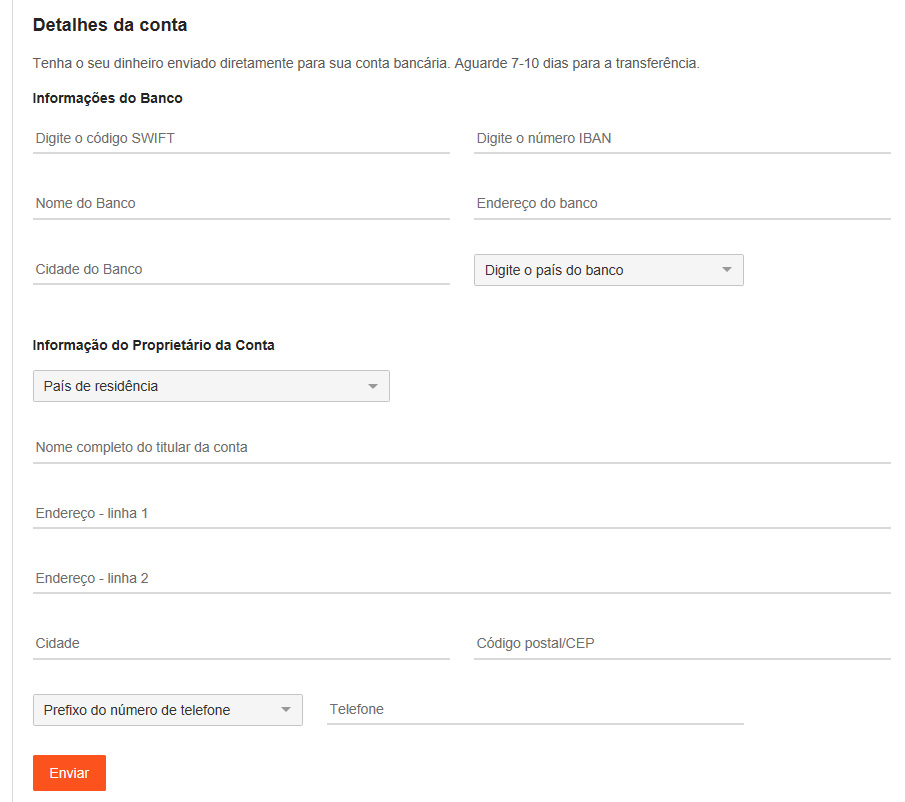
Transferência Euro Wire (Euro Wire transfer) Só solicite após confirmar que pode receber transferências em euro no seu banco e as taxas adicionais que seu banco pode cobrar (ver com o banco). Tem um valor mínimo de 50$ para uma transferência bancária. Você precisará preencher todos os dados (caso não saiba pergunte para o seu gerente do banco) Euro Wires são processados ​​duas vezes por semana. As solicitações feitas até às 23h59 EST de uma segunda-feira são processadas na terça-feira do dia seguinte. As solicitações feitas até às 23h59 EST  de quinta-feira serão processadas na sexta-feira seguinte. Espere um adicional de 5 a 7 dias úteis para os fundos liquidarem em sua conta NOTA: Seu banco (ou banco intermediário) pode cobrar taxas além das taxas citadas aqui. As taxas cobradas pelo seu banco (ou banco intermediário) não estão sob nosso controle. Consulte seu banco antes de solicitar um pagamento se não tiver certeza

CAM4 Fichas

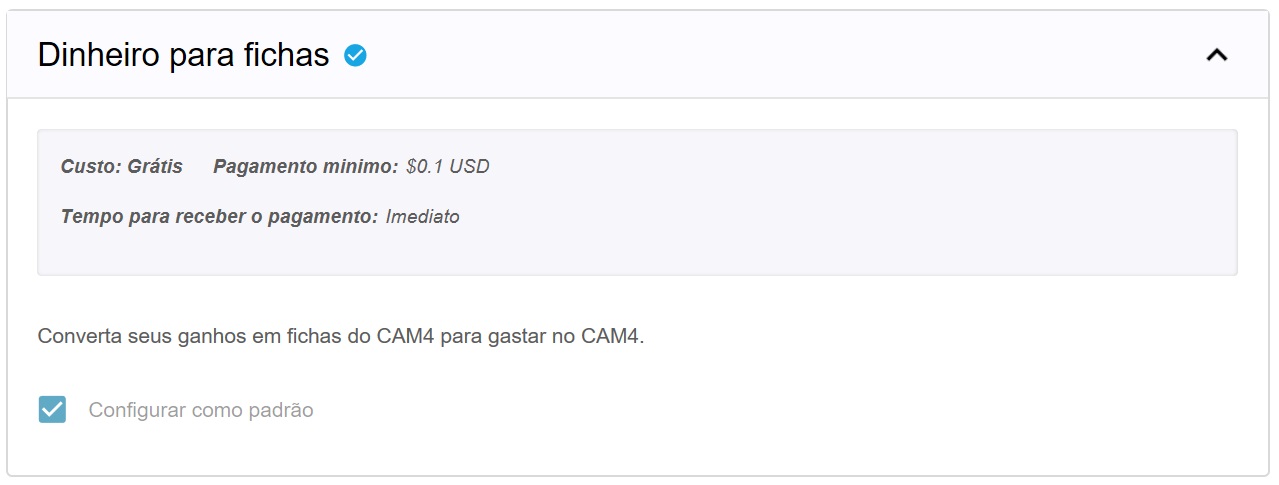
Converta quantidade desejada de ganhos de volta para fichas que você pode dar de gorjetas para outros performers ou adquirir uma assinatura Gold com as tokens.

Observe que NÃO é permitido pelas regras do Site solicitar um pagamento em nome de outros performers e NÃO é permitido receber tokens de um performer para sacar em seu nome. A penalidade resultará no fechamento e banimento permanente das contas afetadas.


E isso foi tudo por essa lição! Mantenha-se atualizado com muito mais dicas para os performers me adicionando como amigo no CAM4, e me seguindo no Twitter @cam4coach_pt

Coaching Profile: cam4coach_pt Terças & Quintas Senha: coach21 Se inscreva no meu calendário para ver seus horários locais de shows