All posts by Ashley Maule

How To Handle Tips & PM’s In Chat

Being successful in Public Chat is more than just getting naked, its about knowing how to react to your chatroom and what to do when you get tipped. Staying calm and making these small changes to your show will make a BIG difference!


1. Don’t Let TIPS Stop You…

Don’t send a PM to every viewer who sends you a tip! If you are in the middle of your show and someone tips you its because they like what you are doing! If you stop what you are doing to send them a PM, you will train your room to not tip you because you stop the action they are tipping you for.


2. Stay Cool And Tease.

When someone sends you a tip its nice to say thank you, but don’t rip all your clothes off and get too excited, make them work for it a bit and TEASE! Its also important to NOT jump all over your tippers when they com into your room. Jumping on your whales when they come in the room (or someone who contributed a lot to your last show) can alert others to the fact that that a generous viewer came in the room and could make them rely on this viewer to tip you. This can make generous viewers feel awkward and can open them up to messages from others asking for tips. Just stay cool and the tips will come.


3. Less Typing Means More Touching.

Keep your chatroom alive by making everyone chat with you in your public chat. It is VERY boring to watch you type during your show and having a bunch of private conversations kills the show an the chat. When they all ask to PM you simply say “Talk to me in here! If my hands are busy I can’t do a show!”


~That’s all for this lesson!

Happy Camming!

Love, Your CAM4 Coaching TEAM


How to Use Lightstream Studio

Here at CAM4, we’re proud to welcome a new feature that will forever benefit performers and their streaming quality – Lightstream Studio! 

Lightstream Studio is a web-based broadcast studio that will give our broadcasters the tools they need to create their most fun, or craziest, live shows! Lightstream Studio is similar to tools such as Split and OBS, but performers don’t need to download and install any software to use it! 

Features for Lightstream Studio include:

  • The ability to combine multiple cams into a single stream
  • Add graphic overlays into your videos
  • Pre-recorded video playback for review
  • 3rd party plugins are allowed

Broadcasters on CAM4 will have to create an account on Lightstream Studio before they can use the feature on CAM4. 

NOTE: The only way you can create an account on Lightstream Studios is to link it to an existing FACEBOOK, YOUTUBE, TWITCH OR MIXER account. Once you’re linked on Lightstream Studios, you can disable broadcasting on any of these platforms. Performers who want to stay anonymous are recommended to create a new YouTube or Twitch account to sign up.


~That’s all for this lesson!

Happy Camming!

Love, Your CAM4 Coaching TEAM


How to Improve Your CAM4 Rankings!

We all have one major goal on CAM4 – to rank high and get that hard-earned cash! But how do you climb your way to the top? And who can help you get there? WE CAN! We want all of our performers to rise to cam stardom,  which is why we’re offering all performers the chance to check out our performer articles, how-to videos and cam coaching, only on CAM4!

Improve Your Broadcasting!

Getting started on cam isn’t as easy-peasy as it looks. Before you can start filming yourself on CAM4, you have to find out how you can impress your new followers, and how to keep them in your room! Check out our articles on our Performer Training page to find tips on how you can improve your shows and get more viewers!

You can learn about getting started, our CAM4 coaching sessions, and how to schedule and promote your shows! Click HERE.

Want to know how lighting can help you in your cam shows? Watch this video, LIGHTING 101 to find out!

Want to see more How-To videos on performing on CAM4? Subscribe to our official YouTube channel by clicking HERE!

Get Technical!

Before you begin to show off your new skills on CAM4, make sure that all your computer, your internet connection, your webcam, lighting and microphone are all top notch!

Having terrible Internet connection or poor webcam quality can greatly affect your cam shows and viewership. Before filming your live show, make sure to test your Internet connection – is the connection glitchy? How is it affecting your webcam quality?

Find out how you can test your Internet and webcam connection HERE!

Click here to see more tips on filming great videos for fans on CAM4!

Engage with your viewers!

Our most important tip for all performers to rank higher CAM4 is this – ENGAGE WITH YOUR VIEWERS! You have to make your fans and viewers feel excited, comfortable and at-home when they enter your room. It’s your job to keep them entertained and glued to your page whenever you enter your live shows. Follow our advice and the tips will come rolling in!

Here are some tips on how you can engage with viewers:

  • Broadcast regularly, and make it known to viewers that you’re going on cam. You can do this through your CAM4 camming schedules, or on your own Twitter account! (Make sure to include the hashtag #CAM4)
  • Enable tipping games! Playing games like Roll-the-Dice (RTD) with your viewers is a fantastic way to get everyone in your room excited and engaged in your show (including you!). Check out our CAM4 games HERE!
  • Change up your routine! You can rank higher by trying out new toys or outfits during your shows. Check out our huge number of show ideas for all cam shows HERE!
  • Promote yourself on our CAM4 social media accounts (Instagram Takeover anyone?!). Message CAM4 on Twitter and Instagram to find out how you can do a takeover on our Snapchat or Instagram! 

If you ever need help in improving your rankings, our team at CAM4 is always here to help! 


Broadcast on CAM4 from your iPhone!

We’re excited to announce the launch of our official iOS Broadcaster! Now you can cam for your fans from the palm of your hand on your iPhone!

iPhone users, ever since we launched our Mobile Broadcasting Appfor Android, we know you wanted to join the fun! Well great news: we’ve officially released a mobile broadcasting solution for you to use too! Introducing the CAM4 IOS Broadcaster!

You’re the Appleof our eye, darling, and we can’t wait to see your gorgeous face on CAM4 from the comfort of your iPhone. You don’t even need to download an application! Just log in to CAM4 on your iphone, click broadcast, and you’re good to go. You can set a status message, a tip message and a tip goal when you sign on, and you can chat with your viewers while you cam.

Here at CAM4 we want you to Cam Without Limits. With the new CAM4 iOS Broadcaster, you can cut the cord and expand the reach of your cam life, taking your viewers places you never could before. We can’t wait to see what you show the world from your iPhone.

Android users can download the C4 Broadcaster App from the Play Store here: https://play.google.com/store/apps/details?id=com.heftlab.c4b&hl=en_CA

For more information, check out our FAQ Page!

~That’s all for this lesson!

Happy Camming!

Love, Your CAM4 Coaching TEAM

Opções de pagamento

Nós oferecemos as seguintes opções de Pagamento:

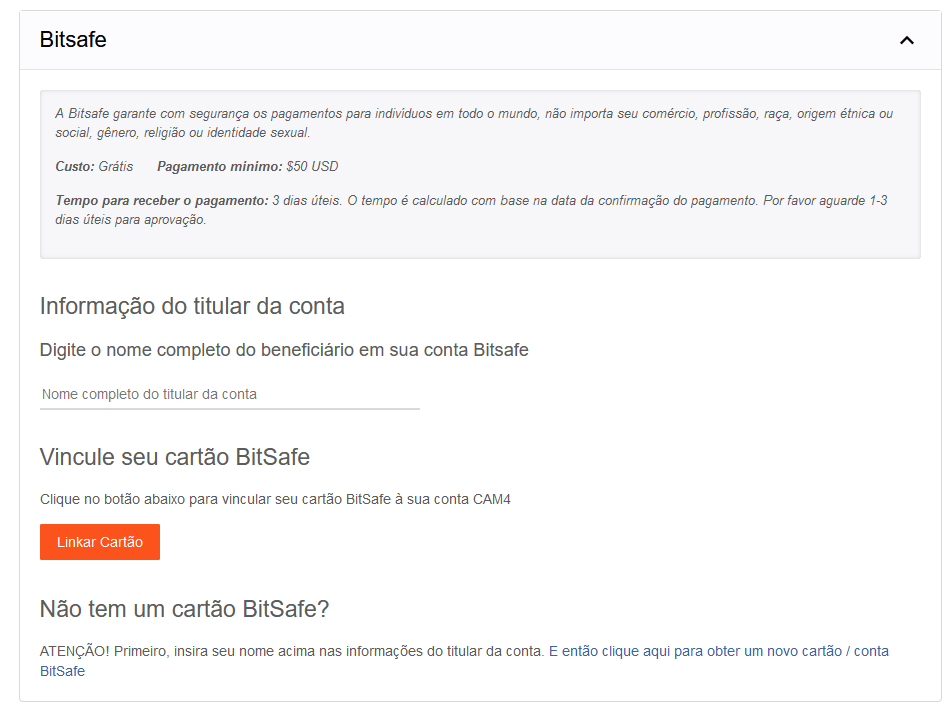
Yoursafe

O Yoursafe é um meio de pagamento que oferece uma E-wallet e um cartão de débito recarregável que pode ser utilizado em caixas eletrônicos (saques em dinheiro) e POS (compras em lojas).

Valor mínimo para solicitações de pagamento: $ 50

Dias para envio de pagamentos: Diariamente

Custos para receber pagamentos na conta Yoursafe do CAM4: nenhum

Custos de retirada de dinheiro de qualquer caixa eletrônico em euros: €2

Custos de transferência do Yoursafe para uma conta bancária europeia (EUR SEPA): €0.75

Veja o passo a passo para aplicar aqui


Para aproveitar a Promo do CAM4, insira o nome e sobrenome do titular da nova conta Yoursafe (o titular deve ter carregado seus documentos no performer dashoboard) e clique abaixo para solicitar um novo cartão Yoursafe e criar sua conta. Complete o cadastro no site da Yoursafe para concluir a criação de sua conta.

emai de suportel support@bitsafe.com


PAXUM

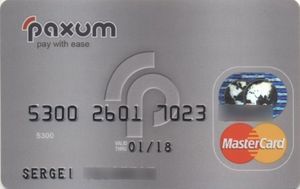
Através de uma conta Paxum, você pode solicitar um pagamento para a sua conta Paxum, uma transferência para sua conta ou seu cartão pré-pago Paxum.

Agora você também pode transferir os fundos do Paxum para quaquer cartão VISA,

Para usar este método de pagamento, basta conectar sua conta Paxum, se você já tiver uma, ou criar uma conta online para conectar-se ao CAM4 digitando em métodos de pagamentos o email registrado em sua conta Paxum.

Com o cartão Pré pago Paxum você pode sacar nos caixas rápidos de todos os bancos com a bandeira Mastercard

Como criar uma conta online Paxum
Para criar uma conta Paxum vá para www.paxum.com ou clique aqui!

 Uma vez no site da Paxum.com, clique emOpen Personal Account

Você deve enviar a foto de seu RG identidade e mais um documento de identificação como carteira de habilitação. Caso tenha passaporte envie o passaporte que a aprovação é mais rápida!
Escreva seu endereço exatamente igual ao que aparece em seu comprovante de residência.

Após aprovada a conta clique em apply for card no menu principal
para solicitar seu cartão pé pago que chegará pelo correio.

Taxas: https://www.paxum.com/fees/personal-account/

Guia passo a passo em português aqui paxum-personal-verification(pt)


Transferência Euro Wire (Euro Wire transfer)

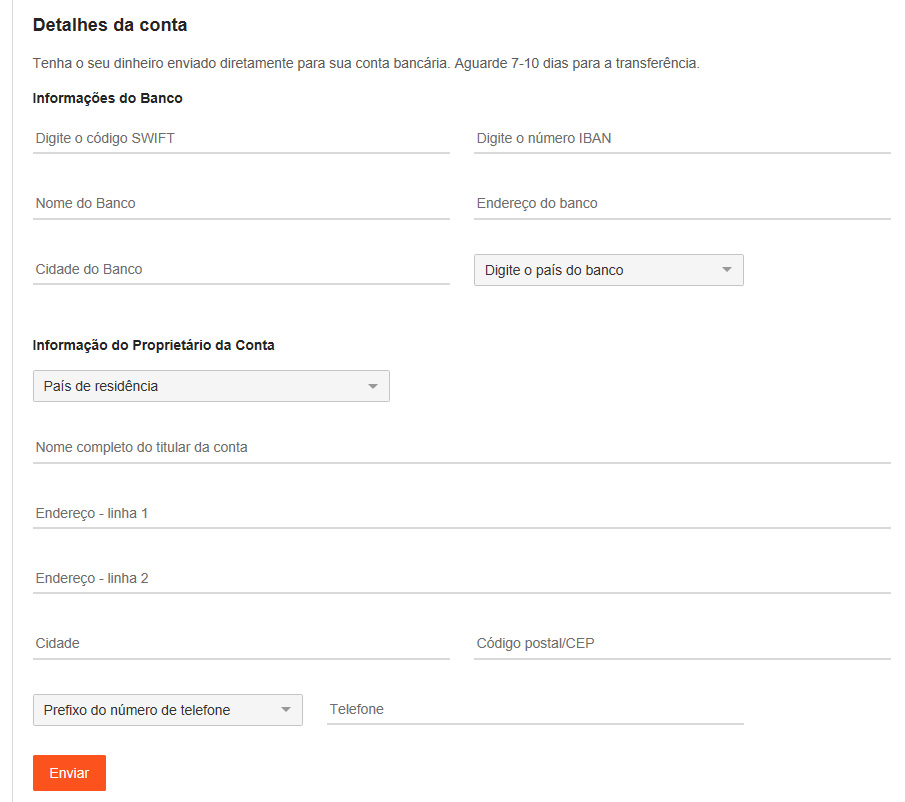
Só solicite após confirmar que pode receber transferências em euro no seu banco e as taxas adicionais que seu banco pode cobrar (ver com o banco). Tem um valor mínimo de 100$ para uma transferência bancária.

Você precisará preencher todos os dados (caso não saiba pergunte para o seu gerente do banco)

Euro Wires são processados ​​duas vezes por semana. As solicitações feitas até às 23h59 EST de uma segunda-feira são processadas na terça-feira do dia seguinte. As solicitações feitas até às 23h59 EST  de quinta-feira serão processadas na sexta-feira seguinte. Espere um adicional de 5 a 7 dias úteis para os fundos liquidarem em sua conta

NOTA: Seu banco (ou banco intermediário) pode cobrar taxas além das taxas citadas aqui. As taxas cobradas pelo seu banco (ou banco intermediário) não estão sob nosso controle. Consulte seu banco antes de solicitar um pagamento se não tiver certeza

CAM4 Fichas

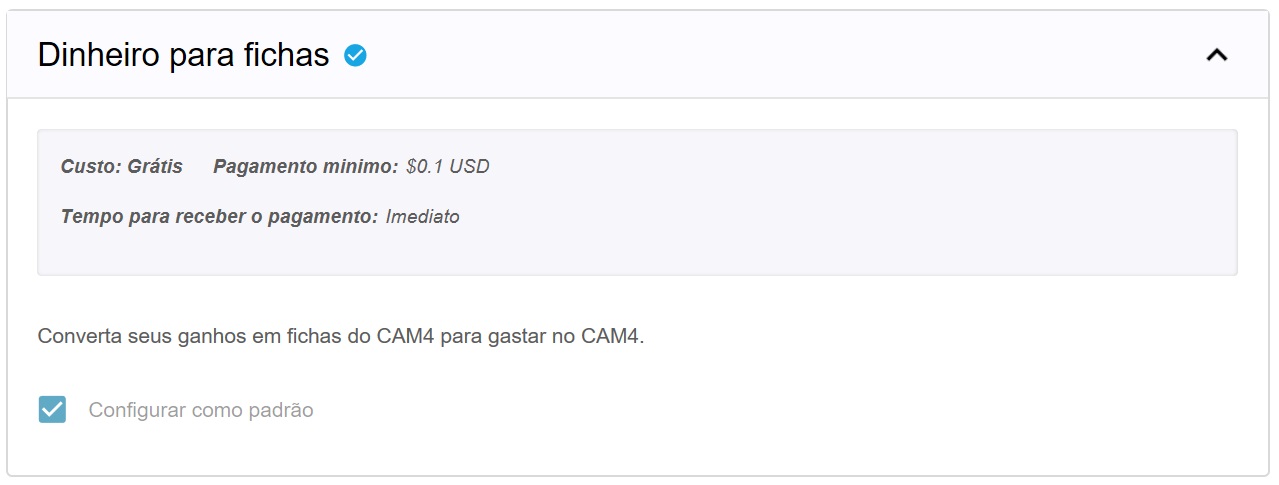
Converta quantidade desejada de ganhos de volta para fichas que você pode dar de gorjetas para outros performers ou adquirir uma assinatura Gold com as tokens.

Observe que NÃO é permitido pelas regras do Site solicitar um pagamento em nome de outros performers e NÃO é permitido receber tokens de um performer para sacar em seu nome. A penalidade resultará no fechamento e banimento permanente das contas afetadas.


E isso foi tudo por essa lição!

Mantenha-se atualizado com muito mais dicas para os performers me adicionando como amigo no CAM4, e me seguindo no Twitter @cam4coach_pt


Social Media 101

Talking all things social media. Lean some tricks and tips to making the best posts.

TWITTER 

1. Keep Your Profile and Cover Images Clean

Performers are able to show more sensitive and R-rated content, but this is not true for every area in Twitter. In your profile picture and your banner you can’t show any nudity, nothing sexy! Keep it SFW. This helps to keep your profile active and away from the dreaded bans. 

2. Keep Twitter Live Streams Clean

The same rules apply to your live broadcasts on Twitter, make sure there’s no nudity. Though this is an awesome way to tease viewers into your shows, it’s not the place to get explicit. 

3. Keep Nudity in Your Posts

Your tweets can include nudity, so you’re free to be as explicit as you want. 

4. Am I Shadowbanned?

Twitter will “shadowban” accounts that violate these rules. This means that your profile won’t appear in searches, making it hard for fans to find you. 

5. Tagging People in Photos

If you’re uploading a picture, click on the “Who’s in this photo?” button and you can tag up to 10 users in the photo. This is a cleaner option than tagging followers in the tweet itself.

6. Use Twitter Analytics!

 If you’re on your desktop on your Twitter profile page, look at “statistics” on the sidebar.  You can get a lot of information about when’s the best time to send your tweets, who’s following you, their interests etc. If you go through that data, you’ll have a better understanding of when you can make money and gain followers.

Why Should I Tweet?

1. Promote yourself! Social media is the cheapest, easiest, and fastest way you can promote your Cam4 shows!

2. More social media followers = more viewers = more money in your pocket. Loyal viewers spend more, and when people know what you’re offering, they can spend more. You can achieve both with Twitter.

3. Reach new fans! How else can you find new people who want what you’ve got? Using Twitter hashtags and the Cam4 social media community you can reach tons of viewers who are looking for you!

4. Interact with existing fans in a whole new way. Extend their Cam4 experience way beyond your shows. It’s a win-win for everyone 😉

Like all good things, you need a billboard to help people find you. Treat social media as your billboard! Tweet from anywhere with your mobile device, and tweet while you’re live from the web.

Ok… I got Twitter… now what?

When I signed up for Twitter, I sat there with an empty news feed and no clue where to start. There’s millions of users, so how do you find the ones who are into you? How do you get people to follow you? It’s not as hard as you think, take a breathe and get started with these easy steps:

1. Share your Cam4 link when you’re live
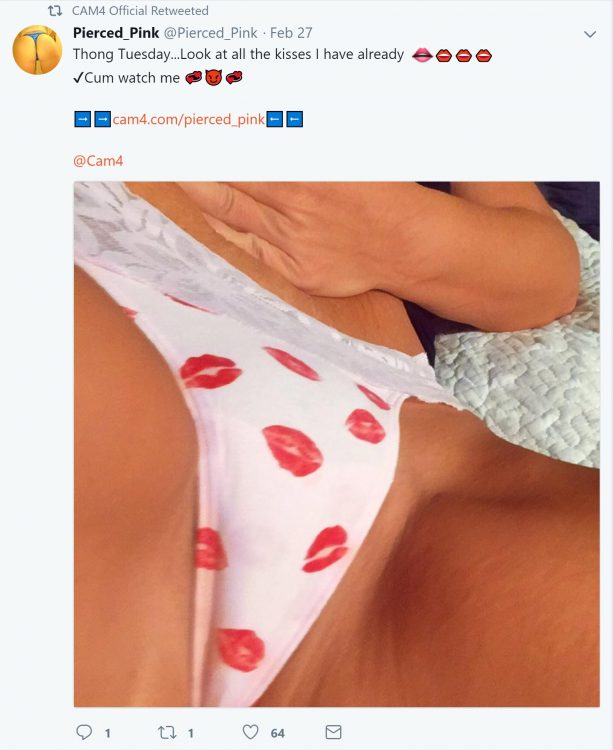

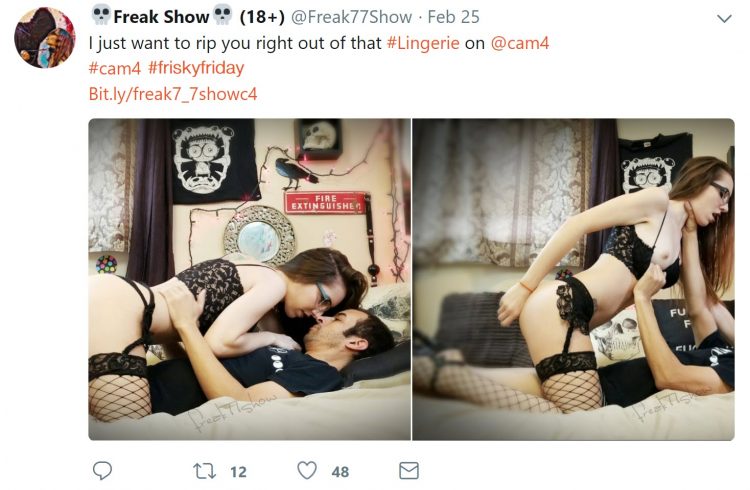
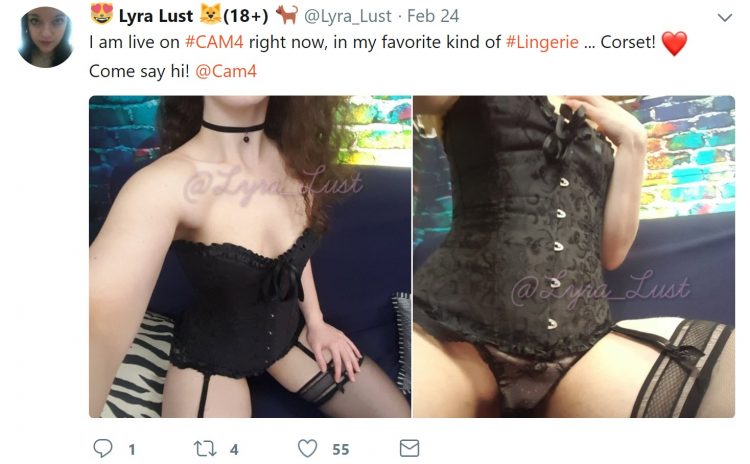
2. Use hashtags like #tittietuesday #asswednesday and #friskyfriday along with #CAM4 and pics to find new fans. 
 

3. Send @CAM4 a tweet and I will personally help you along the way
**Don’t be scared to show your personality, that’s what viewers love!**


INSTAGRAM

  1. Keep it all Clean!

Everything has to be SFW! Instagram can take down any pictures that are reported as, or are NSFW. Tease viewers, or show off your personality and style. 

2. We Recommend no More Than Bikini Photos

Take some bikini pics and keep them on hand for Instagram. It’s also good to take some seductive pics without any nudity or explicit content.

3. Where Can I Link?

Try not to post links to porn sites in your posts – instead, post your Twitter link so your followers can get links to your cam shows directly there. 


Getting Your Posts RT’d by your Cam Company

To get retweeted by a camming platform, there’s some key things you have to do: 

Include your URL – we want followers to click on your links!

Use hashtag (#) or ‘@’ your cam company – #cam4, for example. 

Post a HOT visual! (videos are a huge preference though) People love to see visuals. You can add up to 4 photos in a post.

If you want people on Twitter to watch your live shows, the Twitter picture should show them what that show’s going to be like. Example: if you’re doing a show from your bath tub, take pics/video of you in the tub!

Separate posts if you’re tagging separate cam companies! One post for one site, that way each site has the opportunity to retweet you

PRO TIP: Use videos from your Snapchat to post on Twitter!

CAM4 COACHING

CAM4 provides users with Training every Tuesday & Thursday with cam coach, Vannafaye


Increase your earnings and viewers with PornHub

How to create a profile on PornHub to get more viewers and earn more on CAM4!

PornHub is the largest adult portal in the world. Millions access it daily providing visibility that no other site can give you. You can create a free PornHub account and use it to upload your photos and videos to lure more users and turn them into potential fans and tippers on CAM4! But not only that … by entering your CAM4 Referral Program link in your profile bio you will earn $2 for each user who click’s on your affiliate link register’s on CAM4!

I guess you’re wondering how long it takes to create a free PornHub profile and connect it to CAM4 … well, it takes less than 5 minutes!
Here’s a quick guide on how to create your Brand Ambassador profile, how to upload your videos, how to use your affiliate link and start earning more!

– How to create a FREE profile on PornHub … in 5 minutes

Go to PornHub’s homepage and select Sign Up (on the top – right) … or just click on this link!

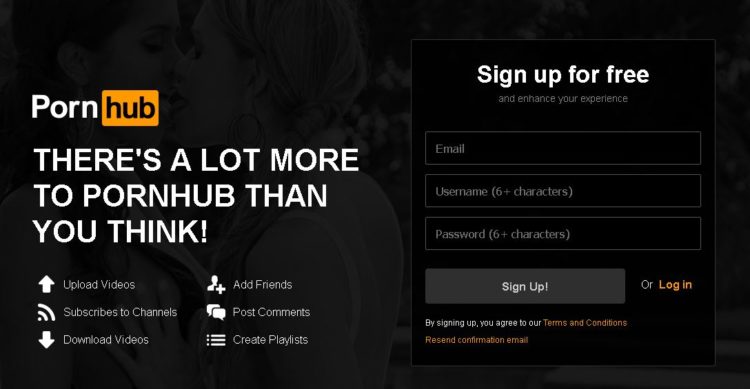
Click on Sign Up for Free. Then enter your e-mail address and choose a PornHub username (you can use the same on CAM4 if available) and finally choose a password.

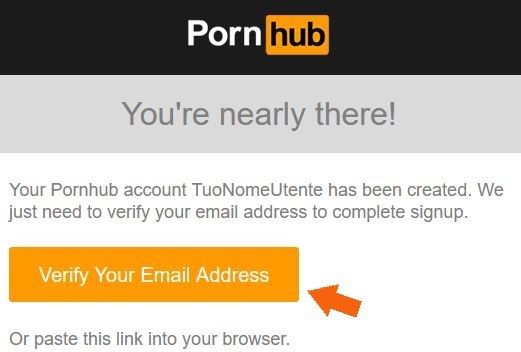
Check your email address and activate your PornHub account by clicking Verify Your Email Address.
Done! Now you’ve created a PornHub profile and you just have to configure it according to your liking 🙂


– How to configure your PornHub account with images, video and your CAM4 affiliate link!

Once verified your mail PornHub will ask you for basic information to confine your profile. What do you like, What channels you want to see and Basic Information (the most important ones to promote you!)

In the Basic Information section you can select the country, city, and nickname that you prefer. Be sure to write a short description in the ABOUT entry. You can use this space as a showcase to promote you as a web cam model on CAM4.

The most effective tool is to enter your CAM4 referral link to bring them to your CAM4 page and earn even from each subscription! If you do not know how to get your affiliate link (always found in My Accunt > Profile Options, bottom left> Referral Program)!!

For example, enter your next scheduled show on CAM4 or find other videos on your CAM4 profile. Or click the link below to see more videos #fetish, #outdoor.

Then click on Complete and Have fun on Pornhub! Once the configuration is finished you will be able to edit your profile and enter profile, cover, galleries, gifs and VIDEOs!

On your profile click on the profile image and cover photo and select upload photos to get you noticed! Note. you may decide not to show your face or use masked photos 🙂

– How to UPLOAD VIDEOs on PORNHUB:

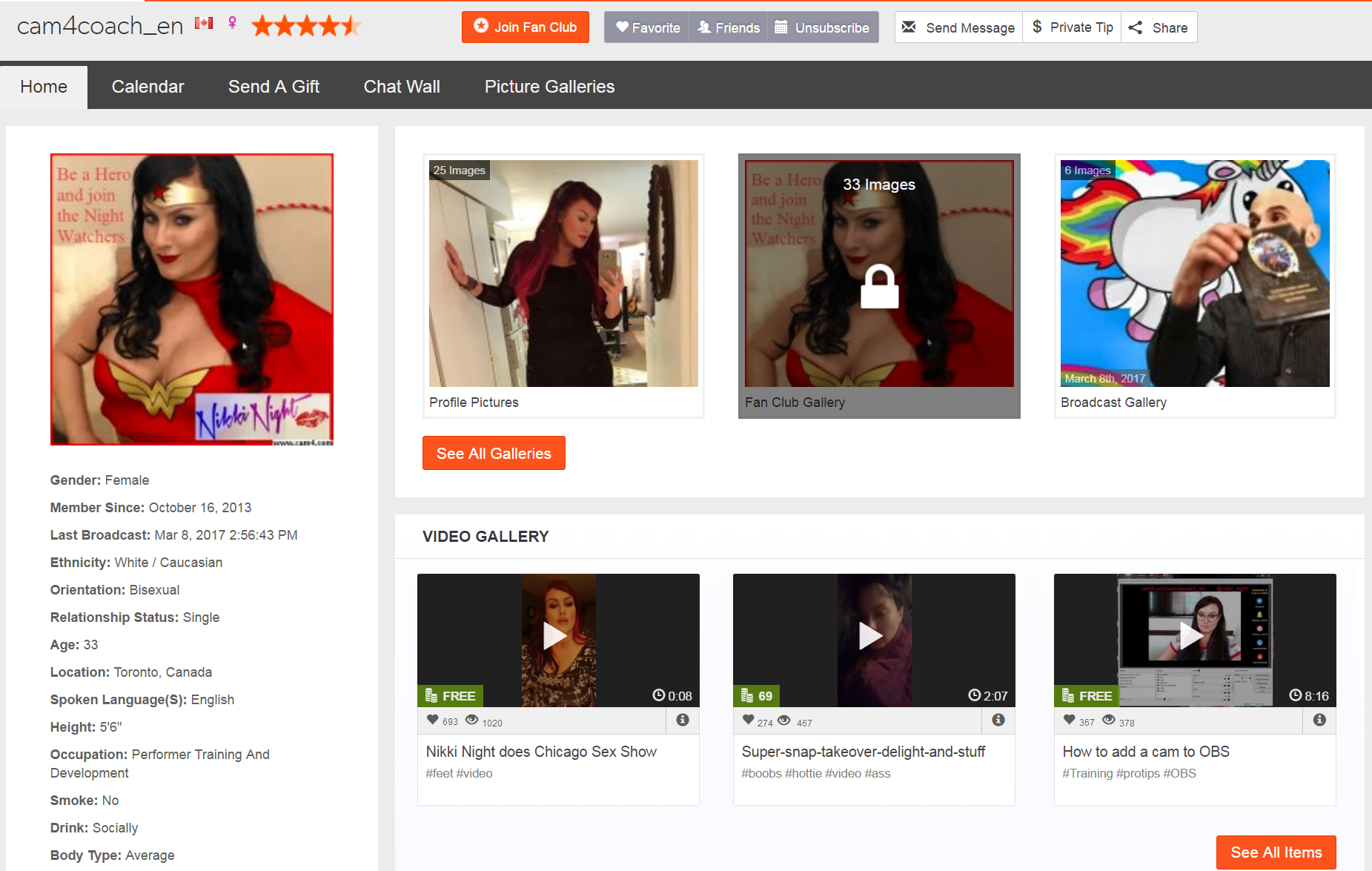
In your profile page, you can view a preview of your basic information to the left: Make sure your referral link is correct and have a captivating description to push users to click on the link! 🙂
At the top click the Video section and then click Add Now! Then drag the video you want to upload and wait for the upload to complete.

Remember to include details on your video (eg. orientation, privacy, amateur production) and carefully choose an alluring title (you can also add translations in other languages). Finally, select the tags to describe your video and bring users with ease.

 PRO TIP:  Post quite often to keep users up to date on your next CAM4 shows and  promote your new videos on your MyShop, but make sure each message always contains your referral link!


~That’s all for this lesson!

Happy Camming!
Love, Your Coaching Team!

How to Work with Promo Accounts

Beyond the CAM4 accounts, there’s endless opportunities to use social media to find new viewers. Here’s a list of just some of the Twitter accounts you could work with, and how to look for more. 

Always remember that cam promoters aren’t a source of instant tokens, they’re part of longterm success. Building up your exposure and personal brand will result in more tokens, more viewers, and more opportunities for events, trade shows, partnerships, and other magic that only the future knows. 

Most promo accounts make money as affiliates, so they will likely attach their referral code to your CAM4 URL. If it’s a good account, you’ll benefit from this. Check out the Camgirl Promo Accounts list on the CAM4 Twitter page: 

twitter.com/Cam4/lists/camgirl-promo-accounts

WeCamGirls (which by the way if you aren’t already mega active on this forum, do it now) has this epic article on how to use cam girl promo accounts on Twitter, including promo accounts for everything from facials to tattooed camgirls: 

wecamgirls.com/articles/for-camgirls-make-your-twitter-your-1-marketing-tool-updated-with-new-categories/

Doing fan signs for big accounts with thousands of followers is a great opportunity to get more people following you and joining your camshows. Even if they’re free, they will pay off in the end.

The most effective promo accounts are each others. Every cam girl’s following on social media is made up of: viewers, similar camgirls, and fans/promo accounts. Become friends and help each other out by trading tweets, doing giveaways together, camming together, or whatever works for you. 

Before you work with promo accounts, you have to make sure a couple of things: 

  • You’re tweeting regularly with good content like pictures, short videos, and always your CAM4 link
  • You’re able to cam often, or sell videos on CAM4
  • You are using your referral ID in your tweets, so when RT accounts repost your messages, you can earn money
  • You’re contacting accounts that represent you – i.e. if you don’t have tattoos don’t contact the tattoo accounts
  • Your Twitter account is public!!

Como utilizar as estatísticas da sua Loja para refinar o seu conteúdo

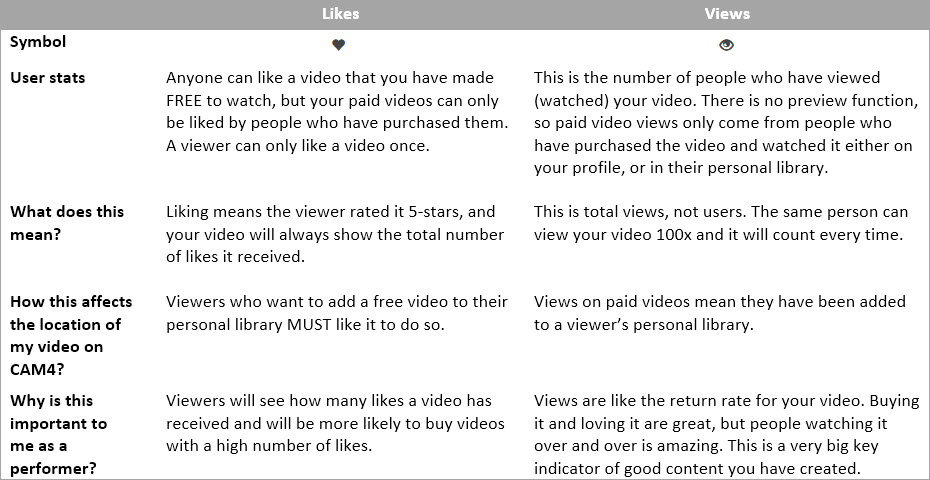
As estatísticas são um poderoso indicador do que você está fazendo certo quando se trata de fazer e vender conteúdo para seus fãs. Assim, o seu CAM4 ‘Minha Loja’ foi cuidadosamente concebido para ser fácil de usar, e lhe oferecer estatísticas focadas que refletem a satisfação do espectador com os vídeos que eles compraram de você.

cam4-my-shop-profile-final-english

Sua ‘Minha Loja’ também inclui links compartilháveis para seus vídeos que serão usados em mídias sociais e a capacidade de controlar a ordem em que seus vídeos são exibidos em seu perfil.

Suas Estatísticas


cam4-new-stats

Compreendendo suas estatísticas


Todo mundo sabe que as estatísticas altas são ótimas, mas são as baixas estatísticas que nos dizem mais sobre o que está acontecendo. Nestes próximos 2 exemplos vou mostrar-lhe possíveis razões que você pode estar recebendo números baixos em estatísticas.

Video #1 – Seu vídeo tem visivelmente poucos likes em comparação com suas vendas e exibições.

  • Isso pode querer dizer:
  1. Verifique a qualidade do seu vídeo! Há boa iluminação? Podemos ouvir você corretamente? Você parece feliz em estar no vídeo? Essas coisas afetam a satisfação do espectador, portanto, certifique-se de que estaria gostando do vídeo se você estivesse assistindo.
  2. Você fez um ótimo trabalho em marketing deste vídeo e atraiu espectadores … mas talvez não os corretos. Verifique se você usou tags / título / descrição relevantes para este vídeo para atrair o público certo.
  3. Olhe para o seu preço vs. duração do vídeo. Você fez um vídeo de 1 min e cobrou 50$? Se você fizer mais será incrível! Lembre-se, a quantidade de vendas vai fazer você ganhar mais dinheiro no final do que um preço de venda muito alto.

Video #2. As pessoas estão comprando, até mesmo seus likes estão ok … mas suas visualizações são quase as mesmas que o seu número total de vendas.

  • Isso poderá significar:
  1. Você pode ter exagerado, nas entregas deste vídeo. É uma verdade difícil, mas uma grande lição para aprender para a próxima vez.
  2. Assista ao vídeo novamente e veja quantas vezes você tenta envolver seus espectadores com o contato visual, alterando o ângulo da câmera e dando aos espectadores a sensação de que você ama o que está fazendo. Essas coisas formam uma conexão entre você e seu público e se ele simplesmente não está lá, eles não vão assisti-lo novamente.
  3. Isso pode ser um problema de produção de vídeo. Seu áudio está alto? Podemos ouvir você? O seu vídeo começa e é interrompido em locais estranhos? O equilíbrio de cores e foco automático de sua câmera estão bons?

Fazendo um filme #Dicas Pro


  • ~Pergunte a si mesmo: “Será que eu assistiria meu vídeo?” “Eu pagaria pelo meu vídeo?”
  • ~Eu sei que pode ser estranho no começo mas ASSISTA SEUS PRÓPRIOS VÍDEOS!
  • ~Não sinta que você precisa conversar em seus vídeos. Alguns dos mais quentes e mais sexy vídeos são aqueles onde tudo que você ouve é a respiração e gemidos do artista.
  • ~Tente manter a música de fundo baixa, tanto pela questão legal como o gosto musical pessoal do espectador.
  • ~Faça seus vídeos cerca de 5-10 min de duração. Isso não soa como um longo tempo, mas se você está tentando segurar a atenção de alguém por esse tempo.
  • ~Um grande vídeo pode ser filmado em um telefone celular em um banheiro da estação ferroviária. Bom conteúdo é bom conteúdo, independentemente do valor de produção.
  • ~Certifique-se de que você está se divertindo filmando seus vídeos! Assim como camming, seus espectadores serão capazes de dizer se você está se divertindo
  • Se você precisar de conselhos sobre o software de edição de vídeo, confira o artigo sobre ‘Criar vídeos’ 


Isso foi tudo nesta lição!

Mantenha-se atualizado com muito mais dicas para os performers me adicionando como amiga no CAM4, e me seguindo no Twitter @cam4coach_pt

jujuhotfire PTR #2.psd final

Coaching Profile:
cam4coach_pt
Terças & Quintas
Senha: coach21

Se inscreva no meu calendário para ver seus horários locais de shows

Se Divirta na Cam!

Julia & Indio