Auto Pause after a Private or Group Show

Auto-Pause is designed to give you time to prepare to be in front of your regular viewers again after your Private or Group show ends.

Go grab some food or something to drink, clean up, use the washroom, or change your outfit. You have 5 minutes to do whatever you need to do before going live on cam for your viewers again.

HOW DOES IT WORK?

Start your Private or Group show as you normally would.  At the end of the show, your stream will pause for a maximum of 5 minutes .

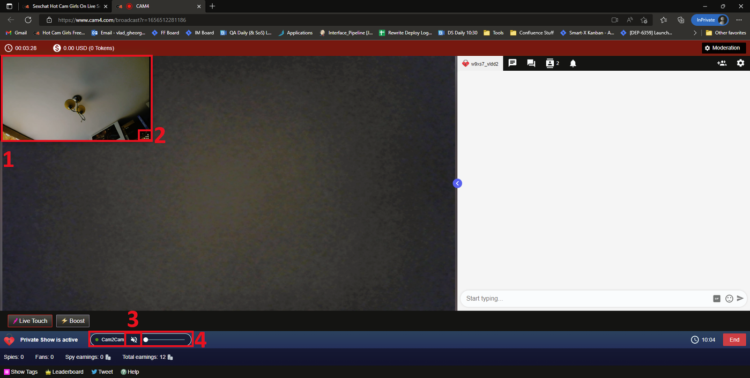
What YOU will see:


What your VIEWERS will see:

The stream is resumable at any time by clicking on the “Resume Stream” button. 

If you do not resume the stream during the first 5 minutes, the stream ends automatically. 

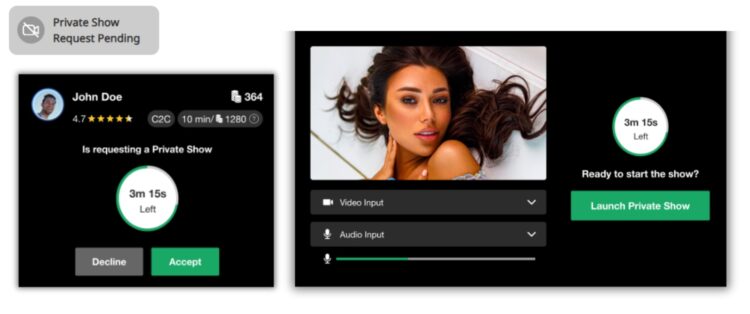
Private Show requests are not available while your show is paused. 

~That’s all for this lesson!

Happy Camming!
Love, Your Coaching Team!
BOOST: The Ultimate Way to Grow your Audience


Struggling to build an audience? Just logged on and want to kickstart your show?

Now you can BOOST your room higher in the directory for just 25 tokens!

CAM4 has put YOU in the drives seat, giving YOU the ability to increasing your rank on the page so you  will get more viewers in your show!

How it Works:  

BOOST will display on your screen once you start a LIVE broadcast and is visible to you and your viewers.

This feature (once purchased) will  position you within the top percent of cams currently on the site for the duration of the BOOST.

Click on the “BOOST” button to start the feature.

It costs 25 tokens to BOOST your cam for 5 minutes, or until you have gained 10 new viewers in your room (to a max of 30 mins).

When you click on “Proceed” the cost of the BOOST will be deducted from your CAM4 account and your cam will be re-positioned on the directory page. 

What Happens when BOOST starts?

  1. You will see a message in your chat letting you know who purchased the boost.
  2. There is a bar on your broadcast window that will slowly fill up as the time runs out. 
  3. The BOOST button is now inactive, this mean you cannot click on it. The text has also changed to read” Boost Active” and includes a count down. 

PRO TIP
When your boost is active, more people will be seeing your thumbnail. This is your moment to try to attract more viewers to your show! Switch it up with an alluring pose, a sexy strip tease, wet t-shirt show, or closeups. Anything you can do to attract the attention of the new audience you now have access to.

What Happens When the BOOST ends?

  1. The button will say “Boost” again become active enabling you to click on it again.
  2. You will see a message in the chat window that will tell you that the BOOST has ended and display how many viewers you gained during that BOOST.
  3. Your directory position will change, but not necessarily back to your original position – because your new position will reflect increases in your viewers due to the boost.

Viewers can BOOST you too!!

Viewers are always looking for ways to  support their favorite broadcasters. Why not encourage them to use the Boost feature on you?  With their help, boosting can really make a difference in your performance and exposure on CAM4. 

~That’s all for this lesson!

Happy Camming!
Love, Your Coaching Team!

Cam van de Maand Wedstrijd

Onze Cam van de Maand wedstrijd is toegankelijk voor ALLE broadcasters op CAM4 met elke maand 20 prijzen en in totaal $15,000.- prijzengeld.

HOE JE KUNT WINNEN

Elke dag geeft CAM4 de 20 broadcasters met het hoogste aantal piek kijkers van die dag een award. Deze is zichtbaar in het CAM4 profiel. Naast de award krijgen zij ook punten toebedeeld.

*Piek Kijkers – Het hoogste aantal ingelogde kijkers dat je op enig moment in je chatroom hebt gehad. 

DAGELIJKS PUNTEN OVERZICHT

1ste                 7 punten

2de                  6 punten

3de                  5 punten

4de                  4 punten

5de – 9de      3 punten

10de – 14de 2 punten

15de – 20de     1 punt

Aan het einde van de maand ontvangen de top 20 broadcasters die de meeste punten tijdens de maand hebben verdiend én minimaal meer dan $500 hebben verdiend in die maand een cash prijs!

PRIJZEN OVERZICHT 

1ste                  $2500

2de                   $2000

3de                   $1500

4de                   $1000

5de – 9de       $750

10de – 14de $500

15de – 20de  $250

REGELS

  • Je moet tijdens elke maandelijkse wedstrijdperiode minimaal $500 verdienen. Bonussen en wedstrijdprijzen zijn uitgesloten.
  • Je inkomen moet het prijzengeld minimaal evenaren om deze volledig te ontvangen.
  • Verdien je minder, dan ontvang je alleen het bedrag dat je hebt verdiend. Voorbeeld: verdien je $1.000 maar win je een prijs van $1.500, dan ontvang je $1.000.
  • Je moet een goedgekeurde profielfoto hebben waarop je duidelijk te zien bent.
  • Fooien van andere performers of studio’s tellen niet mee voor het vereiste minimumbedrag.
  • Alleen ingelogde kijkers tellen mee voor het totaal aantal piek kijkers*.
  • Een broadcaster kan slechts één keer per dag / per maand winnen.
  • Er moet een geldig e-mailadres aan je account gekoppeld zijn zodat we contact met je kunnen opnemen als je wint.
  • Werknemers, contractors en coaches van CAM4 zijn uitgesloten van deelname.
  • Shows die de Servicevoorwaarden schenden, worden automatisch gediskwalificeerd.
  • CAM4 behoudt zich het recht voor om broadcasters te verwijderen of te diskwalificeren bij overtredingen, fraude of misbruik van het platform. De beslissing van de CAM4-administratie is definitief.
  • Elke vorm van intimidatie of lastigvallen van CAM4 medewerkers of leden wordt niet getolereerd en leidt tot uitsluiting van de wedstrijd.
  • Alle content en deelname moeten voldoen aan de CAM4 Servicevoorwaarden en Communityrichtlijnen.
  • CAM4 behoudt zich het recht voor om deze regels op elk moment te wijzigen of bij te werken.

* PIEK KIJKERS – Leden die zijn ingelogd en jouw uitzending bekijken. Je kunt het aantal piek kijkers per uitzending bekijken via:
Broadcaster Dashboard > Inzichten > Live-uitzendingen.

Submit a Share-able Image

Do YOU want to be promoted on one of CAM4’s Official social-media accounts? Even be our monthly Cover Model on X.com?


Well, CAM4 needs YOUR help… Send us any of your best quality SFW (Safe For Work / Non Nude) images below, and your X.com or Instagram info so we can tag you.

USA/ Canada:
Click HERE to upload your SFW images now!!!!


United Kingdom/ Australia:
Upload for UK/AU 

Or contact: julia@cam4.com

And don’t forget, give us a follow


Broadcaster Release Form (2257)

Your broadcaster release form (or 2257) is a legal document that you electronically sign in when you are going through the approval process – take a closer look at what it means here.

Anyone aged 18+ can broadcast and accept tips on CAM4, but you have to upload your I.D. and sign your Performer Release Form in order to cash out your tokens.


What are you agreeing to when you sign your Broadcaster Release Form?

  1. You are the sole owner and ‘producer’ of all content and you agree to not create any illegal content.
  2. You and any others on your cam are all 18 years of age or older.
  3. You are granting CAM4 the right to show or display your likeness on the site during your show.
  4. You have agreed to keep a copy of this form for your own records and you can produce that copy if needed.

~That’s all for this lesson!

Happy Camming!

Love, Your CAM4 Coaching TEAM

How To Buy A Gold Membership With Tokens

One of the benefits of being a verified performer on CAM4 is the ability to purchase your gold membership with tokens at a discounted price! Take a look at how you can convert your tokens into over 20 awesome Gold features.

Using Tokens For Your Gold Membership

First, tokens must come from your dashboard to be used for a Gold Membership.

Go into your Performer Dashboard  and request a CAM4 TOKENS payment for $12.50. 

You will see these tokens in your account on the CAM4 homepage.

new-account-gold-membership


Once you press the “Upgrade to Gold” button you will be  taken to a  checkout window where CAM4 Tokens is a payment option.


Screen Shot 2015-06-25 at 2.48.50 PM

After clicking continue, you will receive a receipt and see your status go to Gold in a few minutes.  (You may have to refresh your page)


~That’s all for this lesson!

Happy Camming!
Love, Your Coaching Team!
Your Broadcaster Dashboard

From your Broadcaster Dashboard you can cash out, view your payment & earnings history, upload ID or add additional performers to your account.

 
*You can also access your dashboard in ‘My Account’. It’s listed under ‘Performer tools’ on the lower left side of your screen.

Request Payment

Here you can select and setup your method of payment and cash out your earnings right from the same page!

Look here for more info on your Payment Options

Payment History

♥Up to date status of your most recent payment request
♥Custom payment history look-ups & stats. 
♥Have access to all your performer payout information in a simple easy to read data.
♥Super helpful when tax season cums bb 😉

Earnings History

♥Detailed view of where every single token you earned came from. 
♥Up to the minute view of your earnings. 
♥Custom earnings history look-ups & stats. 

Manage Documentation

For new  broadcasters this is where you will upload your ID and go through the approval process!

More info on adding additional broadcaster to your account.


~That’s all for this lesson!

Happy Camming!
Love, Your Coaching Team!
 

How To Handle Tips & PM’s In Chat

Being successful in Public Chat is more than just getting naked, its about knowing how to react to your chatroom and what to do when you get tipped. Staying calm and making these small changes to your show will make a BIG difference!


1. Don’t Let TIPS Stop You…

Don’t send a PM to every viewer who sends you a tip! If you are in the middle of your show and someone tips you its because they like what you are doing! If you stop what you are doing to send them a PM, you will train your room to not tip you because you stop the action they are tipping you for.


2. Stay Cool And Tease.

When someone sends you a tip its nice to say thank you, but don’t rip all your clothes off and get too excited, make them work for it a bit and TEASE! Its also important to NOT jump all over your tippers when they com into your room. Jumping on your whales when they come in the room (or someone who contributed a lot to your last show) can alert others to the fact that that a generous viewer came in the room and could make them rely on this viewer to tip you. This can make generous viewers feel awkward and can open them up to messages from others asking for tips. Just stay cool and the tips will come.


3. Less Typing Means More Touching.

Keep your chatroom alive by making everyone chat with you in your public chat. It is VERY boring to watch you type during your show and having a bunch of private conversations kills the show an the chat. When they all ask to PM you simply say “Talk to me in here! If my hands are busy I can’t do a show!”


~That’s all for this lesson!

Happy Camming!

Love, Your CAM4 Coaching TEAM


How to Use Lightstream Studio

Here at CAM4, we’re proud to welcome a new feature that will forever benefit performers and their streaming quality – Lightstream Studio! 

Lightstream Studio is a web-based broadcast studio that will give our broadcasters the tools they need to create their most fun, or craziest, live shows! Lightstream Studio is similar to tools such as Split and OBS, but performers don’t need to download and install any software to use it! 

Features for Lightstream Studio include:

  • The ability to combine multiple cams into a single stream
  • Add graphic overlays into your videos
  • Pre-recorded video playback for review
  • 3rd party plugins are allowed

Broadcasters on CAM4 will have to create an account on Lightstream Studio before they can use the feature on CAM4. 

NOTE: The only way you can create an account on Lightstream Studios is to link it to an existing FACEBOOK, YOUTUBE, TWITCH OR MIXER account. Once you’re linked on Lightstream Studios, you can disable broadcasting on any of these platforms. Performers who want to stay anonymous are recommended to create a new YouTube or Twitch account to sign up.


~That’s all for this lesson!

Happy Camming!

Love, Your CAM4 Coaching TEAM