Categorie archieven: Hulpmiddelen voor omroepen

Belangrijke sitetools, speciaal voor jou gemaakt. We hopen dat dit onderdeel je helpt je bedrijf op CAM4 te laten groeien.

Freaky HALLOWEEN Kostuum Wedstrijd (24-31 okt) – 2025

 WIN TOT 1000 TOKENS !!!

De Halloween-gekte komt terug op CAM4! Tussen 24 en 31 oktober 2025 belonen we de creatiefste, engste en meest verleidelijk geklede creators met fantastische prijzen! Post je beste Halloween-content en laat zien hoe jij de nacht tot leven wekt… 👻

Modellen kunnen dit jaar meedoen door hun Halloween-show te plannen, promoten en te streamen, en daarnaast sexy maar SFW-content te posten in hun Activity Feed en op X (Twitter).

Hoe doe je mee?

  • Stap 1: Plan een show in de CAM4 kalender en gebruik de tag #Halloween25.
  • Stap 2: Plan tussen 24 en 31 oktober 2025 een live uitzending in Halloween-thema.
  • Stap 3: Post een gratis, nieuwe & SFW foto of clip in je Activity Feed met de tag #Halloween25 in de beschrijving.
  • Optioneel: Plaats tijdens je live uitzending een nieuwe & SFW foto of video op X (Twitter), inclusief de link naar je show en de hashtags #Halloween25 en #CAM4.

Prijzen

Wereldwijd:
♱ $100 voor de meest populaire vrouwelijke/trans foto
♱ $100 voor de meest populaire mannelijke/trans foto
♱ 10x prijzen van $50
♱ 20x prijzen van $20

Regionaal:
♱ 5 extra prijzen van $10

Fotoverkiezing

Het CAM4-team zal stemmen op de beste tweets en foto’s van alle deelnemers. Vergeet niet dat je afbeelding SFW moet zijn! Dat betekent: geen tepels, geslachtsdelen of schaamhaar in beeld.

Regels

  • Alleen geverifieerde broadcasters kunnen deelnemen.
  • Het is verplicht om je show in te plannen in de CAM4 kalender met de tag #Halloween25.
  • Broadcasters mogen meerdere inzendingen doen, maar kunnen slechts één prijs winnen.
  • Het kostuum in je Activity Feed of X-post moet overeenkomen met het kostuum dat je draagt tijdens je live show.
  • Content mag SFW of NSFW zijn, maar alleen SFW-inzendingen komen in aanmerking voor prijzen.
  • Alle inzendingen moeten nieuw zijn; hergebruik van eerdere content is niet toegestaan.
  • Activity Feed-posts moeten gratis zichtbaar zijn.
  • Content mag voor, tijdens of na de show gepost worden.
  • Je show moet minimaal 30 minuten duren en 20 kijkers halen.
  • Om in aanmerking te komen voor de prijzen van $50 en $100 moet je minimaal $50 hebben verdiend in de afgelopen 30 dagen.

Prijzen worden uiterlijk op 5 november 2025 toegevoegd aan je account. Je vindt ze onder Model Dashboard → Overzichten → Aanpassingen.

CAM4 tag: #Halloween25
Twitter tags: #Halloween25 #CAM4

Durf jij de nacht in te gaan?
Maak je klaar voor griezelige shows, hete kostuums en spooky fun…
De Halloween25  wedstrijd is begonnen! 💀

Lovense Stream Master & Browser Extension

Lees snel hoe je jouw Lovense‑speeltjes gebruikt in je CAM4‑shows — via Stream Master of met de Browser Extension.

Lovense integratie op CAM4

Kies wat bij je setup past: Lovense Stream Master (all‑in‑one) of de Lovense Browser Extension (Chromium). Laat je toy reageren op tips en verhoog de beleving.

Tip: communiceer duidelijke drempels (bijv. 25/50/150 tokens) en test een kleine “tip‑demo” vóór je live gaat.

Twee manieren om te koppelen

Lovense Stream Master

Alles‑in‑één software/browser van Lovense, ontworpen voor livestreamers. Combineert streaming, cam/browser‑integratie en toy‑koppeling in één tool — minder losse onderdelen nodig.

Lovense Browser Extension

Extensie voor Chromium‑browsers (Chrome/Edge/Brave) die tip‑events doorgeeft aan je Lovense‑toy, zodat die realtime reageert op fooi tijdens je stream.

Belangrijkste voordelen

Minder gedoe

Met Stream Master hoef je niet apart te werken met OBS + losse browser + extensie; veel functies zitten ingebouwd.

Directe respons

De (Cam) Extension laat tips door naar Lovense, zodat je toy vibreert of reageert op afgesproken drempels/bedragen.

Stabiliteit

Stream Master is de aangeraden route en vervangt de oudere “Lovense Browser + extensie” modus voor een soepelere ervaring.

Nadelen & aandachtspunten

  • De oudere “Lovense Browser met extensie” krijgt sinds 1 sept 2023 geen updates meer — Stream Master wordt aangeraden.
  • Gebruik altijd Lovense Connect om je toy te koppelen (de Remote‑app werkt hier niet voor).
  • De Extension werkt goed op Chromium‑browsers; ondersteuning op Firefox/Safari is beperkt/niet beschikbaar.
  • Performance kan variëren: hoge resolutie + meerdere apps kan lag/crash/vertraging geven op zwakkere pc’s. Test je setup.

Instellen (korte stappen)

  1. Installeer Lovense Connect op je telefoon en koppel je toy via Bluetooth in die app.
  2. Download/installeer Stream Master (of kies de Browser Extension in een Chromium‑browser).
  3. In Stream Master: voeg je cam‑site toe en stel video/overlays/toy‑integratie in.
  4. Gebruik je de Extension? Installeer de juiste extensie, open de extensiepagina vóór je gaat streamen.
  5. Doe een test‑tip (klein bedrag) om te checken of je toy exact reageert zoals je verwacht.

Best practices

Vooraf testen

Update firmware/apps, controleer batterij/verbinding en laat een korte demo‑tip zien aan je chat om de drempels te “leren”.

Communiceer drempels

Houd je mapping simpel (bijv. 25/50/150 tokens = lichte/medium/intense respons) en pin ze zichtbaar in je beschrijving of Tip Menu.

Disclaimer & actuele info

Let op: Lovense brengt geregeld updates uit (firmware/software/compatibiliteit). Ervaringen verschillen per hardware en internet. Raadpleeg altijd de officiële Lovense‑handleidingen en versienota’s voor je live gaat.

Messenger & Inbox

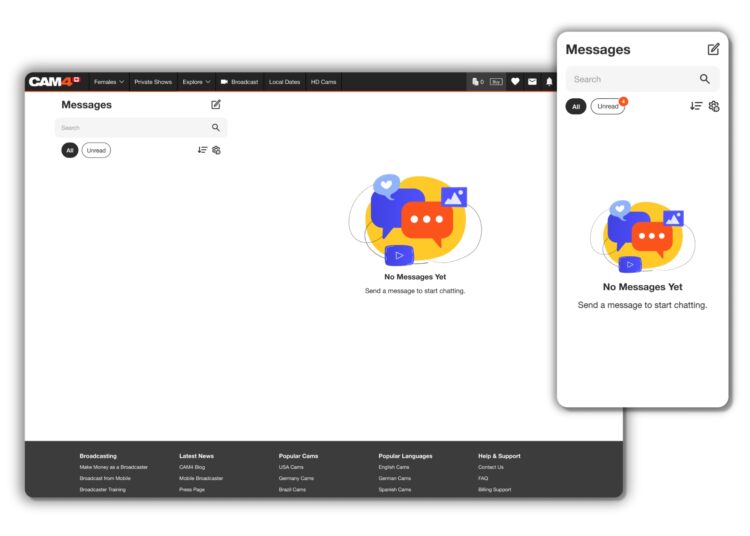
Ontdek alle Messenger‑functies in één overzicht.

CAM4 Messenger: verbeterde DM‑ervaring

Makkelijker in gebruik en veel krachtiger dan alleen chatten. Deze gids laat je alle chat‑ en mediafuncties zien — plus hoe je er mee verdient.

Tip: combineer Messenger met Pay‑Per‑Text om betaald te worden voor berichten en media.

Snelle introductie

Overzicht Messenger functies

Overzicht Messenger functies

De nieuwe Messenger is eenvoudiger én rijker aan functies. Leer de tools kennen en benut ze direct in je dagelijkse workflow.

Voordelen van CAM4 Messenger

Messenger mobiel voorbeeld

Verhoogde privacy

Maak connecties met kijkers die jij kiest — via chat en privéshows.

Filter opties

Snel toegang tot belangrijke info en content zonder ruis.

Geld verdienen

Verdien tokens met tips, contentverkoop, cadeaus en privéshows.

Mobielvriendelijk

De Messenger werkt onderweg soepel en overzichtelijk.

Chat upgrades

Chatfuncties

Opslaan, antwoorden, verwijderen, GIF’s en emoji’s — plus extra controle over wie jou kan berichten.

  • Antwoord en opslaan per bericht
  • Berichtbeheer (verwijderen, rapporteren)
  • GIF’s, emoji’s en mediavoorbeelden
  • Wie mag jou benaderen: strakkere controle

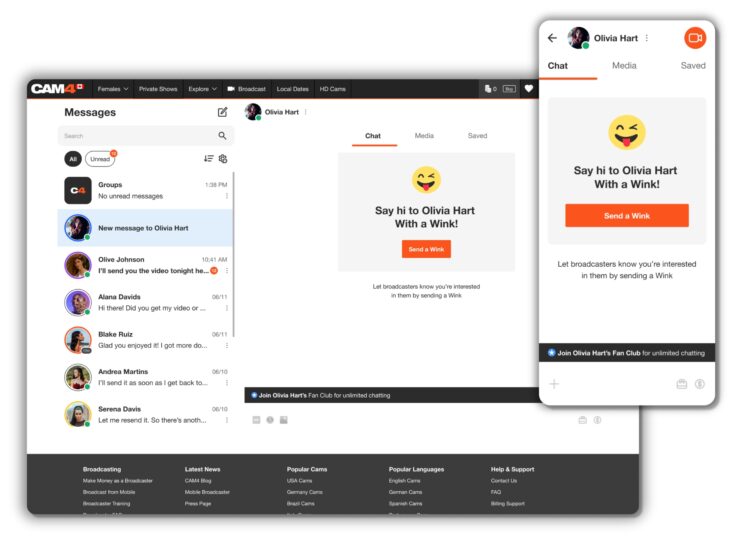
Knipogen

Niet‑Gold kijkers sturen eerst een knipoog; pas na jouw antwoord kunnen ze typen. Gold kijkers kunnen direct berichten sturen.

Knipoog en chatflow

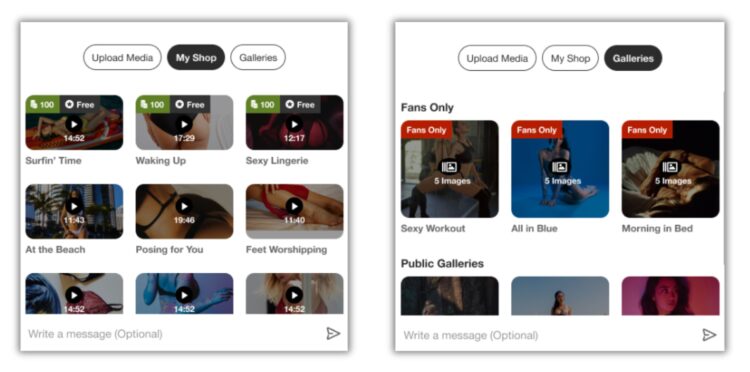
Verkoop content (rechtstreeks in DM)

Content verkopen in chat

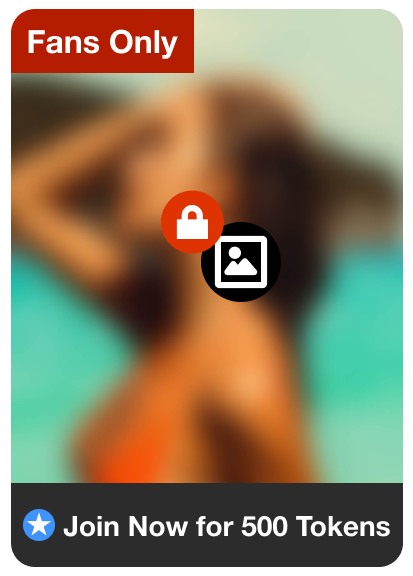
Voeg je content direct toe in de chat zodat kijkers ze kunnen kopen en meteen bekijken.

Content verkopen in chat

Fan Clubs delen

Promoot je Fanclub via DM. De kijker klikt door, wordt lid en ziet daarna de content in de chat.

Fanclub link voorbeeld

Organiseer een privéshow via Messenger

Starten vanuit de chat

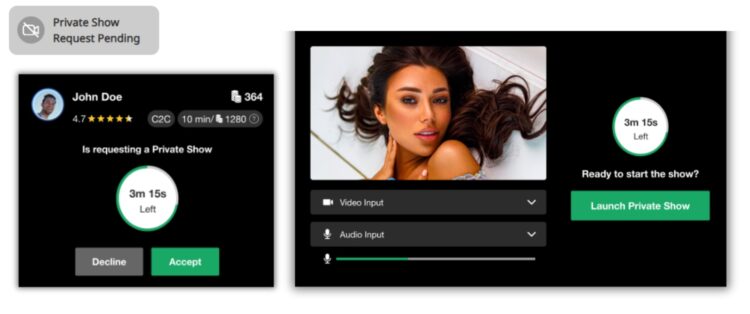
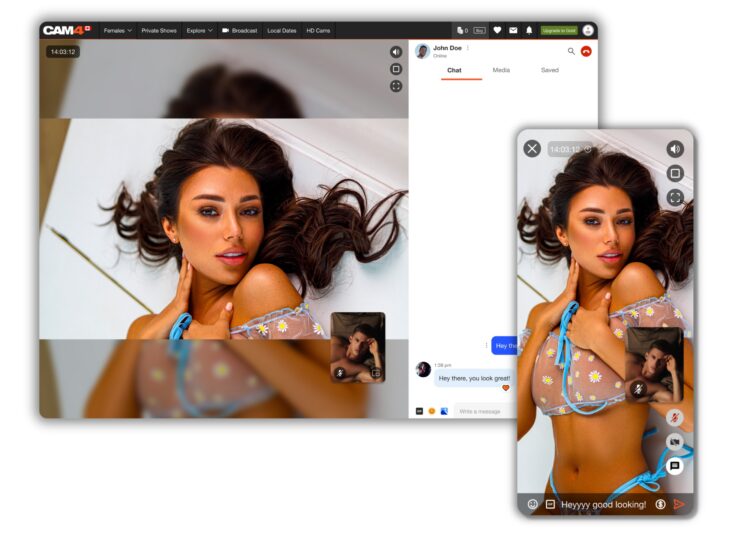
Bied op elk moment privéshows aan — zonder publiek op je profiel live te hoeven gaan.

  • Kies: Cam2Cam of standaard privéshow
  • Start via het camerapictogram rechtsboven in het chatvenster
  • Verdiensten verschijnen direct in de chat na afloop

Camerapictogram privéshow

Voorbeeldschermen

Privéshow starten vanuit chat Review en verdiensten in chat

Na afloop kan de kijker de show beoordelen; je verdiensten zie je direct.

Veiligheid en informatie

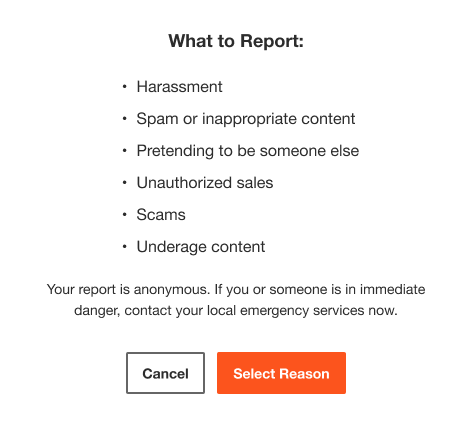
Rapporteer gebruikers

Dien een meldformulier in bij Support voor onderzoek. Let op: rapporteren blokkeert niet automatisch contact.

Gebruiker rapporteren

Ban gebruikers + Coach Bot

Ban verwijdert de gebruiker uit je chat én shows; je naam verdwijnt uit zijn/haar zoekresultaten. Coach Bot geeft direct antwoord op vragen over Messenger, shows en regels.

Ordenen met filters

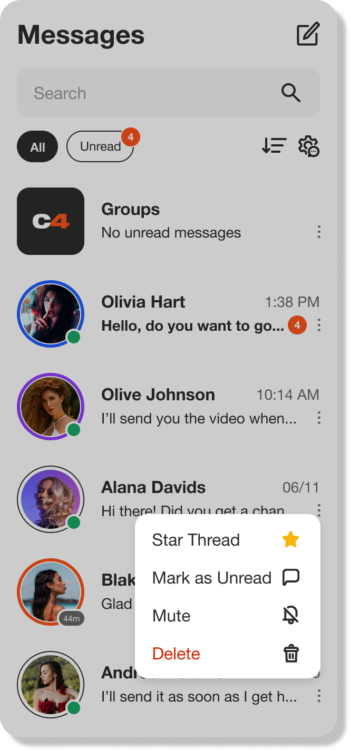
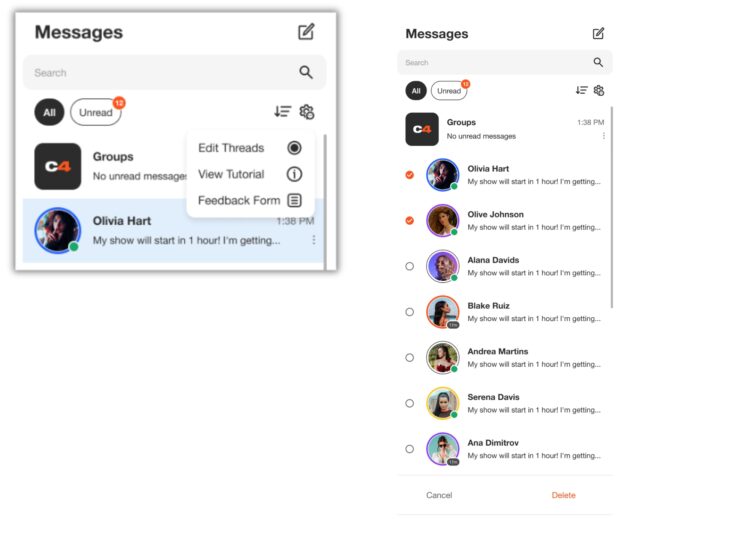
Inboxbeheer

Filter gesprekken, groepeer en bewaar belangrijke berichten. Beheer je inbox snel met bulk verwijderen.

Filters en inboxbeheer

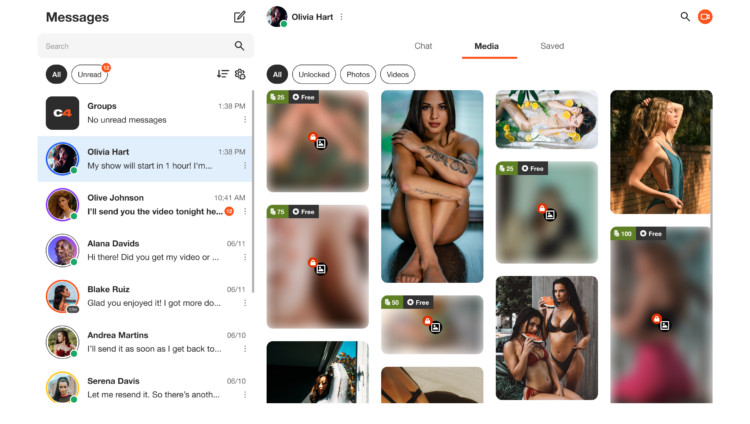
Media‑tab

Alle media in je DM’s staan onder Media — sorteer op Ontgrendeld, Foto’s of Video’s.

Media tab overzicht

Opslaan

Belangrijke info later terugvinden? Gebruik het tabblad “Opgeslagen” per gesprek. Alles wordt chronologisch getoond.

Unlocking the Power of the new Activity Feed

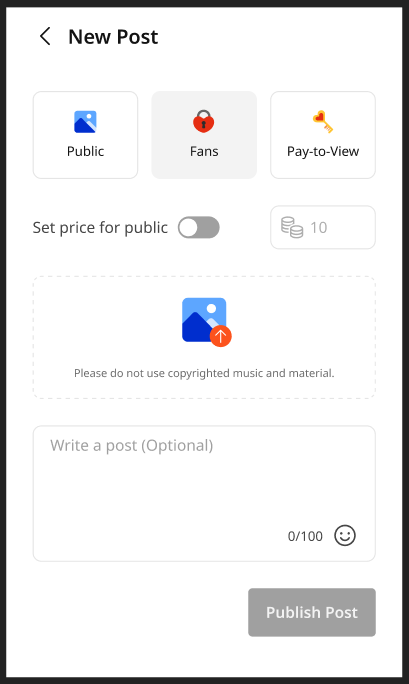
The Activity Feed is CAM4’s latest and most exciting tool yet! Designed to help you, the creator, to effortlessly showcase and monetize your offline content into one simple feed, serving as an all-in-one platform to share updates, post photos, monetize your videos, and grow your audience—similar to the layout of most social media platforms. 

With complete control over your feed, you can curate the content you want fans to see, reflecting your unique style and giving your content the visibility it deserves.

Let’s dive into how to use it effectively!


What is the Activity Feed?

The Activity Feed lets you transfer content from your Galleries and My Shop areas into a dynamic, interactive feed displayed prominently on your profile.  By leveraging this feature, you can:

  • Keep fans engaged with daily updates, curate content, and add exclusive posts.
  • Promote and monetize your recorded video content
  • Promote Fanclub signups and special promotions

How It Works

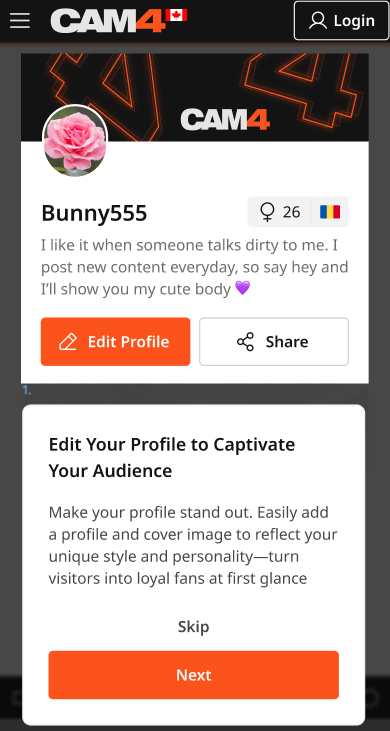
1. Customize Your Profile

Your profile is a visitor’s first impression—make it count! Add a captivating SFW profile picture and cover image to reflect your personal brand. A visually polished profile helps turn casual visitors into loyal fans.

2. Transition Your Content to the Feed

  • Your existing Galleries and My Shop content will automatically be converted into posts, updated every 24 hours.
  • Initially, these posts will be visible only to you, giving you the opportunity to curate and refine your feed before launching it to your audience.

Once the feed is live, Galleries and My Shop will be retired and no longer displayed in seperate locations.   *Rest assured: purchased videos will remain accessible to buyers.

3. Launch Exclusive Content with Your Fan Club

Boost your income by offering exclusive perks through your Fan Club subscription:

  • Create a Fanclub or simply update your existing  Fan Club via the Broadcaster Dashboard.
  • Provide premium content that club members will continuously engage with, building a dedicated audience within your Fan Club. 

4. Monetize Your Video and Image Content

Create and share video and image posts that your audience can purchase, offering exclusive content to paying fans or subscribers while boosting your revenue. Provide VIP content to encourage memberships and maximize your earnings.

5. Your Media Library

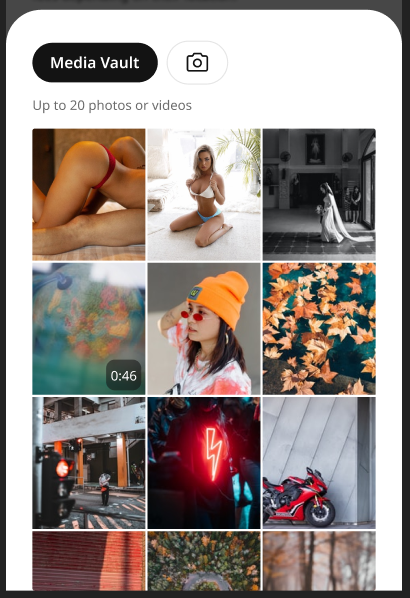
The new Media Vault consolidates your photos and videos into one convenient location. Previously uploaded media is already there, ready to be posted directly to your feed.

6. Keep Your Content Fresh

  • Consistently share creative, diverse, and enticing posts to attract and retain fans.
  • Use the feed to highlight different aspects of your talent and build a robust collection of content that keeps fans coming back for more.

Why Did CAM4 Launch The Activity Feed To  Creators First?

Before the Activity Feed is rolled out to all users, creators are getting exclusive early access, giving you the opportunity to:

  • Explore and familiarize yourself with the platform’s new design.
  • Curate your feed to match your personal style and organize your content seamlessly.
  • Fine-tune and add exclusive content to effectively monetize your feed.

By preparing in advance, you’ll maximize the impact of your Activity Feed when it’s unveiled to your fans.


Tips for Success

  • Set Preferences Early: Take a few minutes to customize your notifications and get comfortable with the new settings.
  • Check Regularly: Make it a habit to monitor your feed daily to stay updated and respond to fan activity.
  • Engage Promptly: Interact with comments and messages quickly to build stronger connections with your fans.
  • Post Consistently: Frequent updates keep your audience engaged and help attract new fans. 

Why You’ll Love the Activity Feed

  • Increased Visibility: Fans can easily discover your latest and historical posts.
  • Enhanced Productivity: Manage all your updates in one place.
  • User-Friendly Design: The platform is intuitive and familiar, making it easy to navigate.

Ready to take your content to the next level? Start curating your Activity Feed today and prepare for a seamless launch to your fans. Let your creativity shine and watch your audience grow!

Your Tip Menu

Launch Your Very Own Custom Tip Menu to Improve Engagement and Increase Earnings!

Tell your fans what to tip for and earn more tokens, set up yours now!

What Is It?
The CAM4 Tip Menu is a fun tool that allows you to create a customized list of actions with the corresponding token amount a viewer needs to tip for you to perform the action during your performance. We’ve recently upgraded our tipping menu functionality to allow for simple set up and easy viewer access. Performers who’ve launched their own tip menus have reported heightened activity and ultimately an increase in show earnings! 

Benefits of Creating a Tip Menu:

  • The tip menu is an easily customizable list that you control and can change / update at any time
  • Your viewers know exactly what they can tip for each performance action without having to ask
  • You won’t need to set up an HTML bio
  • The tip menu is easily accessible via your profile during every show
  • Less chatty viewers are more likely to engage

Quick & Easy Tip Menu Set Up
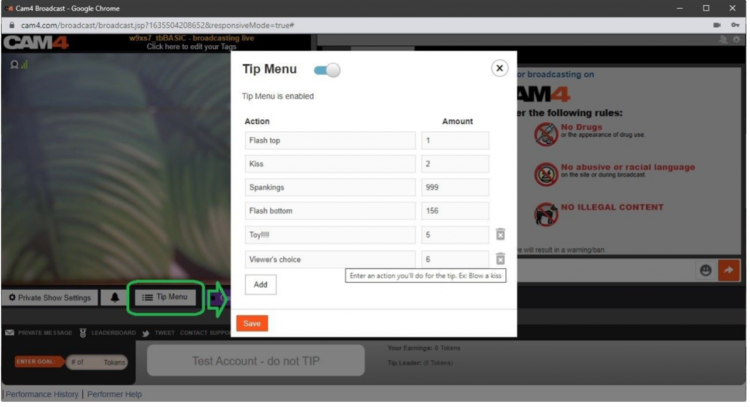
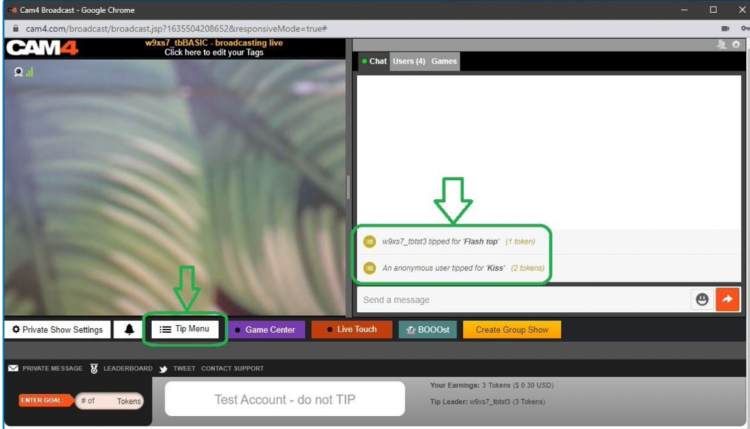
Locate the Tip Menu feature near the Game Center and enter each action and the required tipping amount. *Please note you must enter at least four (4) actions to activate your tipping menu for viewers

You can add up to 12 tip menu options; click the trash can icon to the right of each option to delete and update. Once you’ve completed your list, click SAVE to activate.

You will receive a special notification in your chat window every time a viewer selects an item in your tip menu


Tip Menu Ideas
What you include on your tip menu is completely up to you, and the great thing is you can add and update the menu as you learn what your viewers want and need in your shows!  Here are some sample tip menu options to get you started:

  • Blow kisses
  • Custom shout out message
  • Flash boobs
  • Oil rubdown
  • Spanking
  • Twerk
  • Insert toy for 15 seconds

Get creative here – the sky really is the limit!

The Key to Tip Menu Success
Our best advice for making the tip menu work for you is to keep your list of options fresh and creative while continuously directing viewers to it during your show.

We’re Here to Help You Win!
If you need help setting up your tip menu or are looking for ways to maximize this fun tool, please reach out to support@CAM4.com at any time and one of our experts will guide you.


~That’s all for this lesson!

Happy Camming!
Love, Your Coaching Team!

Auto Pause after a Private or Group Show

Auto-Pause is designed to give you time to prepare to be in front of your regular viewers again after your Private or Group show ends.

Go grab some food or something to drink, clean up, use the washroom, or change your outfit. You have 5 minutes to do whatever you need to do before going live on cam for your viewers again.

HOW DOES IT WORK?

Start your Private or Group show as you normally would.  At the end of the show, your stream will pause for a maximum of 5 minutes .

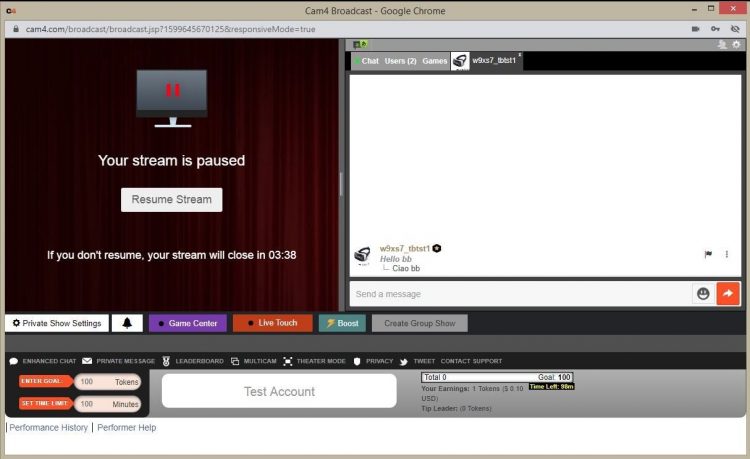
What YOU will see:


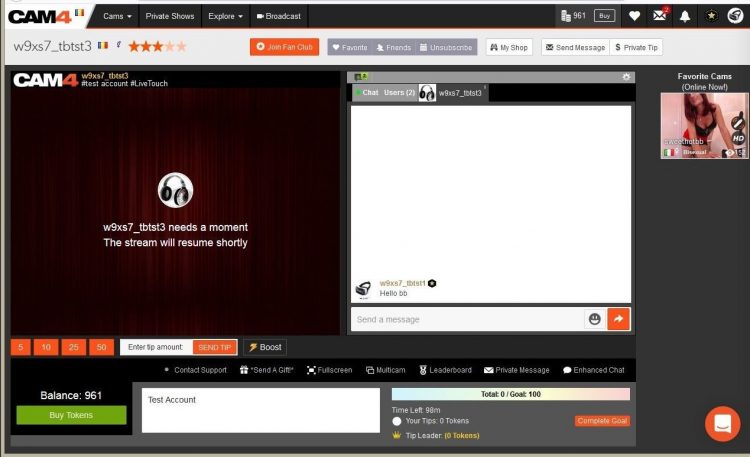
What your VIEWERS will see:

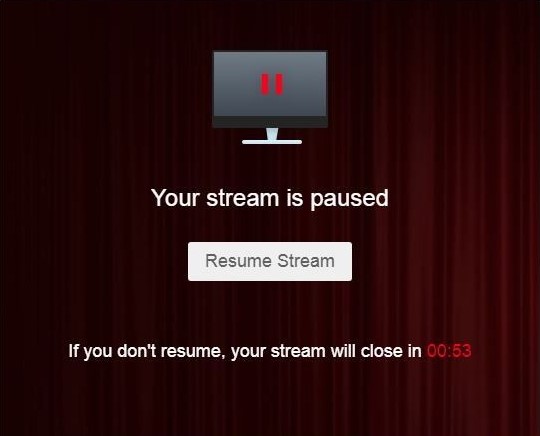
The stream is resumable at any time by clicking on the “Resume Stream” button. 

If you do not resume the stream during the first 5 minutes, the stream ends automatically. 

Private Show requests are not available while your show is paused. 

~That’s all for this lesson!

Happy Camming!
Love, Your Coaching Team!

BOOST: The Ultimate Way to Grow your Audience


Struggling to build an audience? Just logged on and want to kickstart your show?

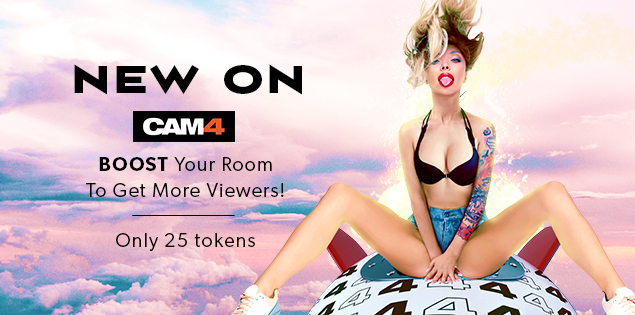
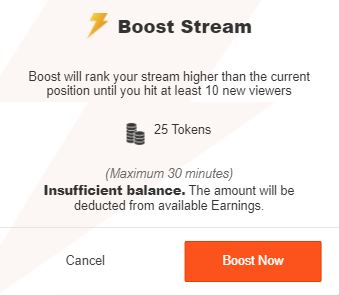
Now you can BOOST your room higher in the directory for just 25 tokens!

CAM4 has put YOU in the drives seat, giving YOU the ability to increasing your rank on the page so you  will get more viewers in your show!

How it Works:  

BOOST will display on your screen once you start a LIVE broadcast and is visible to you and your viewers.

This feature (once purchased) will  position you within the top percent of cams currently on the site for the duration of the BOOST.

Click on the “BOOST” button to start the feature.

It costs 25 tokens to BOOST your cam for 5 minutes, or until you have gained 10 new viewers in your room (to a max of 30 mins).

When you click on “Proceed” the cost of the BOOST will be deducted from your CAM4 account and your cam will be re-positioned on the directory page. 

What Happens when BOOST starts?

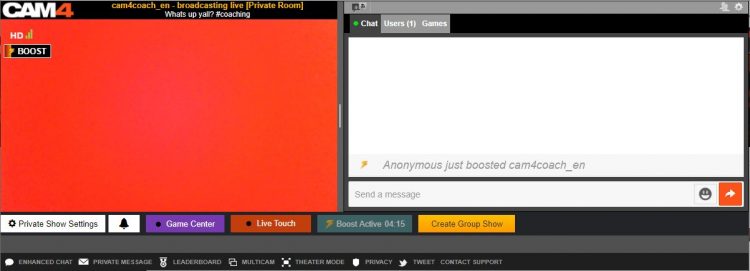
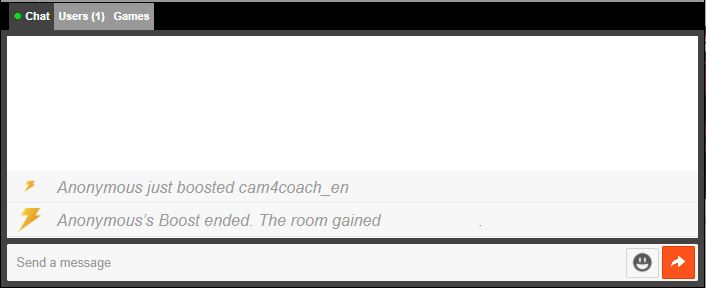
  1. You will see a message in your chat letting you know who purchased the boost.
  2. There is a bar on your broadcast window that will slowly fill up as the time runs out. 
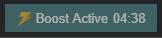
  3. The BOOST button is now inactive, this mean you cannot click on it. The text has also changed to read” Boost Active” and includes a count down. 

PRO TIP
When your boost is active, more people will be seeing your thumbnail. This is your moment to try to attract more viewers to your show! Switch it up with an alluring pose, a sexy strip tease, wet t-shirt show, or closeups. Anything you can do to attract the attention of the new audience you now have access to.

What Happens When the BOOST ends?

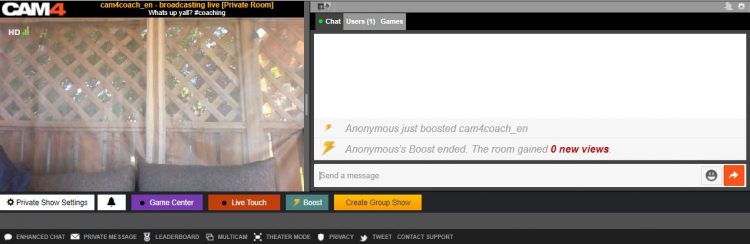
  1. The button will say “Boost” again become active enabling you to click on it again.
  2. You will see a message in the chat window that will tell you that the BOOST has ended and display how many viewers you gained during that BOOST.
  3. Your directory position will change, but not necessarily back to your original position – because your new position will reflect increases in your viewers due to the boost.

Viewers can BOOST you too!!

Viewers are always looking for ways to  support their favorite broadcasters. Why not encourage them to use the Boost feature on you?  With their help, boosting can really make a difference in your performance and exposure on CAM4. 

~That’s all for this lesson!

Happy Camming!
Love, Your Coaching Team!

How To Buy A Gold Membership With Tokens

One of the benefits of being a verified performer on CAM4 is the ability to purchase your gold membership with tokens at a discounted price! Take a look at how you can convert your tokens into over 20 awesome Gold features.

Using Tokens For Your Gold Membership

First, tokens must come from your dashboard to be used for a Gold Membership.

Go into your Performer Dashboard  and request a CAM4 TOKENS payment for $12.50. 

You will see these tokens in your account on the CAM4 homepage.

new-account-gold-membership


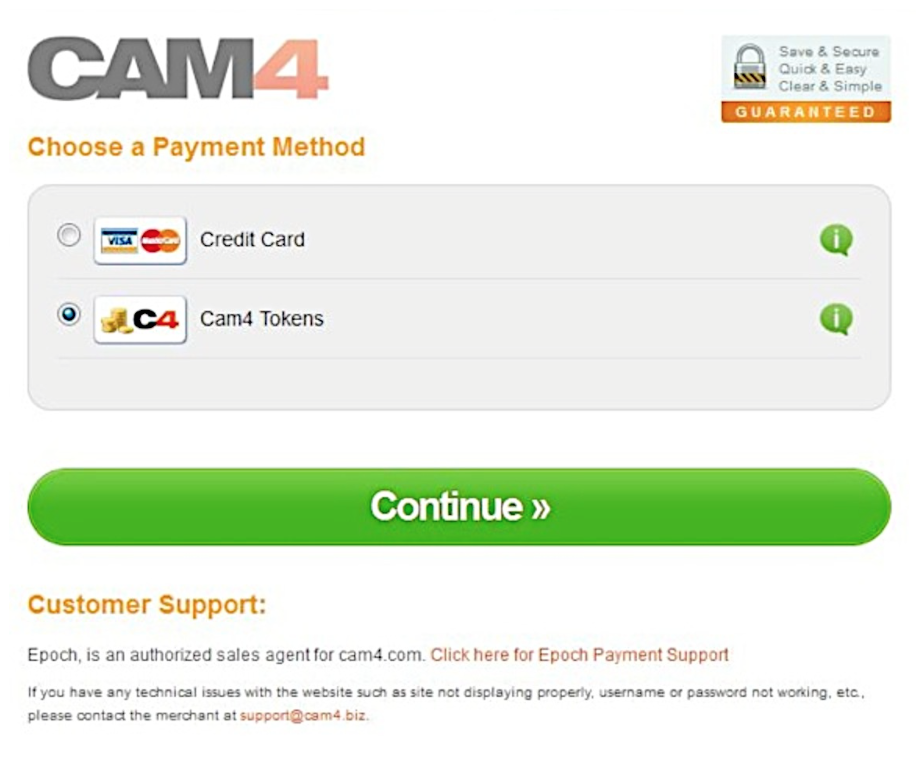
Once you press the “Upgrade to Gold” button you will be  taken to a  checkout window where CAM4 Tokens is a payment option.


Screen Shot 2015-06-25 at 2.48.50 PM

After clicking continue, you will receive a receipt and see your status go to Gold in a few minutes.  (You may have to refresh your page)


~That’s all for this lesson!

Happy Camming!
Love, Your Coaching Team!

Your Broadcaster Dashboard

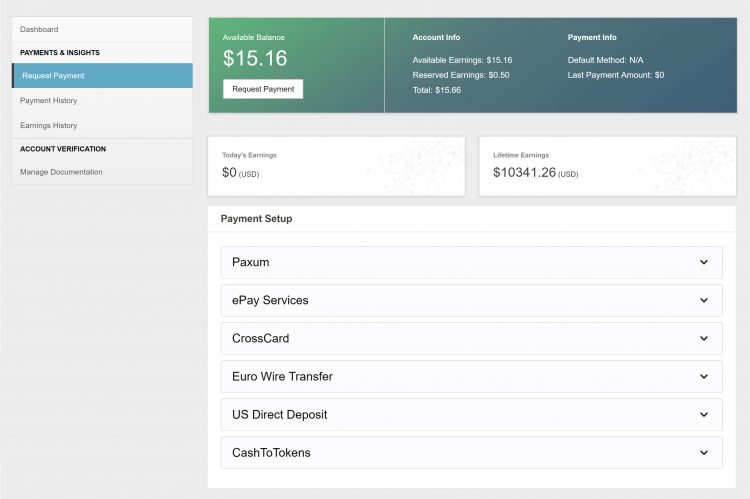
From your Broadcaster Dashboard you can cash out, view your payment & earnings history, upload ID or add additional performers to your account.

 
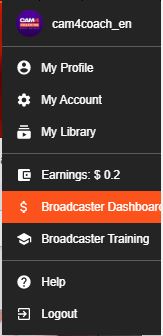
*You can also access your dashboard in ‘My Account’. It’s listed under ‘Performer tools’ on the lower left side of your screen.

Request Payment

Here you can select and setup your method of payment and cash out your earnings right from the same page!

Look here for more info on your Payment Options

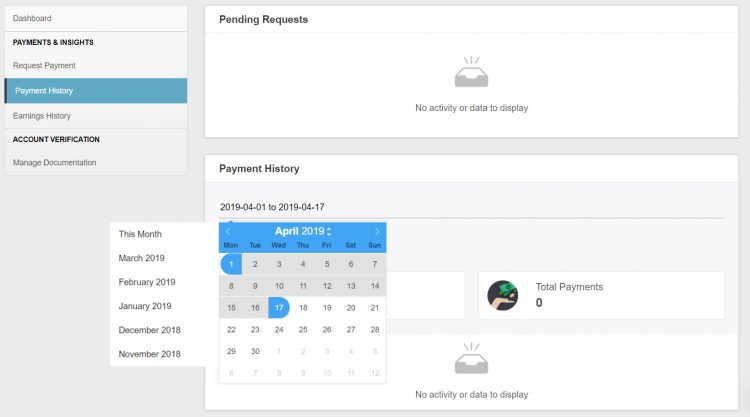
Payment History

♥Up to date status of your most recent payment request
♥Custom payment history look-ups & stats. 
♥Have access to all your performer payout information in a simple easy to read data.
♥Super helpful when tax season cums bb 😉

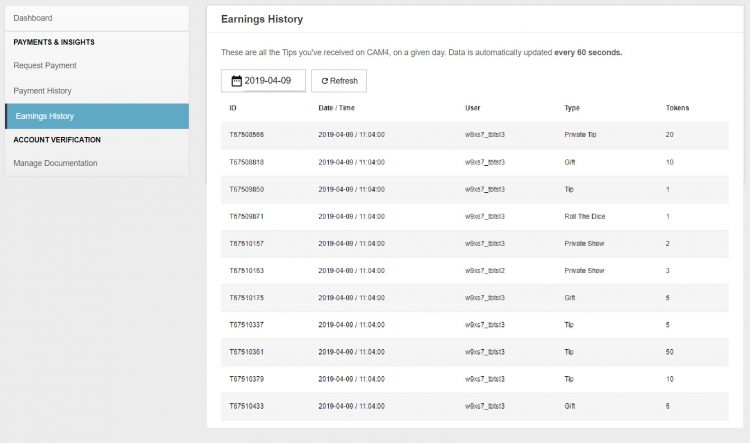
Earnings History

♥Detailed view of where every single token you earned came from. 
♥Up to the minute view of your earnings. 
♥Custom earnings history look-ups & stats. 

Manage Documentation

For new  broadcasters this is where you will upload your ID and go through the approval process!

More info on adding additional broadcaster to your account.


~That’s all for this lesson!

Happy Camming!
Love, Your Coaching Team!


Payment Options

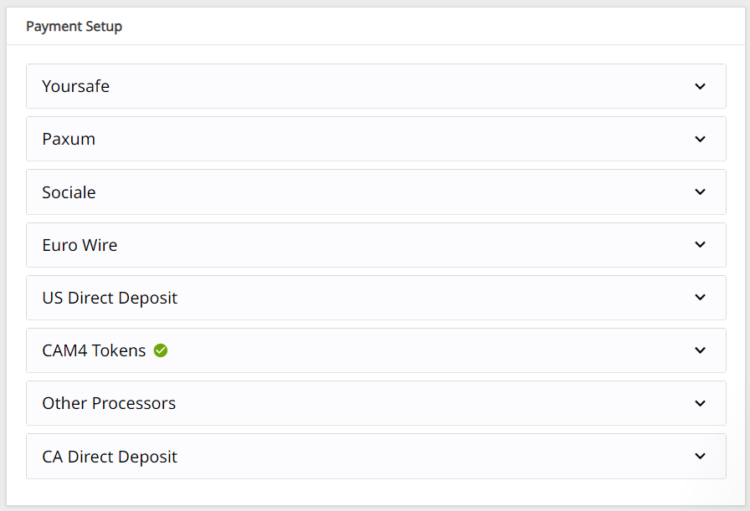
We offer TEN payment options but not all options are available to every broadcaster due to your location.

Click here to find out which one works in your country!

Yoursafe 

  • Minimum payment: $50 USD
  • Processed: Daily (Mon – Fri)
  • Information required: Yoursafe Full Beneficiary Name

Link To FAQ for more details.

Paxum

  • Minimum payment: $50 USD
  • Delivery: Daily (Mon – Fri)
  • Information required: Paxum Account ID
  • Pre-paid Paxum Mastercard – CURRENTLY NOT AVAILABLE

Link To FAQ for more details.

Register for an Paxum account: https://www.paxum.com/

Sociale

  • Minimum payment: $50 USD
  • Delivery: Daily (Mon – Fri)
  • Information required: Setup on Sociale App
What payment methods does Sociale offer?
  • Local Bank Transfer (South America, Africa, Asia)
  • Crypto (USDT Tether)
 Need Help?
Click here to contact Sociale’s Customer Service team
Euro Wires (EUR Only – Including UK) –> click here for Australia
  • Minimum payment: $100 USD
  • Processed: Daily (Mon – Fri)
  • Delivery: 5-7 business days
  • Bank account has to be in the same name as the main account holder of the verified CAM4 account.

Link To FAQ for more details.

NOTE:  When filling out your banking/account information, please do not use special characters (comma, periods, dashes, etc.). Make sure to use your FULL NAME  (including all first names – no initials are allowed). Your name MUST match the name listed on your bank account.

Direct Deposits (US Only)

  • Minimum payment: $100 USD
  • Payments must be requested by TUESDAY 11:59pm EST to be included for payment on FRIDAY.
  • Once payment request is sent to the bank on Friday, please expect an additional 3 – 5 business days for the funds to settle in your account.
  • Payment will show on your bank statement as: TLE OPPORTUNITIES DIR DEP

CAN Direct Deposits (CAN Only)

  • Minimum payment: $100 USD
  • Processed: Daily (Mon – Fri)
  • Funds will be sent to your bank account in CAD
  • Expect an additional 3 – 5 business days for the funds to settle in your account.
  • Payment will show up on your bank statement as GRANITY MEDIA INC.

Link To FAQ for more details. 

Convert to Tokens: (100 tokens = $10 USD)

  • Cost: FREE
  • Minimum payment: None
  • Payment: Immediate

NOTE: Registration and approval are still required for this method of payment, as tokens have a cash value.

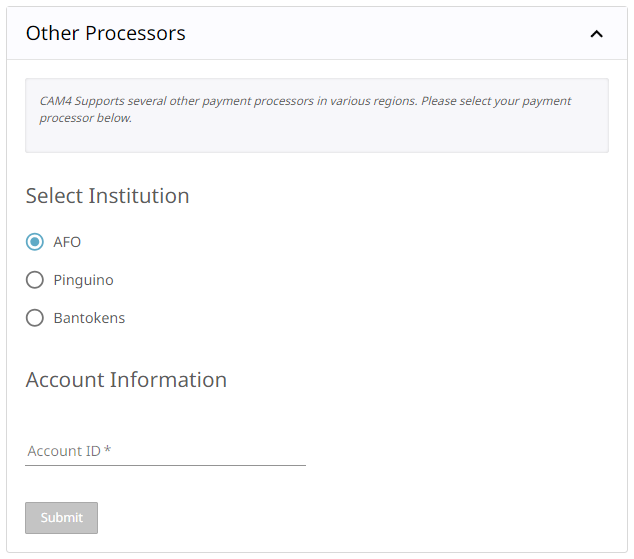
Daily Pay (UK Only)

 We offer a few other methods of payment that maybe local to your region as well. Simply add your Account ID to get setup!

Click here to find out which one works in your country!

If you have any issues setting up one of these payment options please email payments@cam4.com. Our friendly CS team are happy to help walk you through setup or work through any issues that may come up.


~That’s all for this lesson!

Happy Camming!
Love, Your Coaching Team!