Block regions or countries: hide your profile from specific locations — here’s how to set it up (and when it is or isn’t smart).
Block Regions/Countries on CAM4
Hide your profile from visitors from selected provinces or countries. Please note: not watertight (mobile IP/VPN can bypass blockades).
Tip: It’s better to block your province than an entire country — most of your income often comes from your own region.
What Does Region Blocking Do?
If you block a province or country, visitors with an IP address from that region cannot find your profile. If they search for your username, it will appear as if your profile does not exist.
Good to Know
- Blockades do not work on all mobile IP addresses.
- Proxy/VPN users can bypass blockades.
- Blocking too broadly can reduce your reach and income.
Advice
- Use blocking sparingly.
- If possible, choose to block at the province level.
- Regularly evaluate whether the blockade is still necessary.
How to Set Up a Block
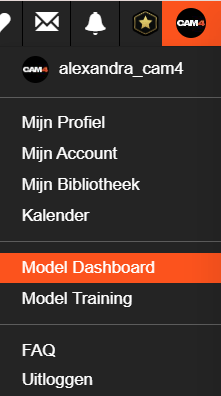
- Go to your Broadcaster Dashboard by selecting your profile picture in the top right corner (drop-down opens).
- Choose ‘Block Regions / Countries’ under Performer Tools in the sidebar.
- Select the country or region you want to block and click ‘Save’.
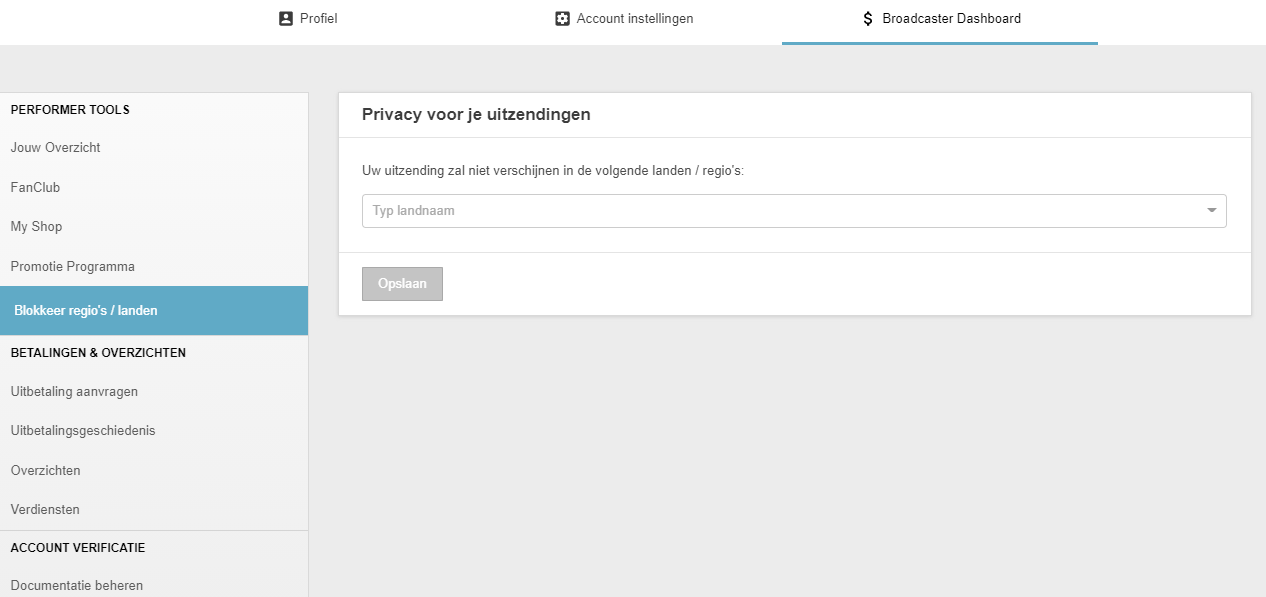
After saving, your profile is not visible in the chosen province or countries.
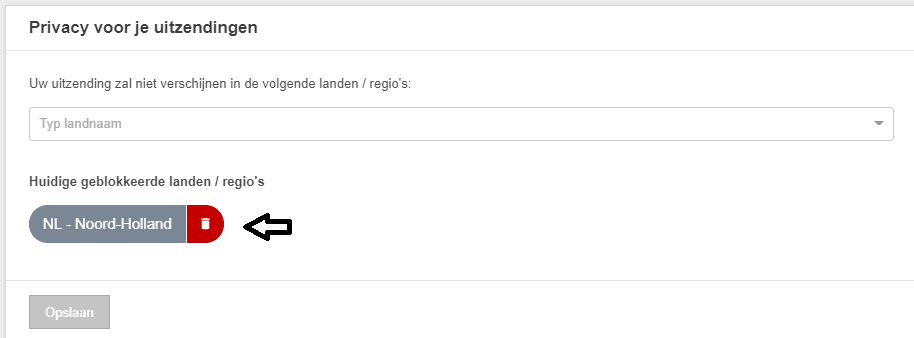
Undo Blockade
Want to remove the blockade? Click the trash can icon behind the country or region.
Make a Conscious Choice
Reach vs. Privacy
Most performers earn the most from viewers from their own country. Blocking too much can slow your growth. Weigh your privacy wish against visibility and income.
Summary: block specifically (preferably province), remember that mobile/VPN can bypass blockades, and check periodically whether your settings are still correct.